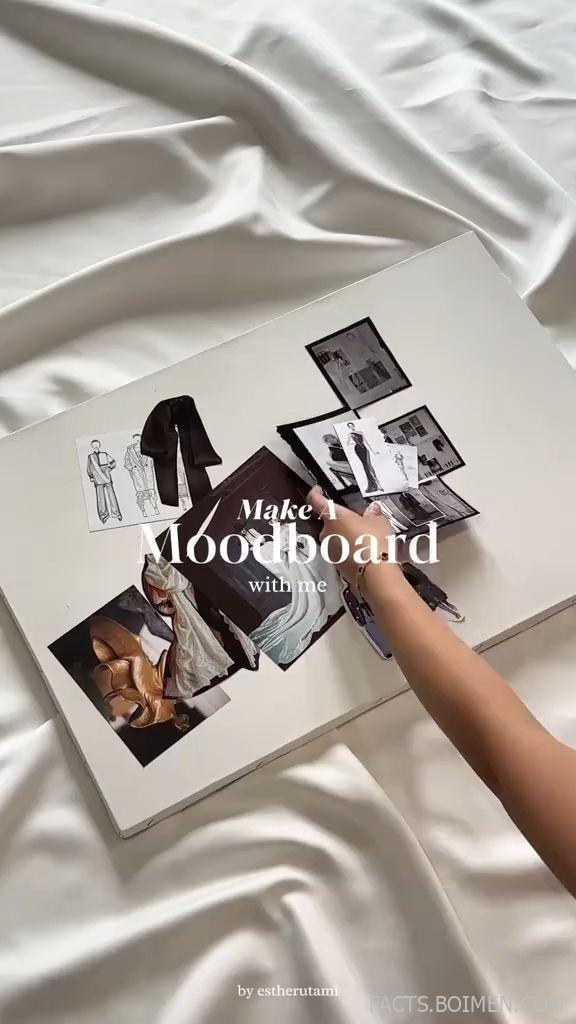
A mood board is the cheapest renovation you will ever do. Before a single can of paint gets opened or a shelf gets drilled into drywall, a mood board lets you test an entire teen bedroom in an afternoon — colors, textures, lighting, and the small decor moments that make a room feel finished instead of half-started. The trick is knowing which tools make that visual planning fast, free, and genuinely fun. Below are 15 mood board makers and color-and-decor resources that turn a vague “I want it to look cool” into a plan you can actually shop from.
Table of Contents(Click to Toggle)
Why a Mood Board Beats Guessing
Teen bedrooms are the hardest rooms in a house to design. The occupant’s taste shifts every few months, the budget is usually small, and the room has to do five jobs at once: sleep, study, hang out, get ready, and express a personality. A mood board solves all of that on a screen before money is spent.
It also settles arguments. Instead of debating whether sage green or lilac “goes” with the bedding, you place both swatches next to the actual duvet photo and let your eyes decide. Designers call this a concept board, and it is the same first step used on magazine shoots — just scaled down to a bedroom and a weekend.
The tools below split into three rough camps: all-in-one collage makers, dedicated color-palette generators, and room visualizers that place real products in a real space. Use one from each camp and you will have a complete plan: a palette, a collage, and a layout.
15 Mood Board Tools for Trendy Teen Rooms
1. Canva : The fastest free mood board builder for beginners
What it is: A browser-based design platform with thousands of ready-made mood board templates, drag-and-drop grids, and a huge stock library.
Category: All-in-one mood board maker
Why it stands out:
- Search “mood board” and you get dozens of layouts sized for a phone screen, so the finished board is shareable in a group chat.
- The color palette tool extracts hex codes from any uploaded photo — upload a sunset pic and it hands you a matching set of swatches.
- Free plan covers most teen room projects; the main limitation is that premium stock elements are watermarked until you upgrade.
Best for: A first mood board made in under 30 minutes.
2. Pinterest : The endless idea engine for decor themes
What it is: The visual discovery platform where most teen room trends surface first, organized into boards you can keep private or share.
Category: Inspiration and idea collection
Why it stands out:
- Section boards let you split one board into “Lighting,” “Walls,” and “Desk Setup” so a 200-pin board stays usable.
- The visual search tool lets you crop any single object in a photo — a lamp, a rug — and find similar pins instantly.
- Downside: it is inspiration only, so you still need a separate tool to arrange everything into one cohesive board.
Best for: Collecting raw ideas before you commit to a direction.
3. Coolors : Instant trendy color palettes with hex codes
What it is: A lightning-fast palette generator that builds five-color schemes you can lock, shuffle, and export.
Category: Color palette generator
Why it stands out:
- Press the spacebar and a whole new palette appears — genuinely addictive for testing lilac, terracotta, or sage combinations.
- The contrast checker flags pairs that are hard to read, useful if the room doubles as a study space with a painted desk area.
- Free version allows a handful of saved palettes; beyond that you need an account, though exporting a screenshot is always free.
Best for: Locking in a wall color plus two accent shades.
4. Adobe Express : Polished collages with pro-grade type
What it is: Adobe’s free-to-start design app, with mood board templates, Adobe Fonts, and one-click background removal.
Category: All-in-one mood board maker
Why it stands out:
- Background removal is the standout feature — cut a chair out of a catalog photo and drop it onto a colored canvas to see how it reads against the wall.
- Templates are cleaner and more editorial than most free alternatives, which suits a board you plan to print and pin above a desk.
- Some fonts and premium assets sit behind the paid tier, so check the little crown icon before building the whole board around one.
Best for: A printable board with magazine-style typography.
5. Milanote : A pinboard-style canvas for messy, brilliant ideas
What it is: An infinite visual workspace where notes, images, links, and swatches sit side by side like a real corkboard.
Category: Visual planning workspace
Why it stands out:
- You can drag in a product link and it becomes a card with the image and price attached — a shopping list that looks like a mood board.
- Nested boards let you keep one master board and separate sub-boards for lighting, bedding, and wall art.
- Free accounts cap the number of cards, which is plenty for one bedroom but tight if you plan several rooms.
Best for: Teens who want the board and the budget list in one place.
6. Figma : Precision layout control for perfectionists
What it is: A collaborative design tool built for interfaces, but widely used for mood boards because of its alignment and frame tools.
Category: Design canvas
Why it stands out:
- Frames and auto-layout keep a grid perfectly even, which matters when you are comparing six fabric swatches at identical size.
- Real-time collaboration means a teen and a parent can edit the same board from two devices at once.
- It is more technical than a template app — expect a short learning curve before the first board looks tidy.
Best for: Anyone who wants pixel-perfect swatch comparisons.
7. Behr ColorSmart : Preview paint colors on a real photo of the room
What it is: Behr’s paint visualizer, which lets you upload a photo of the actual bedroom and paint the walls digitally.
Category: Paint visualizer
Why it stands out:
- Upload a phone photo, tap the wall, and cycle through curated palettes — the fastest way to test whether a bold accent wall is too much.
- Coordinating color suggestions pair each wall shade with trim and ceiling options, so a scheme feels intentional rather than random.
- Results depend on your photo’s lighting, so shoot in daylight for the most accurate preview.
Best for: Deciding on an accent wall before buying paint.
8. Sherwin-Williams ColorSnap Visualizer : Paint, then match the whole palette
What it is: A visualizer that paints uploaded room photos and then suggests coordinating colors from the brand’s full range.
Category: Paint visualizer
Why it stands out:
- Paint a wall, then pull a coordinating trio for furniture and trim — handy when the bedding color is already locked in.
- Extracted palettes from your own photos mean a favorite poster or rug can become the source of the whole scheme.
- Best results come from a straight-on, well-lit wall shot; angled photos distort the preview.
Best for: Building a full room palette from one inspiration photo.
9. Color Hunt : A scrolling feed of ready-made color trends
What it is: A simple gallery of four-color palettes, curated and sorted by popularity and recency.
Category: Color palette generator
Why it stands out:
- Every palette shows all four hex codes at a glance, so you can hand them straight to a paint counter or an online print shop.
- The trending page is a quick read on which color moods are popular right now — useful for a teen who wants a room that feels current.
- There is no editing or saving on the site itself; it is purely a browsing and copying tool.
Best for: Grabbing a trendy palette in under a minute.
10. Behance : Interior concept boards from working designers
What it is: Adobe’s portfolio network, where interior and set designers post full concept boards alongside finished photos.
Category: Inspiration and idea collection
Why it stands out:
- Search “teen room concept” or “mood board interior” and you see how professionals arrange swatches, textures, and product shots together.
- Many projects include the finished room photo, so you can judge whether the board actually translated into a good space.
- It is a portfolio site, not a builder — you come here to study composition, then build elsewhere.
Best for: Learning how a professional board is composed.
11. Houzz : Real rooms with real product tags
What it is: A home design platform with millions of photos, each often tagged with the actual products used.
Category: Inspiration and idea collection
Why it stands out:
- Filter photos by room type and style to see teen bedrooms in a specific palette, like “teen bedroom purple” or “small bedroom boho.”
- Product tags turn a favorite photo into a shopping list, which shortens the gap between mood board and finished room.
- The site leans toward adult and whole-home design, so teen-specific results are thinner than on Pinterest.
Best for: Finding shoppable versions of a look you love.
12. Design Files : A curated feed of current interior trends
What it is: An interiors publication covering real homes, color trends, and decorating ideas with strong photography.
Category: Trend research and inspiration
Why it stands out:
- Trend roundups explain why a color or material is having a moment, which helps a teen choose something that will still feel good next year.
- Real-home tours show how small bedrooms handle storage, lighting, and wall decor — the practical side of a pretty palette.
- It is editorial reading rather than a tool, so treat it as research before you open your builder.
Best for: Understanding which decor themes are actually trending.
13. SampleBoard : Purpose-built concept board software
What it is: An online concept board tool made specifically for interior and styling projects, with drag-and-drop image blocks.
Category: Dedicated mood board software
Why it stands out:
- Boards are built around design presentation, so the default layouts already look like a professional sample board.
- You can organize multiple boards per project, which suits planning a bedroom and a study corner as separate concepts.
- The free tier is limited and the interface is less forgiving than mainstream design apps, so it rewards a little patience.
Best for: A structured, interior-specific board workflow.
14. IKEA Room Planner : Test the layout before you buy the furniture
What it is: A free planning tool that lets you draw a room to scale and drop in IKEA furniture to check fit and flow.
Category: Room layout planner
Why it stands out:
- Enter the real room dimensions and you can see instantly whether a desk, bed, and wardrobe actually coexist without blocking the door.
- Swap finishes and colors on the same piece to preview how a white or oak unit sits against your chosen wall shade.
- It only includes IKEA products, so it is a layout and proportion tool rather than a full decor board.
Best for: Small bedrooms where every centimeter counts.
15. Morpholio Board : Designer-grade mood boards on a tablet
What it is: A mood board app from a company known for architect and designer tools, built for touch and stylus input.
Category: Dedicated mood board software
Why it stands out:
- It pulls in real product images with pricing and specs, so the board doubles as a sourced shopping plan.
- Layering and annotation tools let you scribble notes directly on the board — useful for flagging “paint this” or “measure again.”
- It is tablet-first, so phone-only users will find it cramped compared with a browser tool.
Best for: Tablet users who want a polished, sourced board.
Bonus Mentions
Design Seeds : Daily color palettes pulled from photographs
A long-running blog that pairs a photo with the exact color palette taken from it. Ideal when you want a palette that feels organic rather than generated, and a great starting point if a teen has one inspiration photo and no idea where to begin.
Color Matters : The psychology behind your palette
An educational site explaining how colors affect mood and perception. Helpful context when choosing between a calming blue-green study corner and a bolder accent wall, especially for a room used for both homework and hanging out.
Unsplash : Free high-resolution photos for boards
A free stock photo library with a strong interiors and textures collection. Useful for filling gaps in a board when you cannot find the exact bedding or lamp shot you need, and the license allows free use.
Pexels : Another free image source for texture and detail shots
Similar to Unsplash, with a solid set of close-up texture photos — fabric weaves, wood grain, plaster walls. These detail shots are what make a mood board feel tactile instead of flat.
Pantone Connect : Reference the color standard designers use
Pantone’s color platform lets you look up named colors and their closest digital equivalents. Handy if a teen wants to match a specific shade they saw in a magazine or on a piece of merch.
The Best-Kept Secrets for Teen Room Planning
The best teen room projects do not start at the store — they start on a screen, with three or four tools working together. Collect ideas on Pinterest and Houzz, lock a palette in Coolors or Color Hunt, test the paint in Behr ColorSmart or ColorSnap, check the layout in the IKEA Room Planner, then assemble everything in Canva, Milanote, or Morpholio Board.
That sequence costs nothing and takes an afternoon, but it prevents the two most common regrets: a wall color that looked better in the swatch photo, and a furniture layout that leaves no floor space. It also gives a teen something genuinely useful to do with their own taste — a board they can defend, refine, and eventually live in.
Start with one tool, not fifteen. Build a rough board this weekend, live with it for a few days, and add to it as ideas arrive. The board will tell you when it is finished.
Which mood board tool ended up on your list — and did you find a hidden gem I missed? Share your favorite find in the comments.