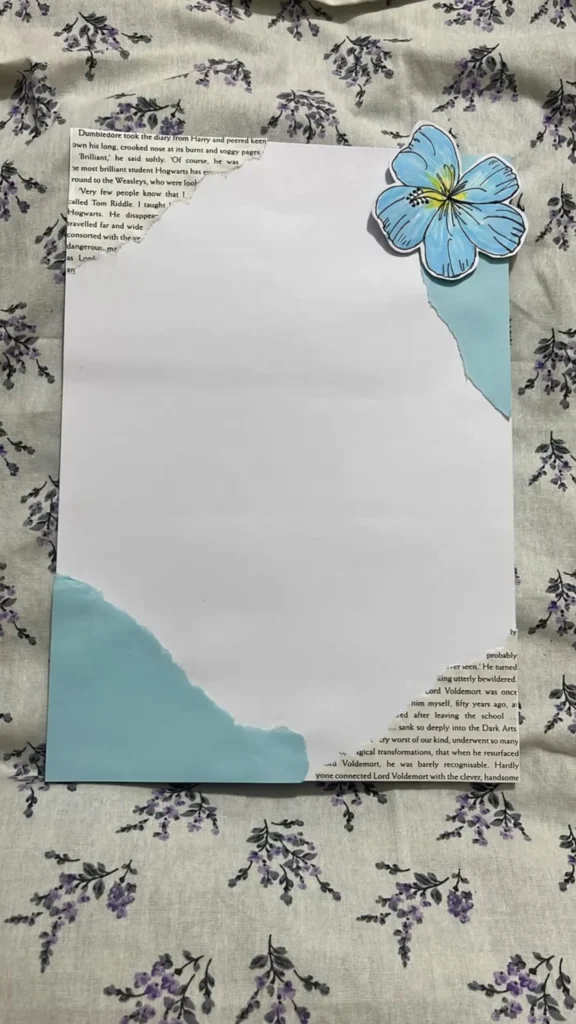
If you have ever finished a chapter and felt the urge to scribble a quote, sketch a crest, or map out a character’s family tree, you already know the quiet thrill of a project page. The pin that brought you here shows a diary being examined by a sharp-eyed professor — soggy pages, a long crooked nose, a muttered “brilliant” — and that is exactly the mood this list is built for: pages that feel like discovered objects, not homework. Below are eighteen tools and resources for building project pages worth rereading years from now, each one tested against a simple question: does it make the page more fun to make and more satisfying to flip back to?
Table of Contents(Click to Toggle)
Why project pages turn a journal into a keepsake
A project page is the opposite of a diary entry. A diary records what happened; a project page records what you noticed. It might be a spread devoted to a single book — a quote in careful lettering, a hand-drawn map of a fictional school, a color palette pulled from the cover — or a page about a hobby, a trip, or a season. The trick is that these pages reward a small amount of planning. A few good fonts, a reusable layout, and a source of copyright-friendly images can turn a blank spread into something that looks intentional in under an hour.
The tools below are grouped loosely by what they solve: design and layout, image sourcing, typography and supplies, reference material, and digital archiving. You do not need all eighteen. Most journalers find that two or three become staples and the rest are there for the spreads where you want to try something new. Start with the first item, which is the one most people reach for when a project page needs a fast, clean layout.
18 tools and resources for project page ideas
1. Canva : Fast, free layout templates for printable project pages
What it is: A browser-based design tool with thousands of free templates, including journal and planner layouts sized for A5 and letter paper.
Category: Design and layout
Why it stands out: You can build a reusable project-page template once — a title block, a quote box, a small image frame — and duplicate it for every new spread. The free tier includes a solid font library and basic shapes, and exporting to PDF at print resolution keeps lettering crisp.
Best for: Anyone who wants a printable page to trace, paste, or use as a layout guide before committing ink to a bound journal.
2. Pinterest : The largest visual mood board for spread ideas
What it is: A visual search engine where users save images to themed boards.
Category: Inspiration
Why it stands out: Search “book journal spread” or “project page layout” and you get hundreds of photographed pages with visible pen brands, tape widths, and margin habits. Save candidates to a private board before you start a spread so you are not scrolling mid-page.
Best for: Building a reference board of layouts you actually like, rather than vaguely admiring.
3. Unsplash : Free high-resolution photos for collage and print
What it is: A library of free-to-use photographs contributed by photographers.
Category: Image sourcing
Why it stands out: The Unsplash License allows free commercial and personal use without attribution, which makes it safe for pages you might sell or share. Search terms like “old library,” “parchment,” or “moody forest” return images that print well at small sizes.
Best for: Small photo elements — a 2-inch image tucked into a corner — that give a spread texture without overwhelming it.
4. Google Docs : A free drafting space for page text and quotes
What it is: Google’s free word processor, available in any browser.
Category: Planning
Why it stands out: Drafting a quote or a short paragraph in a document first saves you from crossing out mistakes on a finished page. Set the page size to A5 under Page Setup, use a wide margin, and the text block roughly matches a journal spread.
Best for: Practicing lettering text and checking word counts before you commit to a layout.
5. The Postman’s Knock : Free calligraphy worksheets for titles and quotes
What it is: A lettering blog and shop with a large free worksheet library.
Category: Typography
Why it stands out: The free practice sheets cover brush pen, dip pen, and modern calligraphy, and each comes with a short lesson on stroke order. Printing a worksheet and tracing it twice is usually enough to make a project-page title look deliberate rather than shaky.
Best for: Journalers who want hand-lettered headings but have never taken a calligraphy class.
6. JetPens : A research library for pens, inks, and paper
What it is: An online stationery retailer with unusually detailed buying guides.
Category: Supplies
Why it stands out: The guides compare ink dry times, bleed-through on thin paper, and pen tip sizes with photos, which matters when a project page uses both fountain pen and marker. Even if you buy elsewhere, the compatibility charts are worth reading first.
Best for: Choosing supplies that will not ghost through the back of a page.
7. Etsy : Printable project-page kits from independent designers
What it is: A marketplace for handmade and digital goods.
Category: Printables
Why it stands out: Search “junk journal printable” and you will find themed kits — vintage botanical, dark academia, travel — sold as instant PDF downloads for a few dollars. Many include matching tags, pockets, and quote cards so a spread stays visually consistent.
Best for: Building a themed spread quickly without sourcing every element separately.
8. Fandom Wiki : Deep reference for character and world pages
What it is: A network of community-run wikis for books, films, games, and series.
Category: Reference
Why it stands out: If your project page is about a fictional world, the wiki gives you accurate spellings, timelines, and family trees you can copy into a diagram. A character page with a correct lineage chart reads as researched rather than guessed.
Best for: Fact-checking details before you ink a map, crest, or family tree.
9. Goodreads : Quote verification and reading logs
What it is: A book catalog and reading community owned by Amazon.
Category: Reference
Why it stands out: The quotes section lets you confirm exact wording and page numbers before lettering a passage onto a page. The reading challenge tracker also gives you a natural year-end project page: a list of everything read, with star ratings you can chart by hand.
Best for: Getting a quote exactly right and keeping a running list to turn into a summary spread.
10. Archive of Our Own : Fan writing for character study pages
What it is: A nonprofit archive of fan-created fiction, searchable by fandom, character, and tag.
Category: Inspiration
Why it stands out: Reading a short character-focused piece can surface details you missed in the source material, which makes for a richer character page. The tag system is unusually precise, so you can filter by length and mood instead of scrolling blindly.
Best for: Journalers who want to write about a character’s motivations, not just their appearance.
11. Pexels : A second free photo library with strong texture searches
What it is: A free stock photo and video site with its own license.
Category: Image sourcing
Why it stands out: Where Unsplash leans artistic, Pexels has more everyday textures — crumpled paper, fabric folds, coffee stains, wood grain — that work as background layers behind lettering. Downloading the smallest offered size keeps file sizes manageable for home printing.
Best for: Background textures that make a plain page look aged.
12. COLOURlovers : Ready-made palettes for cohesive spreads
What it is: A community site for sharing color palettes, patterns, and names.
Category: Color
Why it stands out: Pick a five-color palette before you start a spread and every element — tape, ink, sticker, photo — has a rule to follow. The site shows hex codes for each swatch, so you can match a pen or washi tape to the palette rather than guessing at the craft store.
Best for: Journalers whose spreads start to look cluttered after the third color.
13. Coolors : A fast palette generator with a lock-and-shuffle workflow
What it is: A browser palette generator that builds five-color schemes instantly.
Category: Color
Why it stands out: The lock feature is the useful part: keep the two colors you already own supplies in, shuffle the rest until the set works. It also exports palettes as images, which you can print small and tape into the back of a journal as a reference swatch card.
Best for: Building a palette around supplies you already have rather than buying new ones.
14. Naela : A small shop for journaling kits and paper goods
What it is: An independent stationery shop selling journaling kits, stickers, and paper.
Category: Supplies
Why it stands out: The curated kits bundle matching elements — paper scraps, stickers, tags — so a project page has a coherent look without hunting for each piece. It is a good option when you want a themed set for a single spread rather than a full stash.
Best for: One-off themed spreads where matching supplies matter more than variety.
15. Washi Tape Shop : Patterned tape for borders and page edges
What it is: An online retailer specializing in decorative washi tape.
Category: Supplies
Why it stands out: Washi tape is the lowest-risk way to add color to a project page because it peels off without tearing most journal paper. The shop’s catalog is organized by theme and width, and the narrow 5mm rolls are the ones that work best for framing a small quote block.
Best for: Beginners who want a finished-looking border without drawing a straight line.
16. Wikimedia Commons : Public-domain art and maps for vintage pages
What it is: A free media repository of images, many in the public domain.
Category: Image sourcing
Why it stands out: Old botanical prints, antique maps, and engraved portraits are all available at high resolution with clear license information on each file page. A single public-domain botanical illustration, printed small and trimmed, gives a project page an authentic vintage feel that modern stock photos cannot match.
Best for: Vintage and natural-history themed spreads, and any page you plan to publish or sell.
17. Figma : Precise layout control for repeatable page templates
What it is: A collaborative design tool with a generous free tier.
Category: Design and layout
Why it stands out: Components let you build one title block and reuse it across every project page, so headings stay the same size and position. Alignment guides and exact millimeter spacing are more precise than most drag-and-drop tools, which matters when you are printing at A5.
Best for: Journalers who want a consistent template system across many spreads.
18. Notion : A digital index for planning and archiving pages
What it is: A flexible workspace for notes, databases, and galleries.
Category: Planning
Why it stands out: A simple Notion database can track every project page you have made: the theme, the supplies used, the quote source, and a photo of the finished spread. When you want to revisit a layout that worked, you search instead of flipping through a full journal.
Best for: Keeping a searchable record of spreads so good ideas do not get buried.
Bonus Mentions
Letterboxd : A film diary that pairs well with adaptation pages
If your project page compares a book to its screen adaptation, Letterboxd’s diary and review format gives you a clean place to log viewing dates and ratings before transferring them to paper.
LibraryThing : Cataloging for personal library pages
Useful when a project page is about your own shelves — it tracks editions, publication dates, and covers you can reference while sketching a shelf map.
Open Library : Cover art and edition details in one place
A free, nonprofit catalog that is handy for finding a specific cover image to trace or print for an edition-comparison page.
Pexels Videos : Short clips for motion-based page inspiration
Watching a flip-through video frame by frame is often faster than reading a tutorial when you are trying to work out how a layered spread was assembled.
The best-kept secrets in journaling (so far)
The pattern across all eighteen is that good project pages come from borrowing structure, not from buying more supplies. A palette from Coolors, a template from Canva or Figma, a public-domain illustration from Wikimedia Commons, and a verified quote from Goodreads will carry most spreads. The rest — tape, pens, printables — are refinements you add once the layout already works.
Start with one page this week: pick a single book, choose a palette, draft the quote in a document, and build the layout before you touch the journal. If the first attempt feels stiff, keep it anyway. Project pages age well precisely because they show how you were thinking at the time, including the crooked bits. The soggy, brilliant pages are usually the ones made in one sitting.
Which tool on this list are you trying first — and have you found a small site or shop that deserves a spot in the next roundup?