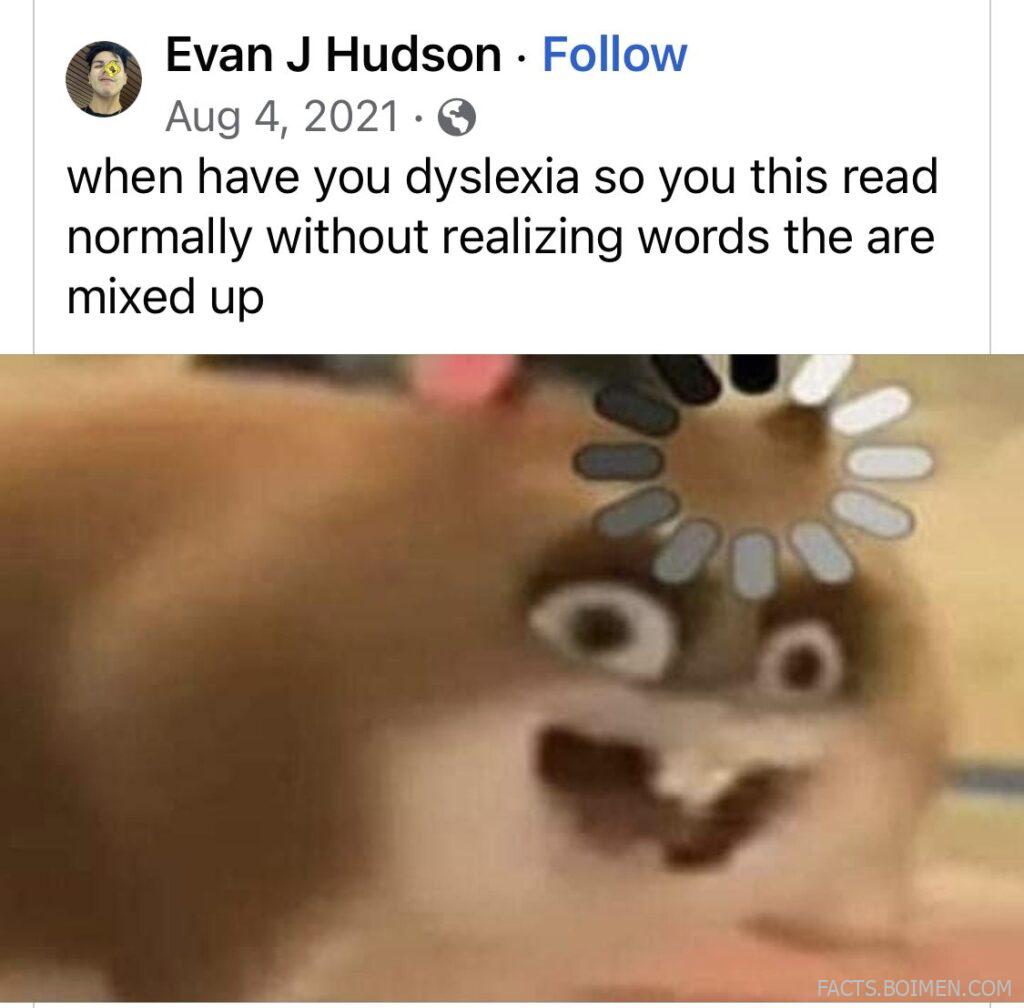
If you have dyslexia, you have probably had the strange experience of reading a paragraph perfectly, then looking back and noticing that words were swapped, letters were flipped, or a whole line slid sideways. The text did not change — the way your eyes and brain processed it did. That is the quiet, everyday reality of dyslexia: fluent reading one moment, tangled reading the next.
What most people never learn is that small, deliberate changes to typography, spacing, and page layout can reduce that tangling dramatically. Designers and accessibility researchers have spent decades testing fonts, line lengths, background colors, and letter spacing to find out what actually helps. The result is a set of practical tricks you can apply today — in your browser, on your phone, in a document, or in your own designs. Below are 20 of the most useful, starting with the classic reading simulation that made this whole conversation go viral.
Table of Contents(Click to Toggle)
- Why Typography Quietly Decides Whether Reading Feels Easy
- 20 Typography Tricks That Make Reading Easier
- 1. Dyslexia Reader Simulator
- 2. OpenDyslexic
- 3. Lexend
- 4. Atkinson Hyperlegible
- 5. Dyslexie Font
- 6. Bionic Reading
- 7. BeeLine Reader
- 8. Helperbird
- 9. Microsoft Immersive Reader
- 10. Google Read Along
- 11. Speechify
- 12. NaturalReader
- 13. Read&Write for Google Chrome
- 14. Voice Dream Reader
- 15. Rewordify
- 16. Mercury Reader
- 17. Tint Browser
- 18. Beeline Reader Chrome Extension
- 19. Font Changer Extensions
- 20. Reading Ruler Overlays
- Bonus Mentions
- The Internet’s Best-Kept Reading Secrets (So Far)
Why Typography Quietly Decides Whether Reading Feels Easy
Dyslexia is not a vision problem and it is not a measure of intelligence. It is a difference in how the brain maps written symbols to sounds and meaning. That mapping can be disrupted by visual crowding — when letters sit too close together, or when similar shapes like b, d, p, and q compete for attention. Typography either reduces that crowding or makes it worse.
Research into accessible typefaces has shown that wider letter spacing, distinct letterforms, and generous line height can measurably improve reading speed and comfort for many people with dyslexia. The catch is that no single font fixes everything for everyone. That is why the tools below range from playful simulations to serious reading apps. Use them as a personal toolkit: test a few, notice what your eyes do, and keep the ones that make the page feel calmer.
20 Typography Tricks That Make Reading Easier
1. Dyslexia Reader Simulator : Experience how mixed-up text feels in seconds
What it is: A simple web tool that scrambles, swaps, or jumbles letters and words so you can feel what a dyslexic reading moment is like.
Category: Simulation and awareness tool
Why it stands out:
- Paste in any sentence and watch it transform into the kind of text a dyslexic reader might perceive.
- Excellent for teachers, parents, and designers who want empathy rather than theory.
- Runs instantly in a browser with no account required.
Best for: Anyone who wants to understand the lived experience behind the viral “you read this normally without realizing the words are mixed up” posts.
2. OpenDyslexic : A free typeface built to stop letters from flipping
What it is: An open-source font designed with weighted bottoms on each letter so the eye can tell which way is up.
Category: Accessible typeface
Why it stands out:
- Letters like b, d, p, and q have distinct shapes, reducing mirror confusion.
- Free to download and free to embed in websites and apps.
- Works alongside most browsers and e-readers without special software.
Best for: Readers who lose their place because similar letters blur together.
3. Lexend : A research-backed font that aims to boost reading fluency
What it is: A family of fonts developed from studies suggesting that reduced visual crowding improves reading proficiency.
Category: Accessible typeface
Why it stands out:
- Comes in multiple widths and weights so you can match the density that suits your eyes.
- Available through Google Fonts, making it easy to add to any website.
- Designed to look clean and modern rather than clinical.
Best for: Students and professionals who want an accessible font that still looks polished in documents and slides.
4. Atkinson Hyperlegible : Letterforms engineered for maximum distinction
What it is: A free font from the Braille Institute that exaggerates the differences between commonly confused characters.
Category: Accessible typeface
Why it stands out:
- Each character has a unique silhouette, so I, l, and 1 never look identical.
- Originally designed for low vision but widely loved by dyslexic readers too.
- Free for both personal and commercial use.
Best for: People who misread numbers and punctuation, especially in forms and financial documents.
5. Dyslexie Font : A dedicated typeface with subtle shape cues
What it is: A commercial font family designed specifically for readers with dyslexia, with heavier bottoms and open counters.
Category: Accessible typeface
Why it stands out:
- Letters are slightly tilted and weighted to discourage rotation errors.
- Available for desktop, web, and e-reader use.
- Widely adopted by schools in several countries.
Best for: Readers who want a purpose-built font and are comfortable with a paid license.
6. Bionic Reading : Bold letter starts that guide your eyes forward
What it is: A reading method that bolds the first few letters of each word, giving your eye an anchor point.
Category: Reading aid
Why it stands out:
- Can noticeably speed up scanning for some readers by reducing fixations.
- Works as a browser extension, app, or API.
- Easy to toggle on and off to compare comfort.
Best for: Readers who skim past words and need a visual rhythm to slow them down.
7. BeeLine Reader : Color gradients that pull your eyes down the page
What it is: A tool that applies a subtle color gradient across lines of text to guide the eye from one line to the next.
Category: Reading aid
Why it stands out:
- Reduces line-skipping, a common frustration for dyslexic readers.
- Available as a browser extension and mobile app.
- Customizable color schemes to suit different preferences.
Best for: Anyone who repeatedly reads the same line twice or jumps to the wrong line.
8. Helperbird : An accessibility toolbox for any website
What it is: A browser extension that bundles dyslexia-friendly fonts, overlays, text-to-speech, and reading rulers.
Category: Browser accessibility extension
Why it stands out:
- One install gives you dozens of reading adjustments in a single panel.
- Includes color overlays and letter spacing controls.
- Works on most sites without breaking layouts.
Best for: Readers who want a Swiss Army knife rather than five separate extensions.
9. Microsoft Immersive Reader : Built-in reading support across Microsoft apps
What it is: A free reading tool inside Word, Edge, OneNote, and Teams that adjusts text for easier reading.
Category: Integrated reading tool
Why it stands out:
- Offers line focus, syllable splitting, and text-to-speech in one place.
- No extra installation if you already use Microsoft products.
- Includes a picture dictionary for unfamiliar words.
Best for: Students and office workers who read long documents daily.
10. Google Read Along : A friendly reading coach for younger readers
What it is: A free app that listens to a child read aloud and offers encouragement and help with tricky words.
Category: Early literacy app
Why it stands out:
- Uses speech recognition to give instant, gentle feedback.
- Includes a library of leveled stories.
- Works offline once stories are downloaded.
Best for: Parents supporting a dyslexic child who needs low-pressure practice.
11. Speechify : Turn any text into natural-sounding audio
What it is: A text-to-speech app that reads articles, PDFs, and emails aloud in realistic voices.
Category: Text-to-speech
Why it stands out:
- High-quality voices make long reading sessions far less tiring.
- Can highlight words as they are spoken to reinforce recognition.
- Available on mobile, desktop, and browser.
Best for: Commuters and multitaskers who absorb more by listening than by reading.
12. NaturalReader : Paste text and hear it read back instantly
What it is: A straightforward text-to-speech tool with a clean interface and a free tier.
Category: Text-to-speech
Why it stands out:
- Handles PDFs, web pages, and pasted text without fuss.
- Offers both free browser voices and premium natural voices.
- Includes an OCR feature for scanned documents.
Best for: Readers who want a no-nonsense listening option without a subscription commitment.
13. Read&Write for Google Chrome : A literacy toolbar for the web
What it is: An extension that adds reading, writing, and study support to Google Docs, PDFs, and websites.
Category: Literacy extension
Why it stands out:
- Includes text-to-speech, word prediction, and a screenshot reader.
- Highlights text as it reads to support tracking.
- Free for teachers in many regions.
Best for: Students who need reading and writing support in the same tool.
14. Voice Dream Reader : A customizable reading app for iOS
What it is: A mobile reading app that turns documents and ebooks into customizable spoken text.
Category: Mobile reading app
Why it stands out:
- Lets you adjust font, spacing, color, and voice to your exact preference.
- Supports dyslexia-friendly fonts and synchronized highlighting.
- Works with Dropbox, Google Drive, and Bookshare.
Best for: iPhone and iPad users who want deep control over how text looks and sounds.
15. Rewordify : Simplify difficult text without losing meaning
What it is: A free tool that rewrites complex passages into simpler language.
Category: Text simplification
Why it stands out:
- Highlights hard words and offers easier replacements.
- Useful for dense articles, legal text, and classic literature.
- Includes vocabulary-building quizzes from the simplified text.
Best for: Readers who understand concepts but get stuck on heavy vocabulary.
16. Mercury Reader : Strip away clutter and keep only the words
What it is: A readability extension that removes ads, sidebars, and pop-ups from articles.
Category: Reader mode tool
Why it stands out:
- Creates a clean, single-column reading view on almost any site.
- Adjustable font size and contrast for tired eyes.
- Reduces the visual noise that makes focus harder.
Best for: Anyone distracted by busy web pages with flashing banners.
17. Tint Browser : A browser that lets you tint the whole web
What it is: A browser built around color overlays that can reduce visual stress while reading.
Category: Accessible browser
Why it stands out:
- Applies a consistent color tint across every website you visit.
- Helps readers who find stark white backgrounds harsh.
- Simple controls with no complicated settings.
Best for: Readers who notice that black-on-white text feels glaring or shaky.
18. Beeline Reader Chrome Extension : Add color gradients to any web page
What it is: The browser version of BeeLine that applies its eye-guiding gradient to articles you read online.
Category: Browser extension
Why it stands out:
- One click turns on gradient reading for the current page.
- Multiple color themes for different lighting conditions.
- Pairs well with reader-mode extensions.
Best for: Desktop readers who want line guidance without switching apps.
19. Font Changer Extensions : Swap any website’s font for one that works for you
What it is: A category of browser extensions that override a site’s default typeface with your chosen font.
Category: Browser customization
Why it stands out:
- Lets you read every site in OpenDyslexic, Lexend, or Atkinson Hyperlegible.
- Often includes spacing and size adjustments in the same panel.
- Great for testing which font suits you before committing.
Best for: Readers who have found a font they love and want it everywhere.
20. Reading Ruler Overlays : A physical strip that keeps your place
What it is: Colored plastic strips you place over a page to highlight one line at a time.
Category: Physical reading aid
Why it stands out:
- Blocks out surrounding text so your eye stays on the current line.
- Available in many colors to match visual comfort preferences.
- Works with paper books, worksheets, and printed documents.
Best for: Readers who still work with printed material and want a tactile solution.
Bonus Mentions
Bookshare : An accessible ebook library for qualifying readers
A free library of accessible titles for people with reading disabilities, offering audio, braille, and large-print formats.
Learning Ally : Human-narrated audiobooks for students
A membership service with thousands of human-read audiobooks and support tools for dyslexic learners.
Understood.org : Practical guidance for families and adults
A nonprofit resource hub with articles, community, and tools for navigating dyslexia at school and work.
International Dyslexia Association : Research and advocacy in one place
A long-running organization offering fact sheets, conferences, and a provider directory.
Tint and Hue : Color overlay tools for screens and paper
Simple overlay products and guides for readers who benefit from colored filters.
The Internet’s Best-Kept Reading Secrets (So Far)
None of these tools will “cure” dyslexia, and none of them claim to. What they do is remove friction. A font with clearer letterforms, a gradient that guides your eye down a page, a voice that reads while you follow along — each one shaves a little effort off a task that already takes more energy than it should.
The smartest approach is to treat this list as a test kitchen. Try OpenDyslexic for a week, then Lexend, then Atkinson Hyperlegible. Turn on BeeLine for long articles and Immersive Reader for school documents. Keep what feels invisible and drop what feels like work. The goal is not to read like everyone else — it is to read in the way that finally feels like yours.
Which of these made the biggest difference for you, and what hidden gem should be on this list next?