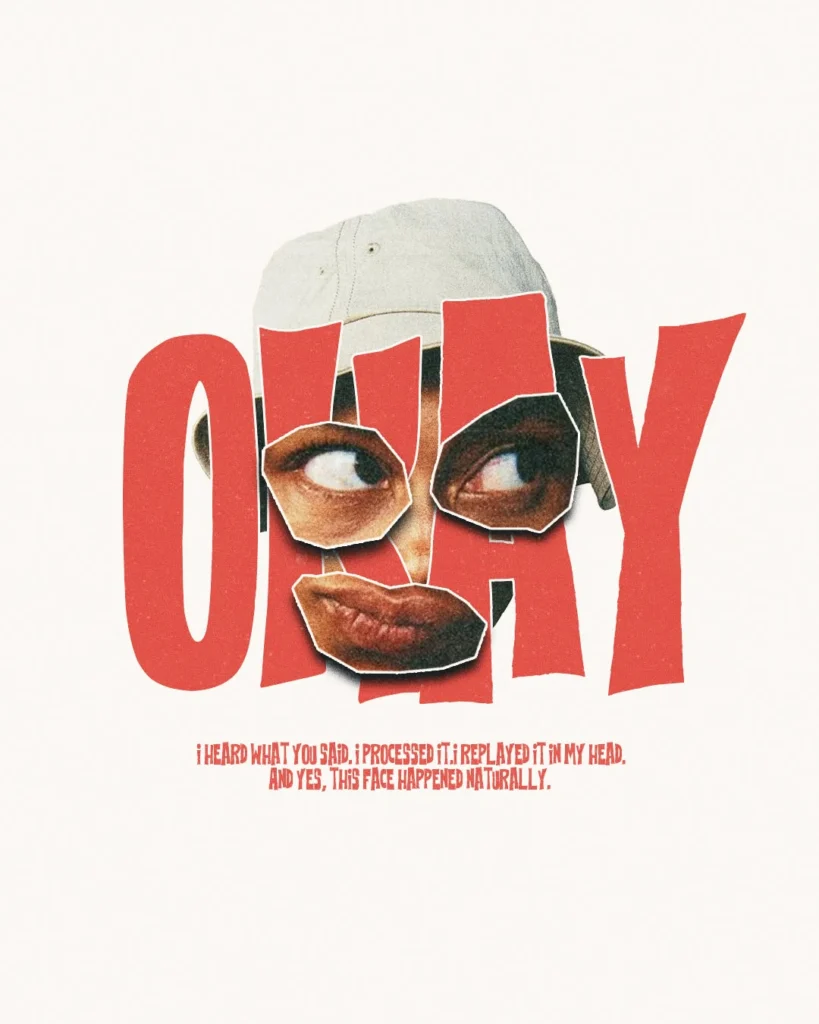
You heard what they said. You processed it. You replayed it in your head. And yes — that face happened naturally. The only problem is nobody was there to capture it. These sixteen tools exist for exactly that moment: the split second when a sentence lands and your expression says everything words cannot. Some are meme generators, some are GIF libraries, some are surprisingly clever image editors. All of them turn a fleeting look into something you can send, post, or save for the next time someone says the same thing again.
Table of Contents(Click to Toggle)
Why reaction faces are the internet’s real second language
Text strips tone. Emoji soften it. But a face — a raised eyebrow, a slow blink, a smile that arrives two seconds too late — carries the entire subtext of a conversation in a single frame. That is why reaction images have quietly become the most efficient form of communication online: they let you acknowledge what was said, show you processed it, and reveal that the expression was not performed. It simply happened.
The tools below are the ones people reach for when they need that exact look, fast. Some host millions of ready-made faces. Others let you build a custom one from your own photo, a favorite TV frame, or a short clip. A few are genuinely underused, which is half the fun — you get to be the person in the group chat with the reaction nobody has seen yet.
1. Imgflip : The all-purpose meme and reaction image workhorse
What it is: A long-running meme generator with a searchable library of classic templates plus a blank-canvas uploader.
Category: Meme and reaction image generator
Why it stands out:
- Search by keyword to find the exact expression you need in seconds
- Add top and bottom text with the classic impact-style font instantly
- No account required for basic creation, which keeps it friction-free
Best for: Anyone who wants a reaction image in under a minute without opening a design app.
2. GIPHY : The largest searchable library of looping reaction faces
What it is: A GIF platform with millions of clips, strong search, and a built-in creator for turning video into loops.
Category: GIF library and creator
Why it stands out:
- Search terms like “side eye” or “confused blink” return dozens of usable results
- GIF Maker lets you upload a clip and trim it to the perfect two-second loop
- Stickers and GIFs integrate directly into most messaging apps
Best for: People who want a moving reaction rather than a still frame.
3. Tenor : Fast GIF search built for sharing in chats
What it is: A GIF search engine owned by Google, optimized for quick keyboard and in-app sharing.
Category: GIF search engine
Why it stands out:
- Results load quickly and are tagged by emotion, so browsing feels intuitive
- Deep integration with messaging keyboards means fewer copy-paste steps
- Cleaner, less cluttered interface than many larger competitors
Best for: Mobile users who want to drop a reaction into a conversation mid-sentence.
4. Kapwing : A browser editor for memes, clips, and captioned reactions
What it is: An online creative suite with meme templates, video trimming, and subtitle tools that run in the browser.
Category: Online video and image editor
Why it stands out:
- Auto-subtitle tool can caption a reaction clip for silent-scroll viewing
- Template library covers both still memes and short-form video formats
- Free tier is generous enough for occasional creators
Best for: Creators who want a reaction clip polished with text, captions, or a crop.
5. Filmora Meme Maker : Turn a short clip into a captioned reaction
What it is: A meme-focused tool from the Filmora editing family, aimed at adding text and effects to short videos.
Category: Video meme maker
Why it stands out:
- Preset text styles mimic familiar meme formats without manual formatting
- Handles trimming and speed changes for tighter comedic timing
- Useful stepping stone if you later want a fuller editor
Best for: Anyone converting a phone clip of their own expression into a shareable meme.
6. Canva : Design-grade control over captioned reaction images
What it is: A general design platform with meme templates, text tools, and a huge asset library.
Category: Graphic design platform
Why it stands out:
- Precise text placement, fonts, and outlines for a cleaner-looking reaction
- Background remover makes it easy to isolate a face onto a plain backdrop
- Export presets sized for different social platforms
Best for: People who want their reaction image to look deliberately designed rather than slapped together.
7. Photopea : A free Photoshop-style editor that runs in a tab
What it is: A browser-based image editor with layers, masks, and support for PSD files.
Category: Advanced online image editor
Why it stands out:
- Layer masking lets you cut a face out of a photo cleanly
- Opens and saves PSD files without installing anything
- No sign-up needed to start editing
Best for: Tinkerers who want real editing power when building a custom reaction face.
8. Make a Meme : A stripped-down generator with zero clutter
What it is: A minimal meme maker with a template gallery and quick text overlays.
Category: Simple meme generator
Why it stands out:
- Interface loads fast and stays out of the way
- Popular templates are surfaced on the homepage for quick picks
- Good fallback when heavier tools feel like overkill
Best for: Quick, no-fuss meme creation on a slow connection or older device.
9. Imgur : Where reaction images get discovered and shared
What it is: An image hosting and community platform with a vast, searchable archive of user-posted images.
Category: Image hosting and community
Why it stands out:
- Community galleries surface trending reaction images before they peak
- Direct links make sharing in forums and chats painless
- Free hosting for your own reaction creations
Best for: People hunting for fresh reaction images that have not been overused yet.
10. Frinkiac : Search a classic cartoon by quote and grab the frame
What it is: A fan-built search engine that indexes frames from The Simpsons by subtitle text.
Category: Screenshot search tool
Why it stands out:
- Type a line of dialogue and get the exact frame that matches it
- Built-in caption tool adds the quote in the show’s style
- Genuinely niche — most people have never heard of it
Best for: Quote-driven reactions where the line matters as much as the face.
11. Morbotron : The same trick for sci-fi and cult TV frames
What it is: A sibling project to Frinkiac, indexing frames from other cult series by subtitle.
Category: Screenshot search tool
Why it stands out:
- Search by dialogue to find a matching reaction frame instantly
- Caption overlays keep the original look of the scene
- Great source of expressions you will not find in generic meme libraries
Best for: Fans of cult television who want a reaction with a specific in-joke.
12. Gifntext : Add captions directly onto a GIF
What it is: A free online tool for placing text over animated GIFs frame by frame.
Category: GIF captioning tool
Why it stands out:
- Text stays legible across every frame of the loop
- Supports outlines and timing so the caption lands with the expression
- No account needed for basic exports
Best for: Turning a silent reaction GIF into a captioned one-liner.
13. Ezgif : A Swiss-army toolbox for GIF surgery
What it is: A collection of free utilities for cutting, resizing, reversing, and optimizing GIFs.
Category: GIF utility suite
Why it stands out:
- Trim a long clip down to just the reaction moment
- Optimizer reduces file size so it loads instantly in chats
- Reverse and speed tools unlock some genuinely funny effects
Best for: Anyone who found the right clip but needs to cut it to the perfect beat.
14. PicsArt : Mobile editing for turning a selfie into a reaction
What it is: A photo and video editing app with stickers, cutouts, and text tools built for phones.
Category: Mobile photo editor
Why it stands out:
- One-tap cutout isolates your face for a clean reaction image
- Sticker and text libraries are aimed squarely at social sharing
- Works entirely on-device for quick edits on the go
Best for: Capturing your own natural expression and turning it into a reusable reaction.
15. Reaction GIFs by GIPHY : A curated section built around emotions
What it is: A dedicated area of GIPHY organized by feelings and reactions rather than search terms.
Category: Curated reaction library
Why it stands out:
- Browse by mood instead of guessing the right keywords
- Curated sets are consistently higher quality than raw search results
- Easy to save favorites for repeat use
Best for: People who know the feeling but not the search term.
16. Meme Generator by Kapwing : A focused tool for one job done well
What it is: A standalone meme-making page that keeps the workflow to upload, caption, export.
Category: Dedicated meme generator
Why it stands out:
- Streamlined flow with no editing timeline to learn
- Text presets match familiar meme conventions
- Exports at shareable sizes without extra steps
Best for: Fast one-off creations when you do not want a full editor.
Bonus Mentions
GifCap : Record your screen straight into a GIF
A browser-based screen recorder that exports GIFs, handy for capturing a reaction from a video call or clip.
VEED : Lightweight online video editing with captions
Good for trimming a reaction clip and adding subtitles without installing software.
Remove.bg : Isolate a face from any background in one click
Perfect for cutting a reaction face out of a photo before dropping it onto a plain backdrop.
GIFMaker.me : Stitch frames into a looping reaction
Combine a handful of stills into a short animation when you do not have a video clip.
VEED Meme Generator : Quick captions on stills and clips
A simple entry point if you already use VEED for other editing tasks.
The expressions that keep on giving
The best reaction image is the one that arrives at the right moment — the face that says “I heard what you said, I processed it, I replayed it, and yes, this happened naturally.” Whether you pull a ready-made loop from GIPHY, grab a frame from Frinkiac, or cut your own expression out with Photopea, the goal is the same: let the look do the talking.
Try two or three of these side by side and you will quickly find the one that matches how you actually communicate. The niche tools — the screenshot search engines and GIF utilities — are where the genuinely fresh reactions live, and they are worth a bookmark before everyone else catches on.
Which tool gave you the reaction face you have been using ever since? Share your own find in the comments — the best discoveries always come from someone else’s bookmark bar.