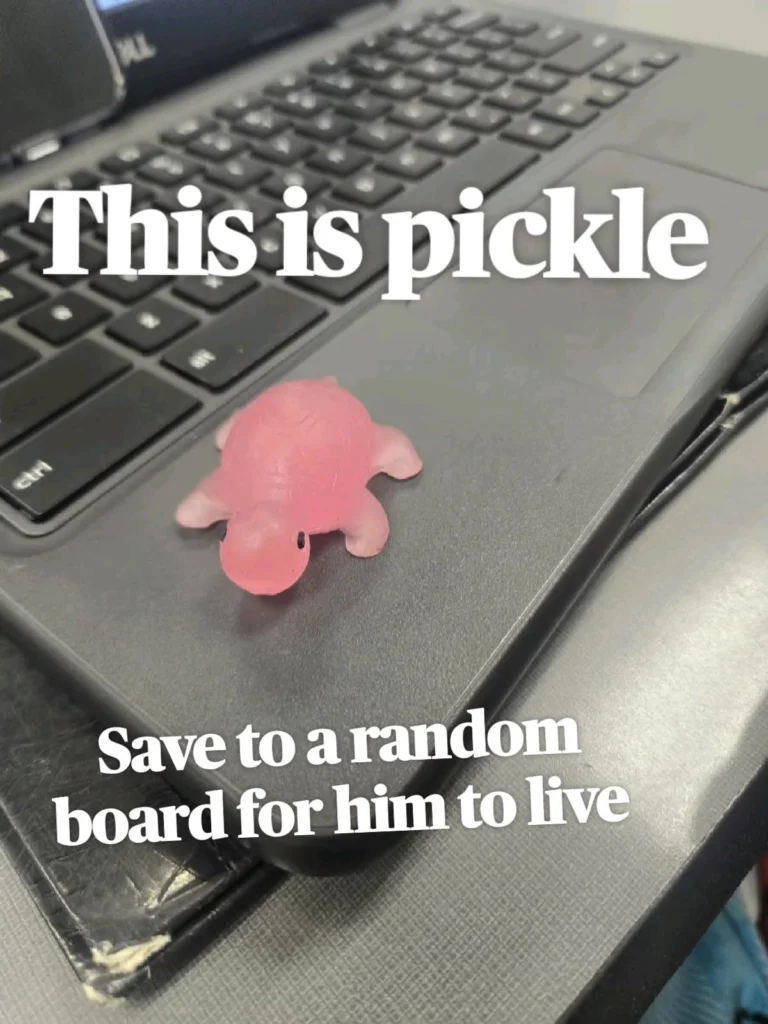
A pink plastic turtle sitting on a laptop is the kind of odd little object that makes you stop scrolling. It is also a perfect metaphor for the internet itself: strange, charming, and full of small treasures nobody talks about. This list celebrates that spirit. Below are 17 genuinely underrated websites and online tools that feel like discovering a tiny pink turtle on your keyboard, each one useful, playful, or quietly delightful in its own way. Some are design experiments, some are practical utilities, and all of them are worth a bookmark before everyone else catches on.
Table of Contents(Click to Toggle)
Why You Should Explore Hidden-Gem Websites
The mainstream web is built for attention, not curiosity. A handful of giant platforms absorb most of our clicks, and the rest of the internet, the weird, wonderful, hand-built part, quietly waits in the margins. Exploring smaller sites and indie tools does three things for you. First, it makes you genuinely more capable: many of these tools do one job better and faster than the bloated alternatives. Second, it keeps the open web alive, because small creators survive on visitors who care. Third, it is simply fun. Finding a site like a pink plastic turtle on a keyboard, unexpected, oddly specific, and memorable, is the kind of discovery that makes the internet feel like a place again instead of a feed. Everything below is real, free or freemium, and worth your time.
17 Underrated Websites and Tools Worth Finding
1. Neocities : Build a free hand-made website in minutes
What it is: A free hosting platform that revives the spirit of early GeoCities, letting anyone publish a personal website with plain HTML and CSS.
Category: Website hosting and creative community
Why it stands out:
- Free subdomain and hosting with no ads injected into your pages
- A browsable directory of thousands of delightfully strange personal sites
- Built-in editor for beginners, but full file upload for tinkerers
Best for: Anyone who misses the handmade web or wants a tiny corner of the internet to call their own.
2. Itch.io : Discover thousands of indie games and creative tools
What it is: An open marketplace for indie games, game assets, comics, and experimental software, with a huge library of free downloads.
Category: Indie games and digital storefront
Why it stands out:
- Thousands of free browser-playable games, including game jam experiments
- Pay-what-you-want pricing on many titles, including $0
- A genuinely supportive community of small developers
Best for: Gamers tired of the same big-budget releases who want something odd and original.
3. Are.na : Collect ideas in calm, ad-free visual boards
What it is: A bookmarking and mood-board platform built for thoughtful collecting rather than engagement metrics.
Category: Research and inspiration organization
Why it stands out:
- No algorithm, no likes, no ads, just channels of images, links, and text
- Public channels let you browse what designers, writers, and artists are saving
- Free tier covers a generous number of private and public channels
Best for: Creatives who want a quieter alternative to Pinterest-style boards.
4. Excalidraw : Sketch diagrams instantly with a hand-drawn feel
What it is: A free, browser-based whiteboard for quick diagrams, flowcharts, and wireframes with a charming sketchy style.
Category: Diagramming and collaboration
Why it stands out:
- Works instantly with no account required, and files stay in your browser
- Real-time collaboration via a shareable link
- Exports to PNG and SVG, and integrates with popular note-taking apps
Best for: Anyone who needs to explain an idea fast, from students to product teams.
5. Photopea : Edit layered images free in your browser
What it is: A remarkably full-featured image editor that runs entirely in the browser and opens PSD, XD, and Sketch files.
Category: Photo and graphic editing
Why it stands out:
- Supports layers, masks, smart objects, and filters without installation
- Opens and saves Photoshop files, a lifesaver on machines without the software
- Free with ads in the sidebar, plus a low-cost ad-free plan
Best for: Casual editors and students who need serious tools on a borrowed computer.
6. Coolors : Generate beautiful color palettes in seconds
What it is: A fast palette generator that lets you lock colors and shuffle the rest until a combination clicks.
Category: Design and color tools
Why it stands out:
- Press the spacebar to instantly generate a new five-color palette
- Exports swatches as HEX, RGB, and CSS-ready values
- Includes a contrast checker for accessibility
Best for: Designers, crafters, and anyone picking colors for a project or room.
7. Radio Garden : Spin a globe and tune into live local radio
What it is: An interactive 3D globe covered in green dots, each one a live radio station you can listen to instantly.
Category: Music and world discovery
Why it stands out:
- Thousands of live stations from nearly every country, no sign-up needed
- Perfect for hearing local music, news, and ads from faraway places
- Free to use in the browser, with mobile apps available
Best for: Curious listeners, language learners, and anyone who loves armchair travel.
8. The Useless Web : Get teleported to a random delightful website
What it is: A single button that sends you to one of hundreds of strange, pointless, and oddly charming websites.
Category: Fun and internet culture
Why it stands out:
- Each click is a surprise, from dancing hamsters to interactive toys
- Zero learning curve and no account required
- A great reminder that the web can still be silly
Best for: A five-minute break when you need a genuine laugh.
9. Marginalia Search : Search the small, non-commercial web
What it is: An independent search engine that deliberately favors small, text-heavy, non-commercial websites over big brands.
Category: Alternative search
Why it stands out:
- Surfaces personal blogs and niche pages that mainstream engines bury
- Filters exist for topics like old-web style and academic content
- Completely free, with no tracking-based advertising
Best for: Researchers and readers hunting for human-written corners of the internet.
10. Wiby : A search engine for classic, simple websites
What it is: A retro-styled search engine that indexes lightweight, hand-built pages, plus a “surprise me” button for random finds.
Category: Alternative search and nostalgia
Why it stands out:
- Returns pages that load instantly because they are mostly text and simple HTML
- The random button is a rabbit hole of personal homepages and hobby sites
- Free, fast, and refreshingly free of SEO clutter
Best for: Old-web fans and anyone who wants search results without the noise.
11. Internet Archive : Explore the history of the web for free
What it is: A non-profit digital library preserving websites, books, audio, and software, including the Wayback Machine.
Category: Digital preservation and research
Why it stands out:
- The Wayback Machine holds hundreds of billions of archived web pages
- Millions of free public-domain books, recordings, and old software
- Lets you see what any site looked like years ago
Best for: Anyone verifying sources, researching history, or feeling nostalgic.
12. Pika : Beautify screenshots without design skills
What it is: A browser tool that turns plain screenshots into polished images with backgrounds, gradients, and browser frames.
Category: Image styling and social media
Why it stands out:
- Paste a screenshot and instantly apply clean backgrounds and shadows
- Great for product shots, blog headers, and social posts
- Free tier covers basic edits with no account required
Best for: Bloggers and makers who want shareable visuals in under a minute.
13. Squoosh : Compress images privately inside your browser
What it is: A Google-built image compression tool that runs entirely locally, so your files never leave your device.
Category: Image optimization
Why it stands out:
- Side-by-side comparison of original and compressed quality
- Supports modern formats like WebP and AVIF
- No uploads, no accounts, and no cost
Best for: Web developers and privacy-conscious users shrinking photos for faster pages.
14. Wormhole : Send large files with end-to-end encryption
What it is: A simple file-sharing service that encrypts files in your browser and expires links automatically.
Category: File transfer and privacy
Why it stands out:
- Files up to 5 GB are free, with links that expire after 24 hours
- End-to-end encryption means the service cannot read your files
- No account needed to send or receive
Best for: Sending big files to friends or clients without signing up for cloud storage.
15. TinyPNG : Shrink PNG and JPEG files with one drag
What it is: A dead-simple compressor that dramatically reduces image file sizes with minimal visible quality loss.
Category: Image optimization
Why it stands out:
- Drag-and-drop interface that requires no settings or skills
- Batch uploads and a developer API for automation
- Free for most everyday use
Best for: Bloggers, Etsy sellers, and anyone whose images load too slowly.
16. OpenProcessing : Play with creative code sketches in your browser
What it is: A community platform for p5.js sketches, where thousands of artists share interactive animations and generative art.
Category: Creative coding and art
Why it stands out:
- Thousands of free sketches you can run and remix instantly
- Built-in editor makes it easy to learn creative coding
- A welcoming community for beginners and educators
Best for: Artists, teachers, and curious minds who want to make something visual with code.
17. Ninite : Install many Windows apps in one clean step
What it is: A tool that bundles popular free Windows programs into a single installer with no toolbars or bundled junk.
Category: Software utilities
Why it stands out:
- Check boxes for apps like browsers, media players, and utilities, then download one installer
- Silently installs everything with default settings and no ads
- Free for personal use and a huge time-saver on a new PC
Best for: Anyone setting up or cleaning up a Windows computer.
Bonus Mentions
Neal.fun : Playful interactive experiments that teach while they entertain
A collection of beautifully made browser toys, from a deep-sea scroll to a size-comparison tool for the universe. Free, ad-light, and endlessly shareable.
WindowSwap : Look out of a stranger’s window somewhere in the world
A calming site that shows short video loops of real windows from around the globe. Perfect for a two-minute mental break.
Music for Programming : Curated ambient mixes for deep focus
A long-running series of free, hand-mixed ambient soundscapes designed for concentration. No account, no app, just play.
Colossal : A daily dose of extraordinary art from around the world
An independent art blog covering sculpture, illustration, and design. A reliable source of visual inspiration that rarely appears in mainstream feeds.
The Forest : Wander a map of hand-picked small websites
A simple, growing directory of personal sites and indie projects, organized as an explorable map. A lovely starting point for your next rabbit hole.
The Internet’s Best-Kept Secrets (So Far)
The best discoveries online rarely arrive through an algorithm. They come from someone pointing at a small, strange, wonderful thing and saying, look at this. A pink plastic turtle on a keyboard is a reminder that the web still has room for the odd and the handmade, and that the tools worth keeping are often the ones nobody is shouting about. Bookmark a few of these, share them with a friend who collects curiosities, and check back on the small sites you love, because every visit helps them survive. Which hidden gem from this list are you trying first, and what underrated site should be added next?