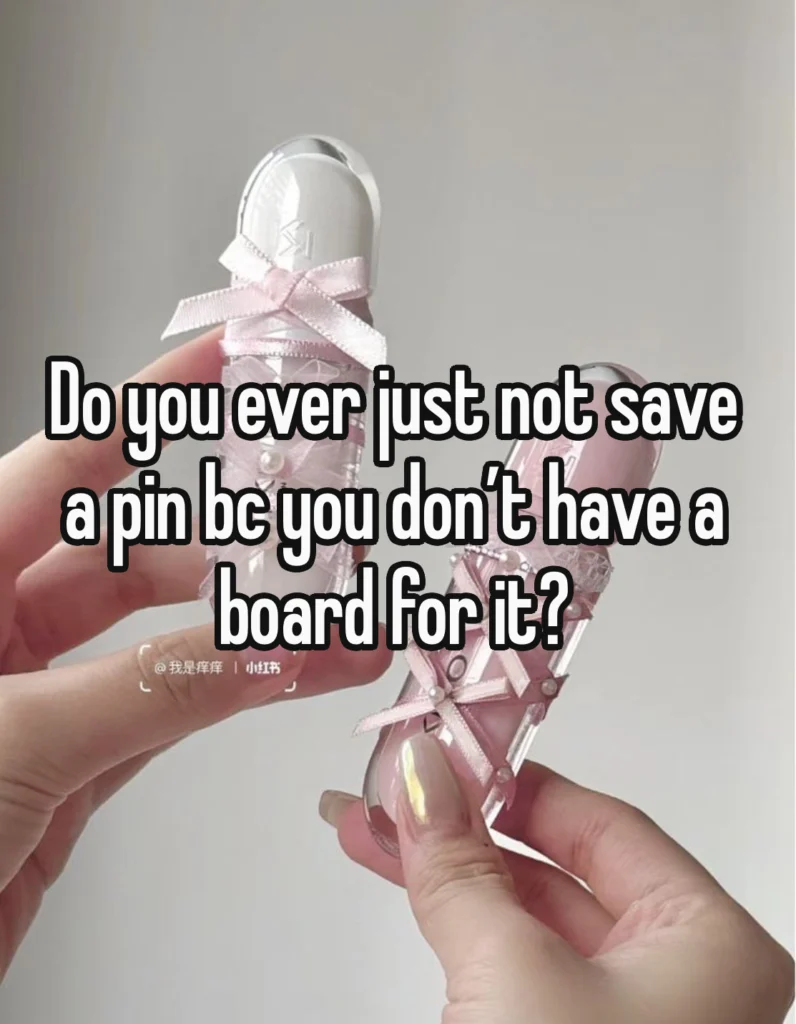
You know the moment. You are scrolling, you see something perfect, you tap Save, and then the little board picker opens and your brain freezes. There is no board for it. It does not fit your recipes board or your dream home board or your someday-maybe board. So you either dump it somewhere random or you let it go. That tiny friction, repeated dozens of times a week, is exactly why so many saved ideas never get used again.
The fix is not discipline. It is having a place designed for the uncategorized thing. Below are 17 tools and sites built for capturing, sorting, and actually rediscovering the ideas you save before you have a board for them, plus a few bonus mentions for the collectors who hoard links the way others hoard plants.
Table of Contents(Click to Toggle)
Why Your Unfiled Saves Deserve a Real Home
An unfiled save is not a failure. It is a signal. It means your taste moved faster than your organizational system, which is the whole point of inspiration. The problem is that most platforms treat saving as filing, and filing requires a category you may not have invented yet. That is backwards. The best saving tools let you capture first and decide later, or never decide at all.
There is also a quieter benefit. When you stop shoving pins into the wrong board, your existing boards get cleaner, and the things you actually want to act on become easier to find. The tools below range from dead-simple link savers to visual moodboard platforms, but they share one trait: they welcome the odd, unclassifiable save.
17 Tools for Saving Pins You Have No Board For
1. Raindrop.io : The catch-all bookmark manager built for unfiled saves
What it is: A visual bookmark manager for web and mobile that saves any link, image, or page into one searchable library.
Category: Bookmark manager
Why it stands out:
- You can save first and sort later, with an “Unsorted” collection that acts as a landing zone for everything you have no board for
- It pulls in the preview image automatically, so a saved pin still looks like a pin
- Full-text search finds things by a phrase you remember, not a category you invented
Best for: Anyone who wants a Pinterest-shaped habit without Pinterest’s board pressure.
2. Are.na : A calm, ad-free space for collecting ideas mid-thought
What it is: A platform for collecting images, links, text, and files into channels that can be private or public.
Category: Visual research platform
Why it stands out:
- Channels are deliberately loose, so a channel called “things I like right now” is a perfectly valid board
- You can connect channels to each other, which mirrors how messy real taste actually works
- No algorithm, no ads, no engagement metrics, just your collection
Best for: Designers, writers, and visual thinkers who save things before they know why.
3. Pinboard : The no-nonsense bookmark archive for link hoarders
What it is: A fast, text-first bookmarking service that archives pages so they stay readable even if the original disappears.
Category: Bookmark archive
Why it stands out:
- Tags replace boards, so a single save can belong to several ideas at once
- Paid archival keeps a copy of the page, which matters for inspiration that tends to vanish
- The interface is plain and quick, which makes bulk saving painless
Best for: People who save dozens of links a day and want them searchable, not pretty.
4. Notion : Turn a messy save into a searchable idea database
What it is: A workspace tool combining notes, databases, and pages.
Category: Productivity workspace
Why it stands out:
- A single “Inbox” database can hold every uncategorized save with a link, image, and one-line note
- Views let you filter by tag later, so sorting happens after the fact instead of during capture
- The web clipper saves a page in one click directly into that inbox
Best for: Anyone who already lives in Notion and wants their saves next to their projects.
5. Milanote : A visual board where a random pin can just float
What it is: A visual canvas for notes, images, and links arranged freely on boards.
Category: Moodboard and visual notes
Why it stands out:
- You can drop an image anywhere on the canvas without naming a category first
- Boards can hold links, color swatches, and text snippets together, which suits mixed inspiration
- It is built for creative projects, so an unclassified save has a natural home
Best for: Creatives planning a project who save reference images before the project has a name.
6. Cosmos : A visual bookmarking app for image-first saves
What it is: A curated visual saving app built around clusters of images rather than traditional boards.
Category: Visual inspiration app
Why it stands out:
- Clusters are image-led, so a pin that is just a vibe still fits somewhere
- The feed is curated rather than algorithmic chaos, which keeps saves feeling intentional
- It is designed for mood and aesthetics rather than recipes or how-tos
Best for: People whose saves are mostly visual references and color ideas.
7. Savee : The designer’s image saver with no board pressure
What it is: A bookmarking tool for creatives to save images and videos into simple collections.
Category: Creative image bookmarking
Why it stands out:
- Collections are lightweight, so you can create one mid-scroll and rename it later
- The browser extension saves images from almost any site in a click
- It is popular with designers, so saved references tend to be high quality
Best for: Visual creatives who want a fast, attractive image library.
8. Padlet : A shared wall for saves you want to revisit with others
What it is: A collaborative board tool where anyone can post links, images, and notes.
Category: Collaborative boards
Why it stands out:
- You can create a single “random saves” wall and invite friends to add their own finds
- Posts appear as cards, so images stay visible without extra setup
- It works well for group planning, like a trip or a party where everyone saves ideas
Best for: Friend groups and small teams collecting ideas together.
9. Pinterest (Hidden Boards) : Use a secret board as your unfiled save zone
What it is: Pinterest’s own secret boards, which stay invisible to everyone but you.
Category: Social bookmarking
Why it stands out:
- Creating one secret board called “unsorted” solves the board-picker problem instantly
- You keep saving in the app you already use, so the habit never breaks
- You can move pins to a real board later when a category finally appears
Best for: Loyal Pinterest users who just need a pressure-free landing spot.
10. Tumblr : The original reblog-and-keep-it-forever archive
What it is: A blogging platform built around reblogging and collecting posts you like.
Category: Microblogging
Why it stands out:
- Your blog itself is the board, so there is no category to choose
- Tags work as a loose sorting system you can apply after posting
- Private posts let you keep a save entirely to yourself
Best for: People who want a personal archive with zero filing decisions.
11. Obsidian : A private vault where every save becomes a note
What it is: A local-first note-taking app that stores everything as plain text files on your device.
Category: Note-taking
Why it stands out:
- A quick-capture note can hold a link, an image, and a thought, with no folder required
- Links between notes create connections organically, which suits ideas that resist categories
- Everything is stored locally, so your collection is yours to keep
Best for: Tinkerers who want a private, future-proof inspiration vault.
12. Wallabag : Save the article behind the pin, not just the pin
What it is: An open-source read-later service that saves the full text of articles.
Category: Read-later app
Why it stands out:
- It strips ads and clutter so the thing you saved stays readable
- You can self-host it, which keeps your reading list private
- Tagging is optional, so an unsorted save is still a saved save
Best for: Readers who save pins that link to long articles they mean to finish.
13. Linktree : A one-page shelf for links you keep losing
What it is: A simple page that collects links in one shareable place.
Category: Link-in-bio page
Why it stands out:
- You can make a private page just for yourself and treat it as a running list
- Adding a link takes seconds, which beats opening a board picker
- It is easy to share a single link with a friend who asked what you have been saving
Best for: Casual savers who want a lightweight list without an app.
14. Bundlr : Bundle links by topic without a formal board
What it is: A tool for creating bundles of links around a theme.
Category: Link collection
Why it stands out:
- A bundle can be created the moment you notice a pattern, not before
- Bundles are easy to share, which makes them useful for recommendations
- It is quick to add a link and move on, so nothing piles up
Best for: People who want to turn scattered saves into shareable lists.
15. Diigo : Bookmark, highlight, and annotate in one pass
What it is: A research and annotation tool that saves pages, highlights text, and adds notes.
Category: Research bookmarking
Why it stands out:
- You can highlight the exact line that made you save the page, so future-you remembers why
- Outliners and tags organize saves without forcing a single folder
- It works well for research-heavy saves like tutorials and guides
Best for: Students and researchers who save pages with a specific reason.
16. Google Keep : The fastest possible capture for a stray idea
What it is: Google’s simple notes app for text, lists, images, and voice notes.
Category: Quick notes
Why it stands out:
- A note can hold an image and a link with zero setup, which suits a single stray pin
- Labels are optional, so you can leave a note unlabeled indefinitely
- It syncs across devices, so the save is there when you get home
Best for: Anyone who wants the lowest-friction place to park a save.
17. Start.me : A personal start page that doubles as a save shelf
What it is: A customizable browser start page with widgets and bookmark sections.
Category: Start page and bookmarks
Why it stands out:
- You can add a bookmark widget and drop links into it as you find them
- Multiple pages let you keep one messy page and one tidy one
- It opens every time you open your browser, so saved links actually get seen
Best for: People who want their saves visible daily instead of buried in an app.
Bonus Mentions
Pocket : Save articles and videos to read later without sorting
What it is: A read-later app that saves pages and videos into one list. Why it stands out: One tap saves anything, and the list is chronological, which means no categories at all. Best for: People who save pins that lead to long reads.
Instapaper : A clean reading list for saved articles
What it is: A read-later service focused on clean text. Why it stands out: It strips distractions and keeps a simple archive you can browse later. Best for: Readers who want a quiet queue.
MyMind : A private, visual memory for everything you save
What it is: A personal visual library that auto-tags images and links. Why it stands out: It is designed to feel like a memory rather than a filing cabinet, and it keeps everything private by default. Best for: Visual savers who hate organizing.
Hypothesis : Annotate the web and keep your notes attached
What it is: An open annotation layer for web pages. Why it stands out: You can highlight and comment on a page, so a saved link carries your reasoning with it. Best for: Research-heavy saving.
Evernote : A classic catch-all notebook for stray saves
What it is: A note app with web clipping. Why it stands out: The clipper grabs a page or image into a notebook with minimal fuss. Best for: People who already have an Evernote habit.
The Internet’s Best-Kept Saving Secrets (So Far)
The real lesson here is that saving and sorting are two different jobs, and most tools mash them together. The moment you separate them, the board-picker freeze disappears. You save the pink perfume bottle pin, you drop it into an unsorted collection, and maybe in three months it becomes the start of a board you did not know you needed.
Start with one tool, not five. Pick the one that matches how you already save, whether that is visual, text-first, or collaborative, and give it a single messy landing zone. Then let the categories emerge on their own. That is the whole trick, and it is why these tools keep earning a place in the browser bar.
What is the strangest thing you have saved with no board to put it in? Share it below, because someone else probably has a board for exactly that.