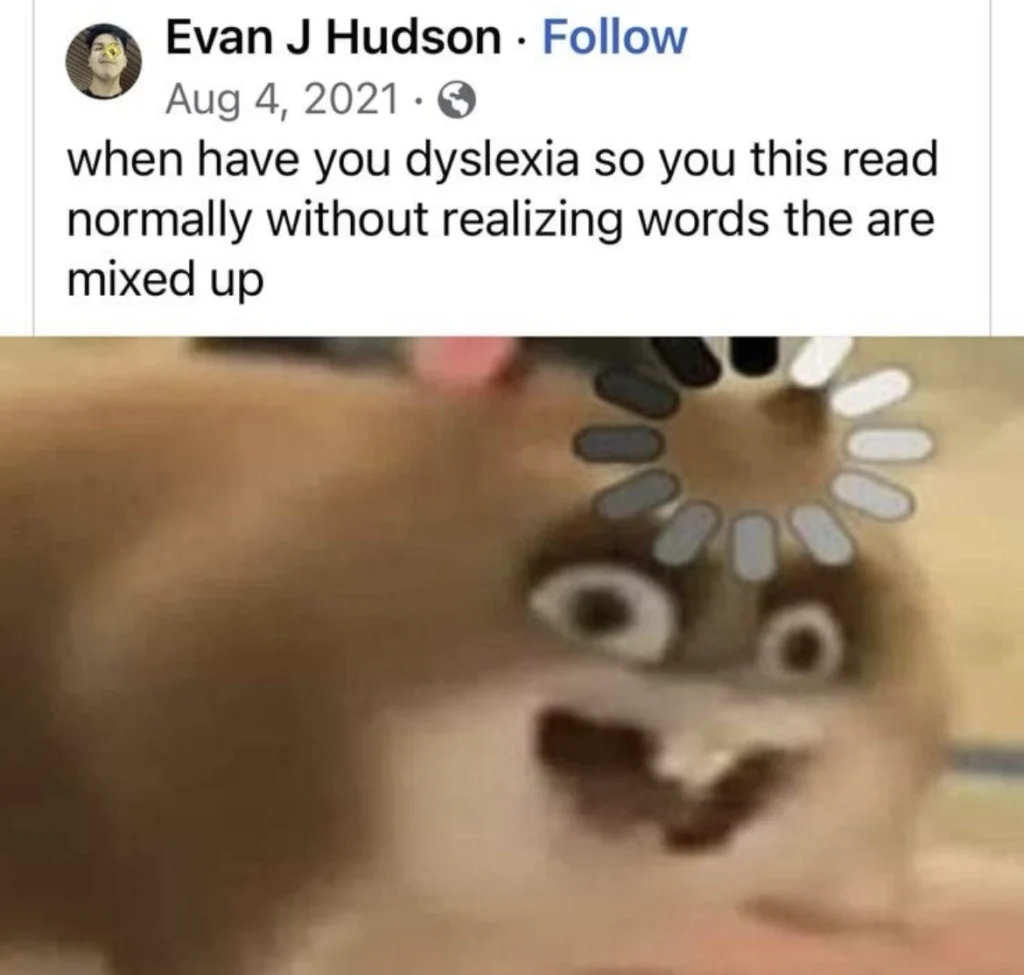
Ever finished a paragraph and only then noticed the words were scrambled? That strange moment when your brain quietly repairs jumbled text is exactly the experience many readers with dyslexia describe. The pin that brought you here touched on something real: fluent readers often auto-correct mixed-up words without even noticing. The tools below lean into that idea. Some help you spot letter and word reversals, others make reading easier by changing fonts, spacing, or read-aloud support. None of them promise a cure, and none are a substitute for professional advice, but each is a genuinely useful, low-exposure resource worth bookmarking.
Table of Contents(Click to Toggle)
Why Word-Mix-Up Reading Tools Are Worth Exploring
The idea that fluent readers can glide past scrambled words is a fun party trick, but for people with dyslexia it points to a daily reality: the brain works hard to decode text, and small changes in presentation can make a big difference. Simple adjustments like wider letter spacing, a different typeface, or a read-aloud voice can reduce the effort of decoding. The tools in this list are not flashy or famous. They are the kind of quiet utilities that stay under the radar while quietly helping students, parents, and adult readers. Try a few, notice what feels smoother, and keep the ones that fit your reading style.
16 Tools for Spotting and Smoothing Out Mixed-Up Words
1. OpenDyslexic : A free typeface built to reduce letter confusion
What it is: An open-source font designed with weighted letter bottoms so similar characters are easier to tell apart.
Category: Accessible typeface
Why it stands out:
- Free to download and use in documents, browsers, and e-readers
- Letters like b and d carry visual weight that helps anchor orientation
Best for: Readers who notice letters flipping or swapping while reading long text.
2. Dyslexie Font : A typeface with subtle shape differences for tricky letters
What it is: A commercial font family that alters letter shapes and spacing to make each character more distinct.
Category: Accessible typeface
Why it stands out:
- Available for desktop, web, and school licensing
- Focuses on reducing the mirror-image confusion between similar letters
Best for: Classrooms or workplaces that want a licensed, supported font option.
3. BeeLine Reader : Color gradients that guide your eyes across lines
What it is: A reading tool that applies a subtle color gradient to text lines so your eyes do not lose their place.
Category: Reading aid
Why it stands out:
- Works as a browser extension and in some reading apps
- The line-to-line color shift helps prevent skipping and re-reading
Best for: Readers who lose their place and accidentally merge two lines together.
4. Helperbird : A browser toolkit for accessible reading
What it is: An extension that bundles dyslexia-friendly fonts, text-to-speech, overlays, and spacing controls.
Category: Accessibility extension
Why it stands out:
- Lets you switch fonts and spacing on almost any website
- Includes a reading ruler and color overlay to reduce visual stress
Best for: People who want one toolbar that adjusts many sites at once.
5. Microsoft Immersive Reader : Free read-aloud and spacing controls
What it is: A built-in reading mode in Microsoft Edge and Office that reads text aloud and adjusts line focus.
Category: Built-in reading support
Why it stands out:
- Highlights each word as it is spoken
- Offers line focus, syllable splitting, and translation
Best for: Students using Edge or Word who want instant, no-install help.
6. NaturalReader : Turn any text into a clear spoken voice
What it is: A text-to-speech tool that reads documents, web pages, and pasted text aloud.
Category: Text-to-speech
Why it stands out:
- Supports PDFs, images with OCR, and browser reading
- Multiple natural-sounding voices and adjustable speed
Best for: Proofreading your own writing by hearing mixed-up words read back.
7. Speechify : Listen to articles and documents on the go
What it is: A text-to-speech app and extension with a strong mobile experience.
Category: Text-to-speech
Why it stands out:
- Syncs reading across phone and browser
- Can read scanned pages and screenshots
Best for: Commuters who want to listen to reading material instead of decoding it.
8. TTSMaker : A free browser text-to-speech converter
What it is: A no-signup web tool that converts pasted text into downloadable audio.
Category: Text-to-speech
Why it stands out:
- Free and quick, with many voice options
- Great for turning a tricky paragraph into an audio clip
Best for: Quick, one-off read-aloud checks without installing anything.
9. Lexend Font : A typeface designed to improve reading fluency
What it is: A free font family created to reduce visual stress and support reading proficiency.
Category: Accessible typeface
Why it stands out:
- Open-source and easy to install on most systems
- Wide, clear letterforms with generous spacing
Best for: Anyone who wants a clean, readable font for documents and slides.
10. Atkinson Hyperlegible Font : Letters shaped to be unmistakably different
What it is: A free font from the Braille Institute that maximizes distinction between similar characters.
Category: Accessible typeface
Why it stands out:
- Designed for low vision and reading clarity
- Free for personal and commercial use
Best for: Readers who confuse similar letters and want a neutral-looking option.
11. Rewordify : Simplify tricky vocabulary instantly
What it is: A free web tool that rewrites complex passages into simpler language.
Category: Reading comprehension
Why it stands out:
- Highlights replaced words so you can learn them
- Works with pasted text or a URL
Best for: Students facing dense textbook passages with unfamiliar words.
12. Textise : Strip a page down to plain text
What it is: A simple tool that removes images, ads, and clutter from a web page, leaving just text.
Category: Reading simplification
Why it stands out:
- Reduces visual distraction that can scramble attention
- Works on most public web pages
Best for: Readers who find busy pages overwhelming.
13. Spreeder : Read one word at a time at your own pace
What it is: A speed-reading tool that flashes words one at a time in a fixed spot.
Category: Reading practice
Why it stands out:
- Removes line-tracking problems entirely
- Adjustable speed for comfortable practice
Best for: Readers who want to train focus without losing their place.
14. Reading Rockets : Free guides for parents and teachers
What it is: A nonprofit site packed with research-based reading advice and activities.
Category: Education resource
Why it stands out:
- Practical tips for spotting reading difficulties early
- Printable activities and book lists
Best for: Parents and tutors supporting a struggling reader at home.
15. Understood.org : Plain-language explanations of learning differences
What it is: A nonprofit resource hub covering dyslexia, ADHD, and related learning topics.
Category: Education resource
Why it stands out:
- Clear, jargon-free articles and checklists
- Guidance on classroom accommodations
Best for: Adults and families who want trustworthy background information.
16. Dyslexia the Gift : A long-running site on visual reading experiences
What it is: The website of Davis Dyslexia Association International, with articles on how visual thinkers read.
Category: Education resource
Why it stands out:
- Explains why some readers perceive letters and words differently
- Offers free articles and a self-assessment quiz
Best for: Curious readers who want to understand the perception side of reading.
Bonus Mentions
Libby by OverDrive : Library ebooks with font and spacing controls
W3C Web Accessibility Initiative : Free guidance on making text readable
Open Book Project : Open educational reading resources
Project Gutenberg : Free classic texts you can reformat for easier reading
The Quiet Power of Reading Tools
That oddly satisfying moment when you realize your brain just unscrambled a sentence is a reminder that reading is active work, not passive scanning. For some readers, that work is heavier, and the right font, voice, or spacing tweak can lighten it considerably. None of these tools diagnose anything or replace a teacher or specialist, but they are free or low-cost experiments worth trying. Start with one typeface change and one read-aloud tool, then keep whatever genuinely makes the page feel calmer. The best reading setup is the one you forget you are using.
Which of these made the biggest difference for you, or do you have a hidden-gem reading tool we missed? Share your find in the comments.