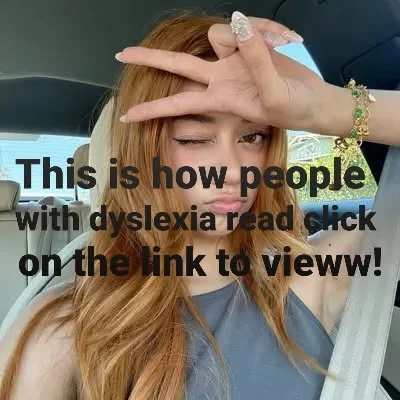
If you have ever looked at a page of dense text and felt the letters sliding around, you already know why the garbled phrase on that pin resonated. Dyslexia is not a lack of intelligence or effort; it is a different way of processing written language. The good news is that a whole ecosystem of quiet, under-the-radar websites and browser tools exists to make text behave. Some change fonts, some read aloud, some restructure whole pages. None of them require a diagnosis or a subscription to try. Here are 19 genuinely useful tools, starting with the most direct fix for messy text.
Table of Contents(Click to Toggle)
- Why the Right Reading Tools Change Everything
- 19 Dyslexia-Friendly Reading Tools and Websites
- 1. OpenDyslexic
- 2. Dyslexie Font
- 3. Microsoft Immersive Reader
- 4. Helperbird
- 5. BeeLine Reader
- 6. NaturalReader
- 7. Speechify
- 8. TTSReader
- 9. Rewordify
- 10. Mercury Reader
- 11. Readability
- 12. Bionic Reading
- 13. Lexend
- 14. Atkinson Hyperlegible
- 15. Bookshare
- 16. Learning Ally
- 17. LibriVox
- 18. Understood.org
- 19. DyslexiaHelp
- Bonus Mentions
- The Quiet Corner of the Web Built for Different Readers
Why the Right Reading Tools Change Everything
Most of the web is designed for one kind of reader: fast, linear, comfortable with walls of small serif text. For roughly one in ten people, that default design turns a simple article into a stamina test. The frustrating part is that the fix is rarely complicated. Swapping a font, adding color gradients to lines, or letting a voice read the page aloud can turn a 20-minute struggle into a 5-minute read.
What makes this niche exciting is how much of it is free, obscure, and built by small teams or accessibility advocates rather than big platforms. Many of these tools work as browser extensions, meaning they apply to almost every site you visit, not just one app. Others are fonts you can install once and use everywhere. Below is a curated list, ordered from direct text-transformation tools to reading libraries and support hubs.
19 Dyslexia-Friendly Reading Tools and Websites
1. OpenDyslexic : A free font that anchors letters so they stop flipping
What it is: An open-source typeface designed with weighted letter bottoms to reduce letter confusion and flipping.
Category: Font / typography tool
Why it stands out:
- Completely free and open-source, usable in documents, browsers, and e-readers
- The heavier base on each letter gives the eye a visual anchor point
- Works as a Chrome extension so it can restyle almost any webpage
Best for: Readers who want a single install-and-forget fix across all their devices.
2. Dyslexie Font : A commercial typeface built around letter uniqueness
What it is: A paid font family by Christian Boer that makes each character more distinct from its neighbors.
Category: Premium font
Why it stands out:
- Letters like b, d, p and q are deliberately differentiated in shape
- Available for desktop, web, and school licensing
- A free browser extension exists for trying it on live websites
Best for: Schools and workplaces willing to pay for a polished, licensed typeface.
3. Microsoft Immersive Reader : Read-aloud plus spacing controls built into free apps
What it is: A free reading aid embedded in Microsoft Edge, Word, and OneNote.
Category: Built-in accessibility feature
Why it stands out:
- Adjusts line spacing, font size, and column width in one panel
- Reads text aloud with word highlighting and syllable splitting
- Includes a picture dictionary and translation for unfamiliar words
Best for: Anyone already using Edge or Office who wants zero-install help.
4. Helperbird : An accessibility toolkit that lives in your browser
What it is: A Chrome and Edge extension bundling dyslexia-friendly fonts, overlays, and text-to-speech.
Category: Browser extension suite
Why it stands out:
- Combines font switching, ruler guides, and reading masks in one toggle panel
- Offers a free tier with core features and a paid tier for advanced tools
- Also includes color overlays and annotation tools for study
Best for: Students who want many adjustments in one place instead of five extensions.
5. BeeLine Reader : Color gradients that guide your eyes down the page
What it is: A tool that applies a subtle color gradient across each line of text.
Category: Reading line-guidance tool
Why it stands out:
- The gradient acts as a visual track, reducing line-skipping and re-reading
- Available as a browser extension and PDF converter
- Works on top of other fonts and layouts without breaking pages
Best for: Readers who lose their place on long paragraphs and lists.
6. NaturalReader : Paste any text and hear it read naturally
What it is: A text-to-speech web app and extension with natural-sounding voices.
Category: Text-to-speech
Why it stands out:
- Handles pasted text, PDFs, and web pages in one interface
- Free tier covers basic voices; premium voices require a subscription
- Can export audio files for listening offline
Best for: Commuters and multitaskers who prefer listening to reading.
7. Speechify : Turn articles and documents into a personal audiobook
What it is: A popular text-to-speech app across web, mobile, and browser.
Category: Text-to-speech
Why it stands out:
- High-quality voices with adjustable reading speed up to very fast settings
- Can scan physical pages with a phone camera and read them back
- Free tier is usable; premium unlocks the best voices and offline use
Best for: Readers who want a polished mobile listening experience.
8. TTSReader : A no-signup read-aloud page that just works
What it is: A minimalist web tool that reads pasted text or URLs aloud.
Category: Text-to-speech utility
Why it stands out:
- No account required, which makes it ideal for quick one-off reads
- Supports multiple languages and voice speeds
- Simple interface with almost no learning curve
Best for: Anyone who needs instant audio without installing anything.
9. Rewordify : Simplify hard text into plain language instantly
What it is: A free site that rewrites difficult vocabulary into simpler words.
Category: Text simplification
Why it stands out:
- Highlights swapped words so you can learn the original meaning
- Shows a difficulty score before and after simplification
- Great for classic literature and technical articles
Best for: Students facing dense reading assignments.
10. Mercury Reader : Strip pages down to clean, calm text
What it is: A readability extension that removes ads, sidebars, and clutter.
Category: Clean-reading extension
Why it stands out:
- One click converts a busy article into a single readable column
- Lets you adjust font size and save articles to read later
- Removes visual noise that competes for attention
Best for: News readers distracted by crowded layouts.
11. Readability : The classic clutter-free reading mode
What it is: The original readability-style service that reformats web articles.
Category: Clean-reading tool
Why it stands out:
- Long-standing reputation for producing clean, comfortable layouts
- Works well on long-form essays and blog posts
- Pairs nicely with larger font settings and high contrast
Best for: Long-form readers who want a distraction-free view.
12. Bionic Reading : Bold letter starts that pull your eyes forward
What it is: A technique and tool that bolds the first few letters of each word.
Category: Reading-focus technique
Why it stands out:
- Gives the brain artificial fixation points to scan faster
- Available as an API, extension, and font converter
- Works on PDFs and web pages alike
Best for: Readers who want to speed up scanning without losing meaning.
13. Lexend : A font family designed to reduce visual stress
What it is: A free Google Fonts typeface created to improve reading proficiency.
Category: Font
Why it stands out:
- Wide letter spacing and open shapes reduce crowding
- Free on Google Fonts and easy to use in documents and websites
- Comes in multiple weights for headings and body text
Best for: Designers and readers who want a clean, modern accessible font.
14. Atkinson Hyperlegible : Letterforms built for maximum distinction
What it is: A free font from the Braille Institute that maximizes character recognition.
Category: Font
Why it stands out:
- Similar-looking letters like I, l, and 1 are clearly differentiated
- Free for personal and commercial use
- Excellent at small sizes and on low-resolution screens
Best for: Anyone who mixes up similar characters while reading.
15. Bookshare : An enormous accessible ebook library
What it is: A nonprofit offering accessible-format books for qualifying readers.
Category: Accessible library
Why it stands out:
- Hundreds of thousands of titles in audio, braille, and large-print formats
- Free for qualifying U.S. students and some other groups
- Works with common reading apps and screen readers
Best for: Students and readers who need textbooks and novels in accessible formats.
16. Learning Ally : Human-narrated audiobooks for learners
What it is: A nonprofit audiobook service with human-read textbooks and literature.
Category: Audiobook library
Why it stands out:
- Human narration sounds warmer than synthetic voices
- Focuses on school and college reading lists
- Includes tools for tracking reading progress
Best for: Students who learn better from narrated textbooks.
17. LibriVox : Free public-domain audiobooks read by volunteers
What it is: A volunteer project offering free recordings of public-domain books.
Category: Free audiobook library
Why it stands out:
- Thousands of titles, all free with no account needed
- Great for classic literature and poetry
- Downloadable as MP3 for offline listening
Best for: Readers easing into audiobooks without any cost.
18. Understood.org : Plain-language guides on learning differences
What it is: A nonprofit resource hub for learning and attention differences.
Category: Information and support
Why it stands out:
- Explains dyslexia, ADHD, and related topics in accessible language
- Offers practical articles for parents, teachers, and adults
- Includes a community section for shared experiences
Best for: Families and adults who want clear, non-clinical explanations.
19. DyslexiaHelp : A university-run hub of tools and strategies
What it is: A resource site from the University of Michigan with practical dyslexia guidance.
Category: Educational resource
Why it stands out:
- Curated lists of apps, fonts, and assistive tech
- Strategies for reading, writing, and study habits
- Written in a calm, evidence-informed tone
Best for: Students and educators building a personal toolkit.
Bonus Mentions
OverDrive / Libby : Library ebooks and audiobooks with font controls
What it is: A library app that lends ebooks and audiobooks with adjustable fonts and speed.
Category: Library app
Best for: Free borrowing with built-in accessibility settings.
Project Gutenberg : Free classic ebooks in plain text and HTML
What it is: A vast archive of public-domain books in flexible formats.
Category: Free ebook archive
Best for: Readers who want to restyle classic texts with their own fonts.
LD OnLine : Articles and advice on learning disabilities
What it is: A long-running information site for learning differences.
Category: Information hub
Best for: Parents and teachers seeking plain explanations.
Read&Spell : Practice tools for spelling and reading
What it is: A site offering structured practice for reading and spelling skills.
Category: Practice tool
Best for: Learners who want short, repeatable exercises.
The Quiet Corner of the Web Built for Different Readers
None of these tools are flashy, and most will never trend on social media. That is exactly why they are worth bookmarking. A single font swap, a read-aloud extension, or a clutter-free reader can quietly remove hours of friction from a week of reading. The best approach is to start small: pick one font tool and one text-to-speech tool, try them for a few days, and keep whichever feels invisible. Accessibility, done well, should disappear into the background.
What is your favorite under-the-radar reading tool that more people should know about?