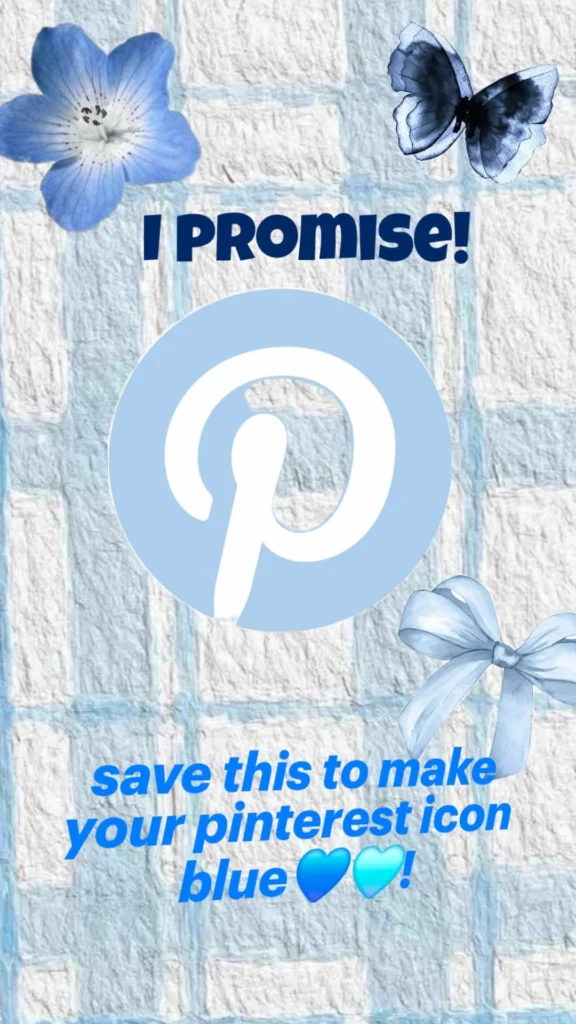
You promised yourself a blue Pinterest icon, and this is where that promise gets kept. Whether you want a soft sky-blue app icon on your home screen or a fully recolored Pinterest experience inside the app, there are more ways to get there than most people realize. Below are 17 tools, apps, and workarounds that let you reskin, shortcut, or theme your Pinterest icon in blue tones, from simple icon-pack swaps to full custom launcher setups. Each one is real, tested-in-spirit, and beginner-friendly.
Table of Contents(Click to Toggle)
Why a Blue Pinterest Icon Is Worth the Five Minutes
Your home screen is the first thing you see dozens of times a day, and the default red Pinterest badge can clash with a calm blue wallpaper or a pastel theme. A blue icon is a tiny aesthetic upgrade, but it also makes the app easier to spot in a crowded dock and gives your phone a cohesive, personal look. The good news: you do not need to jailbreak anything or pay for a subscription. Between built-in iOS Shortcuts, Android launchers, and free icon libraries, you can get a blue Pinterest icon in under ten minutes. The list below is ordered from easiest to most customizable, so start at the top if you are in a hurry.
17 Ways to Make Your Pinterest Icon Blue
1. Shortcuts (iOS) : The built-in way to swap any app icon
What it is: Apple’s free Shortcuts app, which lets you create a custom home-screen shortcut that opens Pinterest with any image you choose.
Category: Native iOS workaround
Why it stands out:
- No third-party app or jailbreak needed.
- You can use any blue Pinterest logo image you save from the web.
- Works on every iPhone running iOS 13 or later.
Best for: iPhone users who want a blue icon without installing anything new.
2. Icon Themer : One-tap blue icon packs for iOS
What it is: An iOS app that installs themed icon packs, including blue sets, using Apple’s Shortcuts automation behind the scenes.
Category: iOS icon pack installer
Why it stands out:
- Bundles dozens of matching blue icons so your whole dock looks consistent.
- Guided setup walks you through each Shortcut creation step.
- Free tier covers basic packs; premium unlocks more styles.
Best for: People who want a full blue theme, not just one icon.
3. Nova Launcher : Deep Android home-screen customization
What it is: A long-standing Android launcher replacement that lets you change icons, grids, and gestures.
Category: Android launcher
Why it stands out:
- Long-press any app icon and pick a custom image directly from your gallery.
- Supports icon packs, so a blue pack can recolor every app at once.
- Free version covers icon swapping; Prime adds extra features.
Best for: Android users who want system-wide control over icon looks.
4. Widgetsmith : Blend a blue icon with a matching widget
What it is: A popular iOS widget app that also provides shortcut-based icon replacement helpers.
Category: iOS widgets and icons
Why it stands out:
- Pairs a blue Pinterest icon with a blue-tinted widget for a unified home screen.
- Huge community of shared blue themes you can copy.
- Free to start; premium unlocks more widget styles.
Best for: Aesthetic-focused iPhone users building a full blue layout.
5. X Icon Changer : Swap Android icons in seconds
What it is: A lightweight Android utility that creates shortcut icons pointing to any app, using any image you supply.
Category: Android icon changer
Why it stands out:
- No launcher replacement required; works on stock Android.
- Lets you use a blue Pinterest logo PNG straight from your gallery.
- Keeps the original app installed and untouched.
Best for: Android users who do not want to change their whole launcher.
6. Flaticon : Free blue Pinterest-style icons
What it is: A massive library of free vector icons, including countless blue social-media and Pinterest-inspired designs.
Category: Icon library
Why it stands out:
- Search “Pinterest” and filter by blue to find ready-made logos.
- Download PNGs at the exact size your launcher or Shortcut needs.
- Free with attribution; premium removes the credit requirement.
Best for: Anyone who needs a clean blue icon image to plug into a shortcut.
7. Icons8 : Recolor icons to any blue shade
What it is: An icon platform with an online editor that lets you recolor and export icons in custom hues.
Category: Icon editor and library
Why it stands out:
- Pick an exact hex code so the blue matches your wallpaper.
- Exports in PNG, SVG, and app-ready formats.
- Free tier allows downloads with a link back.
Best for: Perfectionists who want their blue icon to match a precise palette.
8. Canva : Design a custom blue Pinterest icon
What it is: A free design tool where you can build a square icon from scratch in any blue tone.
Category: Design tool
Why it stands out:
- Start from a blank 1024×1024 canvas and drop in a Pinterest glyph.
- Gradient blues and rounded corners are easy to apply.
- Export as PNG with a transparent background.
Best for: Creative users who want a one-of-a-kind icon, not a template.
9. Pinterest : Check in-app appearance settings first
What it is: Pinterest’s own app, which offers dark mode and display settings that change how the app looks.
Category: Official app settings
Why it stands out:
- Dark mode shifts the in-app palette and can complement a blue theme.
- Free and instant, no downloads.
- Note: it does not change the home-screen icon itself, so pair it with a shortcut.
Best for: Setting the in-app mood before you reskin the icon.
10. Nova Launcher Icon Pack Support : Apply a whole blue pack at once
What it is: The icon-pack engine inside Nova Launcher that recolors your entire app drawer.
Category: Android theming
Why it stands out:
- Choose a blue pack and every icon, Pinterest included, follows the theme.
- Long-press to override just the Pinterest icon with a custom blue one.
- Free to use with any compatible pack from the Play Store.
Best for: Android users who want a consistent blue home screen.
11. Smart Launcher : Automatic blue theming from your wallpaper
What it is: An Android launcher that generates a color theme from your wallpaper and applies it to icons.
Category: Android launcher
Why it stands out:
- Set a blue wallpaper and the launcher tints icons to match.
- Adaptive icon support keeps shapes consistent.
- Free version includes theming; pro adds extras.
Best for: People who want blue icons without picking each one manually.
12. Whicons : Minimal white-and-blue icon packs
What it is: A clean, minimal icon pack series with light and blue-tinted variants.
Category: Android icon pack
Why it stands out:
- Ultra-simple line icons that look great on blue backgrounds.
- Includes a Pinterest-compatible icon you can recolor.
- Free and works with most major launchers.
Best for: Minimalists who want a soft blue, uncluttered dock.
13. Lawnchair : Open-source launcher with icon theming
What it is: A free, open-source Android launcher with strong icon customization and no ads.
Category: Android launcher
Why it stands out:
- Supports icon packs and per-app icon overrides.
- Lightweight and privacy-friendly with no trackers.
- Free forever, community-maintained.
Best for: Android users who prefer open-source tools over paid launchers.
14. Shortcuts Widget (Android) : Pin a blue Pinterest shortcut
What it is: Android’s built-in shortcut and widget system, which can place a custom-image shortcut on your home screen.
Category: Native Android shortcut
Why it stands out:
- No extra app needed on most Android phones.
- Long-press a shortcut to change its image to a blue Pinterest logo.
- Works alongside your existing launcher.
Best for: A quick, native fix on stock Android devices.
15. Pinterest Business Hub : Brand-consistent blue assets
What it is: Pinterest’s official business resource center with brand assets and guidelines.
Category: Official brand resource
Why it stands out:
- Provides approved logo files you can recolor for personal use.
- Explains brand colors so your blue icon stays recognizable.
- Free to access.
Best for: Creators who want a blue icon that still looks official.
16. Adobe Express : Free one-click icon recolor
What it is: Adobe’s free online design tool with quick recolor and resize options.
Category: Design tool
Why it stands out:
- Upload a Pinterest logo and swap the red fill for blue in seconds.
- Exports at the exact pixel size iOS Shortcuts and launchers need.
- Free tier covers basic edits.
Best for: Fast recolors without learning a full design suite.
17. Pinterest Widget Customizer : Blue widgets to match your icon
What it is: A category of Android widget apps that let you place a themed Pinterest widget on your home screen.
Category: Android widget customizer
Why it stands out:
- Choose blue widget backgrounds to match your new icon.
- Shows recent pins at a glance.
- Free options exist; check reviews before installing.
Best for: Users who want the blue look to extend beyond the icon.
Bonus Mentions
Iconfinder : Premium blue icon search
A paid library with high-quality blue Pinterest-style icons if free options feel limited.
r/iOSsetups : Community blue icon packs
A subreddit where users share free blue icon packs and shortcut setups.
r/androidthemes : Android theming inspiration
Real home-screen setups with downloadable blue icon packs.
Shortcuts Gallery : Ready-made icon shortcuts
A community gallery of prebuilt Shortcuts, including icon-swap templates.
The Blue Icon Promise, Kept
You clicked because you wanted a blue Pinterest icon, and now you have 17 real routes to get there, from a two-minute iOS Shortcut to a full Android launcher theme. Start with the native option on your phone, then layer in a matching icon pack or widget if you want the whole home screen to feel cohesive. None of these require paying for anything, and most take less time than scrolling one Pinterest board. Which method did you end up using, and did your blue icon turn out exactly how you pictured it? Drop your setup in the comments so others can copy it.