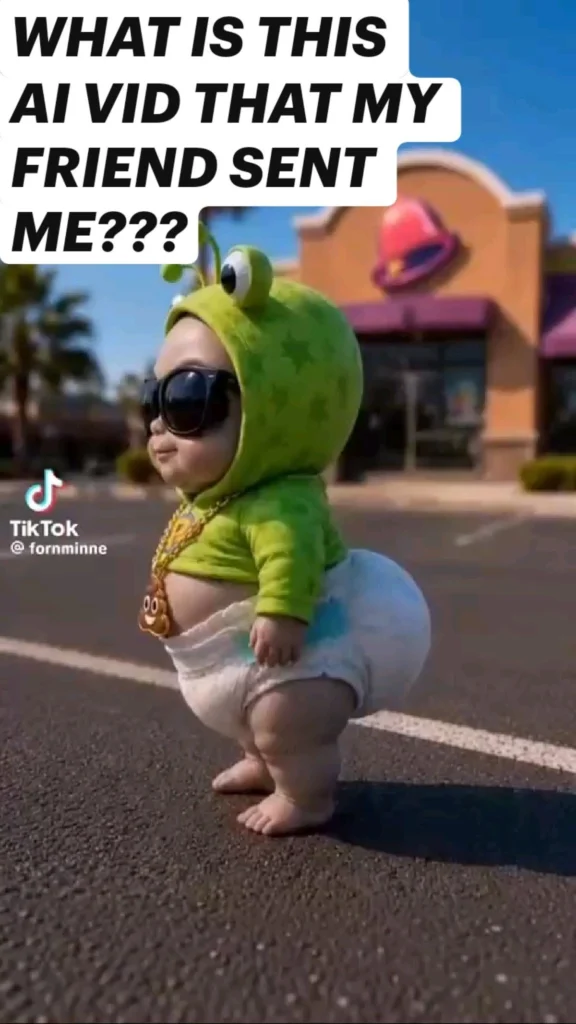
Your friend sends a clip of something that looks almost real — a person saying words they never said, a scene that never happened — and you stare at it wondering whether it’s genuine. That moment of doubt is exactly what this list is for. Below are 19 tools and websites that help you figure out whether a video is AI-generated, deepfaked, or just cleverly edited, ranging from browser-based analyzers to research-grade forensic suites. Some are dead simple, some are built for journalists and fact-checkers, and a few will surprise you with how much they can detect from a single upload.
Table of Contents(Click to Toggle)
- Why AI Video Detection Tools Matter Right Now
- 19 Tools to Spot That AI Vid
- 1. Deepware Scanner
- 2. Hive AI Detector
- 3. InVID-WeVerify Verification Plugin
- 4. Sensity AI
- 5. Reality Defender
- 6. DeepFake-o-meter
- 7. TrueMedia.org
- 8. AI or Not
- 9. Illuminarty
- 10. WeVerify
- 11. FotoForensics
- 12. Forensically
- 13. Google Lens
- 14. TinEye
- 15. PimEyes
- 16. Amnesty YouTube DataViewer
- 17. Frame-by-Frame Analysis with VLC
- 18. Deepfake Total
- 19. FakeCatcher Research Demos
- Bonus Mentions
- The Quiet Rise of Video Forensics
Why AI Video Detection Tools Matter Right Now
Video generation models have crossed a threshold. A short clip of a talking head, a street scene, or a product demo can now be produced in minutes with tools that are free or nearly free. That’s exciting for creators and genuinely confusing for everyone else. When a clip lands in your group chat with no context, you’re doing the work of a fact-checker without the training.
Detection tools help close that gap. They range from simple upload-and-score websites that return a percentage in seconds to forensic platforms used by newsrooms and insurance investigators. None of them are perfect — AI video detection is an arms race, and every tool will have false positives and blind spots. But used together, they give you a fast, honest read on whether a clip deserves your trust. The tools below are the ones worth bookmarking.
19 Tools to Spot That AI Vid
1. Deepware Scanner : Free deepfake video scanner you can try in a browser
What it is: A web-based deepfake detection tool that analyzes uploaded video files and returns a manipulation score.
Category: Browser-based deepfake scanner
Why it stands out:
- Designed specifically for face-swap and lip-sync deepfakes, which are the most common type shared in chats
- Runs in the browser with no install and no account required for a basic scan
- Returns a simple verdict you can screenshot and send back to whoever forwarded the clip
Best for: Anyone who just received a suspicious talking-head video and wants a quick first read.
2. Hive AI Detector : Broad AI-content detection with a video and image focus
What it is: A detection suite from Hive Moderation that classifies media as AI-generated or authentic across multiple model families.
Category: Commercial detection API and web demo
Why it stands out:
- Returns confidence scores rather than a binary yes/no, which is far more useful for borderline clips
- Also detects AI-generated images and audio, so you can check a whole post, not just the video
- Offers a public demo alongside an API that developers integrate into moderation pipelines
Best for: People who want a second opinion with a numeric score rather than a single verdict.
3. InVID-WeVerify Verification Plugin : The fact-checker’s Swiss Army knife for video
What it is: A free browser extension built for journalists that bundles video forensics, keyframe extraction, and reverse image search.
Category: Browser extension for verification
Why it stands out:
- Extracts keyframes from any video so you can reverse-search individual frames for the original source
- Includes a magnifier and metadata reader that surface details the naked eye misses
- Used widely in newsrooms, so there are tutorials and documentation in many languages
Best for: Anyone who wants to trace where a clip actually came from, not just whether it’s synthetic.
4. Sensity AI : Enterprise-grade deepfake detection and monitoring
What it is: A platform focused on detecting synthetic media at scale, originally built around deepfake detection research.
Category: Enterprise detection platform
Why it stands out:
- Built for organizations that need to monitor for impersonation of specific people, such as executives or public figures
- Combines detection with ongoing monitoring rather than one-off uploads
- Publishes research on deepfake trends, useful context for understanding what’s circulating
Best for: Brands, public figures, and teams that need continuous protection rather than a single check.
5. Reality Defender : Multi-model detection platform with a free trial path
What it is: A detection company that runs multiple models in parallel to flag deepfakes, AI audio, and synthetic imagery.
Category: Multi-model detection platform
Why it stands out:
- Uses an ensemble approach, combining several detectors rather than relying on one, which reduces single-model blind spots
- Covers video, image, and audio in one place — handy when a clip’s audio is the suspicious part
- Offers accessible trial options for individuals alongside enterprise plans
Best for: Users who want layered detection results and audio coverage in the same tool.
6. DeepFake-o-meter : Academic deepfake analyzer with multiple detectors
What it is: A research tool from the University at Buffalo’s Media Forensics Lab that lets you run several deepfake detection algorithms on one upload.
Category: Academic research tool
Why it stands out:
- Lets you compare results from different detection methods side by side on the same clip
- Transparent about which algorithm produced which score, which helps you interpret disagreements
- Free to use and grounded in published research rather than a black-box product
Best for: Curious users and students who want to see how different detectors disagree.
7. TrueMedia.org : Nonprofit deepfake detection for the public
What it is: A nonprofit initiative offering free deepfake detection aimed at journalists, civic groups, and ordinary users.
Category: Nonprofit detection service
Why it stands out:
- Built around election and public-interest misinformation, so it’s tuned for the clips that spread fastest
- Aggregates results from multiple detection engines into one report
- Free access removes the paywall that blocks most people from professional-grade detection
Best for: Anyone who wants a credible, no-cost check on a viral political or news clip.
8. AI or Not : Fast upload-and-check detector for images and video
What it is: A straightforward detection site that accepts uploads and returns an AI-or-not verdict with a confidence level.
Category: Simple consumer detector
Why it stands out:
- Clean, no-fuss interface — upload, get a result, move on
- Handles both still images and video, so you can check a frame or a clip
- Useful as a quick second opinion when another tool gives an ambiguous score
Best for: Casual users who want speed over deep forensic detail.
9. Illuminarty : AI-image and video detector with model attribution
What it is: A detection service that not only flags AI-generated media but tries to identify which model family produced it.
Category: Detection with model attribution
Why it stands out:
- Attempts to guess the generating model, which is genuinely useful context when evaluating a clip
- Breaks results down into probabilities rather than a single label
- Works on frames extracted from video, making it a practical companion to a keyframe workflow
Best for: Users who want to know not just “is it AI” but “which AI.”
10. WeVerify : Collaborative verification platform for media
What it is: The broader platform behind the InVID-WeVerify plugin, focused on collaborative verification of media content.
Category: Verification platform
Why it stands out:
- Supports team-based verification workflows, not just solo checks
- Documents techniques for spotting manipulated video beyond AI generation, including recompression and splicing
- Free training materials make it a genuine learning resource, not just a tool
Best for: Small teams, student journalists, and anyone building verification skills.
11. FotoForensics : Error-level analysis for extracted video frames
What it is: A long-running image forensics site that performs error level analysis and metadata inspection on uploaded images.
Category: Image forensics
Why it stands out:
- Error level analysis can reveal inconsistent compression, a common tell when frames are composited or edited
- Free and browser-based, with results you can interpret without special software
- Pairs naturally with keyframe extraction: pull a frame from the video, then analyze it here
Best for: Users checking whether a video frame has been edited or composited.
12. Forensically : Free browser toolkit for frame-level forensics
What it is: A free web app bundling magnifier, clone detection, noise analysis, and metadata tools for images.
Category: Image forensics toolkit
Why it stands out:
- Clone detection highlights duplicated regions, which can expose copy-pasted elements in a fabricated scene
- No upload required for some operations — processing happens locally in the browser
- Completely free with no account, making it easy to recommend to friends
Best for: Anyone who wants a no-cost, privacy-friendly forensic check on a still frame.
13. Google Lens : Reverse visual search to trace a clip’s origin
What it is: Google’s visual search tool, which can match a frame or screenshot against images across the web.
Category: Reverse image search
Why it stands out:
- Often the fastest way to find the original, unedited source of a clip that’s been reposted
- Works from a phone screenshot, which is exactly how most suspicious clips arrive
- Surfaces visually similar results that can reveal whether a scene predates modern AI video
Best for: Tracing a clip back to its original context before assuming it’s fake.
14. TinEye : Reverse image search with precise match history
What it is: A reverse image search engine that returns exact and modified matches along with the earliest known appearance.
Category: Reverse image search
Why it stands out:
- Sorts results by oldest first, which can reveal that a “new” clip is actually years old
- Detects modified versions of an image, hinting at edits or compositing
- Complements Google Lens: what one misses, the other often finds
Best for: Dating a frame and checking whether it circulated long before AI video existed.
15. PimEyes : Face search to check if a person in a clip is real
What it is: A facial recognition search engine that finds publicly available images matching a face.
Category: Face search
Why it stands out:
- If a face in a clip returns no matches anywhere, that’s a meaningful signal — though not proof — of a synthetic identity
- If it matches a real public figure, you can compare the real person’s appearance against the clip
- Requires care with privacy; use it to verify public claims, not to identify private individuals
Best for: Checking whether a supposed spokesperson or official in a clip actually exists.
16. Amnesty YouTube DataViewer : Pull upload metadata and thumbnails from a video
What it is: A free tool from Amnesty International that extracts upload time and thumbnail frames from YouTube videos.
Category: Video metadata extraction
Why it stands out:
- Shows the exact upload timestamp, which helps establish whether a clip predates an event it claims to show
- Extracts thumbnail frames for reverse image search, useful when you can’t download the video
- Simple, ad-free, and built for human rights verification work
Best for: Verifying a YouTube clip’s timeline and origin without downloading anything.
17. VLC Frame-by-Frame Analysis : Slow the clip down and look for artifacts
What it is: The free VLC media player, used as a manual inspection tool by stepping through video frame by frame.
Category: Manual inspection tool
Why it stands out:
- Frame stepping reveals flicker, warping around hairlines, and inconsistent eye or mouth movement that AI video often leaves behind
- Free, cross-platform, and already installed on many machines
- No upload needed, so nothing leaves your device — ideal for private or sensitive clips
Best for: Anyone who wants a hands-on look without sending a file to a third party.
18. Deepfake Total : Aggregated detection results in one place
What it is: A detection service that combines multiple deepfake detectors into a single report.
Category: Aggregated detection
Why it stands out:
- Presents results from several engines together, so you can see where they agree and where they don’t
- Saves the effort of uploading the same clip to five different sites
- Useful as a sanity check when a single tool returns an implausibly confident score
Best for: Users who want a consensus view without doing the legwork themselves.
19. FakeCatcher Research Demos : Biological-signal detection from research labs
What it is: A research approach from Binghamton University that detects deepfakes by analyzing subtle blood-flow signals in facial video.
Category: Research-grade detection
Why it stands out:
- Looks at physiological signals rather than pixel artifacts, a fundamentally different detection angle
- Reported to work in near real time in lab settings, which matters for live video calls
- Reading the published research helps you understand why some deepfakes still slip past artifact-based detectors
Best for: Readers who want to understand the science behind detection, not just use a tool.
Bonus Mentions
GetReal Labs : Detection research focused on manipulated media
A newer detection effort focused on identifying synthetic and manipulated media, worth following if you track the space.
OpenAI’s Content Provenance Notes : Understanding C2PA metadata and watermarks
Learning how content credentials and C2PA metadata work helps you check whether a file carries provenance signals at all.
C2PA : The standard behind content credentials
The Coalition for Content Provenance and Authenticity defines the metadata standard that many cameras and AI tools now embed.
Snopes : Human fact-checking to complement your tools
When a tool gives an ambiguous score, a quick search often reveals whether fact-checkers have already covered the clip.
Reuters Fact Check : Professional verification of viral clips
Reuters regularly debunks viral AI videos; checking their archive can save you a lot of forensic work.
The Quiet Rise of Video Forensics
None of these tools is a magic wand. AI video detection is a moving target, and a confident score from one detector can be contradicted by another. The practical approach is layered: run a suspicious clip through one automated scanner, extract a frame and reverse-search it, then slow it down and look with your own eyes. That three-step habit catches most of what circulates in group chats, and it takes less than five minutes.
The bigger shift is that verification is becoming a normal skill rather than a specialist one. A few years ago, only newsrooms had access to these techniques. Now the same scanners, plugins, and forensic websites are free and open to anyone with a browser. That’s genuinely good news for anyone who’d rather check than share.
What’s the strangest AI-generated video that’s landed in your messages lately — and did you manage to figure out where it came from? Share your finds in the comments.