
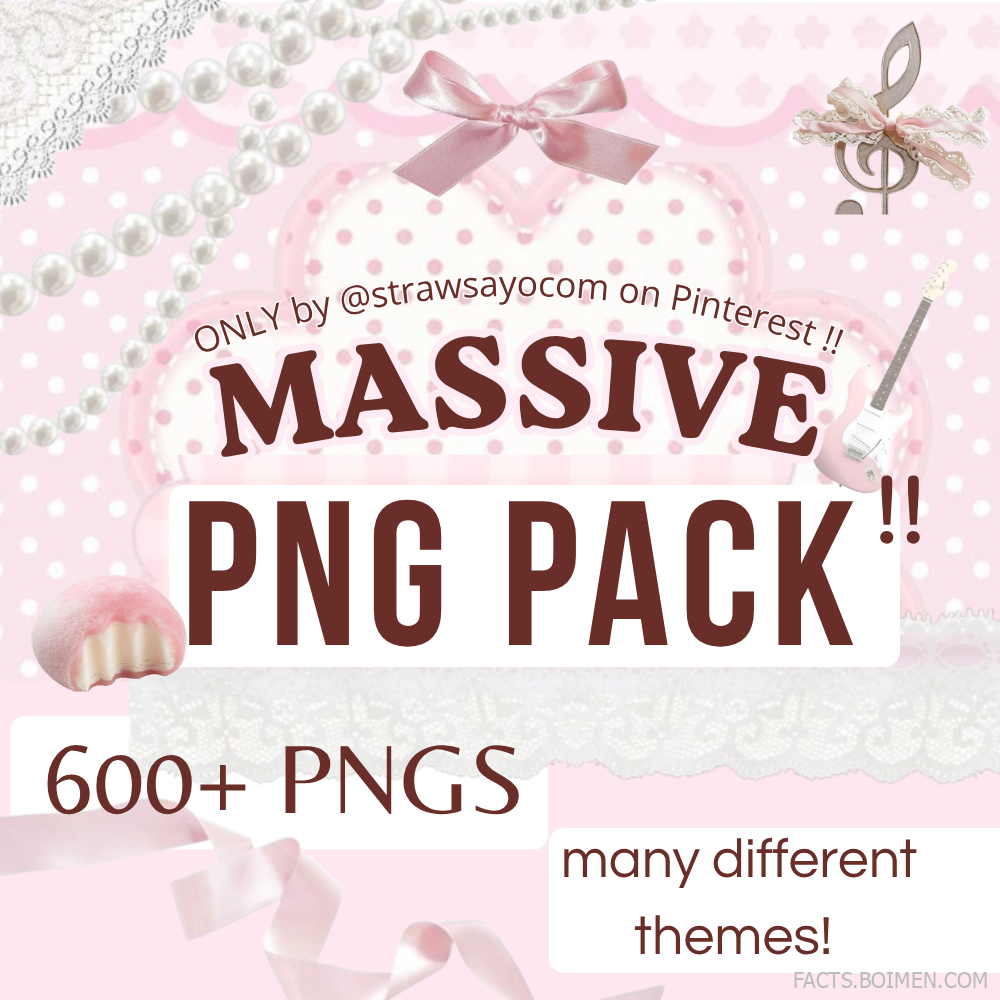
If you have ever opened a photo editor at 1 a.m. with a vision and no assets, you know the pain of a thin PNG folder. The pack that inspired this list promises 600+ PNGs across many different themes — and that is exactly the kind of volume that changes how you create. Instead of hunting for one sticker at a time, you pull from a library that already covers your mood, your palette, and your aesthetic. Below are 18 places to find massive PNG packs, plus a few bonus stops, all with genuinely useful libraries for edits, collages, thumbnails, and digital journaling.
Table of Contents(Click to Toggle)
Why Massive PNG Packs Change How You Create
A single PNG is a sticker. A 600+ PNG pack is a system. When your folder already contains cut-out stars, bows, film borders, glitter, text frames, and character art, you stop interrupting your creative flow to search and start composing. That matters most for people making Pinterest pins, TikTok edits, Discord emotes, scrapbook pages, and thumbnail art — formats where a handful of layered transparent elements does most of the visual work.
There is also a practical quality point. Transparent PNGs keep clean edges when you scale them, so a well-made pack survives being resized from a tiny emote to a full pin graphic. The sources below range from free stock libraries with millions of files to small creator shops where a single purchase gets you a themed bundle. Mix a broad library with a curated pack and you get both volume and personality.
18 Massive PNG Pack Sources Worth Downloading
1. Strawsayo PNG Pack : 600+ themed transparent PNGs in one bundle
What it is: The creator pack behind this list — a large Pinterest-shared collection advertised as 600+ PNGs spanning many different themes, from soft aesthetic elements to bolder graphic shapes.
Category: Creator bundle / Pinterest-shared pack
Why it stands out:
- Theme variety means you can style several different edits without buying separate packs
- Built for layering, so it suits pins, collages, and short-form video overlays
- Shared through Pinterest, which makes previewing the aesthetic easy before you commit
Best for: Editors who want one big starting library instead of ten small downloads.
2. Freepik : Huge searchable library of transparent graphics
What it is: A major stock platform with a deep transparent PNG and vector section, plus a filter for free-use assets.
Category: Stock library
Why it stands out:
- Search filters let you isolate PNGs by color, orientation, and license
- Free downloads require attribution, which is a real limitation worth planning for
- Collections let you save themed sets as you browse
Best for: Building a broad base library before adding niche creator packs.
3. PNGTree : Deep catalog of cut-out images and design elements
What it is: A stock site with a dedicated transparent PNG category covering everything from fruit to festival decorations.
Category: Stock library
Why it stands out:
- Very large volume of cut-outs, useful when you need one very specific object
- Daily download limits on free accounts keep usage modest
- Pairs well with its vector and background sections for full compositions
Best for: Finding an oddly specific element fast.
4. Vecteezy : Transparent graphics with strong editorial quality
What it is: A stock marketplace with a solid PNG section and clean, modern illustration styles.
Category: Stock library
Why it stands out:
- Curated collections make themed browsing faster than raw search
- Free assets usually need credit, so keep a credits note in your project file
- Good balance of photographic cut-outs and illustrated elements
Best for: Designers who want a more polished, less clip-art look.
5. Rawpixel : Public-domain art turned into transparent assets
What it is: A library heavy on vintage illustrations, botanical art, and public-domain imagery, much of it available as PNGs.
Category: Public domain / vintage art
Why it stands out:
- Distinct antique and botanical aesthetic you will not find in generic stock
- Public-domain material removes most licensing worry
- Great for journal pages, wedding suites, and heritage-style branding
Best for: Vintage and cottagecore-style edits.
6. Pixabay : Free transparent images with a permissive license
What it is: A free stock community with a transparent PNG filter and a simple, generous license.
Category: Free stock library
Why it stands out:
- No attribution required for most uses, which simplifies publishing
- Quality varies more than paid libraries, so preview at full size
- Fast, no-account browsing for quick grabs
Best for: Beginners who want zero licensing friction.
7. CleanPNG : Simple transparent-background search
What it is: A no-frills PNG search site focused purely on transparent images.
Category: PNG aggregator
Why it stands out:
- Very direct search experience with minimal clutter
- Useful for logos, objects, and everyday items
- Always check the license note on each file before commercial use
Best for: Quick one-off elements for personal projects.
8. StickPNG : Sticker-style cut-outs for casual edits
What it is: A transparent PNG site organized around sticker-like imagery and pop-culture objects.
Category: PNG aggregator
Why it stands out:
- Fun, meme-friendly selection that suits chat and social overlays
- Categories make browsing by vibe quick
- Licensing is mixed, so treat it as a discovery layer rather than a final source
Best for: Casual edits and emote-style graphics.
9. PNGTree Free Vectors : Free tier for transparent design elements
What it is: The free section of PNGTree, focused on vectors and transparent design pieces.
Category: Free stock section
Why it stands out:
- Zero-cost entry point to a very large catalog
- Vector files scale cleanly for print and large pins
- Free downloads are limited per day, so plan batches
Best for: Testing a style before buying a bigger pack.
10. Canva Elements : Built-in transparent graphics inside your editor
What it is: Canva’s element library includes thousands of transparent graphics you can drop straight into a design.
Category: In-editor library
Why it stands out:
- No download step — elements place directly on the canvas
- Some elements are Pro-only, which is the main limitation
- Search by style, color, and graphic type to narrow fast
Best for: Anyone who designs entirely inside Canva.
11. Creative Market : Curated creator bundles with real personality
What it is: A marketplace where independent designers sell themed PNG packs, clip-art bundles, and graphics kits.
Category: Paid marketplace
Why it stands out:
- Bundles are usually cohesive, so every element matches
- Prices vary widely, and frequent sales help
- Commercial licenses are often included, but check each listing
Best for: Building a branded, consistent visual style.
12. Etsy Digital Downloads : Small-shop PNG packs for niche aesthetics
What it is: Etsy sellers offer instant-download PNG bundles, often themed around specific aesthetics.
Category: Paid marketplace
Why it stands out:
- Extremely specific themes — coquette, dark academia, Y2K, and more
- Instant download means you can create minutes after purchase
- Quality depends on the seller, so read reviews and preview images
Best for: Trend-driven edits with a very particular mood.
13. Gumroad Creators : Independent packs with generous freebies
What it is: A creator commerce platform where many designers list PNG packs, often with free sample sets.
Category: Creator marketplace
Why it stands out:
- Free sample packs let you test quality before buying
- Direct creator support keeps more money with the artist
- Listings change often, so revisit creators you like
Best for: Discovering new indie designers early.
14. Ko-fi Shops : Free and pay-what-you-want PNG drops
What it is: A tipping-and-shop platform where illustrators often share free PNG packs alongside paid ones.
Category: Creator marketplace
Why it stands out:
- Many packs are free or pay-what-you-want
- Small file counts per drop, but frequent releases
- Following a creator builds a steady stream of new assets
Best for: Collecting a little at a time from artists you follow.
15. OpenMoji : Open-source emoji PNGs in every style
What it is: An open-source emoji set available as PNGs and SVGs, free under a permissive license.
Category: Open source
Why it stands out:
- Thousands of icons with consistent line weight
- Free for personal and commercial use with attribution
- Perfect for UI mockups, infographics, and clean edits
Best for: Minimal, design-forward graphics.
16. Twemoji : Simple flat icons ready as transparent PNGs
What it is: An open-source emoji project with flat, friendly icons downloadable as transparent images.
Category: Open source
Why it stands out:
- Instantly recognizable style that reads well at small sizes
- CC-BY licensed, so credit is required
- Great for thumbnails, captions, and lightweight overlays
Best for: Clean, readable social graphics.
17. Flaticon : Icon PNGs in thousands of styles
What it is: A massive icon library with PNG downloads and style packs.
Category: Icon library
Why it stands out:
- Consistent style packs mean icons match across a whole project
- Free downloads require attribution unless you subscribe
- Color and shape filters narrow results quickly
Best for: Building cohesive icon sets for pins and carousels.
18. Icons8 : Transparent graphics in multiple design styles
What it is: An icon and illustration platform offering PNG exports in styles from flat to 3D.
Category: Icon library
Why it stands out:
- Style switching lets you match an existing visual language
- Free tier requires a link back to the site
- 3D and animated options stand out for modern thumbnails
Best for: Contemporary, polished graphic accents.
Bonus Mentions
Pexels : Free photos you can cut out yourself
A free stock photo library with a permissive license. It does not specialize in PNGs, but background-removal tools turn any photo into a transparent element in seconds.
Remove.bg : Turn any image into a transparent PNG
A quick background remover that handles hair and fine edges well. Free downloads are lower resolution, which is fine for social but not for print.
GIMP : Free editor for building your own packs
A full open-source image editor with solid transparency tools, useful if you want to crop, clean, and organize your own PNG collection.
Krita : Draw and export transparent artwork
A free painting program built for digital artists. Export art with alpha channels directly, which is ideal for making original PNG stickers.
Photopea : Browser editor that handles PNG layers
A free, browser-based editor that opens PSD and PNG files with full layer support — handy when you are layering a big pack on a borrowed laptop.
The Best PNG Libraries to Bookmark First
The smartest approach is a two-layer system: one big themed bundle like the 600+ pack that started this list for personality and speed, plus a broad stock library like Freepik or Pixabay for the odd specific object. Add an open-source icon set such as OpenMoji for clean accents, and you have covered nearly every edit you will ever make. Save the free options first, test which styles actually match your work, then invest in curated packs that fill the gaps. Your folder becomes the asset, not the individual download.
Which PNG pack or library do you keep coming back to? Drop your favorite source in the comments — the best finds usually come from other editors.



