
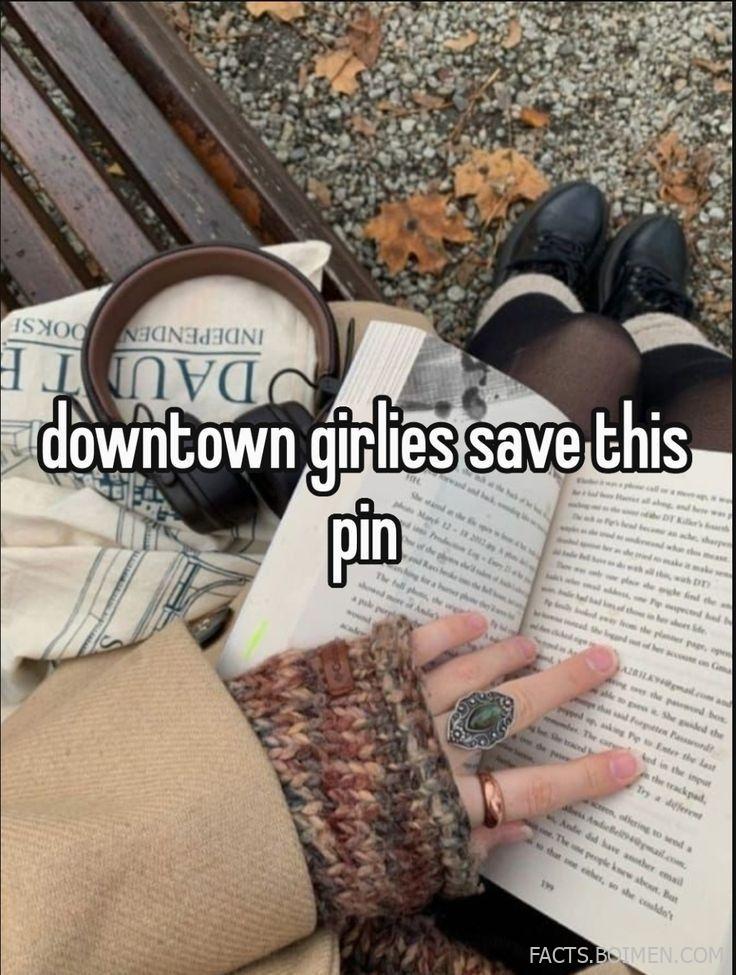
The downtown girl aesthetic is less a trend and more a mood: grainy film photos, late-night city walks, chunky headphones, and a phone screen that looks as curated as a magazine spread. If you clicked through because you wanted the real toolkit behind that vibe, this list is for you. Below are twenty genuinely useful sites and tools for building downtown-style widgets, usernames, wallpapers, profile pictures and quotes, plus a few bonus finds worth bookmarking before everyone else catches on.
Table of Contents(Click to Toggle)
Why Downtown Aesthetic Tools Are Worth Knowing
The downtown girl look lives in the details: a muted brown-and-grey color palette, a slightly grainy photo filter, a lowercase username that sounds like a lyric, a home screen arranged with care. None of that happens by accident. It comes from small, free tools that most people never think to search for.
Knowing these sites gives you two advantages. First, you stop relying on whatever presets an app hands you and start building a look that feels personal. Second, you move faster — you can generate a matching wallpaper, widget and profile picture in an afternoon instead of scrolling for hours. The tools below are all real, mostly free, and each one solves a specific piece of the downtown puzzle.
20 Downtown Aesthetic Tools, Widgets and Usernames
1. Canva : Build downtown mood boards, widgets and quote graphics in minutes
What it is: A browser-based design editor with thousands of templates sized for phone wallpapers, Instagram posts and Pinterest pins.
Category: Design and layout
Why it stands out:
- Custom canvas sizes let you set exact phone wallpaper dimensions (1080×1920) so nothing gets cropped
- Free tier includes enough fonts and elements to build a full downtown aesthetic set
- Brand kits keep your color palette consistent across widgets, pins and profile art
Best for: Anyone assembling a coordinated set of downtown wallpapers and quote cards without design software.
2. Coolors : Generate the muted brown, grey and cream palettes downtown aesthetics rely on
What it is: A fast color palette generator that spits out five-color combinations you can lock, tweak and export.
Category: Color tools
Why it stands out:
- Press the spacebar to cycle palettes instantly — great for finding that dusty espresso-and-fog combination
- Each color shows its hex code, so you can paste it straight into Canva or a widget app
- You can upload a photo and extract its palette, which is perfect for matching a wallpaper to a film still
Best for: Keeping your widgets, wallpapers and profile art in one consistent downtown palette.
3. Widgetsmith : The classic iOS app for custom home-screen widgets
What it is: An iPhone and iPad app that lets you design widgets in small, medium and large sizes with your own photos, fonts and colors.
Category: Home screen customization
Why it stands out:
- Supports custom photo widgets, so a grainy city photo can sit right on your home screen
- Clock and date widgets can be restyled with serif or handwritten fonts to match the downtown mood
- Free version is generous; some advanced styles sit behind a subscription
Best for: iPhone users building a full downtown home screen layout.
4. Color Widgets : Quick pastel and muted widget presets without designing from scratch
What it is: A widget app focused on ready-made aesthetic designs rather than deep customization.
Category: Home screen customization
Why it stands out:
- Preset packs are organized by vibe, so you can grab a muted set in seconds
- Includes clock, calendar, battery and photo widgets in one place
- Simpler than Widgetsmith if you want speed over total control
Best for: People who want a coordinated widget set fast, without fiddling with settings.
5. Unsplash : Free high-resolution city and film-style photos for wallpapers
What it is: A library of free, high-resolution photography contributed by creators worldwide.
Category: Stock photography
Why it stands out:
- Search terms like “city night,” “film grain” or “cafe window” surface exactly the downtown mood
- License allows free use, including personal wallpapers and profile backgrounds
- Download sizes are large enough for any phone screen
Best for: Sourcing wallpaper photos that look editorial rather than stocky.
6. Pexels : A second free photo library with strong street and lifestyle shots
What it is: Another free stock photo and video site with a large lifestyle and urban collection.
Category: Stock photography
Why it stands out:
- Short video clips are included, handy for animated lock screens
- Search filters by orientation make it easy to find vertical phone wallpapers
- Free to use without attribution in most cases
Best for: Filling gaps when Unsplash does not have the exact shot you imagined.
7. Pinterest : The deepest visual archive for downtown mood boards and quote pins
What it is: A visual discovery platform built around saving images to boards.
Category: Inspiration and curation
Why it stands out:
- Search “downtown girl wallpaper” or “downtown quotes” and you get thousands of curated results
- Boards let you collect a palette, a wallpaper set and a quote list in one place
- Visual search can find similar images from a single upload
Best for: Building a reference board before you start designing anything.
8. Namechk : Check whether your downtown username is free across platforms
What it is: A username availability checker that scans dozens of social platforms at once.
Category: Username tools
Why it stands out:
- Type a handle once and see availability on Instagram, TikTok, Pinterest and more
- Saves you from claiming a name that is already taken on your main platform
- Free to use with no account required
Best for: Locking in a consistent aesthetic username everywhere.
9. Name Generator : Spark lowercase, lyric-style username ideas
What it is: A free generator site with themed name tools, including aesthetic and username generators.
Category: Username tools
Why it stands out:
- Generates combinations you would not think of on your own
- No sign-up, results appear instantly in the browser
- Works as a starting point — tweak the output to make it yours
Best for: Breaking out of the same three username ideas everyone uses.
10. Fontjoy : Pair fonts for quote graphics and widget text
What it is: A simple tool that generates font pairings using machine learning.
Category: Typography
Why it stands out:
- One click produces a heading-and-body pairing that actually looks balanced
- Sliders let you control how similar or contrasting the fonts feel
- Great for making quote pins look intentional rather than random
Best for: Anyone layering text over photos for downtown quote graphics.
11. Google Fonts : Free serif and handwritten fonts for that editorial feel
What it is: Google’s free, open-source font library with hundreds of typefaces.
Category: Typography
Why it stands out:
- Filters by category, so you can jump straight to serif or handwriting styles
- Every font is free for personal and commercial use
- Preview text can be customized to your own quote before downloading
Best for: Finding the perfect typeface for a wallpaper quote or widget label.
12. Photopea : A free Photoshop-style editor that runs in your browser
What it is: A full-featured image editor that opens PSD files and works without installation.
Category: Photo editing
Why it stands out:
- Supports layers, masks and filters — enough to build grainy film effects by hand
- Runs entirely in the browser, so it works on a school laptop
- Free with ads; no account needed to start
Best for: Editing wallpapers and profile pictures with real layer control.
13. Pixlr : Fast browser editing with one-click aesthetic filters
What it is: A web-based photo editor with both a quick-edit mode and an advanced editor.
Category: Photo editing
Why it stands out:
- Quick mode applies grain, fade and tone filters in a single click
- No download required and a usable free tier
- Batch tools help when you are editing a whole set of wallpapers
Best for: Quick filter passes when you do not need full layer editing.
14. VSCO : The film-inspired presets behind that grainy downtown look
What it is: A photo app and community known for its film-style editing presets.
Category: Photo editing
Why it stands out:
- Presets are tuned for muted, low-contrast, film-like results
- Grain and fade controls are easy to dial in by hand
- Some presets require a membership, but the free set covers the basics
Best for: Giving phone photos that soft, analog downtown feel.
15. Tezza : Aesthetic presets and collage templates in one app
What it is: An editing app with curated presets, collage layouts and video templates.
Category: Photo editing
Why it stands out:
- Preset packs are organized by mood, including muted and vintage sets
- Collage templates make it easy to build a downtown photo dump
- Free tier includes several presets; the rest are paid
Best for: Assembling a coordinated set of photos for a profile grid.
16. Kapwing : Trim and style short video loops for animated wallpapers
What it is: An online video editor that runs in the browser with no install.
Category: Video editing
Why it stands out:
- Can resize clips to vertical phone dimensions in a couple of clicks
- Text, filters and speed controls are all available on the free tier
- Exports directly to a downloadable file for live wallpapers
Best for: Making short looping clips that feel like a moving downtown scene.
17. Remove.bg : Cut subjects out for clean profile pictures and sticker-style edits
What it is: An automatic background remover that processes an image in seconds.
Category: Photo editing
Why it stands out:
- Handles hair and edges better than most free tools
- Output is a transparent PNG you can drop onto any background
- Free for standard-resolution downloads
Best for: Placing a subject on a plain muted background for a clean pfp.
18. Picrew : Build a custom illustrated avatar in a downtown style
What it is: A Japanese avatar-maker platform where artists publish character creators.
Category: Profile pictures
Why it stands out:
- Hundreds of creators offer different art styles, from soft sketch to bold line art
- You can layer hair, clothing and accessories to make something unique
- Most creators allow personal use; check each one’s rules before sharing
Best for: A profile picture that feels handmade rather than filtered.
19. Witeboard : A no-frills shared whiteboard for sketching layout ideas
What it is: A minimal online whiteboard that opens instantly with no login.
Category: Planning and sketching
Why it stands out:
- Sketch a home screen grid before you commit to widgets
- Share the link so a friend can add ideas to the same board
- Extremely lightweight — loads fast even on a slow connection
Best for: Roughing out a wallpaper-and-widget layout before you build it.
20. Quote Catalog : Find short lines that fit the downtown caption mood
What it is: A curated collection of quotes organized by theme and author.
Category: Quotes and captions
Why it stands out:
- Themes make it easy to find short, moody lines for a wallpaper or caption
- Quotes are attributed, so you can credit the author properly
- Clean layout with no pop-ups interrupting your browse
Best for: Sourcing a line for a quote graphic without endless scrolling.
Bonus Mentions
Photopea Templates : Community-made PSD templates for quick edits
If you already use Photopea, its template ecosystem is worth a look — pre-built layouts you can drop a photo into and restyle in minutes.
Canva Color Palette Generator : Pull a palette straight from a photo
Upload a film still and Canva returns a matching palette you can apply to wallpapers and widgets.
Unsplash Film Grain Search : A shortcut to grainy, analog-style photos
A saved search that consistently surfaces the soft, textured images downtown aesthetics lean on.
Google Fonts Handwriting Filter : One-click access to script fonts
Skip the browsing and jump straight to handwriting styles for quote overlays.
The Downtown Toolkit That Actually Sticks
The downtown aesthetic is not one app or one filter — it is a handful of small, free tools used together. A palette from Coolors, a photo from Unsplash, a font pairing from Fontjoy, a widget built in Widgetsmith, and a username checked on Namechk. That is the whole workflow, and it costs nothing.
The best part is that these tools stay useful long after a trend fades. Color theory, typography and layout skills carry over into any aesthetic you explore next. Start with two or three, build one wallpaper and one widget set, and see how it looks on your own screen before adding more.
Which tool from this list are you trying first — and do you have a hidden-gem site of your own that belongs here? Share it in the comments.



