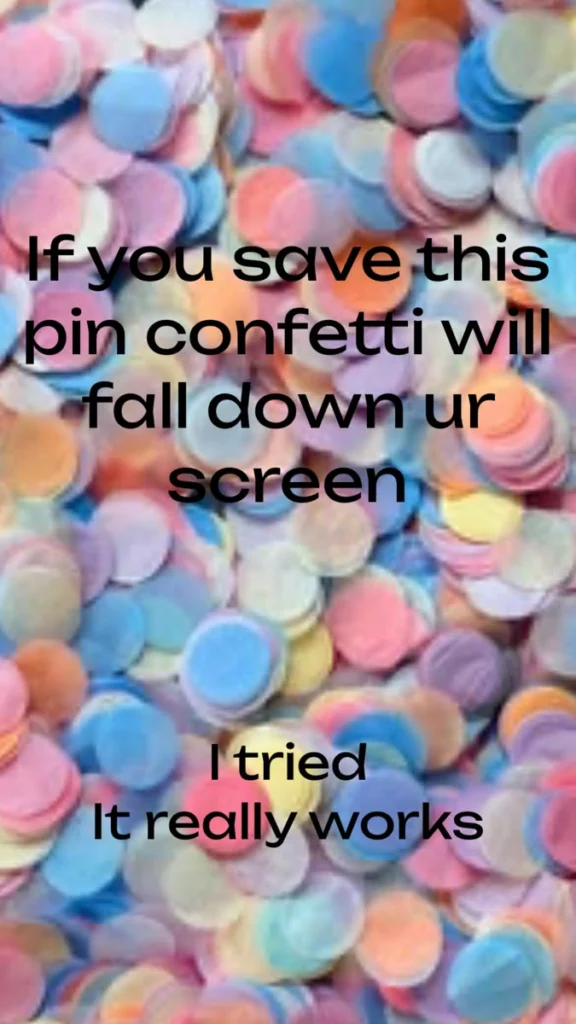
You saw the pin. You tapped save. And then you waited for the colorful little rectangles to rain down your screen. Maybe they did, maybe they didn’t, and now you want to know why. The truth is that the falling-confetti moment people describe is a real, buildable effect, and there is a whole corner of the internet dedicated to making browsers celebrate. Some of these are one-click toys, some are developer tools, and a few are full creative studios. Here are 19 places to make confetti fall, burst, explode, and rain on command, plus a handful of bonus finds for anyone who wants even more digital sparkle.
Table of Contents(Click to Toggle)
Why the Save-This-Pin Confetti Effect Is Everywhere
Confetti is one of the oldest celebration tools on earth, but its digital version is having a quiet renaissance. The reason is simple: a falling confetti burst is one of the few web effects that feels genuinely delightful without slowing a page down. Modern libraries draw the particles on an HTML canvas, which means dozens or hundreds of pieces can fall in smooth motion while the rest of the page keeps loading normally.
That is also why the “save this pin and confetti falls” promise spreads so fast. Whether or not a particular app actually triggers it, the idea is irresistible, and it sends people looking for a way to recreate it themselves. The good news is that you do not need to be a programmer to get a confetti screen. There are one-click generators, animation marketplaces, and full design suites on this list, alongside the code libraries that power the effect under the hood. Pick the level of effort you want, and let the paper fly.
19 Confetti Effects and Tools to Try Right Now
1. Canvas Confetti : The go-to confetti engine for real websites
What it is: A lightweight JavaScript library that draws confetti on an HTML canvas, created by developer Kiril Vatev.
Category: Developer library
Why it stands out:
- One function call fires a burst, and options control particle count, spread, colors, and gravity
- Supports continuous “cannon” and “fireworks” modes for bigger moments
- Small footprint and no dependencies, so it will not bog down a page
Best for: Developers who want the exact falling-confetti moment on a signup, checkout, or celebration page.
2. Confetti.js : A browser demo you can try without installing anything
What it is: The live demo playground for the Canvas Confetti project, with sample buttons and code snippets.
Category: Interactive demo
Why it stands out:
- Click a button and confetti rains instantly, no setup required
- Shows the exact code behind each effect, so you can copy it into your own project
- Great for testing color palettes before committing to them
Best for: Curious non-coders who just want to see confetti fall on their screen right now.
3. Party.js : Confetti plus sparkles, balloons, and more
What it is: A JavaScript library for adding celebratory effects to web pages, with confetti as its headline feature.
Category: Developer library
Why it stands out:
- Beyond confetti, it offers sparkle trails, balloons, and emoji bursts from the same API
- Effects can be anchored to a click position, so confetti explodes exactly where a user taps
- Clean documentation with copy-paste examples for each effect type
Best for: Makers who want variety rather than one single confetti style.
4. JSConfetti : Tiny, dependency-free confetti in one line
What it is: A minimal confetti library designed to be dropped into any page with almost no configuration.
Category: Developer library
Why it stands out:
- A single line of code triggers a full-screen confetti burst
- Works well on mobile browsers, where heavier effects often stutter
- Custom shapes and emoji are supported for themed celebrations
Best for: Quick wins, like adding confetti to a personal blog or a birthday page in under a minute.
5. tsParticles : A particle engine that can mimic falling confetti
What it is: A TypeScript-based particle animation library with a large preset gallery.
Category: Developer library
Why it stands out:
- Presets include confetti, snow, fireworks, and bubbles, all configurable in a visual editor
- Handles hundreds of particles smoothly thanks to canvas rendering
- Works with plain HTML, React, Vue, and other frameworks
Best for: Anyone who wants confetti as part of a broader animated background.
6. CodePen : Search “confetti” and get thousands of live examples
What it is: A massive online playground for front-end code where developers share live, runnable demos.
Category: Code playground
Why it stands out:
- Typing “confetti” into the search returns countless ready-to-run effects, many with editable settings
- You can fork any pen and tweak colors or speed without touching a local setup
- Everything runs in the browser, so a confetti demo is one click away
Best for: Tinkerers who learn best by changing existing code and watching what happens.
7. CSS-Tricks : Tutorials that explain how confetti effects actually work
What it is: A long-running publication about CSS and front-end techniques, with deep dives into animation.
Category: Tutorial site
Why it stands out:
- Articles break down particle animation step by step, from math to final code
- Explains why canvas is usually better than pure CSS for heavy confetti
- Comments often include improved versions from other readers
Best for: Readers who want to understand the mechanics, not just copy a snippet.
8. LottieFiles : Ready-made confetti animations you can embed anywhere
What it is: A marketplace and player for Lottie animations, a lightweight JSON-based animation format.
Category: Animation marketplace
Why it stands out:
- Search “confetti” and find hundreds of free animations, from subtle sparkles to full-screen bursts
- Animations can be embedded on websites, in apps, or exported as video
- Previewing an animation plays it instantly in your browser
Best for: Designers who want confetti without writing a single line of JavaScript.
9. Rive : Interactive confetti that reacts to the cursor
What it is: A design tool for building interactive, stateful animations that run in real time.
Category: Interactive animation tool
Why it stands out:
- Confetti can respond to clicks, hovers, and state changes rather than just looping
- Runs efficiently on web and mobile thanks to a custom runtime
- Free tier is generous enough for personal projects
Best for: Creators who want a confetti moment that feels like a mini game.
10. SVGator : Animate confetti as crisp SVG vectors
What it is: A browser-based tool for animating SVG graphics with keyframes and timelines.
Category: SVG animation tool
Why it stands out:
- Vector confetti stays sharp at any screen size, unlike pixel-based video
- Timeline editor makes it easy to stagger pieces so they fall naturally
- Exports clean code you can drop into any website
Best for: Designers who need lightweight, scalable confetti for landing pages.
11. Framer : Add confetti to a real site without heavy code
What it is: A website builder focused on motion and interaction design.
Category: Website builder
Why it stands out:
- Built-in effects and code components let you trigger confetti on a button click
- Visual editor means you see the celebration on the actual page as you build
- Publishes to a live URL instantly, so you can share the effect with friends
Best for: People building a portfolio or launch page who want confetti baked in.
12. Canva : Confetti graphics and animated stickers for pins and posts
What it is: A popular design platform with templates, stickers, and animation tools.
Category: Design platform
Why it stands out:
- Search “confetti” for thousands of graphics, including animated stickers for video and social posts
- Templates for Pinterest pins make it easy to recreate the look of the original promise image
- Free tier covers most casual needs
Best for: Anyone who wants to make their own confetti-themed pin rather than wait for one to fall.
13. Kapwing : Turn confetti into a shareable video clip
What it is: A browser-based video editor with templates and effects.
Category: Video editor
Why it stands out:
- Confetti overlay templates drop straight onto your clip
- No software install, and exports are ready for social platforms
- Useful for making a looping confetti background for stories
Best for: Creators who want confetti in a video rather than on a webpage.
14. PixiJS : High-performance 2D rendering for serious confetti storms
What it is: A fast 2D WebGL rendering library used for games and rich visuals.
Category: Graphics library
Why it stands out:
- Can push thousands of confetti pieces at 60 frames per second
- Handles textures, so confetti can be shaped like stars or logos
- Well-documented with a large community of examples
Best for: Developers building an elaborate celebration screen or interactive experience.
15. Three.js : 3D confetti that falls in real depth
What it is: The most widely used JavaScript library for 3D graphics in the browser.
Category: 3D graphics library
Why it stands out:
- Confetti can tumble and rotate in three dimensions instead of flat 2D
- Examples gallery includes particle systems you can adapt
- Runs directly in the browser with no plugins
Best for: Anyone who wants the confetti to feel physical and cinematic.
16. p5.js : A friendly coding canvas for learning confetti by making it
What it is: A creative coding library designed for artists, beginners, and educators.
Category: Creative coding
Why it stands out:
- The web editor runs in your browser, so you can write confetti code in minutes
- Thousands of community sketches and tutorials to learn from
- Encourages experimentation over perfection
Best for: Beginners who want to build their own confetti effect from scratch.
17. Glitch : Remix a live confetti app and share the link
What it is: A collaborative platform for building and hosting small web apps in the browser.
Category: App hosting playground
Why it stands out:
- Remix an existing confetti project and it is instantly live on your own URL
- Real-time collaboration lets friends edit the effect with you
- Great for sharing a “save this and confetti falls” style page of your own
Best for: Anyone who wants to send a link that actually does the trick.
18. Emoji Party : The confetti emoji, explained and ready to copy
What it is: Emojipedia’s reference pages for celebration emoji, including the confetti ball and party popper.
Category: Emoji reference
Why it stands out:
- Copy the confetti emoji in one click for captions, messages, and pin descriptions
- Shows how the emoji looks on different platforms, which matters for design
- A quick, no-code way to add a little celebration to any text
Best for: People who want the confetti vibe without any animation at all.
19. Confetti Button : A single button that rains confetti on click
What it is: A simple web page built around one big button that triggers a full-screen confetti fall.
Category: One-click toy
Why it stands out:
- Zero setup: open the page, press the button, watch the confetti fall
- A fun way to test whether a browser handles confetti smoothly
- Perfect for pranking a friend by leaving it open on their screen
Best for: A quick dose of the exact feeling the original pin promised.
Bonus Mentions
Remove.bg : Clean up confetti images before you use them
If you are building a confetti graphic from a photo, this tool strips the background in seconds so the pieces sit cleanly on any color.
Coolors : Pick a confetti palette that actually works together
Generate harmonious color schemes, then feed those hex codes into any confetti library for a coordinated celebration.
TinyPNG : Keep confetti assets light
Compress confetti textures and GIFs so your page still loads fast while the pieces fall.
Vercel : Host your confetti page for free
Deploy a small confetti project to a live URL in minutes, ideal for sharing your own version of the pin promise.
The Internet’s Best-Kept Celebration Secrets (So Far)
The confetti effect is a small thing, but it is a good reminder of how much delight hides in plain sight online. A single library call, a free animation file, or a one-button toy can turn an ordinary page into a moment. None of these tools require an account or a budget to try, and most of them run entirely in your browser. Start with the simplest option if you just want to see confetti fall, then work your way toward the creative tools if you want to build something of your own.
What makes this corner of the web worth exploring is that it keeps growing. Designers release new particle presets, animation marketplaces add fresh confetti packs, and hobbyists publish playful demos every week. The next great confetti effect probably exists already and is just waiting for someone to search for it.
Which confetti tool did you end up trying first, and did it actually make the pieces fall on your screen? Share your favorite find in the comments so the next reader knows where to start.