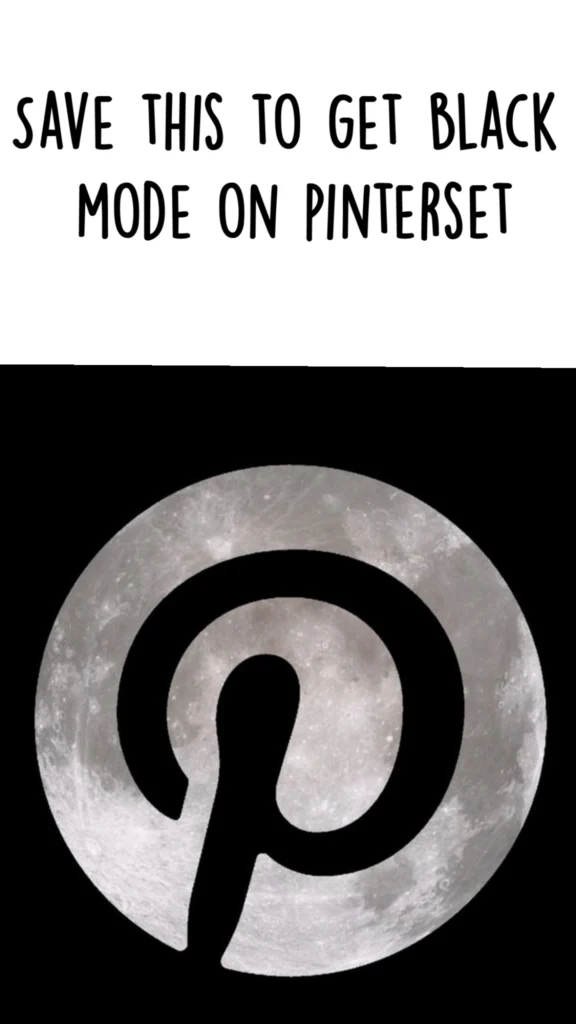
You saw the pin, you saved it, and now you want the real thing: a Pinterest that doesn’t blast your eyes with white at 1 a.m. Here’s the honest truth — Pinterest doesn’t offer a native dark mode toggle on every platform yet, so the “black mode” look comes from a mix of device-level settings, browser flags, and a handful of genuinely underrated tools that make your entire feed darker, moodier, and easier on the eyes. Below are 21 options, starting with the exact workaround most people are looking for, then branching into dark-mode extensions, aesthetic feed tools, and low-exposure sites that make scrolling feel like a black-and-white editorial spread.
Table of Contents(Click to Toggle)
- Why Black Mode on Pinterest Is Worth Chasing
- 21 Black Mode and Dark Aesthetic Tools
- 1. Pinterest (Device Dark Mode Route)
- 2. Dark Reader
- 3. Night Eye
- 4. Turn Off the Lights
- 5. Stylus
- 6. Midnight Lizard
- 7. Luna Reader
- 8. Coolors
- 9. Unsplash
- 10. Pexels
- 11. Are.na
- 12. Cosmos
- 13. Savee
- 14. Fonts In Use
- 15. Oklch Color Picker
- 16. Dark Mode List
- 17. NightPDF
- 18. f.lux
- 19. Blackmagic Design
- 20. Wombo Dream
- 21. Raindrop.io
- Bonus Mentions
- The Darkest Corner of the Internet (So Far)
Why Black Mode on Pinterest Is Worth Chasing
Pinterest is a visual search engine, and visual search engines are built on bright white canvases because that’s what makes color pop in daylight. The problem is that most of us save pins in bed, on the couch, or in a dark room — and a full-screen white grid at full brightness is genuinely unpleasant. Dark mode isn’t just an aesthetic preference; it reduces glare, makes photos look more cinematic, and turns a chaotic feed into something closer to a mood board.
Because Pinterest hasn’t rolled out a universal dark theme, the community has built its own solutions. Some are browser extensions that invert every website you visit. Some are curated sites that already live in a black-and-white world. And some are small, low-exposure tools that let you build a darker visual identity from scratch. All 21 below are real, free or freemium, and worth a bookmark.
21 Black Mode and Dark Aesthetic Tools
1. Pinterest : The device-level dark mode route that actually works
What it is: The platform itself, accessed through your phone or browser’s system dark mode setting rather than an in-app toggle.
Category: Social discovery platform
Why it stands out: Pinterest respects your operating system’s appearance setting on iOS and Android, and it follows Chrome’s forced-dark flag on desktop. Turn on dark mode in your phone settings, force-quit the app, and reopen it — the interface shifts to a charcoal theme with white type. It isn’t pure black, but it’s the closest official option and it costs nothing.
Best for: Anyone who wants the real Pinterest experience without installing anything extra.
2. Dark Reader : Turns any website, Pinterest included, genuinely black
What it is: An open-source browser extension for Chrome, Firefox, Edge, and Safari that generates dark themes on the fly.
Category: Browser extension
Why it stands out: Instead of simply inverting colors, Dark Reader analyses each page’s CSS and rebuilds it with adjustable brightness, contrast, and sepia sliders. You can set a per-site rule so Pinterest goes dark while everything else stays normal. It’s the single most-recommended answer in every “Pinterest dark mode” thread for a reason.
Best for: Desktop users who want full control over how dark their feed gets.
3. Night Eye : A polished dark-mode extension with a Pinterest-friendly palette
What it is: A freemium extension that applies three different dark-mode algorithms to any site.
Category: Browser extension
Why it stands out: Night Eye’s “Filter” mode preserves image colors while darkening the surrounding interface, which matters on a photo-heavy site like Pinterest where inverted images look wrong. The free tier covers one site at a time; the paid version unlocks unlimited sites and scheduled switching.
Best for: People who want photos to stay accurate while the UI goes dark.
4. Turn Off the Lights : Dims everything except the video or image you’re watching
What it is: A browser extension that fades the entire page to black around a highlighted element.
Category: Browser extension
Why it stands out: It’s not a true dark mode, but for browsing Pinterest’s video pins or full-screen image previews it creates a cinema-style black surround that’s easier on the eyes than a white frame. One click on the lamp icon and the page dims; click again to restore. Available for Chrome, Firefox, Edge, Safari, and Opera.
Best for: Late-night pin browsing where you only care about the image in front of you.
5. Stylus : Install community-made Pinterest dark themes
What it is: An open-source userstyle manager that lets you apply custom CSS to any website.
Category: Browser extension
Why it stands out: Stylus connects to userstyles.world, where contributors have published hand-tuned Pinterest dark themes that look far more native than auto-inversion. You can edit the CSS yourself if you want pure #000 instead of charcoal. It’s the power-user route, and it’s completely free with no account required.
Best for: Tinkerers who want a pixel-perfect black Pinterest.
6. Midnight Lizard : A color-scheme engine with dozens of dark palettes
What it is: An open-source extension that applies full color schemes, not just darkness.
Category: Browser extension
Why it stands out: It ships with preset themes like “Dark Blue” and “Solarized Dark,” plus a custom palette builder where you pick exact hex values for backgrounds, text, and links. If you want your Pinterest to match a specific black-and-white aesthetic rather than a generic grey, this is the tool. It also supports per-site rules and keyboard shortcuts.
Best for: Designers who want their dark mode to match a brand palette.
7. Luna Reader : A distraction-free dark reading layer for saved articles
What it is: A reader-mode tool that strips pages down to text and images on a black background.
Category: Reading tool
Why it stands out: Half of what you save on Pinterest are blog posts and recipes. Luna Reader reformats those pages into a clean dark column with adjustable type size — no ads, no pop-ups, no white glare. It’s a small, low-exposure project that solves a problem Pinterest itself never will.
Best for: People whose Pinterest boards are mostly saved tutorials and articles.
8. Coolors : Build a black-and-white palette before you pin
What it is: A fast color-palette generator with a dedicated dark and monochrome mode.
Category: Design tool
Why it stands out: If your goal is a cohesive dark aesthetic board, Coolors lets you lock a near-black base and generate complementary greys in seconds. The “contrast checker” tells you whether your text will be readable on that background — a detail most aesthetic boards ignore. Free, browser-based, no signup for the basic generator.
Best for: Anyone curating a black-and-white Pinterest theme from scratch.
9. Unsplash : High-resolution black-and-white photography, free to pin
What it is: A stock photo library with a strong monochrome collection.
Category: Image library
Why it stands out: Search “black and white” and you get tens of thousands of moody, editorial-grade images that look stunning against a dark Pinterest grid. Everything is free under the Unsplash license, and each photo page offers a direct download plus attribution links. It’s the fastest way to fill a dark aesthetic board with quality pins.
Best for: Building a monochrome mood board that doesn’t look like everyone else’s.
10. Pexels : A second free library with a strong dark-moody filter
What it is: A free stock photo and video site with orientation and color filters.
Category: Image library
Why it stands out: Pexels lets you filter by orientation and color, so you can pull only images with a dominant black tone. The video section is a bonus — short looping clips of smoke, rain, and city lights make excellent dark-mode pin covers. No attribution required, though it’s appreciated.
Best for: Pinners who want video pins with a cinematic black feel.
11. Are.na : A quiet, text-first bookmarking site with a true dark theme
What it is: A collaborative research and mood-board platform used by designers and writers.
Category: Visual bookmarking
Why it stands out: Are.na’s interface is deliberately minimal — grey type, generous whitespace, and a dark mode that feels like a printed monograph. Channels can mix images, text, and links, which makes it a calmer alternative to Pinterest for collecting references. It’s free to start and has one of the most loyal low-key communities online.
Best for: People who want Pinterest’s idea-collecting power without the algorithm.
12. Cosmos : A dark, gallery-style visual discovery feed
What it is: An invite-friendly visual bookmarking app built around a black canvas.
Category: Visual discovery
Why it stands out: Cosmos presents images edge-to-edge on a near-black background, so photography looks like it’s hanging in a gallery. Clusters group visually similar finds automatically, which is a genuinely different browsing rhythm from Pinterest’s endless grid. It’s still relatively small, so the feed feels curated rather than crowded.
Best for: Aesthetic-minded savers who want a darker, quieter discovery feed.
13. Savee : A monochrome-friendly mood board for visual references
What it is: A bookmarking tool aimed at photographers, art directors, and stylists.
Category: Visual bookmarking
Why it stands out: Savee’s boards render on a dark interface and support drag-and-drop uploads from your own camera roll, so you can mix found pins with original shots. The search is tag-based rather than algorithmic, which means you actually find what you’re looking for. Free tier is generous; pro adds private boards.
Best for: Creatives building a black-and-white portfolio reference board.
14. Fonts In Use : Study typography that works on dark backgrounds
What it is: An independent archive documenting real-world typeface usage.
Category: Design reference
Why it stands out: If you’re designing dark Pinterest pin graphics, you need to know which typefaces hold up in white-on-black. Fonts In Use catalogues thousands of examples with the exact typeface names listed, searchable by category and format. It’s a rabbit hole in the best way, and it’s completely free with no account.
Best for: Anyone making their own black-and-white pin templates.
15. OKLCH Color Picker : Pick blacks that don’t look muddy on screen
What it is: A browser-based color picker built on the OKLCH color space.
Category: Design utility
Why it stands out: Pure #000000 can look flat and harsh on OLED screens, while #121212 reads as a softer “true dark.” This picker lets you dial in perceptually even greys and copy the hex or CSS value instantly. It’s a tiny, single-purpose tool with no ads — exactly the kind of site that deserves more attention.
Best for: Designers choosing background blacks for dark-mode graphics.
16. Dark Mode List : A directory of apps that actually support dark mode
What it is: A community-maintained list of websites and apps with native dark themes.
Category: Directory
Why it stands out: Before you install yet another extension, check whether the site already supports dark mode. The list is searchable and sorted by category, and it’s updated by contributors. It’s a small project with no monetization, which makes it a refreshingly honest reference.
Best for: Auditing which of your daily sites already go dark natively.
17. NightPDF : Read saved PDFs and lookbooks in true black
What it is: A free desktop PDF reader with a built-in dark mode.
Category: Desktop utility
Why it stands out: Pinterest is full of downloadable lookbooks, zines, and design guides — all of which open as blinding white PDFs. NightPDF renders them with inverted colors and adjustable contrast so you can read in a dark room without squinting. It’s open source, lightweight, and available for Windows, macOS, and Linux.
Best for: Anyone who saves PDF guides from Pinterest boards.
18. f.lux : Warm your screen so white pages stop hurting
What it is: A free app that adjusts your display’s color temperature by time of day.
Category: Display utility
Why it stands out: Before dark mode was everywhere, f.lux was the original answer to late-night screen glare. It shifts your monitor toward warmer tones after sunset, which makes even a white Pinterest page far more tolerable. It runs quietly in the background and supports custom schedules per location.
Best for: Night owls who want a system-wide fix rather than a per-site one.
19. Blackmagic Design : Free pro-grade tools with a famously dark interface
What it is: The company behind DaVinci Resolve, a free video editor with a near-black UI.
Category: Creative software
Why it stands out: If you’re making dark aesthetic video pins or animated mood boards, DaVinci Resolve’s free version is genuinely professional-grade — color grading, fusion effects, and fairlight audio included at no cost. The interface is dark by default, which makes long editing sessions comfortable. It’s a heavier download, but the price is unbeatable.
Best for: Creators turning their Pinterest boards into video content.
20. Wombo Dream : Generate black-and-white AI art for pin covers
What it is: A free AI image generator with style presets including monochrome options.
Category: AI creative tool
Why it stands out: Type a mood — “noir cityscape,” “minimal charcoal texture” — and pick a dark style preset to get a pin-ready cover image in seconds. The free tier is generous and requires no account for basic generations. It’s a fast way to produce original visuals that don’t repeat across Pinterest.
Best for: Pinners who want unique, original dark cover art.
21. Raindrop.io : A dark-mode bookmark manager for everything you save
What it is: A cross-platform bookmarking app with collections, tags, and a native dark theme.
Category: Bookmark manager
Why it stands out: Pinterest is great for inspiration but poor at organizing links you actually need. Raindrop.io imports browser bookmarks, previews saved pages as cards, and runs a genuinely polished dark mode on desktop and mobile. The free plan covers unlimited bookmarks and collections, which is more than most people will ever need.
Best for: Anyone whose saved pins outnumber their actual bookmarks.
Bonus Mentions
StyleSeat : A dark-friendly booking site for aesthetic appointments
A small bonus for anyone curating a black-and-white personal style — booking hair, nails, or makeup through a clean, modern interface that supports system dark mode.
Grammarly : Polish the captions on your dark-mode pins
If you write descriptions for your boards, Grammarly’s browser extension has a dark theme and catches the typos that make aesthetic boards look sloppy.
Notion : Plan your Pinterest strategy on a black canvas
Notion’s dark mode is one of the best in the productivity space — useful if you keep a content calendar for your pin schedule.
Obsidian : A local-first notes app with dozens of dark themes
For collecting references and ideas offline, Obsidian’s community theme gallery includes several pure-black options that pair beautifully with a Pinterest mood board.
The Darkest Corner of the Internet (So Far)
The lesson from this list is that “black mode” rarely comes from one official switch — it comes from stacking small, clever tools until your whole browsing life feels intentional. Start with your device’s system dark mode, layer on Dark Reader or a Stylus theme for Pinterest itself, then branch into the quieter corners: Are.na for collecting, Cosmos for browsing, Coolors and OKLCH for building a palette that holds together.
None of these are household names yet, which is exactly why they’re worth saving now. The best discoveries always start as someone’s small side project and end up as the tool everyone assumes was always there. Bookmark a few, test them for a week, and see which ones earn a permanent spot in your browser bar.
Which one surprised you most — or do you have a dark-mode trick that isn’t on this list? Drop it in the comments; the best finds usually come from other readers.