
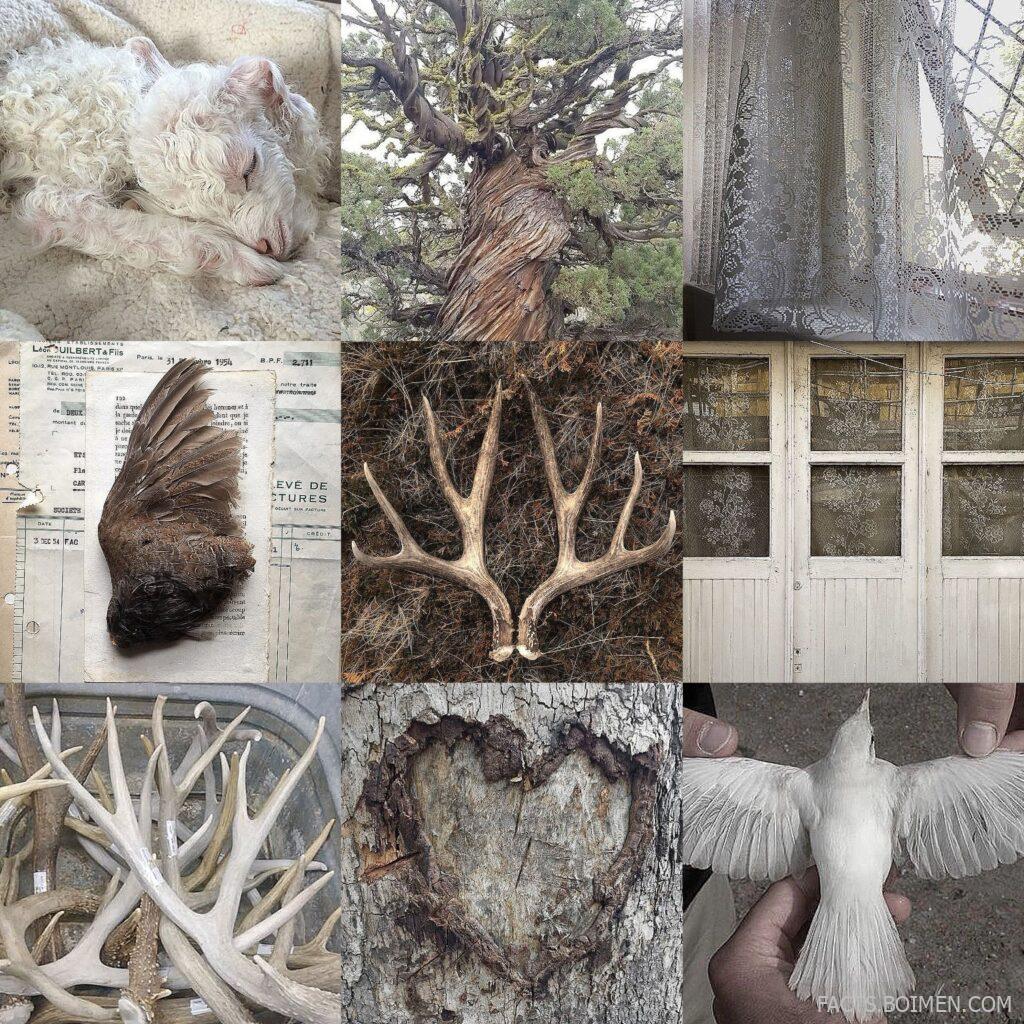
If you have ever saved a screenshot of a perfectly curated grid of textures, colors, and images, you already know the pull of a good moodboard. The internet is full of quiet little corners built specifically for this kind of visual collecting, and most of them never trend or get talked about. Below is a hand-picked set of moodboard websites and visual inspiration tools that let you gather, arrange, and share aesthetics without the noise of mainstream social feeds. Each one is chosen for a specific flavor of creative value, from collage-first platforms to color-driven archives.
Table of Contents(Click to Toggle)
Why Moodboards Still Matter in a Feeds-Everywhere World
A moodboard is not just decoration. It is a thinking tool. Designers use them to lock a direction before a single pixel gets drawn, photographers use them to plan a shoot’s palette, and hobbyists use them to give a vague feeling an actual shape. The problem is that most of us do this inside feeds engineered for scrolling, not for collecting. The sites below are different: they are quieter, more intentional, and built around arranging images rather than consuming them endlessly. A few are niche communities with small but devoted user bases, which means the visual quality stays high and the inspiration feels less recycled.
20 Moodboard Websites for Aesthetic Visual Inspiration
1. Are.na : A calm, thoughtful space for collecting images and ideas into channels
What it is: A minimalist platform where you build “channels” of images, links, and text blocks, either privately or collaboratively.
Category: Visual research and curation.
Why it stands out:
- No algorithm, no likes, no follower counts, just the content you chose.
- Channels can be nested and shared, which makes it excellent for long-term creative research.
- The interface is deliberately plain so the images stay the focus.
Best for: Designers and writers who want a private, distraction-free moodboard that doubles as a reference library.
2. Cosmos : A visual discovery feed built for aesthetic curation
What it is: A curated image-saving platform often described as a calmer, more design-focused alternative to Pinterest.
Category: Visual bookmarking.
Why it stands out:
- The discovery feed leans toward editorial, fashion, and art imagery rather than lifestyle clutter.
- Clusters let you group saved images into themed boards that feel like mini galleries.
- Invite-based access historically kept the community small and the taste level consistent.
Best for: Creative directors and stylists hunting for a specific visual mood without wading through repins.
3. Mural : Collaborative visual boards for teams
What it is: A digital whiteboard workspace where teams arrange images, sticky notes, and sketches together in real time.
Category: Collaborative moodboarding.
Why it stands out:
- Multiple people can drag images onto the same canvas simultaneously, which is ideal for brand workshops.
- Templates for moodboards and creative briefs save setup time.
- It is more meeting-oriented than gallery-oriented, so it suits process over polished presentation.
Best for: Agencies and product teams building a shared visual direction in a live session.
4. Pinterest : The endless visual library everyone already knows
What it is: The largest image-saving network, organized into boards and powered by a recommendation feed.
Category: Mass visual bookmarking.
Why it stands out:
- Its search is unmatched for finding niche aesthetics fast, from “quiet luxury” to “brutalist interiors.”
- Boards are easy to make private, which helps when collecting for a client project.
- The trade-off is repetition: the same pins resurface often, so curation takes more effort.
Best for: Beginners who want the widest possible pool of reference images in one place.
5. Savee : A sleek portfolio-style image saver for creatives
What it is: A bookmarking tool designed for visual professionals, with a clean grid layout and fast saving.
Category: Creative reference saving.
Why it stands out:
- The grid presentation makes saved images look like a polished portfolio rather than a messy pinboard.
- It supports saving from almost any site with a browser extension.
- The community skews toward graphic design, photography, and motion work.
Best for: Photographers and art directors who want their references to look as good as their output.
6. Milanote : A note-and-image canvas for planning creative projects
What it is: A flexible workspace where notes, images, links, and files sit on an infinite board.
Category: Project planning with visuals.
Why it stands out:
- You can mix text briefs and images on the same canvas, so a moodboard becomes a working document.
- Boards export to PDF, which is handy for client presentations.
- The free tier limits total items, so heavy users eventually hit a ceiling.
Best for: Freelancers who want moodboards and project notes in one place.
7. Figma : Design software that doubles as a moodboard canvas
What it is: A collaborative interface design tool whose frames and components work surprisingly well for visual collections.
Category: Design tool.
Why it stands out:
- You can drop images into frames, annotate them, and share a live link instantly.
- Color styles extracted from reference images carry straight into the actual design.
- It is heavier than a dedicated moodboard app, so quick collecting takes more clicks.
Best for: UI and brand designers who want references sitting beside the real work.
8. Niice : A brand-focused board builder for teams and clients
What it is: A visual collaboration tool for gathering references into boards and sharing them with stakeholders.
Category: Brand moodboarding.
Why it stands out:
- Boards can be presented as clean, client-ready pages with comments enabled.
- It pulls references from multiple sources into a single searchable space.
- It is aimed at teams, so solo users may find the pricing geared toward businesses.
Best for: Brand consultants gathering feedback from clients on visual direction.
9. Tumblr : The original aesthetic blogging platform, still alive
What it is: A microblogging site where reblogging images creates organic, deeply themed visual archives.
Category: Aesthetic blogging.
Why it stands out:
- Decades of themed blogs exist for nearly every aesthetic, from cottagecore to dark academia.
- Custom themes let a blog look like a curated gallery.
- Search is weaker than modern platforms, so discovery often happens through tags and reblogs.
Best for: Anyone chasing a specific subculture aesthetic that mainstream boards rarely cover well.
10. Behance : A portfolio network that doubles as a reference goldmine
What it is: Adobe’s portfolio platform where designers publish full project case studies.
Category: Creative portfolios.
Why it stands out:
- Moodboards often appear inside real project presentations, showing how references became outcomes.
- Filtering by field and location surfaces regional design styles you would not find otherwise.
- It is portfolio-first, so it is not built for quick saving or personal collection.
Best for: Designers who want to see moodboards in context, not just as standalone grids.
11. Dribbble : A fast feed of polished visual craft
What it is: A showcase platform where designers post shots of interfaces, illustrations, and branding.
Category: Design inspiration.
Why it stands out:
- The quality bar is high and the browsing is quick, making it useful for palette and typography reference.
- Collections let you group shots into your own themed boards.
- It leans toward finished, glossy work, so raw process is harder to find.
Best for: Designers collecting color and layout references for a specific project.
12. Unsplash : Free high-resolution photography for real boards
What it is: A library of freely usable photographs contributed by a global community.
Category: Stock photography.
Why it stands out:
- You can build collections that act as functional moodboards with images you can actually use later.
- The license allows commercial use, which removes friction for client work.
- Popular images appear everywhere, so a board can feel less unique unless you dig deeper.
Best for: Bloggers and small brands needing moodboard images they can legally publish.
13. Coolors : A palette generator that turns moods into hex codes
What it is: A fast color palette tool with a generator, picker, and contrast checker.
Category: Color tooling.
Why it stands out:
- Pressing the spacebar generates a new five-color palette instantly, which is great for breaking a creative block.
- You can extract palettes from uploaded photos, linking a mood image to exact codes.
- It handles color only, so it complements rather than replaces an image board.
Best for: Anyone turning a visual mood into a usable design system.
14. Adobe Color : A classic harmony tool with community themes
What it is: Adobe’s color wheel and theme explorer, free to use in the browser.
Category: Color tooling.
Why it stands out:
- Harmony rules like analogous and triadic make it easy to build a coherent palette from one base color.
- The community themes library offers thousands of ready-made palettes to browse for inspiration.
- The interface feels dated compared with newer tools, but the underlying color science is solid.
Best for: Students and hobbyists learning how color relationships actually work.
15. Canva : Template-driven boards anyone can assemble
What it is: A drag-and-drop design platform with moodboard templates and a huge asset library.
Category: Design templates.
Why it stands out:
- Pre-made moodboard layouts remove the blank-canvas problem for non-designers.
- Boards export to image or PDF in a couple of clicks, ready for sharing.
- Templates can make results look similar to everyone else’s, so customization matters.
Best for: Small business owners and students who need a polished board fast.
16. Padlet : A simple collaborative wall for group collecting
What it is: A digital wall where multiple people can post images, notes, and links in a shared grid.
Category: Collaborative walls.
Why it stands out:
- Setting up a wall takes seconds and requires no account for contributors on some plans.
- It is widely used in classrooms, so it is reliable for group brainstorming.
- The visual polish is modest compared with portfolio-style boards.
Best for: Teachers and workshop hosts gathering visual ideas from a group.
17. Trello : A kanban board that works as a lightweight moodboard
What it is: A card-based project tool where each card can carry an image and notes.
Category: Project management.
Why it stands out:
- Cards can be arranged in columns by mood, phase, or concept, blending planning with visuals.
- Attachments and comments keep references tied to specific tasks.
- It is not image-first, so large boards can feel cluttered.
Best for: Creatives who want their moodboard connected to an actual to-do list.
18. Notion : A document workspace with gallery-style image views
What it is: An all-in-one workspace where databases can display entries as image galleries.
Category: Workspace and documentation.
Why it stands out:
- A gallery-view database becomes a surprisingly effective moodboard with captions and tags.
- It keeps references, briefs, and notes in one searchable place.
- The setup takes more planning than a dedicated moodboard app.
Best for: Organized creators who want their visual references documented alongside everything else.
19. PureRef : A desktop app built purely for arranging reference images
What it is: A lightweight, free desktop tool that floats reference images on top of your other windows.
Category: Desktop reference viewer.
Why it stands out:
- It stays always-on-top, so you can arrange a moodboard beside the software you are working in.
- Images can be scaled, rotated, and grouped with no interface clutter at all.
- It is local-only, so collaboration and sharing are not part of the package.
Best for: Illustrators and 3D artists who need references visible while they draw or model.
20. Raindrop.io : A bookmark manager that displays links as a visual grid
What it is: A cross-platform bookmarking tool that saves pages with thumbnails, tags, and collections.
Category: Bookmark management.
Why it stands out:
- Collections can switch to a grid or masonry view, turning saved links into a visual board.
- It works across browsers and mobile, so collecting is frictionless.
- Its focus is links rather than raw images, so it suits research more than pure aesthetics.
Best for: Researchers who collect visual websites and want them organized and searchable.
Bonus Mentions
Pexels : Another free photo library with usable collections
What it is: A free stock photo and video site with a clean browsing experience. Why it stands out: Its collections feature lets you group images into themed boards, and the license is generous for personal and commercial use. Best for: Quick image sourcing when Unsplash feels too familiar.
ArtStation : A portfolio hub for concept art and worldbuilding
What it is: A portfolio platform for game, film, and illustration artists. Why it stands out: Many artists post their reference gathering and process, which is a rare window into how professional moodboards are actually built. Best for: Fantasy and sci-fi creators building atmospheric boards.
DeviantArt : A long-running art community with deep archives
What it is: One of the oldest online art communities, still hosting millions of themed galleries. Why it stands out: Its collections feature lets you gather favorites into public or private boards, and the archive depth is hard to match. Best for: Finding older, less trendy aesthetics that newer platforms overlook.
Etsy : A marketplace that quietly works as a texture board
What it is: A handmade and vintage marketplace. Why it stands out: Product photography on Etsy is often styled beautifully, making it a surprising source for material, texture, and color references. Best for: Crafters and interior stylists gathering material inspiration.
The Quiet Power of a Well-Built Board
None of these tools will go viral, and that is exactly the point. A moodboard works best when it is personal, specific, and free from the pressure of performance metrics. Whether you choose a calm channel-based platform or a simple gallery database, the goal is the same: give your visual instincts somewhere to live so they can inform real work later. Start with one tool, collect twenty images that genuinely move you, and see what pattern emerges. The board will tell you what you are actually drawn to.
Which of these moodboard websites fits the way you already collect images? Share your own favorite hidden gem in the comments below.



