
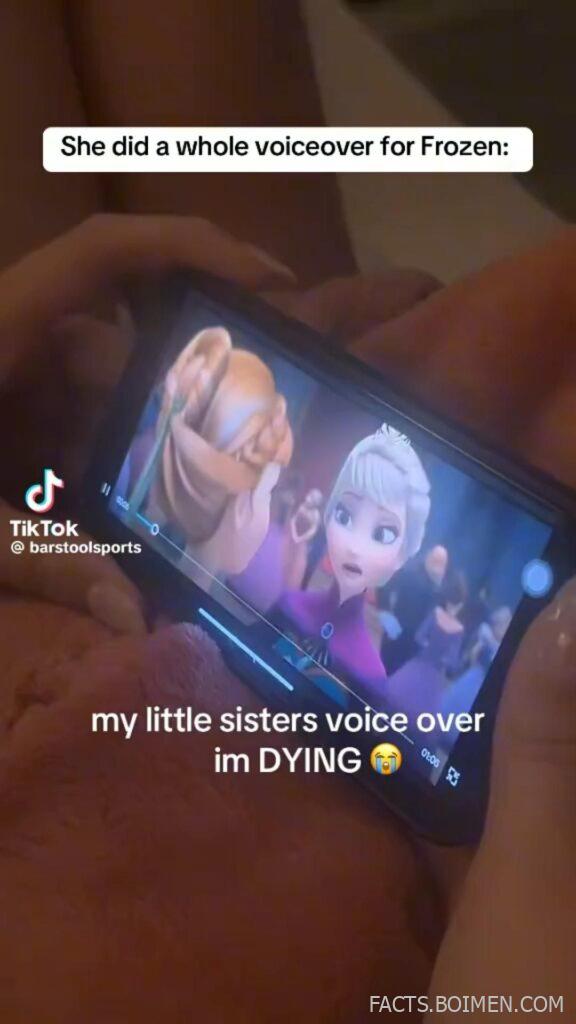
There’s something endlessly funny about rewatching a dramatic movie scene — but with completely different dialogue. One unexpected voiceover can turn an emotional climax into pure comedy gold. That’s exactly why dubbed clips and DIY voiceovers keep going viral.
What used to require professional editing software can now be done on your phone in minutes. Whether you want to parody an animated classic, re-narrate a serious trailer, or let your little sibling “rewrite” a blockbuster, there’s a growing ecosystem of tools built for playful audio creativity.
Below is a curated list of creative platforms that make dubbing, voiceovers, lip-sync edits, and comedic remixes surprisingly easy — even if you’ve never edited audio before.
Table of Contents
- Why DIY Dubbing and Voiceover Videos Are Taking Over Social Feeds
- 1. Voicemod
- 2. CapCut
- 3. Descript
- 4. ElevenLabs
- 5. Dubverse
- 6. Voices.ai
- 7. Adobe Podcast
- 8. VEED.io
- 9. Audacity
- 10. Filmora
- 11. iMovie
- 12. HitPaw Voice Changer
- 13. Animaker Voice
- 14. Clownfish Voice Changer
- 15. Revoicer
- 16. FlexClip
- Bonus: Murph.ai
- Bonus: Lovo.ai
- Bonus: WavePad
- Your Favorite Movie Scene, Completely Rewritten
Why DIY Dubbing and Voiceover Videos Are Taking Over Social Feeds
Short-form video platforms have made remix culture mainstream. People don’t just watch scenes anymore — they reinterpret them. A single clever voiceover can transform familiar content into something that feels brand new.
At the same time, AI voice technology and browser-based editors have dramatically lowered the barrier to entry. You no longer need studio equipment to produce clean, convincing audio.
For creators, it’s a low-cost, high-creativity format. For viewers, it’s instantly relatable and highly shareable. That combination is exactly why voiceover remixes continue to trend.
1. Voicemod: Real-time voice changer for live dubbing
What it is:
A popular real-time voice changer that lets you modify your voice while recording or streaming.
Category:
Voice Changer Software
Why it stands out:
- Live voice transformation with dozens of character-style filters
- Soundboard integration for extra comedic timing
- Works with streaming and recording software
Best for:
Creators who want exaggerated character voices for parody dubs
2. CapCut: Mobile-friendly video editor with voice tools
What it is:
An easy-to-use video editing app with built-in voiceover recording and auto-caption features.
Category:
Video Editing App
Why it stands out:
- Simple timeline for replacing original audio
- Auto captions for comedic emphasis
- Voice effects built directly into the app
Best for:
Quick, meme-ready dubbing on your phone
3. Descript: Edit video by editing text
What it is:
A powerful audio and video editor that lets you modify content by editing a text transcript.
Category:
Audio & Video Editing Software
Why it stands out:
- Studio-quality voice cleanup
- Overdub feature for replacing narration
- Text-based editing makes timing adjustments easier
Best for:
Polished parody trailers or longer dubbed videos
4. ElevenLabs: AI voice generation for cinematic narration
What it is:
An AI voice platform that generates realistic speech from text.
Category:
AI Voice Generator
Why it stands out:
- Highly natural-sounding voices
- Multiple tones and styles
- Useful for dramatic or ironic re-narrations
Best for:
Rewriting serious scenes with ultra-dramatic narration
5. Dubverse: AI-powered dubbing platform
What it is:
A platform designed for automated dubbing and voice replacement in videos.
Category:
AI Dubbing Tool
Why it stands out:
- Quick voice replacement workflow
- Multiple language options
- Streamlined for video creators
Best for:
Creators experimenting with alternate-language parody dubs
6. Voices.ai: AI voice transformation app
What it is:
A mobile app that transforms your recorded voice into stylized AI voices.
Category:
Voice Transformation App
Why it stands out:
- Mobile-first design
- Simple voice swapping interface
- Designed for social media clips
Best for:
Short-form comedic voice swaps
7. Adobe Podcast: Studio-quality voice cleanup
What it is:
An AI-powered audio enhancement tool that improves vocal clarity in recordings.
Category:
Audio Enhancement Tool
Why it stands out:
- Removes background noise automatically
- Makes phone recordings sound professional
- Browser-based and easy to use
Best for:
Cleaning up DIY dubbing recorded at home
8. VEED.io: Browser-based video editor
What it is:
An online video editor with subtitle, voiceover, and audio replacement features.
Category:
Online Video Editor
Why it stands out:
- No software installation required
- Built-in subtitle generator
- Quick audio track replacement
Best for:
Fast meme edits without heavy software
9. Audacity: Free open-source audio editor
What it is:
A widely used free audio recording and editing software.
Category:
Audio Editing Software
Why it stands out:
- Completely free and open-source
- Multi-track editing
- Extensive sound effects support
Best for:
Detailed manual dubbing projects
10. Filmora: Beginner-friendly video editor
What it is:
A consumer video editor with built-in voiceover recording and audio tools.
Category:
Video Editing Software
Why it stands out:
- Drag-and-drop simplicity
- Voice effects and filters
- Built-in royalty-free sound library
Best for:
Creators new to video editing
11. iMovie: Simple Apple-based editing solution
What it is:
Apple’s free video editor for Mac and iOS with voiceover recording support.
Category:
Video Editing Software
Why it stands out:
- Free for Apple users
- Easy voiceover recording timeline
- Seamless device syncing
Best for:
Casual creators in the Apple ecosystem
12. HitPaw Voice Changer: Character-style voice filters
What it is:
A voice-changing tool with real-time and recorded transformation features.
Category:
Voice Changer Software
Why it stands out:
- Variety of stylized voice presets
- Works with chat and recording apps
- Designed for entertainment content
Best for:
Playful animated character re-dubs
13. Animaker Voice: Text-to-speech for animated scenes
What it is:
A text-to-speech generator designed for animated and explainer-style videos.
Category:
Text-to-Speech Tool
Why it stands out:
- Multiple expressive voice styles
- Simple script-to-audio workflow
- Browser-based platform
Best for:
Rewriting animated scenes with new dialogue
14. Clownfish Voice Changer: Lightweight system-wide voice changer
What it is:
A simple voice changer that works at the system level for multiple applications.
Category:
Voice Changer Software
Why it stands out:
- Runs across multiple apps simultaneously
- Low system impact
- Straightforward setup
Best for:
Live parody recordings
15. Revoicer: Emotion-based AI voiceovers
What it is:
An AI voice platform focused on emotional tone control in narration.
Category:
AI Voice Generator
Why it stands out:
- Emotion sliders for dramatic effect
- Designed for storytelling
- Wide range of vocal styles
Best for:
Over-the-top dramatic reinterpretations
16. FlexClip: Quick online video maker with voiceover tools
What it is:
A web-based video editor that supports voice recording and audio replacement.
Category:
Online Video Editor
Why it stands out:
- Templates for fast editing
- Built-in voice recorder
- No advanced editing knowledge required
Best for:
Creating viral-ready dubbed clips quickly
Murph.ai: AI voice generator
A polished AI text-to-speech platform with natural-sounding voices suitable for comedic narration experiments.
Lovo.ai: Expressive AI voice platform
Offers a wide range of voice styles and tones that can add personality to parody scripts.
WavePad: Lightweight audio editor
A straightforward audio editing tool for trimming, syncing, and polishing voiceover tracks.
Your Favorite Movie Scene, Completely Rewritten
The next viral voiceover doesn’t need a studio — it just needs imagination and the right tool. Whether you’re turning an animated classic into a comedy sketch or dramatically re-narrating a random clip, modern dubbing platforms make experimentation effortless.
The internet loves familiar scenes with unexpected twists. With these tools, you’re only a few clicks away from creating one of your own.