
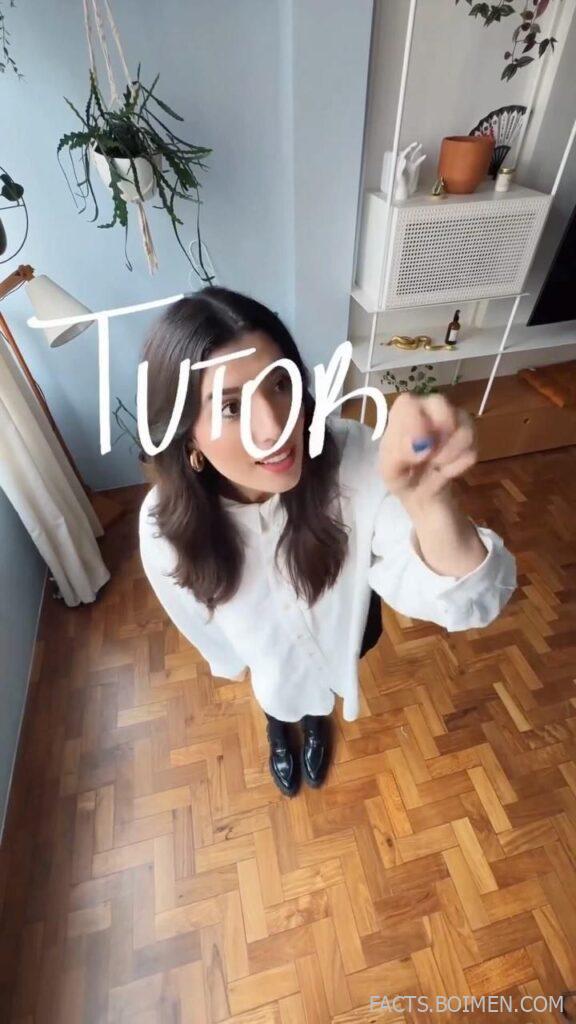
There is a very specific charm to a wobbly, imperfect line. Hand-drawn effects make a video feel like a sketchbook come to life, and DIY creators have been chasing that look for years. The good news: you do not need to redraw anything frame by frame. A small cluster of websites and tools can turn clean footage, text, and photos into something that looks like it was pencilled by a very patient illustrator. Below are sixteen genuinely useful options, from free browser toys to full animation suites, plus a few bonus finds worth bookmarking.
Table of Contents(Click to Toggle)
Why the Hand-Drawn Look Is Worth Chasing
Perfect vector lines are everywhere. That is exactly why a slightly shaky outline reads as human. Hand-drawn effects signal warmth, personality, and effort, which is why explainer videos, journaling channels, and craft tutorials lean on them so heavily. The barrier used to be skill: you needed a tablet and years of practice. Today the barrier is mostly knowing where to look. The tools below split into three rough camps. Drawing apps let you create the artwork yourself. Animation tools turn those drawings into moving sequences. And code or browser libraries generate the wobbly aesthetic automatically, which is perfect if you want the look without the sketching. Mix them and you get a workflow that feels handmade but stays fast enough for weekly uploads.
16 Tools for Hand-Drawn Effects
1. Rough.js : Generate sketchy graphics with a few lines of code
What it is: A lightweight JavaScript library that draws shapes with a hand-drawn, rough-edged style.
Category: Code library / generative graphics
Why it stands out:
- You can tune roughness, bowing, and stroke count to get anything from a gentle wobble to a full scribble.
- It renders to SVG and canvas, so the output scales cleanly for thumbnails or overlays.
- Perfect for building a repeatable “sketch” style across a whole series of graphics.
Best for: Creators who can paste a snippet and want consistent sketchy diagrams or titles.
2. Pencil2D : A free, simple frame-by-frame animation app
What it is: An open-source 2D animation program built around drawing frame by frame.
Category: Animation software
Why it stands out:
- It supports both bitmap and vector layers, so you can sketch loosely then clean up.
- The interface is deliberately minimal, which makes it one of the fastest ways to start a hand-drawn loop.
- Exporting to video or image sequences is built in, so clips drop straight into your editor.
Best for: Beginners making short hand-drawn intros, loops, or animated doodles.
3. Krita : A full painting studio with animation built in
What it is: A free, open-source digital painting application that also includes a frame-by-frame animation timeline.
Category: Digital painting / animation
Why it stands out:
- Its brush engine is one of the best free options for mimicking pencil, ink, and chalk textures.
- The animation timeline lets you flip between frames quickly, which is how traditional animators work.
- It runs on Windows, macOS, and Linux, so it fits almost any DIY setup.
Best for: Artists who want painterly hand-drawn assets and simple animation in one place.
4. OpenToonz : Production-grade 2D animation for free
What it is: An open-source animation suite with roots in professional studio pipelines.
Category: Professional animation software
Why it stands out:
- It includes a scanned-drawing cleanup workflow, so pencil-on-paper frames can be digitised and inked.
- The effects stack can add paper grain and line jitter for an authentic hand-drawn feel.
- It is genuinely powerful, though the learning curve is steeper than Pencil2D.
Best for: Creators ready to move from doodles to full hand-drawn sequences.
5. Excalidraw : Sketchy diagrams straight in the browser
What it is: A free web whiteboard that renders everything in a loose, hand-drawn style.
Category: Browser whiteboard
Why it stands out:
- Every shape, arrow, and text box automatically gets that wobbly sketch look.
- You can export as PNG or SVG and drop the result straight into a video overlay.
- No account needed to start, which makes it a great quick-sketch tool.
Best for: Explainer creators mapping out ideas that look hand-scribbled.
6. tldraw : A fast collaborative canvas with a hand-drawn vibe
What it is: An open-source drawing and diagramming canvas that runs in the browser.
Category: Browser whiteboard
Why it stands out:
- Its strokes feel natural and slightly imperfect, which suits sketch-style storyboards.
- Real-time collaboration means a co-creator can sketch alongside you.
- It exports clean images, and the developer tools let you embed the canvas in your own projects.
Best for: Teams sketching hand-drawn storyboards or thumbnails together.
7. Sketchbook : Natural pencil and ink brushes on any device
What it is: A drawing app from Autodesk with a famously smooth, natural-feeling brush set.
Category: Drawing app
Why it stands out:
- Its pencil tools are tuned to feel like real graphite, which is ideal for sketch-style assets.
- It is available across desktop, tablet, and mobile, so you can sketch on the go.
- The free tier covers most casual drawing needs without a subscription.
Best for: Creators who want authentic pencil textures without a heavy learning curve.
8. RoughAnimator : Hand-drawn animation on a tablet
What it is: A portable 2D animation app designed for drawing frame by frame on mobile devices.
Category: Mobile animation
Why it stands out:
- It supports onion skinning, so you can see the previous frame while drawing the next.
- You can import audio to sync hand-drawn motion to a beat or voiceover.
- Export options include video and GIF, ready for social platforms.
Best for: Animators who want to draw directly on an iPad or Android tablet.
9. Blender Grease Pencil : 2D drawing inside a 3D world
What it is: Blender’s Grease Pencil toolset, which lets you draw 2D strokes in a full 3D environment.
Category: 3D / 2D hybrid animation
Why it stands out:
- You can sketch a character in 2D and then move the camera around it in 3D.
- It is completely free and open source, with a huge community of tutorials.
- The line modifiers add jitter and taper for a truly hand-drawn finish.
Best for: Ambitious creators blending hand-drawn art with 3D camera moves.
10. Wick Editor : A free browser-based animation and game tool
What it is: An open-source creative tool for animation and interactive media that runs in the browser.
Category: Browser animation
Why it stands out:
- It combines frame-by-frame drawing with tweening, so you can mix hand-drawn and smooth motion.
- Projects run in the browser, which makes sharing a work-in-progress link effortless.
- It exports to video and interactive formats, useful for web-based projects.
Best for: Creators who want hand-drawn animation without installing anything.
11. Synfig Studio : Open-source vector animation with a hand-drawn feel
What it is: A free 2D vector animation program focused on cutout and tweened animation.
Category: Vector animation
Why it stands out:
- Its vector workflow keeps lines crisp while still allowing wobbly, hand-drawn styling.
- It supports bones and tweening, so you can rig a sketchy character and animate it.
- It is fully free and cross-platform, with an active community.
Best for: Animators who want rigged, hand-drawn-looking characters without a subscription.
12. FlipaClip : Frame-by-frame animation on your phone
What it is: A mobile animation app built for drawing frame by frame on phones and tablets.
Category: Mobile animation
Why it stands out:
- Its onion-skin view makes hand-drawn motion surprisingly approachable on a small screen.
- You can layer drawings and import images as reference.
- The free version is generous enough to finish short clips.
Best for: Mobile-first creators making quick hand-drawn loops or stickers.
13. Linearity Curve : Vector design with a sketch-friendly workflow
What it is: A vector design app (formerly Vectornator) built for Mac, iPad, and iPhone.
Category: Vector design
Why it stands out:
- Its auto-trace and pencil tools let you turn rough sketches into clean vectors.
- The iPad version supports Apple Pencil pressure, which keeps strokes expressive.
- It is free to use, which is rare for a polished vector app.
Best for: Designers converting hand-drawn sketches into scalable graphics.
14. Vectr : Simple vector editing in the browser
What it is: A free, browser-based vector graphics editor.
Category: Browser vector editor
Why it stands out:
- It is one of the quickest ways to trace a hand-drawn sketch into a clean vector.
- You can share a live link to your design, which is handy for feedback.
- It is lightweight, so it runs on modest hardware.
Best for: Beginners who need simple vector clean-up without installing software.
15. Inkscape : The free vector workhorse with a pencil tool
What it is: A long-standing open-source vector editor for Windows, macOS, and Linux.
Category: Vector design
Why it stands out:
- Its pencil and calligraphy tools produce expressive, pressure-style strokes.
- Path effects can add jitter and roughness for a hand-drawn look on clean vectors.
- It is completely free and has decades of tutorials behind it.
Best for: Creators who want full control over hand-drawn vector assets.
16. Rough Notation : Animate hand-drawn highlights on web content
What it is: A small JavaScript library that draws animated, hand-drawn annotations over web elements.
Category: Code library / web animation
Why it stands out:
- It can circle, underline, or box text with a sketchy stroke that animates in.
- It is tiny and easy to drop into a landing page or interactive demo.
- Great for adding a hand-drawn feel to screen recordings of websites.
Best for: Web-savvy creators adding sketchy highlights to demos and tutorials.
Bonus Mentions
Calligraphr : Turn your own handwriting into a font
What it is: A web tool that converts a scanned handwriting template into a usable font file.
Category: Font generator
Why it stands out:
- Perfect for hand-lettered titles in videos that stay consistent across clips.
- The free tier allows a limited character set, enough for short titles.
Best for: Creators who want their own handwriting as a reusable font.
Font Squirrel : Free hand-drawn style fonts for titles
What it is: A curated library of free, commercial-use fonts.
Category: Font resource
Why it stands out:
- Filter by “handwritten” or “sketch” styles to find titles that match your doodles.
- Each font lists its licence clearly, which avoids copyright headaches.
Best for: Anyone needing a quick hand-drawn typeface with clear licensing.
Vecteezy : Sketch-style vector assets and brushes
What it is: A marketplace and library of vector graphics, many free with attribution.
Category: Asset library
Why it stands out:
- Search “hand drawn” for doodle packs, arrows, and frames.
- Free items include clear licence terms, so you know what you can use.
Best for: Creators who need ready-made sketch elements fast.
Open Doodles : A free set of hand-drawn illustrations
What it is: A collection of free, sketchy illustration assets.
Category: Illustration library
Why it stands out:
- Every illustration has that loose, hand-sketched charm.
- They are free to use, which makes them ideal for thumbnails and overlays.
Best for: Adding instant hand-drawn personality to graphics.
The Sketchbook Internet Keeps Giving
The hand-drawn look is one of those effects that rewards a little experimentation. Start with a browser tool like Excalidraw to sketch an idea, clean it up in Inkscape or Linearity Curve, then animate it in Pencil2D or RoughAnimator. If you would rather skip the drawing entirely, Rough.js and Rough Notation will fake the aesthetic convincingly. Each tool above is real, mostly free, and small enough to try in an afternoon. The best part is that none of them require a studio budget, just a willingness to embrace the wobble. Which one are you trying first, and have you found a hidden gem of your own worth adding to this list?



