
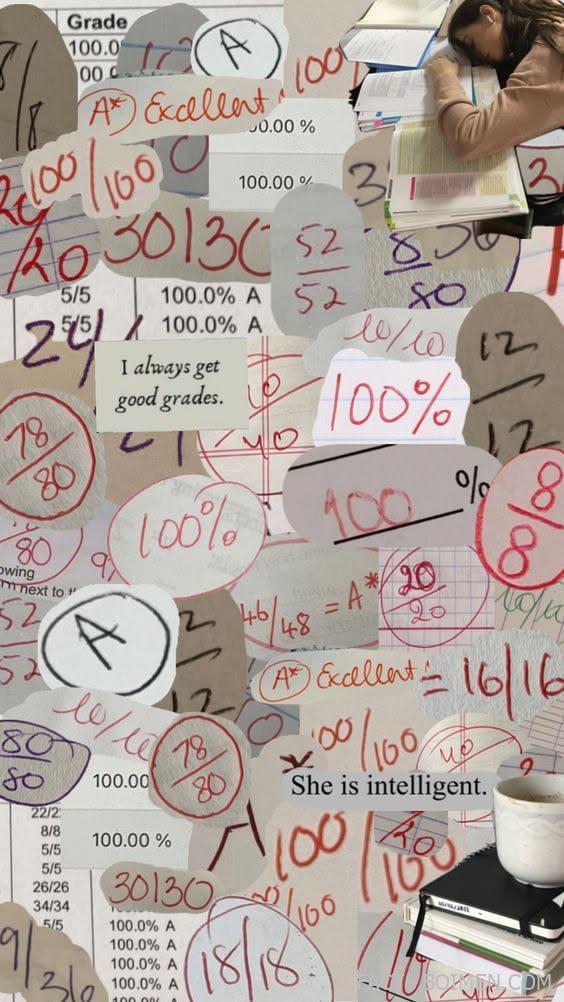
Something quietly powerful happens when you put a goal on paper and look at it every single day. For students, that goal is often simpler than it sounds: good grades, a calmer semester, and the feeling of opening a report card without dread. The pin that brought you here promised “good grades only” — and this list delivers on it with 17 real, low-exposure tools and resources that turn that promise into a daily practice. Some help you build an actual vision board, some give you the aesthetic printables and affirmations that make a board feel worth looking at, and a few quietly handle the practical side so your grades have room to rise. None of these are the obvious apps everyone already has on their phone. They are the small, specific corners of the internet that make a 2026 study vision board feel intentional instead of decorative.
Table of Contents(Click to Toggle)
Why a Good Grades Vision Board Actually Works
A vision board is not magic, and that is exactly why it works. What it really does is turn a vague wish — “I want better grades” — into a concrete, visual daily reminder of the person you are trying to become this semester. Research on goal visualization consistently finds that goals written down and reviewed regularly are more likely to be acted on, because the brain starts noticing opportunities and small decisions that match the picture in front of it. A 2026 vision board for grades works best when it pairs the dream (the honor roll, the calm exam morning, the graduation photo) with the boring mechanics that make it possible: a study timer, a flashcard app, a planner you actually open. That is the mix this list gives you — aesthetic tools for the board itself, plus quiet utility apps that turn the affirmation into a Tuesday-night study session. The novelty here is that most of these are not marketed as “manifestation” tools at all. They are just unusually good at what they do.
1. Canva : The fastest way to design a printable grades vision board
What it is: A drag-and-drop design platform with thousands of free templates, including vision board and mood board layouts sized for print or phone wallpaper.
Category: Design and vision board builder
Why it stands out:
- Search “vision board” and you get ready-made grids you can fill in minutes, no design skill required.
- You can set a custom size — for example 8.5 x 11 inches — so your board prints cleanly at home or a copy shop.
- Free stock photos and text styles mean the board looks curated rather than cluttered.
Best for: Anyone building their first physical or digital good-grades board and wanting it to look polished.
2. Milanote : A mood board that lives next to your actual notes
What it is: A visual workspace where you pin images, text, links, and checklists onto an infinite canvas.
Category: Visual planning workspace
Why it stands out:
- You can build a “2026 grades” board and then drag your real syllabus PDFs and deadlines onto the same canvas.
- Boards can be exported as PDFs if you want to print them for a wall.
- The free plan caps you at 100 notes, which is plenty for a single semester board.
Best for: Students who want their dream board and their study plan in one place instead of two apps.
3. Pinterest : The endless source of aesthetic study inspiration
What it is: A visual discovery engine built around boards, where you save images into themed collections.
Category: Inspiration and image collecting
Why it stands out:
- Search “good grades vision board” or “study aesthetic” and you get hundreds of real, user-made layouts to borrow ideas from.
- Secret boards let you keep a private 2026 grades board that only you can see.
- It is also where you will find most of the free printables on this list, so it doubles as a launchpad.
Best for: Collecting visual references before you commit to a board design.
4. FigJam : A collaborative board for study groups
What it is: Figma’s whiteboard tool, designed for brainstorming with sticky notes, images, and comments.
Category: Collaborative whiteboard
Why it stands out:
- You can invite your study group and build a shared “semester goals” board where everyone pins their target grades.
- Sticky notes and voting features make it easy to agree on a group study schedule.
- It is free for education use with a verified student account.
Best for: Friend groups or study partners who want accountability built into the board.
5. Notion : Turn the vision into a trackable semester dashboard
What it is: An all-in-one workspace for notes, databases, and pages, with a large free template gallery.
Category: Productivity workspace
Why it stands out:
- You can embed images at the top of a page to create a mini vision board, then list your target grades underneath in a table.
- Community templates for “student dashboard” and “habit tracker” are free and importable in one click.
- The mobile app makes it easy to glance at your goals between classes.
Best for: Students who want the board to lead directly into a to-do list.
6. Adobe Express : Quick phone-wallpaper affirmations for good grades
What it is: Adobe’s free browser and mobile design tool with templates for social posts, posters, and wallpapers.
Category: Design and wallpaper maker
Why it stands out:
- You can make a phone lock screen that says something like “good grades only” in a font you actually like, then set it as your wallpaper.
- Adobe Fonts access means the typography looks intentional rather than default.
- It exports at phone-screen resolution, so text stays crisp.
Best for: Turning the pin’s promise into a daily reminder you see dozens of times a day.
7. Free Printable : Ready-to-print vision board and planner sheets
What it is: A long-running library of free printable templates, from planners to goal-setting worksheets.
Category: Printables library
Why it stands out:
- You can print a blank vision board grid and fill it in by hand, which many people find more grounding than a digital board.
- Goal-setting worksheets give structure to the “what do I actually want this semester” question.
- Everything is free and requires no account.
Best for: People who want to physically cut, paste, and pin their board to a wall.
8. Insperity : A surprisingly useful goal-setting framework to borrow
What it is: A business services site whose free goal-setting articles outline clear, measurable goal structures.
Category: Goal-setting reference
Why it stands out:
- Its goal-setting guides explain how to turn a vague wish into a measurable target — the same logic that makes a grades board actionable.
- The writing is plain and practical, with no hype.
- It is a good reminder that “manifestation” works best when it is paired with a number and a deadline.
Best for: Students who want their board to include specific, checkable targets rather than only images.
9. Forest : Grow a tree while you actually study
What it is: A focus app that plants a virtual tree when you start a timer and lets it wither if you leave the app.
Category: Focus timer
Why it stands out:
- The visual reward — a little forest that grows over the semester — is a surprisingly strong motivator.
- You can tag sessions by subject, so your forest becomes a record of where your study hours went.
- It also partners with a real tree-planting program, which adds a small feel-good layer.
Best for: Anyone whose board says “study more” but who struggles to start.
10. StudyStream : Study alongside strangers on live video
What it is: A free platform of always-on virtual study rooms where people work silently on camera.
Category: Body-doubling and accountability
Why it stands out:
- Seeing other people heads-down makes it much harder to reach for your phone.
- Rooms run 24/7, so there is always someone studying in your time zone.
- No conversation required — it is silent co-working, which suits people who find study groups distracting.
Best for: Students who focus better with quiet company than alone.
11. Quizlet : Flashcards that make revision feel less like a chore
What it is: A flashcard platform with millions of user-made sets and several study modes, including tests and matching games.
Category: Flashcard study
Why it stands out:
- You can search your exact textbook or course name and often find a set someone already made.
- The “Learn” mode adapts to what you keep getting wrong.
- Some features are behind a paid plan, but the core flashcards remain free.
Best for: Quick revision sessions in the ten minutes before class.
12. Anki : The spaced-repetition tool serious students swear by
What it is: A free, open-source flashcard app built around spaced repetition, the science of reviewing material right before you forget it.
Category: Spaced repetition
Why it stands out:
- Its algorithm schedules reviews at the exact intervals your memory needs, which is why medical students use it for years.
- It is free on desktop and Android, with a paid iOS app that funds development.
- The interface is plain and takes a little setup — this is a tool, not a treat.
Best for: Students with heavy memorization subjects who want long-term retention, not last-minute cramming.
13. Habitica : Turn study habits into a game you want to play
What it is: A habit-tracking app styled as a retro role-playing game, where real tasks earn in-game rewards.
Category: Gamified habit tracker
Why it stands out:
- You add “review notes” as a daily task and your character levels up when you complete it.
- Party features let friends see your progress, which adds gentle accountability.
- Missing a task costs you health in the game, a small but oddly effective nudge.
Best for: Students who find plain checklists boring but respond well to rewards.
14. Finch : A self-care pet that grows as you check in
What it is: A gentle habit and mood app where a virtual bird grows as you complete small daily goals.
Category: Wellbeing and habit tracking
Why it stands out:
- It pairs study goals with rest goals, which matters during exam season.
- The tone is warm rather than punishing, so a missed day does not spiral into quitting.
- Reflection prompts at the end of the day double as a mini journal.
Best for: Students whose grades suffer more from burnout than from laziness.
15. Momentum : A new-tab page that shows your goal every time you open a browser
What it is: A browser extension that replaces your new-tab page with a photo, a daily quote, and space for one focus goal.
Category: Browser dashboard
Why it stands out:
- You type a single goal for the day — “finish chapter 4” — and it greets you every time you open a tab.
- The photography is genuinely beautiful, which makes the daily reminder feel like a reward.
- A free tier covers the essentials; the paid plan adds integrations.
Best for: Turning the vision board into something you see between every distraction.
16. Grid Diary : A grid journal for tracking the semester
What it is: A journaling app that lays out your day as a grid of prompts, so reflection takes minutes instead of pages.
Category: Journaling
Why it stands out:
- You can customize prompts like “What did I learn today?” and “Did I study my hardest subject?”
- The grid format makes patterns visible over weeks, which is exactly what a grades goal needs.
- It works offline, so it is usable on a commute with no signal.
Best for: Students who want proof that the daily work is adding up.
17. The 5 Minute Journal : Two minutes of gratitude, three of intention
What it is: A structured journal with a morning and evening prompt set, available as a physical book or an app.
Category: Guided journal
Why it stands out:
- The morning prompts ask what would make today great, which pairs naturally with a study intention.
- It takes five minutes, so it is realistic on a busy morning.
- The physical edition sits nicely on a desk next to a printed vision board.
Best for: Adding a calm, grounding ritual around the more visual manifestation work.
Bonus Mentions
Nap.edu : Free science-based reading on how learning actually works
What it is: The National Academies Press offers thousands of free PDFs on education and learning research.
Category: Learning science
Why it stands out:
- Reading one short report on how memory works can change your study habits more than any aesthetic board.
- Everything is free to download.
- It is the opposite of hype — just evidence.
Best for: Curious students who want to understand why their study methods work.
Habitica’s party mode : Study with friends in-game
What it is: A feature inside Habitica that lets you form a party and share quests.
Category: Social accountability
Why it stands out:
- Party members see when you complete tasks, which adds a friendly nudge.
- It turns a private goal into a shared one.
Best for: Friend groups already using the app.
TikTok study side : Fast inspiration, used sparingly
What it is: The study and “studygram” side of TikTok, full of real-time study-with-me videos.
Category: Inspiration
Why it stands out:
- Short videos can genuinely motivate you to open your notes.
- The catch: it is easy to keep scrolling instead of starting. Set a timer.
Best for: A two-minute motivation boost before a session.
r/GetStudying : A community of students sharing what actually works
What it is: A Reddit community where students trade study methods, schedules, and honest setbacks.
Category: Community
Why it stands out:
- Real people, real exam results, no aesthetic filter.
- Search old threads for your exact subject and you will usually find someone who already solved your problem.
Best for: When the board is built and you need practical advice.
The Internet’s Best-Kept Study Secrets (So Far)
The best good-grades vision board is never just pretty pictures. It is a small, honest system: a board that reminds you who you are becoming, a timer that gets you started, a flashcard app that keeps the material in your head, and a journal that shows the progress you would otherwise forget. The tools above are quiet — none of them are viral, and most are free or close to it — but together they cover the whole loop from dreaming to doing. Start with two: build the board in Canva or Milanote, then pick one utility app like Forest or Anki and let it carry the daily weight. The rest can wait until you need them. Which of these are you adding to your 2026 board first — and did I miss one of your own hidden gems? Tell me in the comments, because the best finds always come from other students.



