
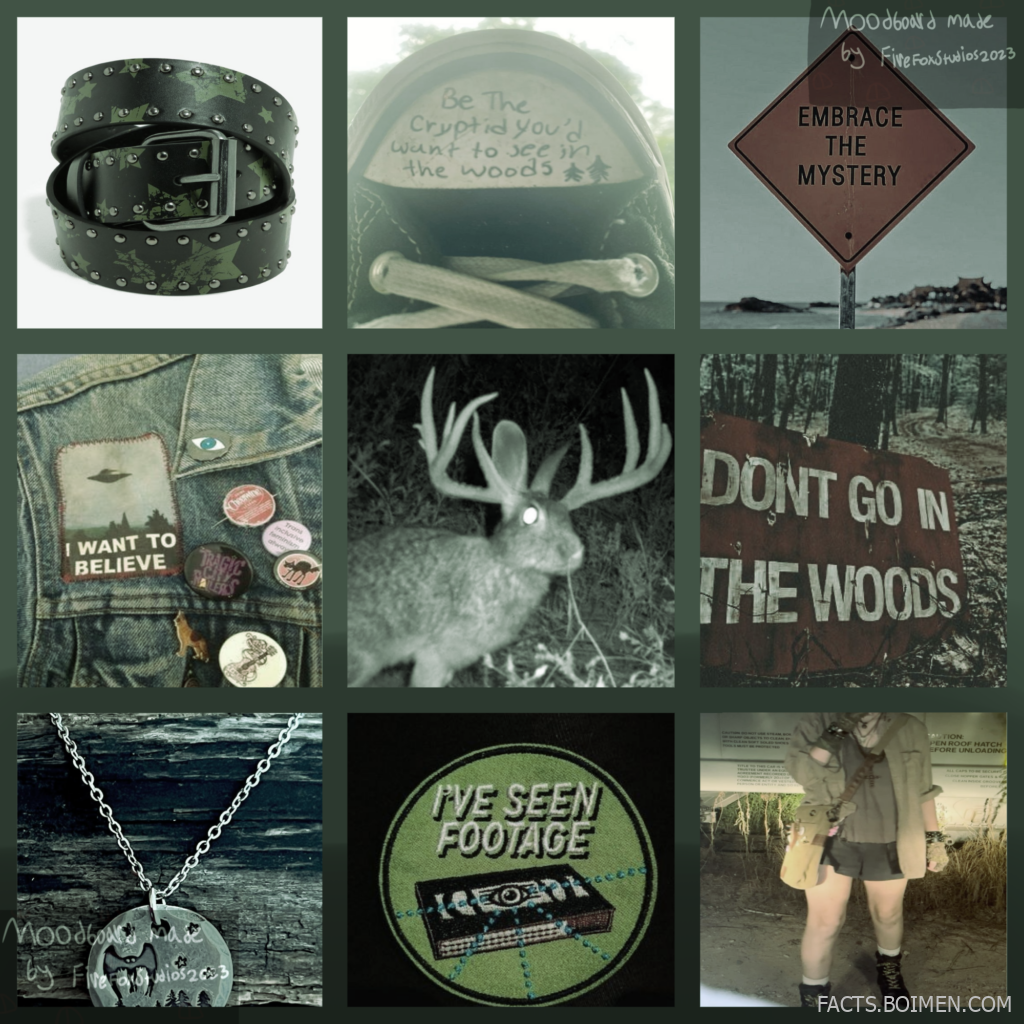
A moodboard is more than a pretty grid of images. It is a visual shortcut for a feeling, a color story, a character, or an entire brand identity. The problem is that most people build theirs from the same handful of Pinterest boards everyone has already scrolled past a hundred times. If you clicked through looking for a free-to-use moodboard you can drop into personal projects, adopts, or character customs, this list is for you. Below are 21 places where free-to-use moodboards, collage templates, and aesthetic image collections live, starting with the classic f2u moodboard culture itself and branching into tools that help you build, remix, and credit your own.
Table of Contents(Click to Toggle)
- Why Free-to-Use Moodboards Are Worth Collecting
- 21 Free-to-Use Moodboard Sources and Tools
- 1. Pinterest Moodboard Boards
- 2. Tumblr F2U Moodboard Tags
- 3. Canva Moodboard Templates
- 4. Milanote Moodboard Boards
- 5. Unsplash
- 6. Pexels
- 7. Pixabay
- 8. Coolors
- 9. Adobe Color
- 10. Behance Moodboard Projects
- 11. Dribbble Shots
- 12. Are.na
- 13. Cosmos
- 14. Figma Community
- 15. Freepik
- 16. Rawpixel
- 17. PicsArt
- 18. Photopea
- 19. Giphy
- 20. Pexels Color Palettes
- 21. Toyhouse Character Boards
- Bonus Mentions
- The Best Free Moodboard Finds Are Still Being Made
Why Free-to-Use Moodboards Are Worth Collecting
Moodboards do a specific job that text cannot: they communicate tone before a single word is written. For artists working on adopts and character customs, a free-to-use moodboard is a ready-made visual reference that saves hours of hunting for individual images. For writers, streamers, and small business owners, it is a fast way to lock in a color palette, a vibe, or a product direction.
The culture around f2u moodboards is built on sharing and credit. Creators assemble image grids from Pinterest finds, publish them for anyone to use, and ask only for a nod in return. That etiquette is what keeps the ecosystem alive. The tools below fall into three rough groups: places where f2u moodboards are shared, stock libraries that supply the raw images, and design tools that let you assemble and credit your own. Together they cover the whole workflow, from discovery to final credit line.
21 Free-to-Use Moodboard Sources and Tools
1. Pinterest : The original home of f2u moodboard culture
What it is: A visual discovery platform built around boards and pins, and the place most free-to-use moodboards are originally assembled.
Category: Discovery and image sourcing
Why it stands out:
- Searching “f2u moodboard” or “free to use moodboard” surfaces thousands of ready-made grids.
- Board sections let you keep personal collections separate from ones you plan to credit.
- Visual search on any image finds visually similar pins, which is ideal for matching a palette.
Best for: Artists who want to find existing f2u moodboards and trace images back to their sources before crediting.
2. Tumblr : Where f2u moodboard tags and creators live
What it is: A blogging platform whose tag system has become a hub for aesthetic moodboard posts and free-to-use collections.
Category: Community sharing
Why it stands out:
- Tags like #f2u and #moodboard surface posts with usage rules written directly in the caption.
- Reblogging preserves the original creator’s credit, which fits the f2u etiquette perfectly.
- Many creators post moodboard sets themed around colors, seasons, and character archetypes.
Best for: Adopt makers and roleplay communities who want themed boards with clear credit instructions attached.
3. Canva : Drag-and-drop moodboard templates
What it is: A browser-based design tool with a large library of moodboard and collage templates.
Category: Design tool
Why it stands out:
- Free templates for moodboards, vision boards, and collage grids are ready to edit in minutes.
- Built-in frames let you drop images into a grid without manual resizing.
- You can add a small credit text box directly on the board before exporting.
Best for: Beginners who want to assemble a personal moodboard fast and add their own credit line.
4. Milanote : A visual workspace for collecting references
What it is: A board-style note tool designed for creative projects, with image, color, and text cards.
Category: Organization tool
Why it stands out:
- Boards can hold images, swatches, links, and notes side by side on an infinite canvas.
- The free tier allows a limited number of cards, enough for a single focused moodboard.
- Exporting a board as a PDF or image makes sharing a finished reference simple.
Best for: Writers and game designers building a reference board for a character or world.
5. Unsplash : High-resolution photos free for most uses
What it is: A stock photo library with a permissive license covering most personal and commercial projects.
Category: Stock photography
Why it stands out:
- Every photo is free to download and use without attribution, though crediting is appreciated.
- Curated collections group images by mood, color, and theme, which speeds up sourcing.
- Search filters by orientation and color help match a specific palette.
Best for: Moodboard makers who want clean, high-quality images they can legally reuse.
6. Pexels : Free stock photos and video clips
What it is: A stock library offering both photos and short videos under a free license.
Category: Stock photography and video
Why it stands out:
- Video clips are included, which is useful for motion moodboards and stream overlays.
- Collections and a color filter make it easy to keep a board consistent.
- Attribution is not required, but the site makes it easy to credit photographers if you choose to.
Best for: Creators building moodboards that include motion or video references.
7. Pixabay : A huge free library of images and vectors
What it is: A community-contributed library of photos, illustrations, vectors, and videos under a free license.
Category: Stock media
Why it stands out:
- Vectors and illustrations fill gaps that photo-only libraries leave, especially for stylized boards.
- Search can be filtered by image type, orientation, and dominant color.
- The library is large enough to find unusual themes that generic searches miss.
Best for: Moodboard makers who need illustrations and decorative elements, not just photos.
8. Coolors : Fast color palette generation
What it is: A palette generator that builds color schemes and exports them for design use.
Category: Color tool
Why it stands out:
- Pressing the spacebar generates a fresh five-color palette instantly.
- You can lock colors you like and keep generating around them.
- Palettes can be exported as PNG or copied as hex codes for use in other tools.
Best for: Anyone who wants a moodboard anchored by a deliberate color story rather than random images.
9. Adobe Color : Color wheel and palette extraction
What it is: Adobe’s free color tool for building harmony-based palettes and extracting colors from images.
Category: Color tool
Why it stands out:
- The extract theme feature pulls a palette straight from an uploaded image.
- Harmony rules like analogous and complementary give palettes a coherent logic.
- An accessibility checker flags contrast issues before you commit to a scheme.
Best for: Designers who want a palette that is both attractive and readable.
10. Behance : Professional moodboard case studies
What it is: Adobe’s portfolio platform where designers publish project boards and process work.
Category: Portfolio inspiration
Why it stands out:
- Searching “moodboard” returns full project boards with layout and composition ideas.
- Many projects show the moodboard beside the finished product, revealing how references translate.
- Following a designer keeps a steady feed of new board styles.
Best for: Designers who want to study how professional moodboards are structured, not just what they look like.
11. Dribbble : Bite-sized visual inspiration shots
What it is: A design community where creators post small “shots” of interface, branding, and illustration work.
Category: Design inspiration
Why it stands out:
- Color and tag filters narrow results to a specific aesthetic quickly.
- Shots often include the palette used, which is easy to borrow for a board.
- Boards let you save shots into a private collection for later reference.
Best for: Brand and UI designers collecting visual direction for a project.
12. Are.na : Calm, ad-free visual collecting
What it is: A quiet platform for collecting images, links, and text into channels, popular with researchers and artists.
Category: Visual research
Why it stands out:
- No algorithm and no ads, so channels stay exactly as you arranged them.
- Public channels from other users are a rich source of curated reference sets.
- Channels can be embedded on a personal site, which makes sharing a moodboard easy.
Best for: Artists who want a distraction-free place to build and share a reference collection.
13. Cosmos : A visual bookmarking space for aesthetics
What it is: A curated image-saving platform built around clusters and a strong visual search.
Category: Visual discovery
Why it stands out:
- Clusters group saved images into moodboard-like collections automatically.
- Visual search finds related images from a single upload, similar to Pinterest but more curated.
- The interface is deliberately minimal, which keeps focus on the images.
Best for: Creators who want a more curated, less cluttered alternative to Pinterest boards.
14. Figma Community : Free moodboard and collage files
What it is: A library of free, remixable design files shared by the Figma community.
Category: Design files
Why it stands out:
- Searching “moodboard” returns ready-made frames and collage layouts you can duplicate.
- Files are editable, so you can swap images and colors without rebuilding a layout.
- Many templates include a credit text layer already placed.
Best for: Designers who want a polished layout without starting from a blank canvas.
15. Freepik : Vectors, photos, and collage assets
What it is: A large library of graphics, photos, and templates, with a free tier that requires attribution.
Category: Stock graphics
Why it stands out:
- The free tier is generous for personal moodboard projects if you credit the source.
- Collage templates and textured backgrounds are especially useful for aesthetic boards.
- Search filters by color and file type make matching a palette simpler.
Best for: Hobbyists building decorative boards who do not mind adding an attribution line.
16. Rawpixel : Public domain and vintage imagery
What it is: A stock site with a strong collection of public domain art, vintage illustrations, and textures.
Category: Public domain imagery
Why it stands out:
- Public domain collections are free to use without attribution, which suits f2u boards well.
- Vintage botanical prints and old maps give a moodboard a distinctive, non-stock look.
- Many assets are available as vectors, so they scale cleanly on large boards.
Best for: Creators who want an antique or editorial feel rather than modern stock photography.
17. PicsArt : Mobile collage and sticker editing
What it is: A photo editing app with collage grids, stickers, and text tools built for quick social-ready edits.
Category: Mobile editing
Why it stands out:
- Collage grids make assembling a nine-image moodboard a matter of tapping slots.
- A sticker library adds decorative elements that are hard to find elsewhere.
- Edits can be exported at high resolution for use as a reference image.
Best for: Mobile-first creators who assemble moodboards entirely on a phone.
18. Photopea : A free Photoshop-style editor in the browser
What it is: A browser-based image editor that opens PSD files and supports layers, masks, and blending.
Category: Image editing
Why it stands out:
- No install and no account needed, which makes it ideal for a quick collage session.
- Layer blending modes let you create textured, film-like moodboards.
- It opens PSD templates, so free moodboard templates from other sites work here too.
Best for: Creators who need real editing power without paying for software.
19. Giphy : Animated elements for motion moodboards
What it is: A searchable library of GIFs and short animated clips.
Category: Animated media
Why it stands out:
- Searching aesthetic terms returns looping GIFs that add motion to a static board.
- Stickers can be overlaid on images in most editors to create a layered look.
- GIFs can be embedded directly in posts, which helps when sharing an animated moodboard.
Best for: Creators making animated or video moodboards for social platforms.
20. Pexels Color Palettes : Palettes pulled from real photos
What it is: Pexels’ color-based browsing feature, which groups photos by dominant hue.
Category: Color-based sourcing
Why it stands out:
- Browsing by color keeps a moodboard visually consistent from the first image.
- Each photo is free to use, so the palette and the image come from one source.
- It is a fast way to build a single-hue board, such as an all-red or all-sage set.
Best for: Creators building monochrome or tightly color-coordinated moodboards.
21. Toyhouse : Character profiles with moodboard sections
What it is: A community site for hosting and organizing original characters, with profile customization.
Category: Character community
Why it stands out:
- Character profiles often include a moodboard section, which is where f2u boards get used most.
- Members frequently credit moodboard creators directly in their profile text.
- Browsing profiles is a practical way to see how free-to-use boards are credited in practice.
Best for: Adopt and OC creators who want to display a moodboard alongside a character.
Bonus Mentions
Pexels Videos : Free clips for motion boards
A useful extension of the Pexels library when a static image grid is not enough. Short looping clips can anchor a video moodboard for a stream overlay or a character intro.
Remove.bg : Instant background removal
Cutting a subject out of a photo lets you place it on a clean color field, a common trick in stylized f2u boards. The free tier handles a limited number of images per month.
Color Hunt : Hand-picked palette collections
A community-curated palette site that is easy to browse when you want a pre-made scheme rather than generating one. Palettes are grouped by mood and popularity.
Photopea Templates : PSD collage layouts
Free PSD collage templates open directly in Photopea, giving you a layered layout without a design subscription. Look for templates that include a credit text layer.
The Best Free Moodboard Finds Are Still Being Made
Free-to-use moodboards work because they sit at the intersection of generosity and good taste. Someone assembles a grid of images, publishes it for anyone to use, and asks only for credit. The tools on this list support every part of that cycle: Pinterest and Tumblr for finding existing boards, Unsplash, Pexels, Pixabay, and Rawpixel for legally reusable images, and Canva, Milanote, Figma, and Photopea for assembling something new.
If you take one thing from this list, make it the credit habit. When you use an f2u moodboard, name the creator. When you build your own from stock images, note where they came from. That small act is what keeps the free-to-use culture alive and keeps new boards appearing for the next person who searches for one.
Which free moodboard source did you end up saving first, and did you find one here that you had never heard of before? Share your own favorite f2u finds in the comments.



