
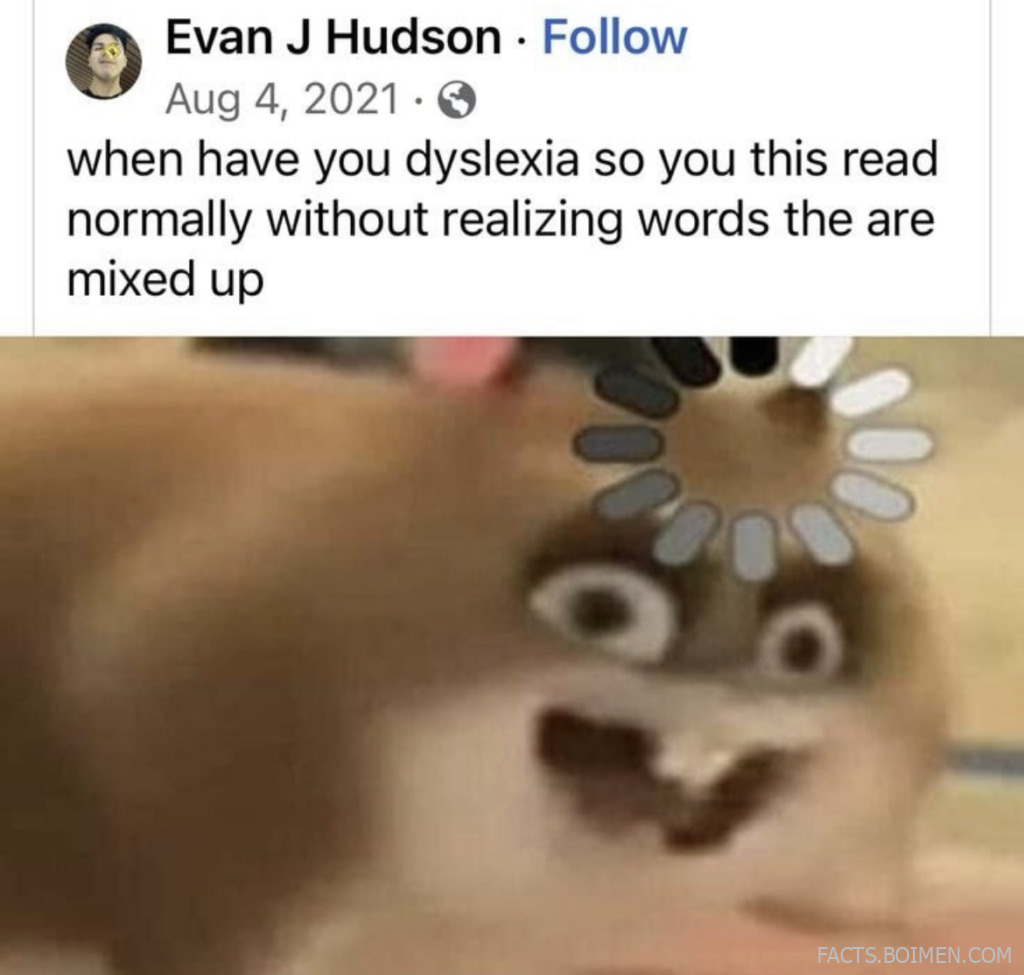
There is a strange little trick your brain pulls every time you read a sentence: it does not look at every letter. Instead, it predicts, fills gaps, and rearranges jumbled words into meaning almost instantly. That is why a viral image with scrambled text can feel perfectly readable to most people, and why the same image can feel completely different to someone with dyslexia. The gap between those two experiences is one of the most fascinating things about the human brain, and the good news is you can explore it with nothing more than a browser and a few minutes.
Below are 17 tools, games, and experiments that let you poke at the machinery of reading. Some simulate what text can feel like when letters refuse to sit still. Some train speed, eye movement, and working memory. Some are just wonderfully weird. All of them are free or free-to-try, and all of them turn a casual curiosity into a small, satisfying science experiment.
Table of Contents(Click to Toggle)
- Why Scrambled Text Reveals How Your Brain Reads
- 1. TypeDys
- 2. OpenDyslexic
- 3. Dyslexic Font Generator
- 4. Human Benchmark
- 5. Cambridge Brain Sciences
- 6. Lumosity
- 7. Braingle
- 8. Spreeder
- 9. Eyercize
- 10. Dyslexiaville
- 11. Nessy
- 12. Reading Rockets
- 13. Understood.org
- 14. Boggle Online
- 15. Wordle
- 16. Text Fixer Word Scrambler
- 17. The Infinite Monkey Theorem Typing Test
- Bonus Mentions
- The Internet’s Best-Kept Reading Secrets (So Far)
Why Scrambled Text Reveals How Your Brain Reads
Reading feels effortless, which is exactly why it is so easy to take for granted. In reality, fluent reading is a high-speed collaboration between visual recognition, phonological processing, and working memory. When researchers scramble the middle letters of a word, most readers barely notice, because the brain leans on context and the first and last letters to reconstruct meaning. That phenomenon is sometimes called typoglycemia, and it is a neat party trick with a serious point behind it.
For readers with dyslexia, the same text can behave differently. Letter order, font shape, spacing, and visual crowding all matter more, and the brain’s shortcut does not always fire the same way. Tools that simulate that experience, or that train the underlying skills, are genuinely useful for parents, teachers, and anyone who has ever wondered what the world looks like through a different reading brain. The 17 picks below split roughly into three camps: font and text simulators, cognitive and reading games, and plain-language explainers worth bookmarking.
1. TypeDys : A live dyslexia simulator for any text you paste
What it is: A free browser tool that takes ordinary text and re-renders it the way some readers with dyslexia may perceive it, with letters shifting, rotating, and swapping.
Category: Text simulator
Why it stands out: It is interactive rather than a static image. You type or paste your own sentence, adjust the intensity, and watch your own words wobble. That personal touch is what makes the lesson land.
Best for: Teachers and parents who want a five-second demonstration that sticks.
2. OpenDyslexic : The free font designed to anchor letters
What it is: An open-source typeface with weighted bottoms and distinctive letter shapes, built to reduce confusion between mirrored characters like b and d.
Category: Accessible typography
Why it stands out: It is genuinely free and installs in seconds on most devices. The trade-off is real, though: some readers find the heavier letterforms slower to read in long passages, so it works best as an option rather than a default.
Best for: Anyone who wants to test whether letter shape is part of their reading friction.
3. Dyslexie Font : A commercial alternative with a strong following
What it is: A paid typeface family from the Netherlands that uses slanted, open letterforms and varied shapes to reduce swapping.
Category: Accessible typography
Why it stands out: It has been adopted by schools and publishers across Europe, and the site includes a demo you can try before buying. It is a useful comparison point against free options like OpenDyslexic.
Best for: Educators comparing accessible fonts side by side.
4. Human Benchmark : Quick tests for reaction, memory, and word recall
What it is: A free collection of short cognitive tests, including reaction time, sequence memory, and verbal memory.
Category: Cognitive testing
Why it stands out: Each test takes under two minutes and gives you a percentile against other visitors. The verbal memory test, where you recall a growing list of words, is a surprisingly good window into how your reading brain stores language.
Best for: A fast, shareable brain check with friends.
5. Cambridge Brain Sciences : Research-grade cognitive tasks
What it is: A platform of validated cognitive tests developed from decades of neuroscience research, with a free tier of daily challenges.
Category: Cognitive testing
Why it stands out: Unlike casual quiz sites, these tasks come from published research paradigms, including verbal reasoning and working memory. The free version limits how much history you can track, but the task quality is high.
Best for: Curious readers who want more rigor than a viral quiz.
6. Lumosity : Gamified training for attention and speed
What it is: A subscription brain-training service with dozens of mini-games targeting memory, attention, and processing speed.
Category: Brain training
Why it stands out: The games are polished and genuinely fun, and the free tier gives you a rotating set each day. Be realistic about claims: the scientific jury is still out on whether these skills transfer to everyday reading, so treat it as entertainment with a side of focus practice.
Best for: People who like streaks and daily challenges.
7. Braingle : A sprawling archive of word puzzles and brain teasers
What it is: A long-running puzzle site with thousands of riddles, word games, and logic teasers.
Category: Puzzle games
Why it stands out: The design is dated in a charming way, but the content depth is enormous. Its wordplay puzzles are especially good for anyone who enjoys the way language bends, which is exactly the skill that makes scrambled text readable.
Best for: Puzzle lovers who want endless free content.
8. Spreeder : Speed reading practice with rapid word display
What it is: A free tool that flashes text one word at a time at a speed you choose, training you to read without subvocalizing.
Category: Reading speed
Why it stands out: It is the fastest way to feel how much of reading is prediction rather than decoding. Paste an article, set 300 words per minute, and watch your comprehension wobble. The limitation is obvious: it is not a substitute for deep reading.
Best for: Skimming practice and understanding reading mechanics.
9. Eyercize : Eye-movement exercises built for readers
What it is: A browser-based set of eye-tracking-style exercises that guide your gaze across text in smooth patterns.
Category: Reading training
Why it stands out: It targets something most reading tools ignore: the physical saccades your eyes make across a line. The interface is simple and a bit retro, and it works best in short sessions rather than marathon use.
Best for: Anyone curious about the physical side of reading.
10. Dyslexiaville : Videos and characters that normalize different readers
What it is: A media project featuring animated characters and short videos that explain dyslexia to kids and families.
Category: Education and awareness
Why it stands out: It takes the shame out of the conversation. The characters are relatable, the tone is upbeat, and the videos are short enough for a classroom warm-up. It is aimed at younger audiences, so teens may find it a bit gentle.
Best for: Parents starting a conversation with a child.
11. Nessy : Structured literacy games with real teaching behind them
What it is: A paid learning platform with animated games and lessons built on structured literacy principles.
Category: Learning platform
Why it stands out: It is one of the better-designed options for early readers who struggle with phonics, with a clear progression and parent dashboards. It is a subscription, so try the free samples before committing.
Best for: Families who want a structured, game-based curriculum.
12. Reading Rockets : A free library of literacy strategies
What it is: A nonprofit site packed with articles, tip sheets, and research summaries on how children learn to read.
Category: Education resource
Why it stands out: It is completely free and refreshingly practical. Search for a specific struggle, like letter reversals, and you get concrete classroom and home strategies rather than vague encouragement.
Best for: Teachers and homeschooling parents.
13. Understood.org : Plain-language answers about learning differences
What it is: A nonprofit resource covering learning and thinking differences, with articles, podcasts, and community forums.
Category: Education resource
Why it stands out: The writing is unusually clear and judgment-free, and the site covers the emotional side of reading struggles, not just the mechanics. It is a strong first stop if the scrambled-text image made you curious about your own reading history.
Best for: Adults wondering about their own reading experience.
14. Boggle Online : Fast word-finding against the clock
What it is: A free browser version of the classic letter-dice game, playable solo or with friends.
Category: Word game
Why it stands out: It trains exactly the skill that scrambled text exploits: rapid pattern recognition in a grid of letters. Rounds are short, the interface is clean, and there is no download required.
Best for: A quick daily word workout.
15. Wordle : One puzzle a day, shared by millions
What it is: The New York Times’ five-letter guessing game with one puzzle per day.
Category: Word game
Why it stands out: It is a masterclass in how letter position and elimination shape reading. The one-puzzle-a-day limit is a feature, not a bug, and the color-coded feedback makes it easy to discuss with friends. It is free to play on the web.
Best for: A two-minute daily ritual.
16. Text Fixer Word Scrambler : Build your own scrambled-text test
What it is: A simple utility that shuffles the letters of any word or sentence you paste in.
Category: Text tool
Why it stands out: It is the DIY version of the viral image. Scramble your own paragraph, then test whether friends can still read it. The tool is plain and ad-supported, but it does exactly one job well.
Best for: Making your own reading experiments.
17. Monkeytype : A minimalist typing test with real depth
What it is: An open-source, beautifully designed typing test with customizable modes, themes, and statistics.
Category: Typing and reading speed
Why it stands out: Typing and reading share the same visual word-recognition machinery, so tracking your words per minute is a surprisingly honest measure of fluency. It is free, ad-free, and endlessly tweakable, with a devoted community behind it.
Best for: Anyone who wants a clean baseline for reading and typing speed.
Bonus Mentions
Lexercise : Free dyslexia screening quiz and tutoring info
A short online screener plus articles on structured literacy. Best for: Parents who want a first checkpoint before seeking a professional evaluation.
LD Online : A deep archive of learning-disability articles
Long-running nonprofit resource with Q&A columns and research summaries. Best for: Reading up before a school meeting.
International Dyslexia Association : Fact sheets and provider directories
Authoritative fact sheets and a searchable directory of specialists. Best for: Finding credentialed help in your area.
Merriam-Webster Games : Daily word puzzles from a dictionary
Quordle, Blossom, and other daily challenges with a dictionary pedigree. Best for: Word-game fans who want variety.
TypingClub : Free structured typing lessons
A full curriculum of touch-typing drills with progress tracking. Best for: Building keyboard fluency alongside reading practice.
The Internet’s Best-Kept Reading Secrets (So Far)
The best thing about the scrambled-text trick is that it turns a passive scroll into an active question: how does my brain actually read? Once you start asking, the web is full of small, free experiments that answer it. A font swap here, a two-minute memory test there, a puzzle that forces you to notice letter position. None of these tools diagnose anything, and none of them replace a real conversation with a teacher or specialist, but they do something valuable: they build empathy and curiosity at the same time.
Start with TypeDys if you only try one thing, because seeing your own words wobble is the fastest route to understanding. Then graduate to the games, where the learning hides inside the fun. And if you have a favorite reading or brain-training site that did not make this list, tell me in the comments. I am always hunting for the next hidden gem.



