
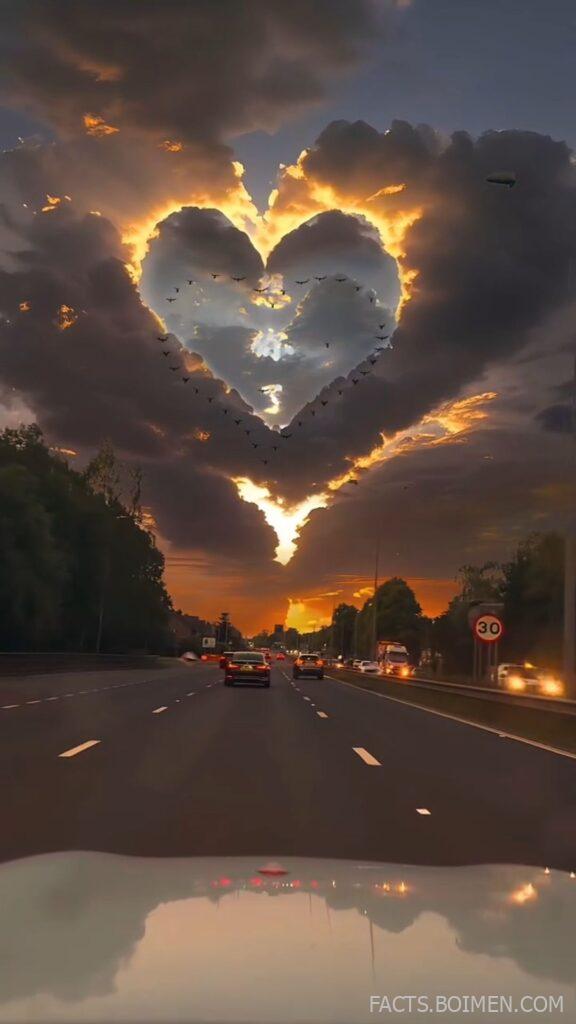
Every story starts with a backdrop. Before the text, the stickers, or the poll, there is the space behind it all — and that space quietly decides whether people stop scrolling or keep going. The right background sets a mood in a single glance: calm, bold, nostalgic, editorial. The wrong one makes even a good story feel cluttered. This collection gathers sixteen genuinely useful places to find and create story backgrounds, from free stock libraries and gradient generators to texture archives and animated loops. Each one is free or has a solid free tier, and each solves a slightly different problem. Bookmark the ones that fit your style and keep them handy for the next time you open the story camera and stare at a blank screen.
Table of Contents(Click to Toggle)
Why the Right Story Background Changes Everything
Stories are consumed in under two seconds. A viewer taps through a row of vertical frames, and their eye decides almost instantly whether to pause. Backgrounds do most of that work before a single word is read. A soft cream texture signals calm and personal; a bold mesh gradient signals energy and product launch; a blurred photo signals atmosphere and travel. The background also controls legibility. Busy images swallow thin white text, while flat colors make captions pop. That is why the smartest creators keep a small library of go-to backdrops — a few neutrals, a couple of gradients, one or two textures — and rotate them so their stories feel consistent without looking identical. The tools below cover all three categories, plus motion options for short video stories.
16 Aesthetic Story Background Sources and Tools
1. Unsplash : Free high-resolution photos for atmospheric backdrops
What it is: A library of millions of free, high-resolution photographs contributed by photographers worldwide, searchable by mood, color, and subject.
Category: Stock photography
Why it stands out:
- Search terms like “beige texture,” “blurred lights,” or “minimal wall” return ready-made story backgrounds.
- The license allows commercial use without attribution, which matters for brand accounts.
- Its color-filter search lets you lock a palette so a whole story series matches.
Best for: Creators who want photographic depth — soft shadows, grain, natural light — behind text.
2. Pexels : Stock photos and video clips with a generous free license
What it is: A free stock platform for photos and short videos, with a clean interface and strong vertical-orientation coverage.
Category: Stock photography and video
Why it stands out:
- Its orientation filter isolates portrait images, so you never crop a landscape shot into a story.
- Collections curated by theme make it easy to find a cohesive set of backdrops.
- Video clips can be downloaded and used as animated backgrounds in Reels or TikTok.
Best for: Anyone building a consistent set of backdrops for a week of stories.
3. Coolors Gradient Maker : Instant two-color gradients you can export
What it is: A color-palette tool with a dedicated gradient generator that produces smooth, exportable gradient images.
Category: Color and gradient generator
Why it stands out:
- You can lock a brand color and let the tool suggest complementary partners.
- Gradients export as PNG, ready to drop straight into a story frame.
- It also generates palettes, so text and sticker colors stay coordinated.
Best for: Minimal, text-first stories where a clean gradient does the whole job.
4. Canva : Templates and backgrounds sized exactly for stories
What it is: A design platform with a huge template library, including story-format canvases at 1080 by 1920 pixels.
Category: Design editor
Why it stands out:
- Searching “story background” inside Canva returns thousands of ready-made options.
- You can upload a photo and apply blur or color overlays to make text readable.
- Brand kits keep fonts and colors consistent across every story you post.
Best for: Beginners who want a finished background plus text in one place.
5. Hero Patterns : Repeating SVG patterns you can recolor
What it is: A free collection of seamless SVG background patterns with adjustable foreground and background colors.
Category: Pattern generator
Why it stands out:
- Every pattern can be recolored live before you download it.
- SVG output stays crisp at any size, so it never pixelates on a phone screen.
- Subtle geometric patterns add texture without competing with text.
Best for: Creators who want a subtle, branded texture rather than a photo.
6. Magic Pattern : Custom pattern and gradient builders with export controls
What it is: A design-tool suite with generators for patterns, blobs, waves, and gradients, all exportable as images.
Category: Pattern and gradient generator
Why it stands out:
- Shape generators create organic blobs that look hand-drawn but are perfectly smooth.
- You control density, scale, and color before exporting a high-resolution file.
- Useful for building a matching set of story backgrounds for a campaign.
Best for: Designers who want more control than a template library offers.
7. Mesh Gradient : Soft, colorful mesh gradients in one click
What it is: A simple browser tool that generates blended mesh gradients with a single click.
Category: Gradient generator
Why it stands out:
- Each click produces a fresh, soft-focus color blend that feels modern.
- The result downloads as an image sized for screens.
- No account or sign-up is required to use it.
Best for: Quick, trendy backdrops for quotes and announcements.
8. Gradienta : Ready-made gradient images in multiple resolutions
What it is: A curated gallery of free gradient backgrounds offered in several download sizes.
Category: Gradient library
Why it stands out:
- Gradients are pre-rendered, so there is no editing step at all.
- Multiple resolutions let you pick the right file for a phone screen.
- The palette leans pastel and muted, which suits soft aesthetic feeds.
Best for: Anyone who wants a finished gradient file in seconds.
9. Pixabay : A vast free library of photos, vectors, and textures
What it is: A community library of free images, illustrations, vectors, and video, all under a permissive license.
Category: Stock media
Why it stands out:
- Its vector section is a goldmine for abstract shapes and paper textures.
- Filters for orientation and color narrow results quickly.
- Everything is free for commercial use, with no attribution required.
Best for: Creators who want variety — photos, illustrations, and textures in one search.
10. Adobe Express : A free editor with story-sized templates and effects
What it is: Adobe’s browser-based design tool, with free templates, background removal, and quick effects.
Category: Design editor
Why it stands out:
- Story-format templates are pre-sized and easy to customize.
- One-tap background removal lets you cut a subject out and place it on a clean color.
- The free tier covers most background tasks without a subscription.
Best for: Creators who want polished effects without paid software.
11. Freepik : Themed background packs and editable vectors
What it is: A large stock platform with a deep catalog of backgrounds, vectors, and PSD templates.
Category: Stock graphics
Why it stands out:
- Searching “story background” returns themed packs for seasons and holidays.
- Many files are layered PSDs you can recolor before exporting.
- The free section rotates regularly, so new options appear often.
Best for: Seasonal and campaign-specific story backdrops.
12. PicsArt : Mobile editing with blur, stickers, and backdrop tools
What it is: A mobile-first photo and video editor with a large sticker library and background effects.
Category: Mobile editor
Why it stands out:
- Its blur tool turns any photo into a soft, text-friendly backdrop.
- Sticker and text packs are built for vertical story formats.
- Edits happen on the phone, so you can post without a desktop step.
Best for: Creators who edit entirely on their phone.
13. Kapwing : Resize and build story backgrounds in the browser
What it is: An online video and image editor with canvas resizing and template tools.
Category: Online editor
Why it stands out:
- Its resize tool converts a landscape image into a vertical story canvas with fill options.
- You can add a solid or blurred fill behind the image automatically.
- No installation is needed — everything runs in the browser.
Best for: Turning existing images into properly sized story backgrounds.
14. Coverr : Free stock videos for animated story backgrounds
What it is: A free library of short, high-quality video clips suitable for backgrounds.
Category: Stock video
Why it stands out:
- Clips are short and loop-friendly, ideal for subtle motion behind text.
- Categories like “abstract” and “nature” return calm, non-distracting footage.
- Free for commercial use, which suits brand stories.
Best for: Video stories that need gentle movement rather than a static image.
15. Textures.com : Paper, fabric, and surface textures for tactile backdrops
What it is: A large archive of high-resolution textures, from paper and fabric to concrete and marble.
Category: Texture library
Why it stands out:
- Real material scans give stories a tactile, editorial feel.
- Textures tile seamlessly, so they fill any canvas without visible seams.
- A free daily download allowance covers most casual needs.
Best for: Muted, minimalist feeds built on paper and fabric textures.
16. Pexels Videos : Portrait video clips sized for full-screen stories
What it is: The video arm of Pexels, with a filter for vertical clips.
Category: Stock video
Why it stands out:
- The orientation filter surfaces clips already framed for a phone screen.
- Slow-motion nature and light footage makes elegant motion backdrops.
- Clips download in several resolutions, so file size stays manageable.
Best for: Reels and TikTok intros that need a full-screen moving backdrop.
Bonus Mentions
Remove.bg : Cut a subject out for a clean colored backdrop
Upload a portrait and get a transparent cutout in seconds, ready to place on any solid or gradient background. The free version handles standard-resolution images.
Color Hunt : Curated four-color palettes for coordinated backdrops
A community gallery of palettes that helps you pick background and text colors that actually work together.
Pexels Collections : Hand-picked photo sets for a unified look
Curated groups of images that share a mood, useful when you want a week of stories to feel like one series.
Canva Color Palette Generator : Pull a palette straight from a photo
Upload an image and extract its colors, then reuse them as flat backgrounds so your feed stays visually consistent.
The Best Story Backgrounds Are the Ones You Reuse
You do not need a hundred backdrops. You need five or six that feel like you, saved somewhere you can reach in seconds. Start with one neutral texture, one soft gradient, one atmospheric photo, and one motion clip. Rotate them, and your stories will start to look intentional rather than improvised. The tools above make that library easy to build for free, and most of them take less time to use than scrolling past a blank canvas. Save this list, pick two options to try this week, and see how much faster your stories come together. Which background source do you keep coming back to — and is there a hidden gem we missed?



