
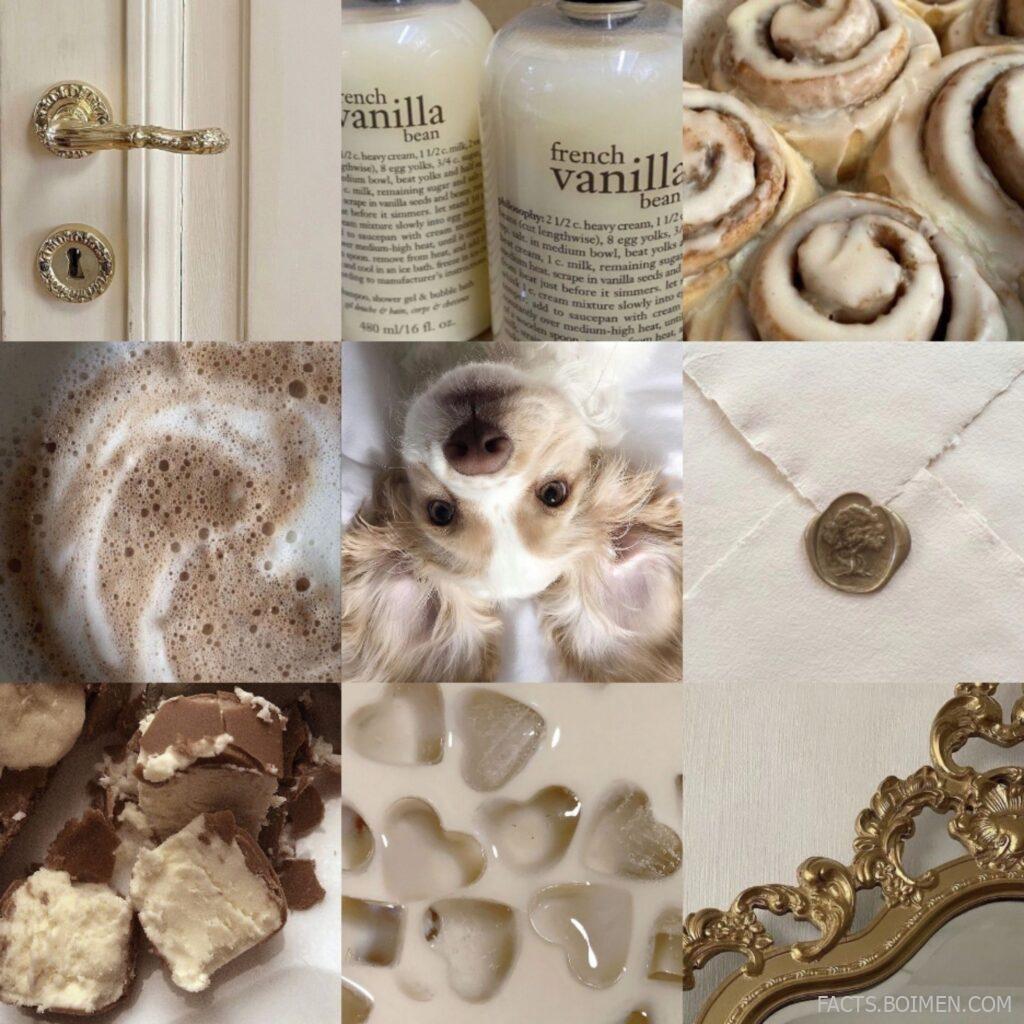
Aesthetic collages are the quiet little art form of the internet: torn paper, ticket stubs, pastel scraps, and a color story that somehow says exactly who you are. Whether you are building a physical scrapbook, a Pinterest board, or a digital moodboard, the difference between “random clippings” and “wow” comes down to a handful of tools and techniques. Below are 15 genuinely useful resources for collage making, from free design canvases to printable paper packs, each one tested against a real use case so you can start cutting and pasting today.
Table of Contents(Click to Toggle)
Why Aesthetic Collage Is Worth Your Time
Collage is the rare creative hobby with almost no barrier to entry: no expensive supplies, no formal training, and no pressure to be “good” at it. A single afternoon of cutting and layering can turn a blank notebook into something you actually want to flip through, or a plain Instagram feed into a cohesive color story. The real challenge is not inspiration — it is knowing where to find clean, high-quality material and how to keep a board from turning into visual noise.
That is where the right tools matter. A good color palette generator keeps your scraps harmonious. A free stock library gives you crisp textures instead of blurry saved screenshots. A layout canvas lets you test an idea before you commit glue to paper. The list below mixes digital and printable resources so you can build collages on a screen, on a desk, or both at once.
15 Aesthetic Collage Tools and Ideas
1. Canva : Drag-and-drop collage boards with thousands of free elements
What it is: A browser-based design platform with a dedicated collage maker, ready-made grid templates, and a searchable library of stickers, frames, and paper textures.
Category: Design canvas
Why it stands out:
- The free tier includes enough elements to finish a full board without paying.
- You can upload your own scanned scraps and photos, then layer them over templates.
- The “Magic Resize” feature lets you repurpose one collage into a story graphic or pin.
Best for: Beginners who want a finished-looking collage in under an hour.
2. Pinterest : The endless moodboard and reference library
What it is: A visual discovery engine where saved pins become private or public boards you can organize by color, theme, or season.
Category: Inspiration and reference
Why it stands out:
- Secret boards are perfect for collecting references without cluttering your public feed.
- The visual search tool lets you upload a photo and find pins with a matching palette.
- You can pull a board together in an evening and use it as a shopping list for paper supplies.
Best for: Collecting inspiration before you start cutting anything.
3. Figma : Precise digital collage layout with real alignment control
What it is: A collaborative design tool built around frames and layers, free for personal projects.
Category: Design canvas
Why it stands out:
- Snapping and alignment guides keep torn-paper edges from looking accidental.
- You can build a reusable “scrap” component library and drop pieces onto any new board.
- Community files include free collage starter kits with layered textures.
Best for: People who want pixel control over an intentionally messy look.
4. Coolors : Instant color palettes that keep your scraps cohesive
What it is: A fast palette generator that locks colors you love and shuffles the rest until the combination clicks.
Category: Color planning
Why it stands out:
- You can extract a palette straight from a photo you plan to collage around.
- Each palette exports with hex codes, so digital and printed pieces match exactly.
- The free version covers unlimited palette browsing with a simple interface.
Best for: Anyone whose collages tend to drift into too many colors.
5. Unsplash : High-resolution photos free for personal collage use
What it is: A stock photo library with a large collection of textures, florals, skies, and soft-focus backgrounds.
Category: Image sourcing
Why it stands out:
- Search terms like “crumpled paper” or “film grain” return usable collage textures.
- The license allows free use without attribution for most personal projects.
- Downloading at full resolution means printed pieces stay sharp.
Best for: Sourcing clean background layers instead of blurry screenshots.
6. Freepik : Printable paper packs, stickers, and vintage cutouts
What it is: A resource site with vector illustrations, scrapbook paper sets, and printable ephemera collections.
Category: Printable assets
Why it stands out:
- Search “junk journal” to find entire kits of tickets, stamps, and label cutouts.
- Vector files scale cleanly, so a small sticker can become a full-page print.
- The free tier requires attribution, which is easy to add in a caption.
Best for: Physical scrapbookers who want printable ephemera fast.
7. PicsArt : Mobile collage editing with cutout and sticker tools
What it is: A phone-first photo editor with a collage grid maker, background eraser, and sticker library.
Category: Mobile editing
Why it stands out:
- The cutout tool removes backgrounds from photos so subjects sit cleanly on paper textures.
- Collage grids are adjustable, so you are not locked into a fixed square layout.
- Most core tools work without a subscription, though some stickers are premium.
Best for: Making a collage entirely on your phone during a commute.
8. Adobe Express : Quick collage templates with polished typography
What it is: Adobe’s free browser editor with collage layouts, font pairing suggestions, and brand-free exports.
Category: Design canvas
Why it stands out:
- Templates are grouped by mood, so a soft pastel board is one click away.
- Type controls are stronger than most free editors, useful for captions on collages.
- Exports come out watermark-free on the free plan for standard sizes.
Best for: Collages that need a short quote or caption layered in.
9. Photopea : A free Photoshop-style editor in your browser
What it is: A web app that opens PSD files and supports layers, masks, and blend modes without installation.
Category: Advanced editing
Why it stands out:
- Blend modes like Multiply and Overlay are how you make paper textures look printed-on.
- It runs on any modern browser, including on a school or work laptop.
- No account is required to start editing, and files stay on your device.
Best for: Collage makers ready to move past drag-and-drop templates.
10. Rawpixel : Public-domain vintage art and botanical prints
What it is: A library mixing public-domain artwork, vintage illustrations, and modern stock assets.
Category: Vintage assets
Why it stands out:
- Old botanical plates and postcard art give a collage instant antique character.
- Public-domain pieces carry no licensing worry even for printed projects.
- Collections are curated by era, which speeds up themed boards.
Best for: Vintage-style collages with a soft, aged palette.
11. Mural : A sprawling digital board for big collage planning
What it is: An infinite-canvas collaboration tool where images, notes, and shapes sit freely on one board.
Category: Moodboard canvas
Why it stands out:
- The canvas never runs out of room, so you can spread 100 references without shrinking them.
- Invite a friend to add scraps to the same board in real time.
- Free workspaces exist for small personal boards, with limits on how many you create.
Best for: Planning a large scrapbook spread before touching paper.
12. Kapwing : Turn a static collage into a short looping video
What it is: An online editor for images and video, including a collage maker and a stop-motion-friendly timeline.
Category: Video collage
Why it stands out:
- You can animate collage layers sliding into place for a satisfying reveal clip.
- Text and stickers can be timed to appear one by one.
- Free exports include a small watermark, removable with a paid plan.
Best for: Sharing a collage as a short video instead of a still image.
13. The Noun Project : Clean icons that anchor a busy collage
What it is: A massive library of simple black-and-white icons available as SVG and PNG downloads.
Category: Icon assets
Why it stands out:
- A single minimal icon can stop a layered board from feeling chaotic.
- SVG files recolor instantly to match your palette.
- Free downloads require attribution, which is simple to note in a caption.
Best for: Adding a focal point to an otherwise texture-heavy layout.
14. Mixkit : Free textures, overlays, and motion clips
What it is: A free asset site with stock video, music, and graphic templates, including grain and paper overlays.
Category: Texture assets
Why it stands out:
- Film-grain and dust overlays add an analog feel to digital collages in one layer.
- Everything on the site is free to use under a simple license.
- Short looping clips work well behind a still collage in a video editor.
Best for: Making digital collages look like scanned paper.
15. Milanote : A note-and-image board built for creative projects
What it is: A visual workspace where you pin images, text, links, and swatches onto a freeform board.
Category: Moodboard canvas
Why it stands out:
- Boards can be nested, so one project holds separate pages for palette, texture, and layout.
- Dragging in a URL auto-pulls the image, which is quick for collecting references.
- The free plan allows a limited number of boards, enough for a few active projects.
Best for: Keeping an entire collage project organized in one place.
Bonus Mentions
remove.bg : One-click background removal for clean cutouts
What it is: A single-purpose tool that strips the background from a photo in seconds.
Category: Image prep
Why it stands out:
- Perfect for turning a photo into a cutout sticker for a paper board.
- Free downloads come at a reduced resolution, fine for digital boards.
Best for: Quick cutouts without a full editor.
ColorHexa : Deep color detail for matching printed scraps
What it is: A color encyclopedia that explains hex codes, shades, and complementary pairings.
Category: Color planning
Why it stands out:
- Shows tint and shade scales so you can match a paper swatch precisely.
- Useful when printing digital assets to sit beside real paper.
Best for: Precise color matching between screen and print.
Behance : Real collage artists to study and learn from
What it is: Adobe’s portfolio network, where illustrators and collage artists post full project breakdowns.
Category: Inspiration
Why it stands out:
- Many artists show process shots, revealing how layers are built up.
- Searching “collage” surfaces editorial and zine-style work beyond typical moodboards.
Best for: Studying technique rather than just collecting pretty images.
Pexels : More free textures and lifestyle photos
What it is: A free stock library with a strong selection of lifestyle and texture photography.
Category: Image sourcing
Why it stands out:
- Useful when Unsplash results feel too polished for a handmade board.
- No attribution required, and downloads are high resolution.
Best for: A second source when you need grittier textures.
Etsy : Printable collage kits from independent sellers
What it is: A marketplace where small shops sell digital junk-journal kits, paper packs, and sticker sheets.
Category: Printable assets
Why it stands out:
- Kits often include dozens of coordinated pieces for a single small price.
- Instant downloads mean you can print within minutes of buying.
Best for: A coordinated look without designing every piece yourself.
The Collage Kit That Actually Sticks
Great collages are rarely about having the most supplies. They come from a small, reliable set of tools: one place to collect references, one color planner, one source of clean textures, and one canvas to assemble everything. Start with a palette from Coolors, pull textures from Unsplash or Rawpixel, lay it all out in Canva or Figma, and let the board tell you what it wants to become. If you are working on paper, print a Freepik kit and treat PicsArt as your phone-based sketchbook.
The best part of this hobby is that it rewards imperfection. A crooked edge or a mismatched scrap often becomes the detail you love most. Pick two or three tools from this list, give yourself an afternoon, and see what your color story turns into.
What is the one scrap or sticker you always reach for first in your collages? Share your go-to in the comments — it might end up in someone else’s next board.



