
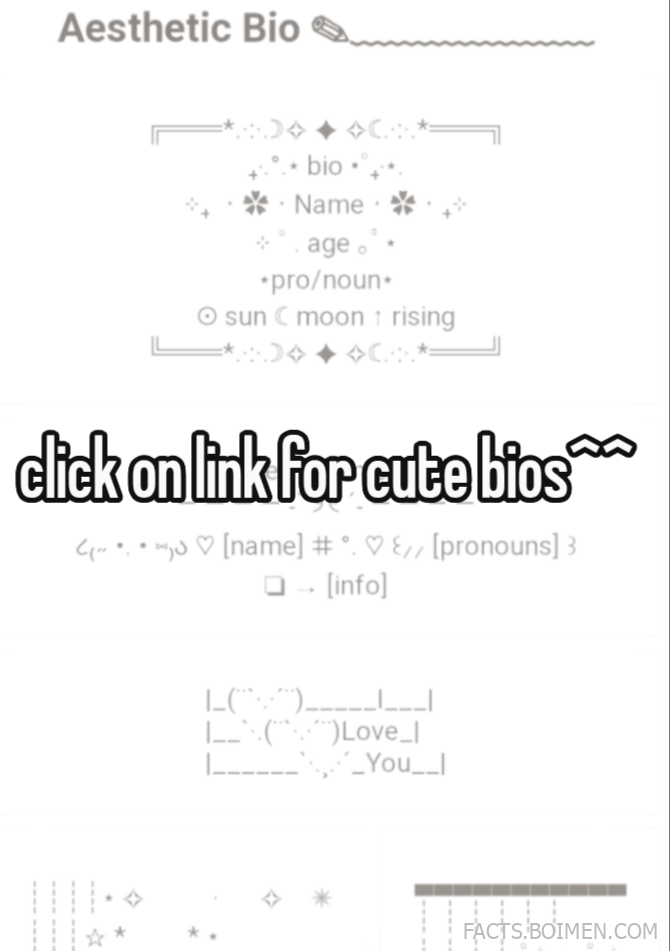
Your bio is the first thing anyone reads before they decide whether to follow, swipe, or scroll past. A single line of well-chosen characters can make a profile feel curated, calm, and unmistakably yours. The problem? Most people freeze at the empty box and type something they regret ten minutes later. This list collects 18 genuinely useful bio generators, font makers, symbol libraries, and copy-paste tools that do the heavy lifting for you. Every entry is a real, working site you can open right now, and most of them need nothing more than a browser. Whether you want a soft whisper aesthetic, a mecore mood, or just a clean one-liner that sounds like you on a good day, there is a tool here for it.
Table of Contents(Click to Toggle)
- Why Your Bio Is the Most Underrated Part of Your Profile
- 18 Aesthetic Bio Tools and Copy-Paste Resources
- 1. Bio Copy
- 2. Fonts for Instagram
- 3. Cool Symbol
- 4. LingoJam Fancy Text
- 5. TextFixer
- 6. YayText
- 7. Cute Symbols
- 8. CopyChar
- 9. EmojiCopy
- 10. Instagram Bio Generator by Hootsuite
- 11. Canva Bio Templates
- 12. Bio Link Tools
- 13. Unicodepedia
- 14. Glyphy
- 15. Fancy Text Generator
- 16. Kaomoji.ru
- 17. Aesthetic Fonts
- 18. Bio Templates
- Bonus Mentions
- The Quiet Art of a Perfect Bio
Why Your Bio Is the Most Underrated Part of Your Profile
Profile pictures get all the attention, but the bio is where personality actually lives. It is the only place on most platforms where you get to speak in your own voice, set a mood, and tell a stranger what you are about in under 150 characters. That tiny space carries more weight than people realize. A well-crafted bio can make a profile feel intentional and warm, while a rushed one can make even a great feed feel unfinished.
The catch is that most people are not writers, and the platforms give you almost no help. You get a blank field, a character limit, and no font options. That is exactly why a small ecosystem of bio generators, fancy-text converters, and symbol libraries exists. These tools solve a very specific, very real problem: how do you say something true about yourself when the box is small and the pressure is oddly high? The sites below range from simple copy-paste font makers to full bio generators with template libraries. Some are polished and modern, others are scrappy single-page utilities that have quietly served millions of people. All of them are free, browser-based, and fast. Bookmark the ones that fit your vibe and you will never stare at that empty box again.
18 Aesthetic Bio Tools and Copy-Paste Resources
1. Bio Copy : Ready-made aesthetic bios you can paste in seconds
What it is: A collection of short, pre-written bios organized by mood and platform, designed for quick copy-paste use.
Category: Bio template library.
Why it stands out:
- Bios are grouped into categories like soft, edgy, funny, and minimal, so you can match a tone fast.
- Each entry is short enough to fit within typical platform character limits without trimming.
- No account, no signup, no popups interrupting the copy flow.
Best for: Anyone who wants a finished bio in under a minute rather than building one from scratch.
2. Fonts for Instagram : Type in normal text, get fancy Unicode fonts out
What it is: A converter that turns standard letters into stylized Unicode characters you can paste into bios and captions.
Category: Fancy text generator.
Why it stands out:
- Offers dozens of font styles, from cursive and bold to small caps and bubble letters.
- Live preview updates as you type, so you see the result before copying.
- Works on any platform that accepts Unicode, not just Instagram despite the name.
Best for: Adding a soft or dramatic font accent to one or two words in your bio.
3. Cool Symbol : A massive library of symbols, kaomoji, and text faces
What it is: A browsable catalog of Unicode symbols, arrows, hearts, stars, and Japanese-style text emoticons.
Category: Symbol and emoji library.
Why it stands out:
- Categories are clearly separated, so finding a specific star or divider takes seconds.
- Includes a huge kaomoji section with faces in many expressions and styles.
- One-click copy on every symbol, with no ads covering the buttons.
Best for: Building a bio with decorative dividers and small symbols between lines.
4. LingoJam Fancy Text : Simple converter with a clean, distraction-free interface
What it is: A minimal fancy-text tool that converts plain input into stylized Unicode output in real time.
Category: Fancy text generator.
Why it stands out:
- The interface is almost empty, which makes it fast to load on older phones.
- Output appears instantly as you type, with a single copy button underneath.
- LingoJam hosts many related converters, so you can jump to other text styles easily.
Best for: Quick conversions when you do not want to scroll through a busy page.
5. TextFixer : Practical text tools including a font changer
What it is: A long-running utility site with a font changer plus case converters, word counters, and text cleaners.
Category: Text utility suite.
Why it stands out:
- The font changer previews multiple styles side by side for easy comparison.
- Companion tools like the character counter help you stay within bio limits.
- The site has been online for years and stays lightweight and ad-light.
Best for: People who want to convert fonts and check character counts in one place.
6. YayText : Fancy fonts with a friendly, well-organized layout
What it is: A Unicode text styler that generates bold, italic, script, and decorative variations of your text.
Category: Fancy text generator.
Why it stands out:
- Each font style sits in its own labeled box, so you can compare options at a glance.
- Includes less common styles like double-struck and monospace for a technical look.
- Works well on mobile browsers without horizontal scrolling.
Best for: Choosing between several font styles without re-typing your text each time.
7. Cute Symbols : Soft, decorative symbols for a gentle aesthetic
What it is: A symbol collection focused on cute, soft, and pastel-friendly characters like hearts, flowers, and sparkles.
Category: Symbol library.
Why it stands out:
- The selection leans toward gentle, decorative characters rather than technical glyphs.
- Symbols are arranged in themed groups, which makes browsing feel like a mood board.
- Copy buttons sit right next to each symbol for fast use.
Best for: Soft and dreamy bios that use small decorative marks instead of words.
8. CopyChar : Click any character and it copies instantly
What it is: A visual character picker that copies a symbol to your clipboard the moment you click it.
Category: Symbol picker.
Why it stands out:
- The grid layout makes scanning for a specific symbol very fast.
- Includes arrows, math signs, currency, and punctuation alongside decorative marks.
- No copy button needed, which removes a step from the workflow.
Best for: Fast symbol hunting when you already know roughly what you want.
9. EmojiCopy : Searchable emoji library with one-tap copying
What it is: A searchable emoji database that lets you find and copy any emoji by keyword.
Category: Emoji library.
Why it stands out:
- The search box finds emoji by name, so you do not need to scroll through endless grids.
- Recently added emoji appear near the top, keeping the library current.
- Copies multiple emoji in sequence if you select them one after another.
Best for: Finding a specific emoji that is hard to locate in your phone keyboard.
10. Hootsuite Instagram Bio Generator : Guided bio writing with prompts
What it is: A free generator that asks a few questions about your profile and suggests bio options based on your answers.
Category: Bio generator.
Why it stands out:
- The prompts help you articulate what your account is actually about.
- Suggestions come in several tones, so you can pick the one that sounds like you.
- It is built by a well-known social media company, so the output follows current best practices.
Best for: Creators and small brands who need a clear, functional bio rather than a decorative one.
11. Canva Bio Templates : Design a matching bio card or highlight cover
What it is: A design platform with free templates for profile-adjacent visuals like bio cards and highlight covers.
Category: Design tool.
Why it stands out:
- Thousands of free templates mean you can match your bio text to a visual style.
- The text tool supports custom fonts and spacing for a polished result.
- Exports in sizes suited to social platforms without manual resizing.
Best for: Anyone who wants their bio and their visuals to feel like one cohesive aesthetic.
12. Linktree : Turn your single bio link into a mini landing page
What it is: A link-in-bio service that hosts a page listing all your important links.
Category: Link management.
Why it stands out:
- The free tier covers most personal use with unlimited links and basic themes.
- Custom themes and colors let the page match your profile aesthetic.
- Analytics on paid plans show which links people actually click.
Best for: People with more than one link to share who want a tidy bio space.
13. Unicodepedia : Deep reference for every Unicode character
What it is: A searchable encyclopedia of Unicode characters with names, codes, and copy options.
Category: Character reference.
Why it stands out:
- Search works by character name, so you can find obscure symbols by description.
- Each entry lists the HTML entity and code point, useful for anyone building a site.
- Covers thousands of characters beyond the usual emoji set.
Best for: Detail-oriented users who want to know exactly what a symbol is before using it.
14. Glyphy : Stylish text and symbol sets in a modern interface
What it is: A text styler and symbol library with a clean, contemporary design.
Category: Fancy text and symbols.
Why it stands out:
- Combines font conversion and symbol browsing in a single page.
- The interface is responsive and comfortable to use on a phone.
- Curated symbol sets are grouped by theme, which speeds up browsing.
Best for: Users who want one site for both fancy fonts and decorative symbols.
15. Fancy Text Generator : Dozens of font styles in one scroll
What it is: A converter that outputs your text in a long list of decorative Unicode styles.
Category: Fancy text generator.
Why it stands out:
- The sheer number of styles means you will likely find one that fits your vibe.
- All styles render at once, so comparing them requires no extra clicks.
- Includes both subtle styles and more dramatic decorative options.
Best for: Browsing many font options quickly when you are not sure what you want.
16. Kaomoji.ru : The classic Japanese emoticon library
What it is: A large, well-organized collection of kaomoji, the Japanese-style text emoticons made from characters.
Category: Text emoticon library.
Why it stands out:
- Categories cover emotions, actions, animals, and more, making search intuitive.
- Faces are grouped by mood, so you can find the right expression fast.
- The collection is huge and has been maintained for years.
Best for: Adding a cute or expressive face to a bio without using standard emoji.
17. Aesthetic Fonts : Curated font styles with a soft visual theme
What it is: A font and text style site focused on soft, aesthetic-leaning typography.
Category: Font library.
Why it stands out:
- The curation leans toward styles that suit soft and dreamy profiles.
- Preview text is shown in context so you can judge how it reads.
- Simple copy buttons keep the workflow short.
Best for: Matching your bio font to a specific aesthetic rather than picking at random.
18. Bio Templates : Fill-in-the-blank bio formats for every mood
What it is: A library of bio templates with blanks you fill in to create a personalized line.
Category: Bio template library.
Why it stands out:
- Templates cover many tones, from sincere and professional to playful and cryptic.
- The fill-in format helps you say something specific instead of something generic.
- Templates are short and designed to fit standard bio character limits.
Best for: People who want structure and a starting point rather than a fully written bio.
Bonus Mentions
Copy and Paste Emoji : Fast emoji copying with no clutter
What it is: A simple emoji site built around quick copying.
Category: Emoji library.
Why it stands out:
- Minimal layout keeps the focus on the emoji grid.
- Categories make browsing faster than a single long scroll.
Best for: Quick emoji grabs when you already know the category you need.
PiliApp Symbols : Symbols, emoticons, and text tools in one place
What it is: A multi-tool site with symbol libraries, emoticon lists, and text converters.
Category: Symbol and text utilities.
Why it stands out:
- Combines several useful tools under one domain.
- Includes both Western symbols and Japanese emoticon sets.
Best for: Users who want one bookmark that covers several bio needs.
Instagram Itself : Test your bio in the real environment
What it is: The platform where most bios ultimately live.
Category: Social platform.
Why it stands out:
- Previewing your bio in the app shows exactly how line breaks and symbols render.
- Some Unicode characters display differently across devices, so testing matters.
Best for: A final check before you commit to a bio you copied elsewhere.
Namecheap : Claim a matching handle or domain for your brand
What it is: A domain registrar and hosting provider.
Category: Web services.
Why it stands out:
- Useful if your bio promotes a personal site or portfolio.
- Domain search helps you check availability of a matching name.
Best for: Creators turning a profile into a longer-term personal brand.
Grammarly : Catch typos before you paste your bio
What it is: A writing assistant that checks grammar and spelling.
Category: Writing tool.
Why it stands out:
- Catches small errors that are easy to miss in a short bio.
- The free browser extension works wherever you type.
Best for: Anyone writing a bio in their second language or in a hurry.
The Quiet Art of a Perfect Bio
A good bio does not need to be clever. It needs to sound like you, fit the space, and feel finished. The tools above exist because that is harder than it looks, and there is no shame in leaning on a generator, a font converter, or a symbol library to get there. The best approach is to start with a template or a generated suggestion, then edit it until it sounds like something you would actually say out loud. Swap one word, cut one line, add a single symbol that means something to you. That small act of editing is what turns a copied bio into a personal one.
It also helps to test before you commit. Paste your bio into the actual app, check how it wraps on a phone screen, and make sure any fancy font characters still render on older devices. Some Unicode styles look great on one phone and turn into empty boxes on another, so a quick preview saves embarrassment later. Once it looks right, leave it alone for a while. A bio that changes every week never gets the chance to feel like a signature.
Finally, remember that these tools are starting points, not rules. The most memorable bios are usually the simplest ones, written by people who knew exactly what they wanted to say and said it in one line. Use the generators to get unstuck, then trust your own voice to finish the job. What is the one bio line you have seen that made you stop scrolling?



