
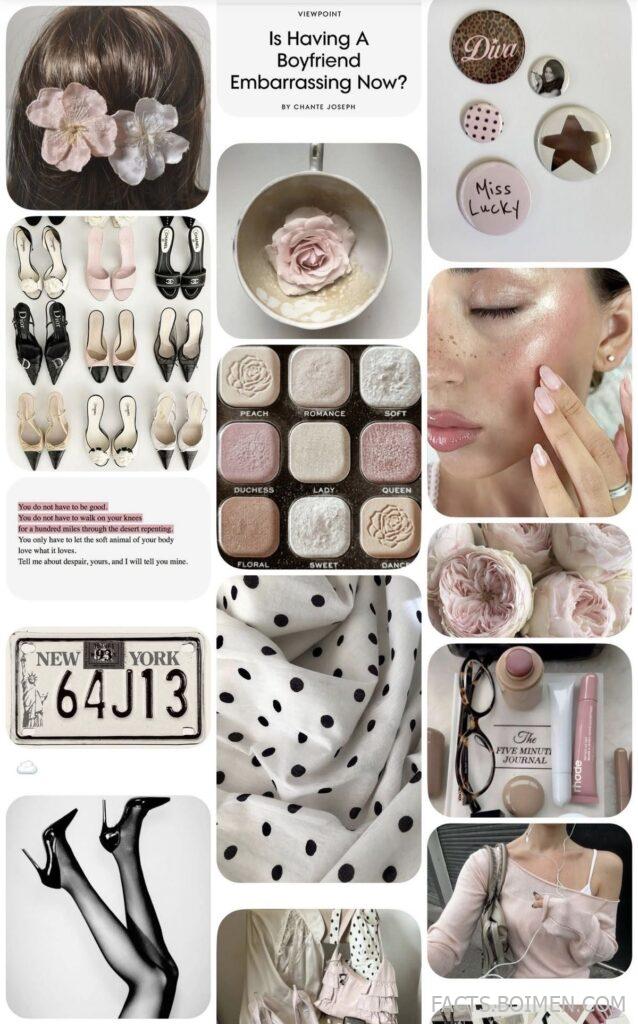
Your Instagram highlights are the first thing a new visitor scans — a tidy row of circles that quietly says everything about your style before a single caption is read. If your covers still look like the default gray blobs from three years ago, this is your sign to refresh. Below are 18 genuinely useful tools, template shops, and hidden-gem sites for building chic, cohesive highlight covers — from minimalist line-art icon sets to dreamy pink-vibe palettes that make a grid feel intentional. Each entry is a real place you can bookmark today, with notes on what it does best.
Table of Contents(Click to Toggle)
Why Chic Highlight Covers Quietly Upgrade Your Whole Feed
Highlight covers are the most underrated design asset on Instagram. Unlike a post that scrolls away, the covers sit permanently beneath your bio, so a mismatched set reads as visual noise while a cohesive palette reads as intention. Aesthetic cover sets — think soft pink vibes, minimalist line icons, or muted neutral tones — do three practical things: they make your profile instantly scannable, they keep your brand colors consistent across stories, and they signal the “new year, new me” energy of a refreshed feed without a full rebrand. The best part is that you do not need design skills. The tools below range from free drag-and-drop editors to niche icon libraries and template shops, so you can build a full set in an afternoon.
18 Chic Aesthetic Highlight Cover Tools and Shops
1. Canva : The fastest way to build a matching cover set
What it is: A free drag-and-drop design platform with thousands of story and highlight templates.
Category: Design editor
Why it stands out: Search “highlight cover” and you get ready-made sets sized to the exact circle crop, plus a color-palette tool that keeps every icon consistent. You can lock a background color and swap icons in seconds.
Best for: Beginners who want a chic set done in under 30 minutes.
2. Figma : Pixel-perfect control for a truly custom set
What it is: A collaborative design tool built around reusable components.
Category: Design editor
Why it stands out: Build one circular cover frame as a component, then duplicate it 12 times — change the icon once and every cover updates. The free tier is generous for solo creators, and alignment guides make spacing exact.
Best for: Creators who want every circle perfectly uniform.
3. PicsArt : Mobile-first editing with trend-ready sticker packs
What it is: A photo and design app with a deep library of stickers, fonts, and templates.
Category: Mobile editor
Why it stands out: Its highlight-cover templates lean into the soft pink and pastel aesthetic that dominates Pinterest boards. You can edit on your phone and export directly to your camera roll for upload.
Best for: Editing entirely on mobile without a laptop.
4. Adobe Express : Polished templates with pro-grade fonts
What it is: Adobe’s free template-based design app for social content.
Category: Design editor
Why it stands out: It bundles Adobe Fonts, so your highlight text looks typeset rather than default. The story-cover templates are clean and minimal, ideal for a neutral aesthetic board.
Best for: Creators who care about typography quality.
5. Freepik : A deep library of vector icon sets
What it is: A stock resource site with millions of vectors, PSDs, and icons.
Category: Stock assets
Why it stands out: Search “line icon set” and you can download a full matching family — coffee, book, heart, star — in one consistent stroke weight. That consistency is what makes a cover row look chic rather than random. Attribution is required on the free tier.
Best for: Sourcing a single cohesive icon family.
6. Flaticon : Icon-only search built for matching sets
What it is: A dedicated icon library with style filters.
Category: Stock assets
Why it stands out: Filter by “outline,” “gradient,” or “flat color” to grab icons that already match. Download as PNG with a transparent background so they drop straight onto a colored circle. Free downloads require attribution.
Best for: Quick single icons that match an existing set.
7. Unsplash : Free photos for textured, photographic covers
What it is: A free high-resolution photo library.
Category: Stock photos
Why it stands out: Photographic covers — a close-up of pink petals or a soft linen texture — feel more editorial than flat icons. Unsplash’s license allows commercial use without attribution, so you can build a full set worry-free.
Best for: Textured, photo-based covers instead of icons.
8. Pexels : A second free photo source with strong pastel results
What it is: A free stock photo and video library.
Category: Stock photos
Why it stands out: Its curated collections group images by mood, so a search for “pastel” or “pink aesthetic” returns a scrollable set that already feels cohesive. Like Unsplash, it is free for commercial use.
Best for: Building a color-matched photo set fast.
9. Pinterest : The mood-board engine for aesthetic discovery
What it is: A visual discovery and bookmarking platform.
Category: Inspiration
Why it stands out: Search “highlight covers aesthetic” and you get endless reference boards to reverse-engineer a palette and icon style. Save ideas to a private board, then recreate them in an editor. It is inspiration, not a download source — always credit original creators.
Best for: Finding your aesthetic direction before you design.
10. Etsy : Ready-made cover sets from independent designers
What it is: A marketplace of independent sellers.
Category: Marketplace
Why it stands out: Small shops sell complete highlight-cover packs — often 20+ icons in one palette — for a few dollars, delivered as instant digital downloads. You get a professionally matched set without designing a thing.
Best for: Buying a finished set instead of building one.
11. Creative Market : Premium, boutique-quality design bundles
What it is: A curated marketplace for fonts, graphics, and templates.
Category: Marketplace
Why it stands out: Higher price point, higher polish. Sellers often bundle highlight covers with matching story templates and fonts, so your whole feed stays on-brand. Weekly freebies are worth checking.
Best for: Creators building a full branded template kit.
12. Coolors : Generate a palette your covers can share
What it is: A fast color-palette generator.
Category: Color tools
Why it stands out: Lock a base pink, then let it suggest complementary tones for your icons and backgrounds. Export the hex codes and reuse them in every cover so the row reads as one family. Free for basic use.
Best for: Nailing a consistent color story across all covers.
13. Color Hunt : Hand-picked palettes curated by mood
What it is: A community-curated palette gallery.
Category: Color tools
Why it stands out: Browse by “pastel” or “pink” and copy a four-color palette that already looks designed. It is simpler than a generator if you just want proven combinations to sample.
Best for: Borrowing a palette that already works.
14. Google Fonts : Free fonts for elegant cover typography
What it is: A free, open-source font library.
Category: Typography
Why it stands out: Text-only covers — a single word like “travel” in a delicate serif — are a minimalist staple. Google Fonts lets you preview pairings and download free for commercial use. Pair one serif with one clean sans and stay consistent.
Best for: Minimalist word-based covers.
15. Font Squirrel : Hand-vetted fonts cleared for commercial use
What it is: A curated directory of free, license-checked fonts.
Category: Typography
Why it stands out: Every font is pre-screened for commercial licensing, which saves you the headache of checking terms. Great for finding a distinctive script or display font that makes a text cover feel custom.
Best for: Creators who want unusual fonts without license worry.
16. Remove.bg : Cut a subject out for clean icon-style covers
What it is: An automatic background-removal tool.
Category: Image utility
Why it stands out: Drop in a photo of an object — a coffee cup, a flower — and it strips the background in seconds, leaving a transparent PNG you can place on a colored circle. Free for standard-resolution exports.
Best for: Turning real photos into clean cover icons.
17. Photopea : A free Photoshop-style editor in your browser
What it is: A browser-based image editor that opens PSD files.
Category: Image editor
Why it stands out: No install, no account, and it handles layers, masks, and precise circular crops. If a paid cover template ships as a PSD, Photopea opens it free — a genuinely underrated workhorse.
Best for: Editing template files without paid software.
18. Kapwing : Resize and prep covers for stories in one place
What it is: An online creative studio for images and video.
Category: Image editor
Why it stands out: Its resize tools let you take one design and output it at story dimensions, and the built-in background remover and templates cover most cover needs. Free tier adds a watermark on some exports, so check before you publish.
Best for: Repurposing one design across formats.
Bonus Mentions
Instagram : Native cover editor for quick swaps
You can change a highlight cover directly in the app by editing the highlight and picking a new cover image — handy for last-minute tweaks.
Pinterest Aesthetic Boards : Curated mood boards for palette ideas
Search “pink vibes aesthetic board” for ready-made color stories to copy into your own set.
Pexels Textures : Free paper and linen textures
Search “paper texture” for subtle backgrounds that make flat icons feel tactile.
Google Fonts Pairings : Curated font combinations
Browse suggested pairings to keep text covers elegant and consistent.
The Takeaway: Small Circles, Big Impression
A chic highlight-cover set is one of the cheapest upgrades you can make to a profile — a few hours with a free editor, one locked palette, and a matching icon family is all it takes. Start with a single color story (soft pink, warm neutral, or muted sage all work), pick one icon style, and repeat it across every circle so the row reads as a single design. The tools above cover every path: build it yourself in Canva or Figma, source icons from Flaticon or Freepik, buy a finished pack on Etsy, or refine a palette in Coolors before you start. Refresh one highlight at a time and you will notice the difference immediately.
Which tool are you trying first — and do you have a hidden-gem site for aesthetic covers we missed? Share it in the comments.



