
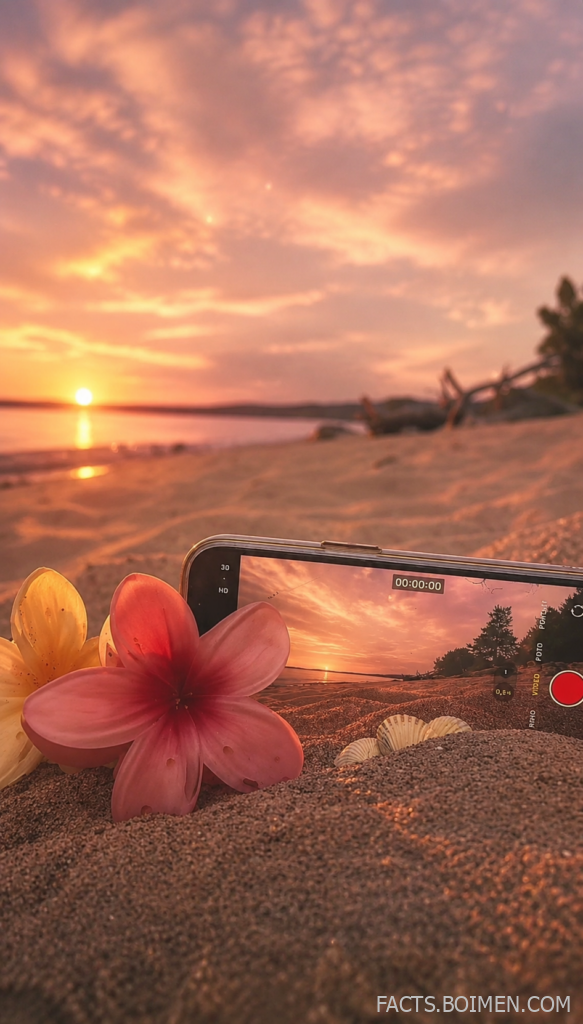
That pin promised something specific: an HD, 00:00:00-style aesthetic video with a soft sunset mood, the kind of dreamy clip that makes a feed feel like golden hour never ended. The good news is you do not need a camera crew, a drone, or a Hollywood budget to make one. What you actually need is the right set of underrated web tools, the kind that quietly power the dreamiest edits on the internet while staying almost invisible to the mainstream. Below are 19 of them, plus a few bonus finds, all free or free-to-try, all capable of producing that soft, glowing, HD sunset look.
Table of Contents(Click to Toggle)
- Why These Tools Matter for Dreamy Sunset Content
- The 19 Best Tools for HD Aesthetic Sunset Videos
- 1. Mixkit
- 2. Pexels Videos
- 3. Videvo
- 4. Coverr
- 5. Pixabay Videos
- 6. Vecteezy
- 7. Mazwai
- 8. Life of Vids
- 9. CapCut Online
- 10. Kapwing
- 11. Clipchamp
- 12. Canva Video
- 13. Runway
- 14. Pika
- 15. Kaiber
- 16. Luma AI
- 17. Kling AI
- 18. Fotor
- 19. Pixlr
- Bonus: Picsart
- Bonus: Snapseed
- Bonus: VSCO
- Bonus: Lightroom Mobile
- Bonus: InShot
- The Dreamiest Corners of the Web (So Far)
Why These Tools Matter for Dreamy Sunset Content
Sunset footage is one of the most searched visual moods online, and for good reason. Soft skies, golden tides, and pink haze are universal, calming, and endlessly shareable. But here is the catch: most people assume you need expensive gear to get that HD aesthetic look. You do not. The tools below handle the three things that actually matter, sourcing clean HD footage, applying soft glow and color grading, and exporting a polished clip without watermarks or weird compression. Many are free, most require no account, and a few are so new they still feel like secrets. Bookmark this list before it becomes the default answer everyone gives.
The 19 Best Tools for HD Aesthetic Sunset Videos
1. Mixkit : Free HD stock clips with a genuinely cinematic feel
What it is: A free stock library from the team behind Envato, offering HD and 4K video clips alongside music and templates.
Category: Stock video library
Why it stands out:
- Sunset, ocean, and golden-hour clips are a dedicated category, not an afterthought.
- No attribution required for most clips, which matters if you post to Pinterest or TikTok.
- Downloads are fast and come in clean MP4 without watermarks.
Best for: Creators who want a finished-looking clip in under five minutes.
2. Pexels Videos : The most reliable free HD footage source on the web
What it is: A massive community-contributed library of free photos and videos, all under a generous license.
Category: Stock video library
Why it stands out:
- Search “sunset ocean” and you get thousands of results, filterable by orientation and resolution.
- Vertical clips are plentiful, perfect for Pinterest and Reels.
- The license allows commercial use, which most casual users never realize.
Best for: Anyone building a consistent aesthetic feed from scratch.
3. Videvo : Deep catalog of moody, atmospheric nature clips
What it is: A stock video site with a mix of free and premium clips, plus motion graphics and sound effects.
Category: Stock video library
Why it stands out:
- Its free tier includes plenty of slow-motion waves and cloud timelapses.
- Clips are organized by mood, so you can browse “calm” or “dreamy” directly.
- Some clips require attribution, so check the license badge before downloading.
Best for: Editors who want atmosphere over action.
4. Coverr : Beautiful free backgrounds made for looping
What it is: A curated free video site designed originally for website backgrounds but now widely used for social content.
Category: Stock video library
Why it stands out:
- Every clip is chosen for visual calm, which fits the soft-sky aesthetic perfectly.
- Clips loop seamlessly, ideal for wallpaper-style videos.
- No sign-up wall for most downloads.
Best for: Making seamless looping sunset wallpapers.
5. Pixabay Videos : Huge free library with zero attribution pressure
What it is: A long-running free media site with millions of images, videos, and audio files.
Category: Stock video library
Why it stands out:
- Everything is under a simplified license that allows free use, even commercially.
- The search filters for resolution and video type are unusually detailed.
- Quality varies, so sort by popularity to skip the weaker uploads.
Best for: Budget creators who need volume, not perfection.
6. Vecteezy : Stock video with a strong aesthetic design bent
What it is: A stock marketplace for vectors, photos, and video, with a solid free section.
Category: Stock video library
Why it stands out:
- Its free videos include abstract light leaks and gradient overlays that pair well with sunsets.
- Attribution is required on free downloads, so plan your caption accordingly.
- The premium tier is affordable if you need exclusive clips.
Best for: Adding abstract glow overlays to plain footage.
7. Mazwai : A hand-picked collection of cinematic free clips
What it is: A small, curated library of free HD and 4K clips selected by an editor rather than an algorithm.
Category: Stock video library
Why it stands out:
- Every clip feels like it belongs in a film, not a stock catalog.
- Attribution is required, but the quality justifies the credit.
- The library is small, which makes browsing fast instead of overwhelming.
Best for: Editors who want a cinematic look without a subscription.
8. Life of Vids : Free clips with a soft, natural color palette
What it is: A free video site from a small studio, offering clips and loops with a calm, organic feel.
Category: Stock video library
Why it stands out:
- Its color grading is already soft and warm, so less editing is needed.
- Clips are short and loop-friendly, great for wallpaper videos.
- The library is modest but consistently on-mood.
Best for: Minimal editing workflows where the footage does the work.
9. CapCut Online : Browser-based editing with built-in aesthetic filters
What it is: A free online video editor with templates, effects, and a surprisingly deep filter library.
Category: Video editor
Why it stands out:
- Its “soft glow” and “golden hour” filters are one-click versions of the look you want.
- Auto-captions and beat-sync make it easy to match clips to music.
- Exports are watermark-free at standard resolutions.
Best for: Fast edits that still look intentional.
10. Kapwing : Collaborative editing that runs entirely in a browser
What it is: A web-based editor focused on quick cuts, subtitles, and resizing for social platforms.
Category: Video editor
Why it stands out:
- The smart resize tool instantly reframes a clip for Pinterest, Reels, or TikTok.
- Cloud projects mean you can start on a laptop and finish on a phone.
- Free exports can include a small watermark, so check before publishing.
Best for: Repurposing one sunset clip across multiple platforms.
11. Clipchamp : Microsoft’s free editor with a clean, simple timeline
What it is: A free video editor now built into Windows, with templates and stock assets included.
Category: Video editor
Why it stands out:
- The timeline is beginner-friendly without being limiting.
- Built-in stock footage means you can assemble a clip without leaving the app.
- Some premium assets require a paid plan, but the free tier covers most needs.
Best for: Windows users who want editing without installing extra software.
12. Canva Video : Design-first editing with dreamy preset palettes
What it is: Canva’s video tool, blending template design with straightforward clip editing.
Category: Video editor
Why it stands out:
- Its preset color palettes include soft pink and warm gold combinations.
- Templates are already sized for Pinterest and Instagram.
- Free plan users get plenty of assets, though premium ones are locked.
Best for: Designers who want video and graphics in one place.
13. Runway : AI video generation and editing for surreal sky effects
What it is: A creative AI suite with text-to-video, motion brushes, and advanced editing tools.
Category: AI video tool
Why it stands out:
- Its motion brush lets you animate specific parts of a still sunset image.
- Style transfer can turn plain footage into a painterly dreamscape.
- Free credits are limited, so experiment with short clips first.
Best for: Turning a single sunset photo into moving footage.
14. Pika : Playful AI video generation with strong motion control
What it is: An AI video platform focused on short, stylized clips generated from text or images.
Category: AI video tool
Why it stands out:
- It handles fluid motion like waves and drifting clouds especially well.
- Effects like “inflate” and “melt” create surreal but shareable results.
- Generation times vary, and free credits refresh slowly.
Best for: Creators experimenting with dreamlike motion.
15. Kaiber : AI animation built around music and mood
What it is: An AI video tool designed for musicians and visual artists, with style-driven animation.
Category: AI video tool
Why it stands out:
- Audio-reactive animation syncs visuals to a track automatically.
- Its style presets lean artistic rather than photorealistic.
- Pricing is credit-based, so plan your renders.
Best for: Sunset clips paired with ambient or lo-fi music.
16. Luma AI : Smooth, high-fidelity AI motion from a single image
What it is: Luma’s Dream Machine generates video from text or images with impressive coherence.
Category: AI video tool
Why it stands out:
- It preserves the original image’s lighting, which keeps sunset tones intact.
- Camera motion prompts like “slow pan” work reliably.
- Free generations are limited per day.
Best for: Animating a favorite sunset photo with minimal effort.
17. Kling AI : Longer AI clips with realistic physics
What it is: An AI video generator known for producing longer, more physically believable clips.
Category: AI video tool
Why it stands out:
- It handles water and cloud movement with fewer visual glitches than many rivals.
- Clip length options exceed most free competitors.
- Access can be slow during peak hours.
Best for: Realistic ocean and horizon shots.
18. Fotor : Photo and video editing with one-tap aesthetic filters
What it is: An all-in-one editing platform covering photos, video, and design.
Category: Photo and video editor
Why it stands out:
- Its filter library includes soft-focus and pastel presets built for sky imagery.
- The video editor supports trimming, text, and music without a steep learning curve.
- Free exports may include a watermark on some tools.
Best for: Quick color grading on both stills and clips.
19. Pixlr : Browser photo editing with strong color tools
What it is: A long-running web-based image editor with AI-assisted features.
Category: Photo editor
Why it stands out:
- Its curve and hue tools give precise control over pink and orange tones.
- No installation required, and it works on modest hardware.
- Ads appear on the free tier, which is a fair trade for the toolset.
Best for: Fine-tuning a sunset frame before animating it.
Bonus: Picsart : Mobile editing with trendy glow effects
What it is: A mobile-first creative suite with photo and video editing plus a large sticker and effect library.
Category: Mobile editor
Why it stands out:
- Its glow and blur effects are tuned for social aesthetics.
- Templates update constantly, so it rarely feels stale.
- Many effects sit behind a subscription.
Best for: Phone-only creators who edit on the go.
Bonus: Snapseed : Free, precise mobile color grading
What it is: A free photo editor from Google with professional-grade adjustment tools.
Category: Mobile editor
Why it stands out:
- The selective tool lets you brighten only the sky.
- No ads and no account required.
- It is photo-only, so pair it with a video editor.
Best for: Careful, layer-free color tweaks.
Bonus: VSCO : The original soft-film preset app
What it is: A photo app famous for its film-inspired presets and muted color science.
Category: Mobile editor
Why it stands out:
- Its presets are the reason the “soft aesthetic” look exists online.
- Editing is subtle by default, which suits sunset tones.
- Most presets require a membership.
Best for: Consistent, recognizable feed styling.
Bonus: Lightroom Mobile : Desktop-grade color control on your phone
What it is: Adobe’s photo editor, with a free mobile version offering core color tools.
Category: Mobile editor
Why it stands out:
- Color grading wheels let you push shadows toward pink and highlights toward gold.
- Presets can be saved and reused across an entire series.
- Premium features need a subscription.
Best for: Building a signature sunset look.
Bonus: InShot : Fast mobile video editing with aesthetic filters
What it is: A popular mobile video editor for trimming, filters, music, and text.
Category: Mobile editor
Why it stands out:
- Its filter set includes warm, hazy presets that flatter sky footage.
- Export resolution options go up to 4K on supported devices.
- A watermark appears unless you upgrade.
Best for: Quick edits straight from your camera roll.
The Dreamiest Corners of the Web (So Far)
The tools above cover the full journey, from finding clean HD footage to grading it into that soft, glowing aesthetic and exporting a clip that actually looks like the pin promised. None of them require a studio, and most cost nothing to try. The trick is not one magic app but a small stack: a stock library for footage, an editor for motion, and a color tool for mood. Start with two or three, build a workflow, and you will be producing dreamy sunset content faster than you expect. Which of these tools ended up in your own rotation?



