
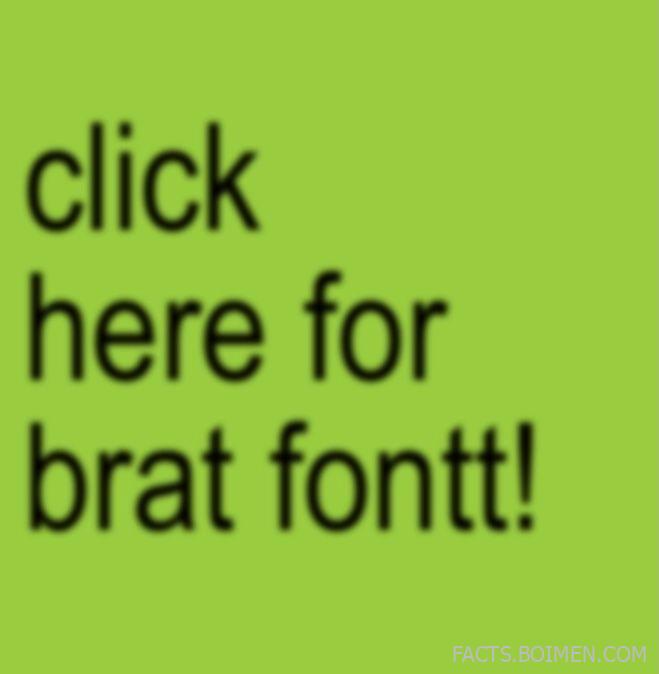
If you have spent any time online lately, you have seen it: plain lowercase text, stretched across a flat slime-green square, looking almost like a mistake but feeling completely intentional. That is the brat aesthetic, and the font behind it turned a simple album cover into one of the most recognizable visual identities of the decade. The good news is you do not need design software or a budget to recreate it. This list gathers 18 brat font generators, text tools, and typography utilities that let you type a word and walk away with that instantly recognizable look.
Table of Contents(Click to Toggle)
Why Brat Font Tools Became the Internet’s Favorite Aesthetic
The brat look works because it is almost aggressively simple. A lowercase word, a slightly condensed sans-serif, and that very specific shade of green. No gradients, no drop shadows, no decoration. That minimalism is exactly why it spread so fast: anyone with a browser can make one in under a minute, and the result is instantly readable as a cultural reference.
What makes the trend interesting from a design perspective is how it borrows from early-2000s web aesthetics and corporate branding at the same time. The typeface sits somewhere between a utilitarian system font and a cheeky internet meme, which is why brands, meme accounts, and musicians all adopted it within weeks. The tools below range from one-click brat generators to full typography playgrounds, so you can either replicate the exact look or push it in your own direction.
Whether you want a matching profile picture, a party invite, or a genuinely useful font library for future projects, these 18 picks cover the whole spectrum.
18 Brat Font Generators and Text Tools for the Iconic Look
1. Brat Generator : One-click brat-style text images
What it is: A dedicated web tool that turns any short phrase into a brat-style square image.
Category: Meme and aesthetic generator
Why it stands out:
- Preloaded with the recognizable lowercase type and green background, so there is nothing to configure
- Exports a clean square image sized for social profiles and posts
- Works instantly in the browser with no signup or download
Best for: Anyone who wants the exact brat look in seconds rather than building it from scratch.
2. Fontget : Free font downloads with quick previews
What it is: A free font library with categories, previews, and direct downloads.
Category: Font download library
Why it stands out:
- Lets you type your own sample text before downloading, so you can test how a condensed sans-serif feels
- Organizes fonts by style, which makes finding brat-adjacent typefaces fast
- Most files are free for personal use, with license details listed per font
Best for: Designers hunting for a close alternative to the brat typeface without paying.
3. DaFont : The classic archive of free typefaces
What it is: One of the oldest and largest free font archives on the web.
Category: Font archive
Why it stands out:
- Thousands of sans-serif and display fonts, many with a similarly blunt, unpolished feel
- Each font page shows the designer, license, and a custom preview box
- Useful for finding lowercase-only or condensed styles that mimic the brat aesthetic
Best for: People who enjoy browsing and collecting fonts rather than grabbing one and leaving.
4. FontSpace : Curated free fonts with clear licensing
What it is: A free font site focused on easy browsing and transparent usage rights.
Category: Font download library
Why it stands out:
- License information is displayed prominently, which matters if you plan to use a font commercially
- Search filters help you narrow down by style, popularity, and date added
- Includes many geometric and humanist sans-serifs that suit minimal meme graphics
Best for: Creators who need to know exactly what they are allowed to do with a font.
5. 1001 Fonts : A huge free library with simple previews
What it is: A long-running free font directory with thousands of entries.
Category: Font archive
Why it stands out:
- Clean preview interface that shows each font at multiple sizes
- Category browsing makes it easy to jump straight to sans-serif and techno styles
- No account needed to download individual font files
Best for: Quick, no-friction font hunting when you already know the vibe you want.
6. Google Fonts : Free, web-ready fonts with instant embedding
What it is: Google’s open-source font service, built for both design and web use.
Category: Web font platform
Why it stands out:
- Every font can be embedded on a website with a single line of code
- The catalog includes several neutral, low-contrast sans-serifs that read as brat-adjacent
- Pairing suggestions and variable font support make it a serious design tool
Best for: Anyone building a page, profile, or project that needs the look to live on the web.
7. Coolors : Fast color palettes for that signature green
What it is: A color palette generator and explorer.
Category: Color tool
Why it stands out:
- Helps you lock in a consistent green if you are recreating the brat background manually
- Generates complementary palettes so you can extend the aesthetic beyond one color
- Exports hex codes you can paste straight into any design app
Best for: Designers who want the brat palette but with their own twist.
8. Canva : Drag-and-drop design with a deep font library
What it is: A browser-based graphic design platform with templates and typography controls.
Category: Design platform
Why it stands out:
- Lets you set text in any installed font and export at exact social dimensions
- Free tier includes a large enough font selection to build a brat-style graphic
- Templates speed up making matching profile pictures, invites, or story graphics
Best for: People who want more control than a one-click generator but no real learning curve.
9. Photopea : A free Photoshop-style editor in your browser
What it is: A web app that mimics professional raster and vector editing.
Category: Image editor
Why it stands out:
- Opens PSD files and supports layers, so you can fine-tune spacing and kerning
- Runs entirely in the browser with no installation
- Free to use, with ads supporting the project
Best for: Users who want pixel-level control over their brat-style composition without paying for software.
10. Pixlr : Quick online photo and text editing
What it is: A suite of browser-based editing tools for photos and graphics.
Category: Image editor
Why it stands out:
- Simple text layers make it easy to drop a lowercase word onto a colored square
- Includes templates and AI-assisted tools for faster edits
- Works on mobile browsers as well as desktop
Best for: Fast edits on the go when you just need a clean text-on-color image.
11. Kapwing : Text and image editing built for social content
What it is: An online creative studio focused on social-ready images and videos.
Category: Content creation suite
Why it stands out:
- Preset canvas sizes match common social formats, so nothing gets cropped awkwardly
- Text styling controls cover spacing, alignment, and color
- Also handles video, useful if you want an animated brat-style clip
Best for: Creators producing a batch of matching graphics for multiple platforms.
12. MockoFun : A free graphic designer with text effects
What it is: An online design tool with templates, shapes, and typography effects.
Category: Graphic design tool
Why it stands out:
- Offers text effect presets and curve tools for more experimental typography
- Includes a large library of free fonts and shapes
- Exports high-resolution files suitable for print as well as screen
Best for: Users who want to remix the brat aesthetic rather than copy it exactly.
13. Font Meme : Text generators styled after famous logos
What it is: A collection of text generators that imitate recognizable brand and pop-culture lettering.
Category: Text generator
Why it stands out:
- Each generator produces a downloadable image from your own text
- Useful for quickly mimicking a specific typographic style without installing fonts
- Free and browser-based, with no account required
Best for: Making themed text images when you want a recognizable look fast.
14. Textcraft : Retro-style text graphics in seconds
What it is: A simple generator for stylized text images with retro and game-inspired themes.
Category: Text generator
Why it stands out:
- Extremely fast: type, choose a style, download
- Themes lean nostalgic, which pairs well with the brat trend’s early-web energy
- No signup, no watermark, no fuss
Best for: Quick novelty text images and playful profile graphics.
15. BrandCrowd : Logo and text design with font pairing help
What it is: A design platform specializing in logos and branded text layouts.
Category: Branding tool
Why it stands out:
- Suggests font pairings, which helps if you want a brat-inspired wordmark plus supporting text
- Generates editable templates you can customize in the browser
- Good middle ground between a meme generator and a real design suite
Best for: Small creators building a consistent visual identity around a single typeface.
16. Placeit : Mockups and templates for instant visuals
What it is: A template and mockup generator for social posts, merch, and branding.
Category: Template generator
Why it stands out:
- Lets you preview your brat-style text on apparel, phone cases, and social layouts
- Templates are editable in the browser with no design software
- Useful for turning a text graphic into a product mockup
Best for: Anyone curious how the aesthetic looks on physical merch before committing.
17. Fontjoy : AI-assisted font pairing
What it is: A tool that generates harmonious font combinations at the click of a button.
Category: Typography tool
Why it stands out:
- Shows three-font pairings you can lock and regenerate individually
- Great for building a headline-and-body system around a minimal sans-serif
- Simple, focused interface with no clutter
Best for: Designers who want to move beyond a single font and build a full type system.
18. Type Scale : Visualize font sizes before you commit
What it is: A browser tool for previewing typographic scale and sizing.
Category: Typography utility
Why it stands out:
- Shows how a font looks at every size in a hierarchy, from caption to headline
- Adjustable base size and scale ratio make it easy to test proportions
- Helps avoid the common mistake of text that looks fine in one size and cramped in another
Best for: Anyone laying out a poster, page, or graphic where type size actually matters.
Bonus Mentions
Font Squirrel : Hand-picked free fonts with commercial-use clarity
A curated library that vets fonts for licensing, which is helpful when you want a brat-like sans-serif you can safely use in paid work.
WhatFontIs : Identify a font from an image
Upload a screenshot and it suggests matching typefaces, a practical way to reverse-engineer a look you spotted online.
FontStruct : Build your own font from scratch
A free modular font builder for anyone who wants to design a custom brat-inspired typeface rather than download one.
Remove.bg : Clean background removal for text overlays
Handy when you are compositing text over photos and need a clean cutout first.
TinyPNG : Compress exported images without visible quality loss
Keeps your finished brat-style graphics sharp while staying under upload size limits.
The Brat Font Toolkit That Keeps On Giving
The brat aesthetic proved something simple: a typeface plus one color can become a whole visual language. The tools above cover every way to get there, from a one-click generator that finishes the job in seconds to full typography platforms that let you build something entirely your own. Start with the generator if you just want the look, then graduate to the font libraries and pairing tools when you are ready to make it personal.
Most of these options are free, browser-based, and require no design experience, which is exactly why the trend spread the way it did. Bookmark the ones that fit your workflow, and you will always have a fast way to turn a phrase into something that looks intentional.
Which brat font tool ended up being your favorite, and did you find a typeface that nails the look even better? Share your best find in the comments.



