
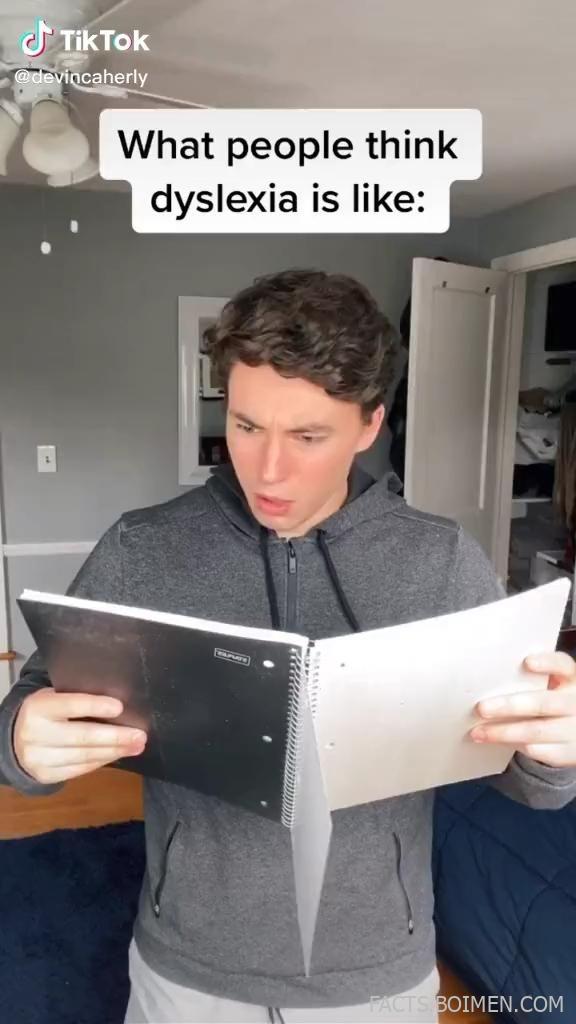
Most people assume dyslexia is just seeing letters backwards. It is not. It is a different way the brain processes written language, and the gap between the popular image and the lived reality is enormous. The fastest way to close that gap is to actually try a simulation. The tools below let you experience scrambled text, slowed reading speed, crowded letters, and the mental fatigue that comes with decoding every single word. Whether you are a teacher, a parent, a designer, or simply curious, these 18 dyslexia simulation tools and experiences will change how you think about reading forever.
Table of Contents(Click to Toggle)
- Why Dyslexia Simulations Matter More Than Definitions
- 18 Dyslexia Simulation Tools and Experiences
- 1. Understood.org’s Through Your Child’s Eyes
- 2. Nessy’s Dyslexia Simulation Videos
- 3. Dyslexia Simulation by the Yale Center for Dyslexia
- 4. WebAIM’s Cognitive Disability Simulation
- 5. Chrome Lens Dyslexia Simulator Extension
- 6. OpenDyslexic Font by Abelardo Gonzalez
- 7. Dyslexie Font by Christian Boer
- 8. BeeLine Reader
- 9. Microsoft Immersive Reader
- 10. Google Read Along
- 11. NaturalReader
- 12. Speechify
- 13. Dyslexia Quest by Nessy
- 14. Lexia PowerUp Literacy
- 15. The Reading Brain Project Simulator
- 16. Dyslexiaville
- 17. Made By Dyslexia
- 18. The Dyslexia Foundation
- Bonus Mentions
- The Internet’s Best-Kept Secrets (So Far)
Why Dyslexia Simulations Matter More Than Definitions
Reading a definition of dyslexia tells you almost nothing. You can memorize that it affects phonological processing and decoding, and still have no idea what it feels like to spend twenty minutes on a paragraph that takes most people thirty seconds. Simulations bridge that gap. They force you to experience the cognitive load, the visual crowding, and the exhaustion that comes with every page of text.
This matters because empathy drives better design, better teaching, and better support. When a teacher understands why a student avoids reading aloud, the response changes from frustration to accommodation. When a designer sees how a cluttered layout affects a dyslexic reader, the fix becomes obvious. The tools below range from quick browser simulations to full assistive reading platforms, and each one offers a different angle on the same experience.
18 Dyslexia Simulation Tools and Experiences
1. Understood.org’s Through Your Child’s Eyes : The most emotionally direct simulation for parents and teachers
What it is: An interactive experience from Understood.org that lets you hear and see reading tasks the way a child with dyslexia might experience them.
Category: Interactive simulation
Why it stands out:
- Simulates the frustration and time pressure of classroom reading
- Includes audio of what decoding feels like in real time
- Designed specifically for parents who want to understand their child’s daily struggle
Best for: Parents and teachers who need an emotional entry point into dyslexia.
2. Nessy’s Dyslexia Simulation Videos : Short, shareable clips that make the invisible visible
What it is: A collection of videos from Nessy that simulate reading with dyslexia using blurring, letter swapping, and speed distortion.
Category: Video simulation
Why it stands out:
- Videos are short enough to share in a staff meeting or classroom
- Shows how text can appear to move or blur for some readers
- Paired with Nessy’s broader library of dyslexia resources
Best for: Anyone who needs a quick, visual explanation to share with others.
3. Dyslexia Simulation by the Yale Center for Dyslexia : Research-backed perspective from a leading institution
What it is: The Yale Center for Dyslexia and Creativity offers explanations and simulation-style demonstrations grounded in decades of research.
Category: Educational resource
Why it stands out:
- Backed by one of the most respected dyslexia research centers in the world
- Explains the science behind why simulation exercises work
- Includes resources for educators and employers
Best for: Readers who want credibility and depth alongside the experience.
4. WebAIM’s Cognitive Disability Simulation : A web accessibility lens on reading difficulty
What it is: WebAIM provides accessibility simulations, including cognitive and reading-related challenges, to help designers understand barriers.
Category: Accessibility simulation
Why it stands out:
- Focuses on how poor web design compounds reading difficulty
- Practical for anyone building websites or digital products
- Free and widely used in accessibility training
Best for: Web designers and developers who want to build more readable pages.
5. Chrome Lens Dyslexia Simulator Extension : Turn any webpage into a dyslexia experience
What it is: Browser extensions that apply dyslexia-like distortions to real web pages so you can see how a site reads under those conditions.
Category: Browser extension
Why it stands out:
- Works on any website, not just a demo page
- Lets you test your own content for readability
- Installs in seconds and toggles on and off instantly
Best for: Content creators who want to stress-test their own writing and layouts.
6. OpenDyslexic Font by Abelardo Gonzalez : A free typeface designed to reduce letter confusion
What it is: An open-source font with weighted bottoms and unique letter shapes intended to make letters harder to flip or swap.
Category: Assistive font
Why it stands out:
- Completely free and open source for personal and commercial use
- Available as a browser extension and downloadable font
- One of the most recognized dyslexia-friendly typefaces in the world
Best for: Readers who want to try a dyslexia-friendly font on their own device.
7. Dyslexie Font by Christian Boer : A designer’s answer to letter flipping
What it is: A commercial typeface created by a Dutch designer with dyslexia, featuring heavier bottoms and distinct letterforms.
Category: Assistive font
Why it stands out:
- Each letter is designed to be unmistakably different from its mirror image
- Used by schools and publishers around the world
- Offers a free trial so you can test readability before buying
Best for: Schools and publishers looking for a polished, tested dyslexia font.
8. BeeLine Reader : Color gradients that guide your eyes across lines
What it is: A tool that applies a color gradient across lines of text to help readers track from one line to the next.
Category: Reading aid
Why it stands out:
- Reduces line-skipping, a common issue for dyslexic readers
- Works as a browser extension and on some e-readers
- Simple visual change with an immediate effect on reading flow
Best for: Readers who lose their place frequently while reading long passages.
9. Microsoft Immersive Reader : Built-in reading support across Microsoft apps
What it is: A free tool inside Microsoft Word, Edge, and Teams that reads text aloud, adjusts spacing, and highlights parts of speech.
Category: Assistive reading tool
Why it stands out:
- Already installed for millions of Microsoft users, no download needed
- Line focus mode highlights one line at a time to reduce visual overload
- Supports translation and read-aloud in multiple languages
Best for: Students and professionals already working inside Microsoft’s ecosystem.
10. Google Read Along : A friendly reading coach for early readers
What it is: A Google app that listens to a child read aloud and offers encouragement and help with tricky words.
Category: Reading practice app
Why it stands out:
- Uses speech recognition to give real-time feedback
- Includes a library of leveled stories
- Works offline and is free with no ads
Best for: Young readers who need low-pressure practice at home.
11. NaturalReader : Turn any text into natural-sounding speech
What it is: A text-to-speech tool that reads documents, web pages, and PDFs aloud with a choice of natural voices.
Category: Text-to-speech
Why it stands out:
- Handles PDFs and scanned documents, which many readers struggle with
- Offers a free tier plus a browser extension
- Adjustable speed helps readers follow along without losing focus
Best for: Students who need to get through dense reading assignments.
12. Speechify : Listen to anything, from articles to entire books
What it is: A popular text-to-speech app that reads web pages, documents, and ebooks in a range of natural voices.
Category: Text-to-speech
Why it stands out:
- Syncs across phone, browser, and desktop
- Can read entire books in a fraction of the time it takes to read them
- Widely recommended by dyslexic adults for managing heavy reading loads
Best for: Adults and students who want to consume more content by listening.
13. Dyslexia Quest by Nessy : A game-based way to build reading skills
What it is: A series of educational games from Nessy that target memory, phonics, and processing skills linked to reading.
Category: Learning game
Why it stands out:
- Turns practice into play, which keeps struggling readers engaged
- Based on structured literacy principles
- Progress tracking helps parents and teachers see improvement
Best for: Children who resist traditional reading practice but respond to games.
14. Lexia PowerUp Literacy : Structured literacy support for older students
What it is: A research-based literacy program designed for students in grades 6 and up who still struggle with foundational reading skills.
Category: Literacy program
Why it stands out:
- Targets older students who often get overlooked in reading intervention
- Adaptive lessons adjust to each learner’s level
- Used in thousands of schools with documented results
Best for: Middle and high school students who need age-appropriate reading support.
15. The Reading Brain Project Simulator : See how the brain builds reading pathways
What it is: An educational project that explains and demonstrates how the brain learns to read, including what happens differently in dyslexia.
Category: Educational simulation
Why it stands out:
- Connects neuroscience to everyday reading struggles
- Helps parents understand why early intervention matters
- Visual explanations make abstract brain processes concrete
Best for: Anyone who wants the science behind the simulation.
16. Dyslexiaville : A community and resource hub for dyslexic kids and families
What it is: An online destination with videos, characters, and resources designed to help children with dyslexia feel seen and supported.
Category: Community resource
Why it stands out:
- Focuses on confidence and identity, not just skill drills
- Content is made for kids, not just about them
- Offers a positive counter-narrative to the deficit-focused view of dyslexia
Best for: Families looking for encouraging, kid-friendly content.
17. Made By Dyslexia : A global charity reframing dyslexia as a strength
What it is: A charity founded by successful dyslexic entrepreneurs that trains teachers and advocates for dyslexia awareness worldwide.
Category: Advocacy and training
Why it stands out:
- Free training courses for teachers and parents
- Highlights dyslexic thinking as a valuable skill in the workplace
- Partners with major companies and schools to spread awareness
Best for: Educators and employers who want to build dyslexia-friendly environments.
18. The Dyslexia Foundation : Connecting research to real-world support
What it is: A nonprofit that funds research and provides resources to help people with dyslexia and their families.
Category: Nonprofit resource
Why it stands out:
- Bridges the gap between academic research and practical help
- Offers conferences, publications, and community connections
- Long-standing credibility in the dyslexia community
Best for: Researchers, advocates, and families seeking trusted information.
Bonus Mentions
LD Online : A deep archive of learning disability information and first-person stories
What it is: One of the oldest and most comprehensive websites for learning disabilities, including dyslexia.
Category: Information archive
Why it stands out:
- Decades of articles, interviews, and personal essays
- Practical advice for parents navigating school systems
- Free and ad-light compared to many modern alternatives
Best for: Parents who want long-form, reliable reading material.
The Dyslexic Advantage : A strength-based look at the dyslexic mind
What it is: A nonprofit and book project that focuses on the cognitive strengths associated with dyslexia.
Category: Advocacy and education
Why it stands out:
- Shifts the conversation from deficits to distinctive abilities
- Backed by research from the authors of the book of the same name
- Includes resources for parents, educators, and dyslexic adults
Best for: Readers who want a hopeful, research-driven perspective.
Bookshare : An accessible online library for readers who struggle with print
What it is: A free library of accessible ebooks for people with reading barriers, including dyslexia.
Category: Accessible library
Why it stands out:
- Hundreds of thousands of titles in accessible formats
- Free for qualifying U.S. students and adults
- Works with text-to-speech and braille displays
Best for: Readers who need accessible versions of books they are assigned or want to read.
Learning Ally : Human-narrated audiobooks for students with reading differences
What it is: A nonprofit that provides human-read audiobooks and support services for students with dyslexia and other reading barriers.
Category: Audiobook service
Why it stands out:
- Human narration sounds more natural than robotic text-to-speech
- Includes tools that sync audio with highlighted text
- Widely used in schools across the United States
Best for: Students who need engaging, human-read audio versions of their textbooks and novels.
Understood.org’s Resource Library : A one-stop shop for dyslexia guides and tools
What it is: The broader resource section of Understood.org, covering dyslexia, ADHD, and other learning differences.
Category: Resource hub
Why it stands out:
- Thousands of articles, videos, and downloadable tools
- Organized by age and topic so you can find help fast
- Free and updated regularly with expert input
Best for: Parents and teachers who want a single trusted starting point.
The Internet’s Best-Kept Secrets (So Far)
The gap between what people think dyslexia is and what it actually feels like is not closed by a single article or a single simulation. It is closed by experience. Try one of these tools today, even for five minutes. Turn on a simulation, read a paragraph through it, and notice how quickly your patience wears thin. That small moment of discomfort is a window into what millions of readers navigate every day, and it is the beginning of real understanding.
These tools are not just for people with dyslexia. They are for anyone who wants to design better classrooms, build better websites, or simply be a more informed human. The best discoveries are the ones that change how you see something you thought you already understood.
Which of these tools surprised you the most, or do you have a favorite dyslexia resource that did not make the list? Share it in the comments below.



