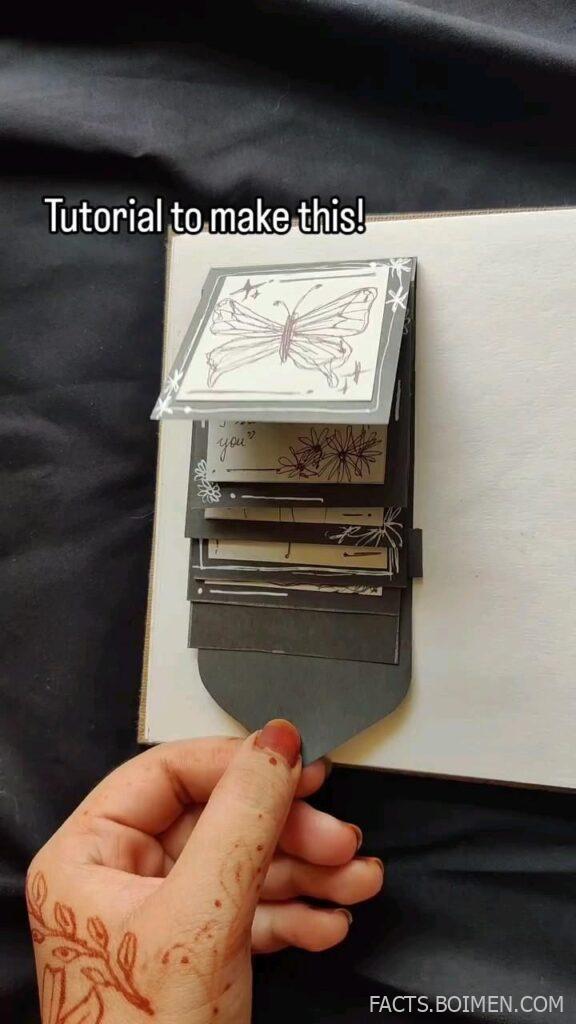
You see a cute little doodle on your feed, and you think: “I want to make that.” The good news is you do not need an art degree, an expensive tablet, or years of practice. You just need the right tutorial that breaks everything into small, followable steps. This list collects 15 genuinely useful art tutorials and step-by-step drawing guides that anyone can start today, from simple character doodles to soft pastel-style sketches. Each one is beginner-friendly, free or low-cost, and designed to get you from a blank page to a finished drawing you are proud to post.
Table of Contents(Click to Toggle)
Why Easy Art Tutorials Are the Fastest Way to Improve
Most people quit drawing because they start with something too hard. A tutorial flips that: it gives you a finished result to aim for and a sequence of steps to get there. That structure removes the guesswork, so you spend your energy on the fun part — actually drawing. Beginner tutorials also teach you shortcuts that took other artists years to figure out, like how to block in shapes before adding detail, or how to keep line weight consistent. The best part? You can finish a cute drawing in ten to twenty minutes, which means you get a small win every single session. That loop of quick results is what keeps you coming back, and it is exactly how skills compound over time.
15 Easy Art Tutorials to Make This Cute Drawing Today
1. Art for Kids Hub : The friendliest step-by-step drawing channel for absolute beginners
What it is: A family-run tutorial site and YouTube channel where a dad and his kids draw together, one simple step at a time.
Category: Step-by-step drawing tutorials.
Why it stands out:
- Every lesson is filmed in real time, so you can pause and catch up without guessing.
- The drawings are broken into basic shapes — circles, ovals, and lines — which makes copying genuinely doable.
- Hundreds of free lessons cover animals, characters, and seasonal doodles.
Best for: Total beginners who want a cute finished drawing in under fifteen minutes.
2. Draw So Cute : Adorable character tutorials with a soft, kawaii style
What it is: A popular YouTube channel dedicated to drawing cute characters, food, and animals in a simple kawaii style.
Category: Character and doodle tutorials.
Why it stands out:
- Each video uses a consistent formula: sketch the outline, add the face, then color it in.
- The style is deliberately simple, so your first attempt already looks close to the thumbnail.
- Great for making stickers, journal doodles, or small gifts.
Best for: Anyone who wants that soft, cute aesthetic without complex shading.
3. Skillshare : Structured beginner classes from working illustrators
What it is: A subscription learning platform with thousands of creative classes, including drawing, illustration, and character design.
Category: Online art courses.
Why it stands out:
- Classes are project-based, so you finish with an actual drawing rather than just notes.
- Many instructors teach in Procreate or pencil, covering both digital and traditional paths.
- Free trial periods let you test the format before committing.
Best for: Learners who want a guided course rather than random videos.
4. Procreate : The go-to drawing app for making polished art on an iPad
What it is: A one-time-purchase digital painting app for iPad with a huge library of brushes and tools.
Category: Digital drawing software.
Why it stands out:
- Its brush engine feels natural, which shortens the learning curve for beginners.
- Time-lapse recording is built in, so you can share your process as a reel.
- Thousands of free tutorials online specifically target Procreate beginners.
Best for: Artists who want to draw digitally without a steep software learning curve.
5. Krita : A free, open-source painting program for desktop artists
What it is: A completely free digital painting application for Windows, macOS, and Linux.
Category: Digital drawing software.
Why it stands out:
- No subscription and no watermark — you keep everything you make.
- Its brush stabilizer helps beginners draw smoother lines.
- Community-made brush packs are easy to install.
Best for: Budget-conscious artists who still want professional-grade tools.
6. Pinterest : The fastest way to find a reference for any cute drawing idea
What it is: A visual discovery platform where you can collect reference images and tutorial pins into boards.
Category: Inspiration and reference.
Why it stands out:
- Searching a simple phrase like “cute mushroom drawing” returns dozens of step-by-step pins.
- Boards let you organize references by style, color, or project.
- It is a quick way to see how different artists solve the same drawing problem.
Best for: Finding a reference fast when you already know roughly what you want to draw.
7. YouTube : Endless free tutorials, from five-minute doodles to full lessons
What it is: The largest free video library for art instruction, covering every style and skill level.
Category: Video tutorials.
Why it stands out:
- Playback speed controls let you slow a tutorial down to follow along.
- Chapters in many videos let you jump straight to the coloring or linework stage.
- You can find a tutorial for almost any specific subject you can name.
Best for: Learners who prefer watching a real hand draw in real time.
8. Domestika : Affordable creative courses with a strong illustration catalog
What it is: A course marketplace known for well-produced, artist-led classes in illustration and character design.
Category: Online art courses.
Why it stands out:
- Courses are sold individually, so you only pay for what you actually want to learn.
- Instructors often share their exact brushes and color palettes.
- Frequent sales make individual courses quite affordable.
Best for: Artists who want a specific style taught in depth.
9. Line of Action : Free timed figure drawing practice in your browser
What it is: A free web tool that shows reference photos on a timer for gesture and figure drawing practice.
Category: Drawing practice tool.
Why it stands out:
- You can set session lengths from 30 seconds to several minutes per image.
- Categories include animals, hands, and faces, not just full figures.
- No account is required to start practicing.
Best for: Building speed and confidence with quick daily sketches.
10. Drawabox : A free, no-nonsense course on drawing fundamentals
What it is: A structured, text-and-video curriculum focused on line control, perspective, and form.
Category: Fundamentals course.
Why it stands out:
- Lessons build on each other in a clear order, so you always know what to practice next.
- It emphasizes confident linework, which improves every drawing you make afterward.
- The whole course is free, with optional paid critique.
Best for: Beginners who want real skill, not just a one-off cute drawing.
11. Ctrl+Paint : Free digital painting lessons in short, digestible clips
What it is: A library of short digital painting videos covering tools, color, and rendering.
Category: Digital art education.
Why it stands out:
- Videos are only a few minutes each, so you can learn one concept per sitting.
- The early series focuses on software basics that transfer to any app.
- It explains the “why” behind techniques rather than just demonstrating them.
Best for: Self-taught digital artists who want theory without a long course.
12. Quickposes : Random reference images for daily sketching warm-ups
What it is: A free practice site that serves up random poses and references on a timer.
Category: Drawing practice tool.
Why it stands out:
- You can filter by pose type, gender, or difficulty.
- It is ideal for a five-minute warm-up before a longer drawing session.
- The random mode keeps you from over-planning and just starts you drawing.
Best for: Artists who want a quick, low-pressure daily habit.
13. ArtStation Learning : Free professional courses from industry artists
What it is: A free learning section on the portfolio platform ArtStation, featuring courses from working professionals.
Category: Professional art courses.
Why it stands out:
- Courses are free to watch and cover concept art, illustration, and character design.
- Instructors are actively working in games, film, and publishing.
- You can browse the same site to study the portfolios of artists you admire.
Best for: Intermediate learners aiming toward a professional style.
14. The Etherington Brothers : Free “how to think when you draw” reference sheets
What it is: A long-running blog by two professional illustrators sharing free visual tutorials on specific drawing problems.
Category: Reference and technique library.
Why it stands out:
- Each post tackles one narrow topic, like drawing fur, wings, or folds in clothing.
- The illustrations are dense with practical tips you can apply immediately.
- It is a goldmine for filling gaps in your visual vocabulary.
Best for: Artists who want to level up specific details in their drawings.
15. r/learnart : A supportive community for feedback and critique
What it is: A Reddit community where beginners and intermediate artists share work and ask for honest feedback.
Category: Community and critique.
Why it stands out:
- You can post a drawing and get specific, actionable suggestions within hours.
- The subreddit has curated resource lists for common beginner questions.
- Seeing other beginners improve is genuinely motivating.
Best for: Artists who want feedback but do not have a local art group.
Bonus Mentions
Instagram : Follow along with short-form drawing reels
Many artists post sped-up process videos that show a full drawing in under a minute. Watching several in a row is a fast way to absorb composition and color choices.
TikTok : Quick doodle challenges and art trends
Search for drawing challenges and you will find hundreds of bite-sized prompts. The trend format is great for getting unstuck when you do not know what to draw.
Behance : Study finished illustration projects in depth
Artists often post entire project breakdowns, including sketches and final pieces side by side. It is a useful way to see how a rough idea becomes a polished drawing.
DeviantArt : A huge archive of styles and tutorials
Alongside galleries, the site hosts countless free tutorials and brush packs. It is especially strong for anime and fan-art styles.
Pixiv : Japanese illustration community with technique resources
Many creators share process notes and step-by-step images. Even if you do not read Japanese, the visual breakdowns are easy to follow.
The Internet’s Best-Kept Art Secrets
None of these resources require talent you were born with. They require a pencil, a screen, and twenty minutes. The trick is to pick one tutorial, finish it, and resist the urge to jump to something harder before you have that small win. Start with a simple cute drawing from the first few items, then work your way toward the fundamentals courses once you are hooked. Over a few weeks, that stack of tiny finished drawings becomes real skill — and a portfolio you can actually share. Which tutorial on this list are you trying first? Tell me in the comments, and share any hidden-gem art sites you have found.