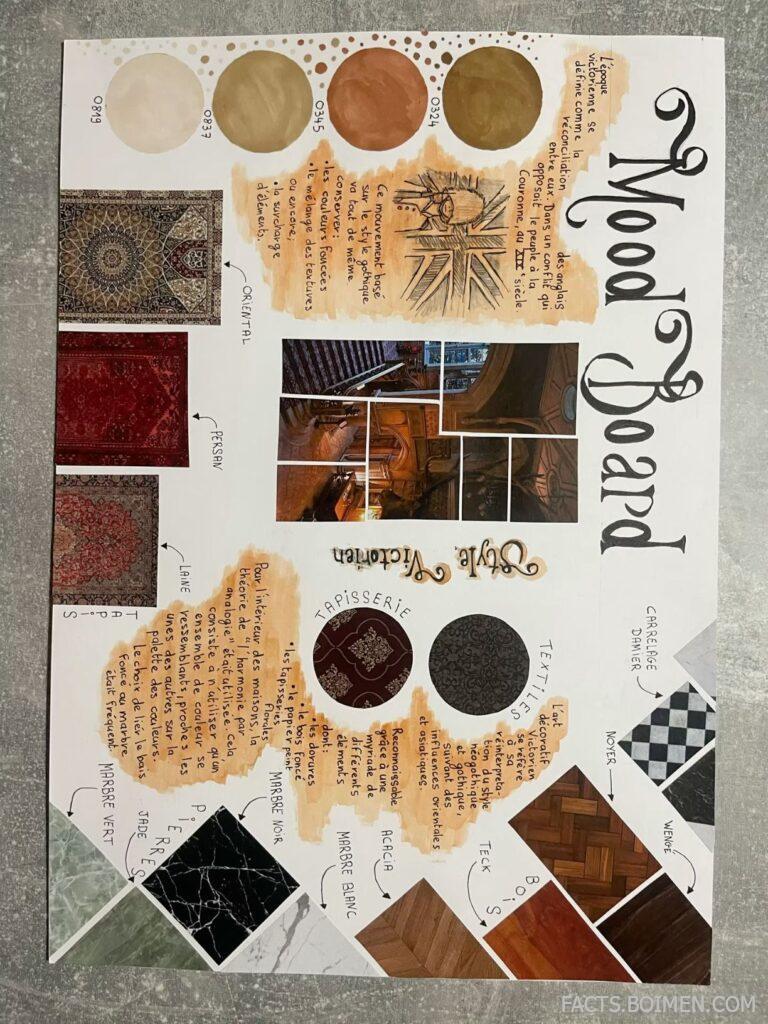
Building a mood board used to mean cutting up magazines and pinning scraps to a corkboard. Today, a handful of quiet, under-the-radar websites let you assemble color palettes, textures, typography, and reference images in minutes — and most of them are free, fast, and built by tiny teams rather than big tech. Whether you are a designer briefing a client, a wedding planner pitching a theme, or someone redecorating a room, the right mood board tool changes how quickly an idea becomes something you can actually show people. Below are 20 genuinely useful mood board websites and visual tools, starting with the one most people have never heard of.
Table of Contents(Click to Toggle)
Why Mood Board Tools Beat Scattered Screenshots
A folder full of random screenshots is not a mood board. A real mood board communicates a direction: warm or cool, minimal or maximal, soft or sharp. When you can arrange references side by side, you start noticing clashes and harmonies you would never catch in a scrolling feed. That is why dedicated mood board tools matter — they give you a canvas, not just a camera roll.
There is also a practical side. Clients, collaborators, and family members respond far better to a single visual page than to a list of adjectives. A well-built board shortens feedback loops, prevents costly miscommunication, and gives you something to return to when a project drifts off course. The tools below range from full creative workspaces to tiny single-purpose utilities, and most have a free tier you can start using today.
20 Mood Board Websites and Visual Tools
1. Milanote : The most complete visual mood board workspace
What it is: A flexible canvas where you drop images, notes, links, and color swatches anywhere you like.
Category: Visual planning workspace
Why it stands out:
- Boards feel like a physical desk — you drag items freely instead of fighting a rigid grid
- Connectors let you link a color swatch to the image that inspired it
- Free plan allows unlimited boards with a cap on total items
Best for: Designers and writers who want one place for references, notes, and tasks.
2. Are.na : A quiet, ad-free space for collecting ideas
What it is: A minimalist platform built around channels, where you save images, text, and links into themed collections.
Category: Inspiration archive
Why it stands out:
- No algorithm, no likes, no ads — purely chronological and calm
- Channels can be connected to each other, forming a web of related ideas
- Favored by artists, researchers, and writers for long-term reference building
Best for: People who want a slow, thoughtful alternative to social feeds.
3. Savee : A high-quality visual bookmarking feed
What it is: A curated image-saving platform that feels like a design-focused Pinterest.
Category: Visual bookmarking
Why it stands out:
- Uploads skew toward professional art direction, photography, and interiors
- Boards are private by default, so you can collect without performing
- Browser extension saves images from any site in one click
Best for: Art directors and photographers building a reference library.
4. Cosmos : A moody, visual-first discovery engine
What it is: An image discovery and saving app with a dark, gallery-like interface.
Category: Visual discovery
Why it stands out:
- Its recommendation engine surfaces lesser-known photographers and studios
- Clusters let you group saved images into themed mood boards
- Interface is deliberately stripped back, so the images do the talking
Best for: Creatives who want fresh references beyond the usual feeds.
5. PureRef : A floating reference board for your desktop
What it is: A lightweight desktop app that sits on top of your other windows and holds all your reference images.
Category: Desktop reference tool
Why it stands out:
- Always-on-top mode means you can paint or model while looking at references
- Drag, scale, and crop images directly on the canvas without menus
- Free to download, with a pay-what-you-want option
Best for: Illustrators, 3D artists, and concept designers.
6. Coolors : Generate color palettes in seconds
What it is: A fast palette generator that lets you lock colors and shuffle the rest.
Category: Color tool
Why it stands out:
- Spacebar shuffles a new palette instantly — great for breaking creative block
- Extracts palettes directly from uploaded photos
- Exports to PNG, SVG, and even Adobe Swatch files
Best for: Anyone defining a color scheme for a room, brand, or website.
7. Adobe Color : Professional color harmony with a color wheel
What it is: Adobe’s free color wheel tool for building harmonious palettes.
Category: Color tool
Why it stands out:
- Modes for analogous, complementary, and triadic relationships
- Accessibility checker shows contrast ratios for text on your colors
- Trends section reveals palettes popular in specific industries
Best for: Designers who need color theory built into the workflow.
8. Canva : Drag-and-drop boards for non-designers
What it is: A browser-based design platform with ready-made mood board templates.
Category: Design platform
Why it stands out:
- Thousands of templates mean you can start a board in seconds
- Built-in stock library and font pairing suggestions
- Free plan covers most personal mood board needs
Best for: Beginners, students, and small business owners.
9. Figma : A collaborative canvas that doubles as a mood board
What it is: A design tool where multiple people can edit the same board in real time.
Category: Collaborative design
Why it stands out:
- Live cursors let a whole team pin references together
- Plugins pull in Unsplash images or generate palettes without leaving the file
- Free tier includes unlimited personal files
Best for: Teams that need to agree on a direction fast.
10. Miro : Whiteboard-style boards for workshops
What it is: An online whiteboard built for brainstorming and visual collaboration.
Category: Collaboration whiteboard
Why it stands out:
- Sticky notes, arrows, and frames make it easy to annotate references
- Voting features help a group narrow down favorite directions
- Integrates with Google Drive and Slack for sharing
Best for: Remote teams running creative workshops.
11. Niice : A private search engine for design inspiration
What it is: A curated search tool that pulls references from multiple design sources into one board.
Category: Inspiration search
Why it stands out:
- Searches across several design sites at once instead of one at a time
- Boards can be shared with clients through a simple link
- Focuses on quality over quantity in results
Best for: Agencies presenting concepts to clients.
12. Pinterest : The endless well of visual ideas
What it is: The best-known image-saving platform, with boards for every theme imaginable.
Category: Visual discovery
Why it stands out:
- Unmatched volume of interior, fashion, and wedding references
- Secret boards let you plan surprises privately
- Visual search crops a section of an image to find similar items
Best for: Everyday planning and broad idea gathering.
13. Behance : Deep-dive case studies from working creatives
What it is: Adobe’s portfolio platform, where designers post full project breakdowns.
Category: Portfolio community
Why it stands out:
- Projects show process, not just final images — ideal for research
- Moodboards category gathers boards from real client work
- Following specific studios keeps your feed relevant
Best for: Designers researching how professionals approach a brief.
14. Dribbble : Quick visual snapshots of design trends
What it is: A community where designers share small shots of their work.
Category: Design community
Why it stands out:
- Fast way to see current color and layout trends
- Buckets let you save shots into private collections
- Job board connects inspiration directly to hiring
Best for: UI and brand designers tracking what’s current.
15. Unsplash : Free high-resolution photography for any board
What it is: A library of freely usable photos contributed by photographers worldwide.
Category: Stock photography
Why it stands out:
- License allows commercial use without attribution
- Collections curated by theme make mood boarding quick
- Search filters by orientation and color
Best for: Filling boards with clean, consistent imagery.
16. Pexels : Another strong free photo and video source
What it is: A free stock library covering photos, videos, and illustrations.
Category: Stock media
Why it stands out:
- Includes short video clips, useful for motion mood boards
- Simple search with color and orientation filters
- No attribution required under its license
Best for: Creators needing both stills and clips.
17. Fonts In Use : See real typography in the wild
What it is: An archive of typography found in packaging, signage, and print.
Category: Typography reference
Why it stands out:
- Every entry names the exact typefaces used
- Browse by format, industry, or typeface
- Excellent for pairing fonts with a visual theme
Best for: Anyone adding a typography layer to a mood board.
18. Google Fonts : Free fonts with instant pairing previews
What it is: A library of open-source fonts you can download and embed anywhere.
Category: Typography resource
Why it stands out:
- Filter by category, weight, and language support
- Type tester lets you preview sample text in any font
- Completely free for personal and commercial projects
Best for: Choosing headline and body fonts for a project.
19. The Pattern Library : Free seamless patterns for texture
What it is: A small collection of downloadable background patterns.
Category: Texture resource
Why it stands out:
- Patterns are bold and graphic, adding instant character to a board
- Free to download and use in personal projects
- Small enough to browse entirely in a few minutes
Best for: Adding texture and pattern to flat visual concepts.
20. Palette : Apply cinematic color moods to your images
What it is: A web tool that recolors photos using preset color filters powered by AI.
Category: Image color tool
Why it stands out:
- Unifies mismatched reference images into one consistent tone
- Presets have descriptive names like vintage or cinematic
- Simple upload-and-download flow with no account required
Best for: Making a board feel visually cohesive before presenting it.
Bonus Mentions
Notion : Build a text-and-image board inside your notes
What it is: A workspace tool where gallery views turn database entries into a visual grid.
Category: Workspace tool
Why it stands out:
- Combine references with project notes in one document
- Gallery view displays cover images like a mood board
- Free for personal use
Best for: People who want references and planning in one place.
Tumblr : Aesthetic blogging with a long visual memory
What it is: A blogging platform where image-heavy posts still thrive.
Category: Blogging platform
Why it stands out:
- Years of archived aesthetic posts remain searchable
- Tags connect loosely related visual themes
- Custom themes let you present a curated look
Best for: Mood-driven creators who like a scrapbook feel.
DeviantArt : A deep archive of fan art and concept work
What it is: One of the oldest online art communities, still active today.
Category: Art community
Why it stands out:
- Collections feature works like a personal board
- Huge range of styles, from fantasy to industrial design
- Useful for character and world-building references
Best for: Illustrators and world-builders gathering references.
The Quiet Power of a Good Mood Board
None of these tools require a subscription to be useful, and most of the best ones — Are.na, Savee, PureRef, Fonts In Use — were built by small teams solving their own problems rather than chasing scale. That is exactly why they feel different: calmer, more focused, and free of the engagement tricks that make big platforms exhausting.
Start with one board on one tool. Gather ten references, arrange them, and step back. If the direction feels right, you have already done the hardest part of any creative project — deciding what it is about. From there, the rest is execution.
Which underrated mood board tool do you keep coming back to? Share your favorite find in the comments — I am always looking for the next hidden gem.