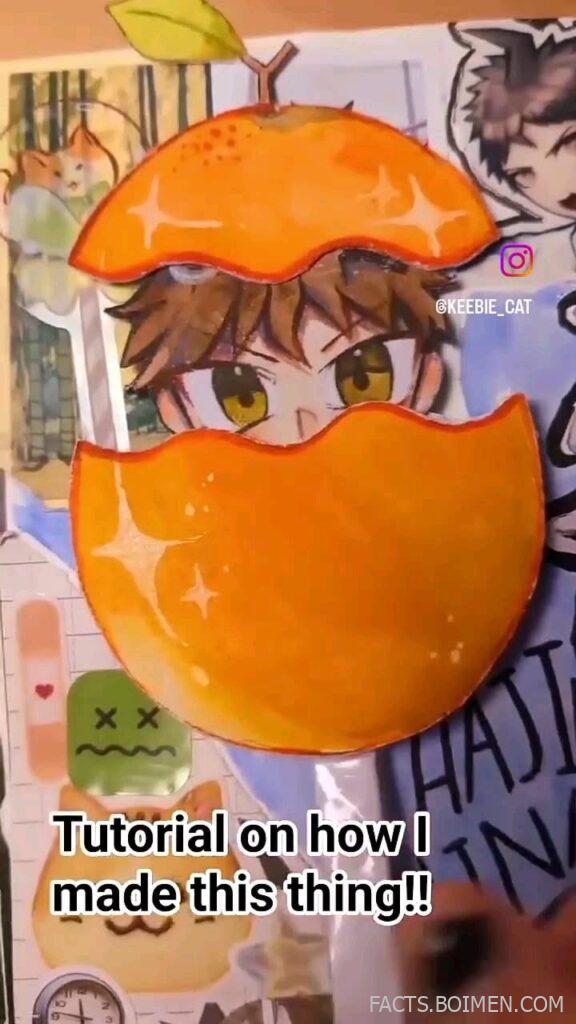
The pin that brought you here promised a real answer: an actual tutorial on how that SkeeBie_Cat thing was made. So here it is, unpacked into 21 rabbit holes. Scratch is MIT’s free, browser-based coding playground where kids and adults build games by snapping colorful blocks together, and the cat that greets you when you open it is named Scratch Cat. Somewhere along the way, creators started remixing that cat into arcade machines, claw games, and yes, skee-ball hybrids. Below are the tutorials, project pages, and remix hubs that show you exactly how those games get built, block by block.
Table of Contents(Click to Toggle)
Why Scratch Cat Games Are the Internet’s Best-Kept Secret
Scratch has quietly become one of the largest creative coding communities on the planet, with tens of millions of shared projects, and yet most adults have never opened it. That gap is exactly why it feels like a discovery. A single remixable project, like a skee-ball game starring the orange cat, can teach physics, scoring logic, sprite animation, and sound design in one sitting, without a single line of typed code.
The tutorials below range from official starter guides to advanced remix tooling. Some are for total beginners who have never dragged a block; others are for tinkerers who want to run Scratch projects at higher frame rates or export them as standalone files. Every one of them is free to explore, and several let you peek under the hood of a finished game to see how it was assembled. If you clicked a pin about how a SkeeBie_Cat game was made, start at item one and work down; the arcade mechanics will make sense by item five.
1. Scratch : The free block-coding home of the original cat
What it is: MIT Media Lab’s free, browser-based visual programming environment where you build games by snapping blocks together.
Category: Coding platform
Why it stands out: It is the actual birthplace of Scratch Cat and of every SkeeBie_Cat remix. You can open the editor, click the cat sprite, and immediately start scripting movement, collisions, and score variables. The community remix button lets you open any public project, including arcade-style games, and see every block that makes them work.
Best for: Anyone who wants to start from zero with the exact tool the original creator used.
2. Scratch Wiki : The unofficial manual that explains every block
What it is: A massive community-written encyclopedia covering every Scratch block, sprite, and hidden feature.
Category: Reference documentation
Why it stands out: When a tutorial moves too fast, this is where you slow down. Each block gets its own page with worked examples, and there are dedicated articles on physics simulation, scoring systems, and clone management, the three things a skee-ball game depends on most. It also documents quirks the official site never mentions.
Best for: Self-taught learners who hate asking questions and love reading.
3. ScratchEd : Lesson plans from educators who teach this daily
What it is: Harvard Graduate School of Education’s community for teachers using Scratch in classrooms.
Category: Educator resources
Why it stands out: The shared lesson plans break game-building into structured sessions, which is perfect if you want to recreate a SkeeBie_Cat-style project step by step instead of improvising. Many plans include printable block diagrams and reflection prompts that make the logic stick.
Best for: Parents, teachers, and club leaders running a build-along.
4. CS First : Google’s free video curriculum for young coders
What it is: A free Google program with themed video lessons that walk students through Scratch projects.
Category: Video curriculum
Why it stands out: The game design theme includes scoring, timers, and sprite interaction, the exact building blocks behind arcade remixes. Videos are short, captioned, and paired with starter projects, so you can follow along without pausing to hunt for assets.
Best for: Visual learners who prefer watching over reading.
5. Code.org : Structured courses that lead into game projects
What it is: A nonprofit platform offering free computer science courses for all ages, including block-based game units.
Category: Online courses
Why it stands out: Its game lab environment uses drag-and-drop blocks similar to Scratch, so skills transfer directly. The progression from simple animations to interactive games mirrors how a SkeeBie_Cat project evolves, and everything is translated into dozens of languages.
Best for: Learners who want a guided path rather than a sandbox.
6. Khan Academy : Free programming courses with a game focus
What it is: Khan Academy’s computing section, including a full intro to JS and game design track.
Category: Online courses
Why it stands out: The game design modules cover collision detection, scoring, and animation loops with clear explanations and instant feedback. It is a natural next step once block coding feels limiting, and the community questions section is unusually helpful.
Best for: Teens and adults ready to graduate from blocks to text.
7. Tynker : Guided game-building with a familiar block feel
What it is: A commercial learn-to-code platform with block-based and text-based courses.
Category: Coding platform
Why it stands out: Its project templates include arcade and physics games, and the interface will feel instantly familiar to anyone who has used Scratch. Some content is free, while full courses require a subscription, so it works as a sampler before committing.
Best for: Families who want extra structure and are okay with a paid tier.
8. CodeCombat : Learn real code by playing a game
What it is: A game where you write actual code to control a hero and solve levels.
Category: Gamified learning
Why it stands out: Instead of dragging blocks, you type Python or JavaScript, which makes the jump to engines like Godot or Phaser much smoother. The early levels are free, and the fantasy setting keeps beginners engaged past the first frustrating syntax errors.
Best for: Learners who get bored by tutorials but love leveling up.
9. OpenGameArt : Free sprites and sounds for your remix
What it is: A community repository of freely licensed game art, music, and sound effects.
Category: Asset library
Why it stands out: If you want your cat game to look different from everyone else’s, this is where you find replacement sprites, ball textures, and arcade sound effects. Licenses vary per asset, so check each entry, but most allow use with attribution.
Best for: Creators who want custom visuals without drawing skills.
10. Piskel : Free browser pixel-art editor for sprites
What it is: A free online tool for drawing and animating pixel art sprites.
Category: Art tool
Why it stands out: You can draw a custom cat frame by frame and export it as a PNG sprite sheet, then import it straight into Scratch. It runs in the browser with no install, and the onion-skin feature makes smooth animation surprisingly achievable for beginners.
Best for: Anyone who wants a unique cat instead of the default orange one.
11. Scratch Addons : Power-user upgrades for the Scratch editor
What it is: A free browser extension that adds dozens of optional features to the Scratch website.
Category: Browser extension
Why it stands out: It adds dark mode, a project search bar, sprite folders, and advanced block tools that make building a complex arcade game far less tedious. Each addon can be toggled individually, so you only take what you need.
Best for: Regular Scratch users who want a faster workflow.
12. TurboWarp : Run Scratch projects faster and package them
What it is: An optimized Scratch player and editor that compiles projects for better performance.
Category: Scratch mod
Why it stands out: If your skee-ball physics stutter, TurboWarp can run the same project at a much higher frame rate. It also lets you package a project as a standalone HTML file or desktop app, which is ideal for sharing a finished game with people who do not have Scratch accounts.
Best for: Creators whose projects have outgrown the standard player.
13. Snap! : A Scratch-like language with serious power
What it is: A block-based programming language from UC Berkeley that extends Scratch concepts.
Category: Coding platform
Why it stands out: It supports first-class lists, custom blocks with parameters, and even higher-order functions, all while keeping the drag-and-drop feel. Projects can be saved and shared, and it is a genuinely smooth bridge for anyone who finds Scratch too limiting but text code too intimidating.
Best for: Intermediate coders who want more depth without leaving blocks.
14. Stencyl : Make real games with block logic and export them
What it is: A game creation tool that uses a Scratch-inspired block interface to build publishable games.
Category: Game engine
Why it stands out: It exports to desktop, mobile, and web, so a project can leave the Scratch sandbox entirely. The physics engine handles collisions and bouncing automatically, which is exactly what a skee-ball style game needs. A free tier lets you test the workflow before buying.
Best for: Makers who want to publish beyond a browser tab.
15. Construct 3 : Browser-based game making with no code required
What it is: A full game engine that runs entirely in the browser with a visual event system.
Category: Game engine
Why it stands out: Its event sheets read like Scratch logic but scale to commercial projects. Built-in physics, touch controls, and one-click export make it a realistic path from a cat arcade remix to a real release. The free plan has limits, but it is enough to learn.
Best for: Creators ready to move from remixing to original games.
16. GDevelop : Free open-source engine with visual events
What it is: A free, open-source game engine designed for non-programmers.
Category: Game engine
Why it stands out: It is genuinely free with no revenue cut, and its event system is close enough to Scratch blocks that the transition feels natural. There is a large library of example projects, including arcade and physics games, that you can open and modify immediately.
Best for: Hobbyists who want a free engine with no strings attached.
17. Godot Engine : The free engine behind many indie hits
What it is: A free, open-source, full-featured game engine for 2D and 3D projects.
Category: Game engine
Why it stands out: Its 2D physics and scene system are excellent for arcade mechanics, and the whole engine is lightweight enough to run on modest laptops. The documentation includes a step-by-step 2D game tutorial that covers scoring, collisions, and UI, the same pillars as any skee-ball clone.
Best for: Learners ready to write some code for full control.
18. Phaser : A JavaScript framework for browser games
What it is: A free, open-source HTML5 game framework for making browser-based games.
Category: Game framework
Why it stands out: If you want your cat game to live on the web without a plugin, Phaser is the standard choice. It handles sprites, physics, input, and audio, and the official tutorials build a complete game from an empty file. You will need basic JavaScript, but the payoff is full control.
Best for: Web developers who want to ship a game to a URL.
19. Freesound : Free sound effects to make your game feel real
What it is: A huge collaborative database of Creative Commons licensed audio clips.
Category: Audio library
Why it stands out: Arcade games live and die by their feedback sounds. A satisfying thunk when the ball lands, a chime when you score, a whoosh on launch: all of it is here, free, with clear license labels. Search by duration and tags to find short clips that loop cleanly.
Best for: Anyone whose game looks fine but feels flat.
20. Kenney : Thousands of free game assets in one place
What it is: A prolific creator offering massive free asset packs for game developers.
Category: Asset library
Why it stands out: The packs are consistent in style, which means your sprites, UI, and icons will actually look like they belong together. Everything is CC0, so no attribution is required, and the arcade and physics packs are ideal for a skee-ball style project.
Best for: Beginners who want a polished look instantly.
21. Itch.io : Where finished cat games actually get played
What it is: An open marketplace and hosting platform for independent games.
Category: Game hosting
Why it stands out: You can upload a browser game and share a single link, no store approval needed. Many creators post devlogs showing how a project evolved, which is a goldmine if you want to see the real process behind a finished arcade game rather than a polished tutorial.
Best for: Makers ready to release their remix into the wild.
Bonus Mentions
GitHub : Version control for game projects
What it is: A code hosting platform used by millions of developers.
Category: Developer tool
Why it stands out: Even block-based projects benefit from saving versions. Many open-source Scratch-like tools and example games live in public repositories you can study or fork.
Best for: Creators who want to track changes and collaborate.
remove.bg : Instantly cut backgrounds from sprite images
What it is: A free web tool that removes image backgrounds automatically.
Category: Image tool
Why it stands out: If you find a cat image you want to use as a sprite, this turns it into a clean transparent PNG in seconds, ready to import into Scratch or any engine.
Best for: Quick sprite prep without image-editing software.
Audacity : Trim and clean your game audio
What it is: A free, open-source audio editor for recording and editing sound.
Category: Audio tool
Why it stands out: Downloaded sound effects rarely loop perfectly. Audacity lets you trim silence, normalize volume, and export in the exact format your game needs.
Best for: Polishing audio before importing it.
Lospec : Pixel-art palettes and tutorials
What it is: A resource hub for pixel artists, including hundreds of free color palettes.
Category: Art resource
Why it stands out: A limited palette instantly makes hand-drawn sprites look cohesive. The site also links to tutorials that explain shading and animation basics.
Best for: Beginners who want their art to look intentional.
Coolors : Generate color schemes for your game UI
What it is: A fast, free color palette generator.
Category: Design tool
Why it stands out: Score displays, menus, and buttons need a consistent palette. Coolors generates options in one click and lets you lock colors you like while shuffling the rest.
Best for: Making a project look designed rather than default.
The Internet’s Best-Kept Secrets (So Far)
The real story behind a project like SkeeBie_Cat is not a single secret trick. It is a stack of small, free tools that most people never think to look for: a block editor, a wiki that explains every block, a pixel-art tool, a sound library, and a place to publish the result. Work through even five of the resources above and you will understand more about game design than most people pick up in a semester, because you will have built something instead of just reading about it.
Start with Scratch, remix something that already exists, and change one thing. Then change another. That is how every one of these games began, and it is how yours will too. The community is unusually generous with remixes and feedback, so the fastest way to learn is to publish something imperfect and see what happens.
What is the strangest Scratch game or remix you have stumbled across? Share it in the comments so the rest of us can fall down the same rabbit hole.