
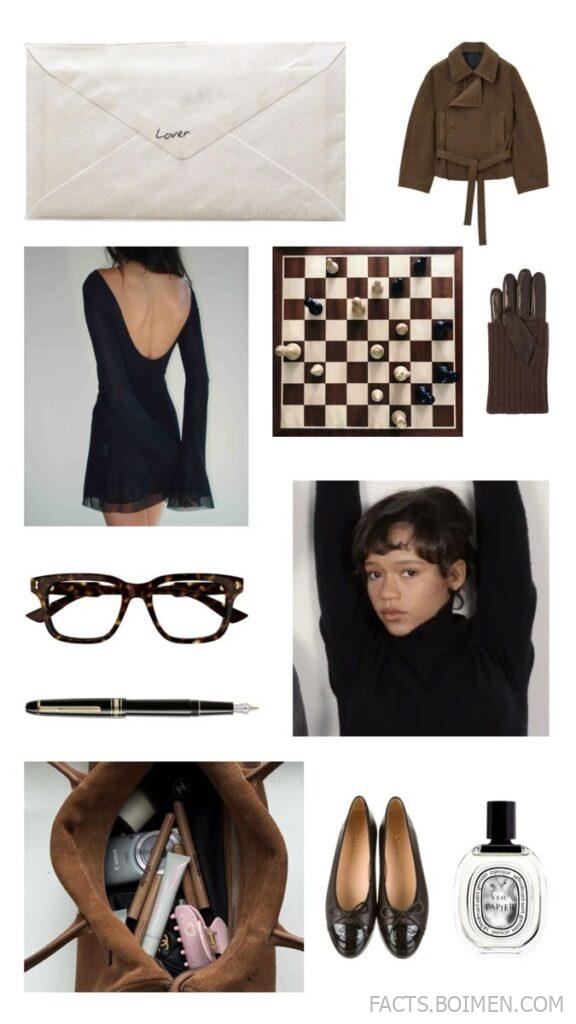
Moodboards used to mean a sheet of corkboard, a stack of torn magazine pages, and a glue stick that never quite held. Now they are the quiet engine behind every good outfit, study corner, and creative project you have ever admired. The pin that brought you here promised a moodboard world — and this list delivers it: twenty real platforms for building fall fashion boards, academia and uni collages, office siren aesthetics, chic French palettes, and study-room atmospheres, plus a handful of bonus finds at the end.
Table of Contents(Click to Toggle)
Why Moodboards Have Become the Internet’s Quiet Creative Habit
A moodboard is not decoration. It is a decision-making tool. Fashion stylists pin fabric swatches next to street-style shots before a shoot; interior designers arrange textures before choosing a paint colour; students build visual study boards to make revision feel less like punishment. The reason moodboarding exploded online is simple: visuals communicate taste faster than words. A single grid of warm browns, cream knits, and vintage library photos says “academia autumn” in a way a paragraph never could.
The second reason is that moodboards have become social. Platforms now let you publish a board, follow other curators, and remix ideas — so a French aesthetic board built in Paris can inspire an office siren outfit in Seoul by morning. Whether you are planning a capsule wardrobe, designing a university study nook, or simply organising your visual references, the twenty sites below cover every moodboard style, from minimalist to maximalist.
20 Moodboard Websites for Aesthetic Fashion and Study Inspiration
1. Pinterest : The endless visual search engine for every aesthetic
What it is: A visual discovery platform where users save images (“pins”) into themed boards, with a recommendation feed that learns your taste.
Category: Visual discovery and curation
Why it stands out:
- Board-within-board structure lets you separate “fall fashion” from “study aesthetic” without mixing them.
- Lens tool identifies objects inside a pin and suggests visually similar images — useful for tracking down a specific coat or chair.
- Collaborative boards let a friend or study group add pins to the same moodboard.
Best for: Beginners who want inspiration fast, and anyone building fall fashion or academia boards from scratch.
2. Canva : Drag-and-drop moodboard templates you can finish in minutes
What it is: A browser-based design tool with thousands of moodboard templates, grids, and sticker elements.
Category: Design and layout
Why it stands out:
- Ready-made “mood board” templates in square, portrait, and A4 sizes — no blank-canvas paralysis.
- Brand kits store your palette and fonts so every board stays visually consistent.
- Free tier is genuinely usable; Pro unlocks background remover and premium stock.
Best for: Students and creators who want a polished, shareable board without learning design software.
3. Milanote : A pinboard-style workspace built for creative projects
What it is: A flexible canvas where you drop images, notes, links, and colour swatches, then rearrange them freely.
Category: Creative project organisation
Why it stands out:
- Infinite canvas with connectors, so you can map how a mood evolves from reference to final concept.
- Colour swatch and to-do blocks sit beside images — a moodboard that doubles as a plan.
- Export boards as PDF or PNG for portfolios and presentations.
Best for: Designers, writers, and students managing a project moodboard with notes and tasks attached.
4. Are.na : Ad-free, intellectual image collecting for deep research
What it is: A minimalist platform for collecting images, text, and links into “channels” that can connect to one another.
Category: Research and curation
Why it stands out:
- No algorithm and no ads — your feed is only what you and the people you follow choose.
- Channels can be linked together, creating a web of related ideas rather than a single flat board.
- Popular with artists, architects, and academics who treat moodboarding as serious reference work.
Best for: Academic moodboards, research-heavy projects, and anyone tired of algorithmic feeds.
5. Cosmos : A visually calm discovery feed for modern aesthetics
What it is: An image-discovery and saving app with a clean, gallery-like interface and curated clusters.
Category: Visual discovery
Why it stands out:
- Clusters group visually similar images, making it easy to build a coherent palette quickly.
- Interface is deliberately minimal — no comment sections, no noise.
- Strong for fashion, interiors, and graphic design references in one place.
Best for: Curators who want a quieter, more editorial alternative to mainstream pinning.
6. Savee : The image-saving tool designers actually use daily
What it is: A fast bookmarking site for saving images from anywhere on the web into organised collections.
Category: Visual bookmarking
Why it stands out:
- Browser extension saves an image in one click, with automatic source attribution.
- Collections can be made public or private, and shared as a link.
- Search inside your own saved library — genuinely useful once you have hundreds of references.
Best for: Designers and stylists building a long-term personal reference library.
7. Behance : A portfolio network where moodboards live inside real projects
What it is: Adobe’s creative portfolio platform, where designers publish full case studies including mood and direction boards.
Category: Portfolio and inspiration
Why it stands out:
- You see moodboards in context — how a palette became a campaign or a collection.
- Filter by field (fashion, graphic design, illustration) to find relevant references.
- Free to browse; publishing a project is also free.
Best for: Understanding how professional moodboards translate into finished creative work.
8. Tumblr : The original home of academia and dark academia aesthetics
What it is: A microblogging platform where image-heavy posts and reblogs create sprawling aesthetic archives.
Category: Social curation
Why it stands out:
- Tag system is unmatched for niche aesthetics — search “light academia” or “office siren” and find years of posts.
- Reblogging builds a personal blog that functions as a living moodboard.
- Text posts and quotes sit beside images, ideal for study moodboards.
Best for: Academia, uni, and literary aesthetics with a community feel.
9. Unsplash : High-resolution photography for clean, editorial boards
What it is: A free stock photo library with a permissive licence for most uses.
Category: Stock photography
Why it stands out:
- Search by colour, orientation, and mood to keep a board cohesive.
- Collections let you group images into your own themed sets.
- No attribution required under the current licence, though crediting photographers is appreciated.
Best for: Sourcing consistent, high-quality imagery for French aesthetic or chic mood boards.
10. Pexels : Free photos and video clips for multimedia moodboards
What it is: A free stock library covering photos, illustrations, and short video clips.
Category: Stock media
Why it stands out:
- Video clips can be added to digital boards and presentations, adding motion to a static mood.
- Colour filter helps match imagery to an existing palette.
- Simple licence with clear guidance on commercial use.
Best for: Creators building boards that mix stills and motion for social content.
11. Colossal : An art and visual culture magazine that feeds your eye
What it is: An online publication covering contemporary art, craft, photography, and design.
Category: Editorial inspiration
Why it stands out:
- Curated stories introduce artists and movements you would not find through search alone.
- Images are high quality and often available via the featured artist’s own site.
- Great for breaking out of repetitive algorithmic aesthetics.
Best for: Anyone whose moodboard needs an unexpected, artful reference point.
12. Coolors : Generate and lock colour palettes in seconds
What it is: A fast palette generator with tools for extracting colours from photos.
Category: Colour tools
Why it stands out:
- Palette generator produces harmonious schemes with a single tap of the spacebar.
- Image picker extracts a palette directly from an uploaded photo — perfect for matching a board to a reference image.
- Export palettes as PNG, PDF, or code snippets.
Best for: Nailing the exact autumn browns, creams, and muted greens of a fall fashion board.
13. Adobe Color : Professional colour harmony and accessibility checks
What it is: Adobe’s free colour wheel and palette tool, with contrast checking built in.
Category: Colour tools
Why it stands out:
- Modes like analogous, complementary, and triadic help you build palettes with intent.
- Accessibility tools flag text and background combinations that fail contrast standards.
- Palettes can be saved to Adobe Creative Cloud libraries.
Best for: Designers and students who need palettes that are both beautiful and readable.
14. Figma : Collaborative canvas for teams and study groups
What it is: A browser-based design tool with infinite canvas, components, and real-time collaboration.
Category: Design collaboration
Why it stands out:
- Multiple people can add images and comments to one board simultaneously.
- Frames and grids keep a moodboard tidy even with dozens of images.
- Free tier includes unlimited personal files and three collaborative files.
Best for: Group projects, fashion collections, and any moodboard that needs feedback.
15. Miro : Whiteboard-style boards with sticky notes and voting
What it is: A collaborative online whiteboard used for workshops, planning, and visual thinking.
Category: Collaboration and planning
Why it stands out:
- Sticky notes and dot-voting let a group decide which direction to take a mood.
- Templates for brainstorming and concept mapping sit alongside freeform boards.
- Integrates with tools like Google Drive and Slack.
Best for: Teams choosing between several creative directions before committing.
16. Notion : Turn a moodboard into a system with pages and databases
What it is: An all-in-one workspace for notes, databases, and embedded media.
Category: Organisation
Why it stands out:
- Gallery view displays images as cards, effectively making a moodboard inside a database.
- Each image can carry tags, notes, and links to sources.
- Free for personal use with generous block limits.
Best for: Study moodboards that need to connect aesthetics with actual notes and deadlines.
17. Padlet : The easiest shared board for classrooms and friends
What it is: A digital wall where multiple people post images, links, and notes in a grid or stream layout.
Category: Group boards
Why it stands out:
- No account needed for contributors on many board settings — just a link.
- Layouts include wall, grid, shelf, and map, so the board can match the mood.
- Moderation controls keep shared boards tidy.
Best for: Study groups and classrooms collecting references together.
18. The Dots : A professional network where creatives share visual work
What it is: A UK-founded networking platform for creative professionals across fashion, design, and media.
Category: Professional networking
Why it stands out:
- Profiles showcase projects and visual references in a portfolio-style layout.
- Job listings and industry articles sit alongside inspiration.
- Good for seeing how working stylists and designers organise references.
Best for: Students and early-career creatives building an industry-facing presence.
19. Fashmates : Digital outfit collaging in the spirit of Polyvore
What it is: A fashion community where users create outfit sets by layering clothing items onto a canvas.
Category: Fashion collaging
Why it stands out:
- Clipping tool lets you cut items from product pages and place them into a set.
- Community sets provide endless outfit inspiration for office siren or chic aesthetics.
- Fills the gap left by Polyvore’s shutdown for outfit-based moodboarding.
Best for: Fashion-focused boards where you want to assemble complete looks, not just images.
20. SampleBoard : A dedicated online moodboard builder for concepts
What it is: A tool designed specifically for creating moodboards and concept boards, aimed at designers and marketers.
Category: Dedicated moodboard software
Why it stands out:
- Purpose-built interface with image libraries, text blocks, and layout templates.
- Boards can be presented in a slideshow format for client or class presentations.
- Focuses on the concept stage rather than general note-taking.
Best for: Presenting a moodboard professionally, whether to a client or a tutor.
Bonus Mentions
Designspiration : Search by colour across a curated design archive
A long-running image search engine that lets you filter by colour, which is unusually effective when you need five images in exactly the same shade of muted terracotta.
It’s Nice That : Daily editorial coverage of creative work
A design publication that publishes fresh work every weekday, useful for keeping a moodboard current rather than nostalgic.
Dezeen : Architecture and design inspiration with strong photography
Excellent for interiors, materials, and spatial moodboards — the kind of reference that makes an office siren or minimal chic board feel grounded.
Are.na’s Community Channels : Browse public collections built by others
Even if you never create a channel, browsing public ones is one of the best ways to find references outside the usual algorithmic loop.
The Internet’s Best-Kept Moodboard Secrets (So Far)
The best moodboard is not the prettiest one — it is the one you actually return to. Start with a single platform that matches how you think: Pinterest if you want speed and volume, Are.na if you want depth and quiet, Canva or Figma if you want to present something polished, and Notion or Padlet if the board needs to live alongside real plans and deadlines.
Then borrow one trick from the professionals: keep a colour palette pinned at the top of every board. It is the single fastest way to make fall fashion, academia, office siren, and French aesthetic references feel like one coherent world instead of a pile of saved images. Build one board this week, add ten images, and see what direction it pulls you toward.
Which moodboard platform has become your go-to — and what aesthetic are you building right now? Share your favourite find in the comments.



