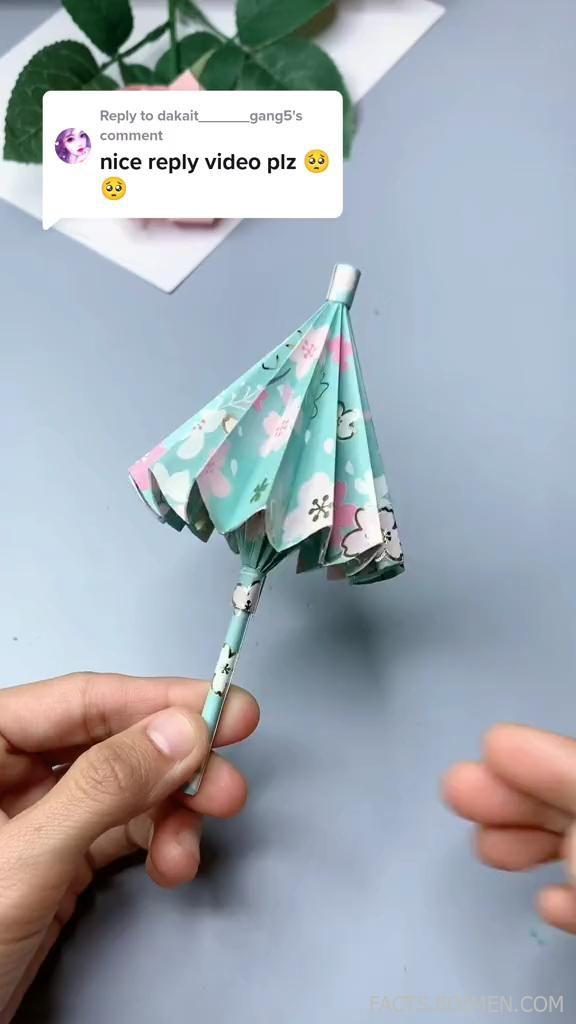
You clicked because you saw something about a craft DIY video reply — maybe a comment, a challenge, or a trend that asks you to reply with your own video. The internet is full of hidden tools that make creating, editing, and sharing those video replies easier and more fun. Here are 16 underrated websites and apps that will level up your craft video game.
Table of Contents(Click to Toggle)
Why You Should Explore Hidden-Gem Video Tools
Most people stick to the same few apps, but the best tools for craft DIY video replies are often the ones you haven’t heard of. They offer unique filters, easy text overlays, or seamless direct-reply features that mainstream editors lack. Exploring these hidden gems can save you time, improve your video quality, and help your replies stand out in a sea of generic content.
1. ReplyVideo : Direct Video Reply Maker
What it is: A dedicated platform for creating video replies to comments, messages, or social posts.
Category: Video creation & reply tool
Why it stands out:
- Specifically built for the “reply video” use case, unlike generic editors.
- Simplifies the process: record, add text overlays, and send directly.
- Offers templates for common reply formats (e.g., “watch this,” “here’s my take”).
Best for: Crafters who want a no-fuss way to respond to comments with a personal video.
2. CapCut Online : Free All-in-One Editor
What it is: The web version of the popular mobile editor, packed with features.
Category: Video editing
Why it stands out:
- Free to use with no watermarks (unlike many competitors).
- Auto-captions and a huge library of trendy effects.
- Works directly in your browser, so no install needed.
Best for: Quick edits with trendy templates for platforms like TikTok or Instagram.
3. Canva Video : Design Meets Editing
What it is: Canva’s video editor that integrates with its design tools.
Category: Design & video editor
Why it stands out:
- Drag-and-drop interface makes it easy to add text, stickers, and frames.
- Access to millions of stock videos and images.
- Perfect for adding a crafty aesthetic to your replies.
Best for: Crafters who want to combine graphics and video without learning complex software.
4. InShot : Mobile Editing Powerhouse
What it is: A mobile app for editing videos and photos.
Category: Mobile video editor
Why it stands out:
- Straightforward timeline editing with keyframe animations.
- Built-in music library and sound effects.
- Supports 4K export at 60fps.
Best for: On-the-go replies and quick social media posts.
5. VN Video Editor : Pro Features on Mobile
What it is: A mobile video editor that offers desktop-level tools.
Category: Mobile video editor
Why it stands out:
- Multi-track timeline, chroma key, and speed ramping.
- No watermarks and completely free.
- User-friendly interface for beginners.
Best for: Crafters who need advanced features without paying a subscription.
6. Splice : GoPro’s Editing App
What it is: A mobile video editor by GoPro, but works with any video.
Category: Mobile video editor
Why it stands out:
- Clean interface with easy trimming and transitions.
- Free music and sound effects library.
- Direct sharing to social platforms.
Best for: Simple, fast edits with a professional touch.
7. KineMaster : Layered Editing on Android
What it is: A full-featured mobile editor known for its layer system.
Category: Mobile video editor
Why it stands out:
- Multiple video, image, and text layers.
- Precise editing with frame-by-frame control.
- Asset store with stickers and effects.
Best for: Crafters who want to overlay multiple clips or images in their replies.
8. DaVinci Resolve : Professional Color Grading
What it is: A full professional video editor with Hollywood-grade tools.
Category: Desktop video editor
Why it stands out:
- Industry-standard color correction and audio tools.
- Free version includes almost everything.
- Ideal for making your craft videos look cinematic.
Best for: Serious crafters who want top-tier quality at no cost.
9. OpenShot : Open-Source Desktop Editor
What it is: A free, open-source video editor for Windows, Mac, and Linux.
Category: Desktop video editor
Why it stands out:
- Simple interface with unlimited tracks.
- Built-in animation and keyframe tools.
- No watermarks and no cost.
Best for: Budget-conscious crafters who want full control on their computer.
10. Clipchamp : Web-Based Editor with Stock Library
What it is: A browser-based editor that also offers stock videos and music.
Category: Web video editor
Why it stands out:
- No download required; works in any browser.
- Access to a large library of royalty-free assets.
- Easy to export in various resolutions.
Best for: Quick edits when you don’t want to install software.
11. LumaFusion : Pro Editing on iPad/iPhone
What it is: A high-end mobile editor for iOS, often called the best mobile editor.
Category: Mobile video editor
Why it stands out:
- Multi-track editing with powerful color tools.
- Supports external drives and 4K ProRes.
- Extensive export options.
Best for: Professional crafters who edit on mobile and need advanced features.
12. PowerDirector : Feature-Rich Desktop Editor
What it is: A desktop video editor with a huge array of effects.
Category: Desktop video editor
Why it stands out:
- AI-powered tools for background removal and motion tracking.
- Large library of transitions and titles.
- Supports 360-degree video editing.
Best for: Crafters who want AI assistance for a polished look.
13. FilmoraGo : Mobile Editor with Music Library
What it is: The mobile version of Wondershare Filmora.
Category: Mobile video editor
Why it stands out:
- Simple one-tap edits and themes.
- Access to royalty-free music and sound effects.
- Fast export for social media.
Best for: Beginners who want a quick and easy editing experience.
14. Quik : Automatic Highlight Reels
What it is: GoPro’s app that automatically creates highlight videos from your clips.
Category: Automatic video creator
Why it stands out:
- Analyzes your footage and picks the best moments.
- Adds transitions and music automatically.
- You can customize with text and filters.
Best for: Turning raw craft clips into a polished reply in seconds.
15. Adobe Premiere Rush : Cross-Platform Editing
What it is: Adobe’s simplified video editor for mobile and desktop.
Category: Cross-platform editor
Why it stands out:
- Syncs projects across devices.
- Easy-to-use color presets and audio tools.
- Direct sharing to social platforms.
Best for: Crafters who edit on multiple devices and want a consistent workflow.
16. iMovie : Apple’s Sleek Editor
What it is: Free video editing software for Mac and iOS.
Category: Desktop/mobile editor
Why it stands out:
- Intuitive interface with cinematic filters.
- Supports 4K and HDR.
- Seamless integration with Apple ecosystem.
Best for: Apple users who want a reliable, free editor.
Bonus Mentions
WeVideo : Cloud-Based Collaboration
Edit videos online with your team, perfect for group craft projects.
Magisto : AI-Powered Editing
Let AI analyze your clips and create a story automatically.
Animoto : Slideshow Maker
Turn photos and clips into a slideshow with professional templates.
Your Next Craft Video Reply Awaits
With these 16 tools plus bonuses, you have everything you need to craft a standout video reply that shows off your skills. Whether you’re a beginner or a pro, there’s a tool that fits your style and budget. Try one today and see the difference it makes in your replies. What’s your go-to video editor for craft DIY replies? Share in the comments below!