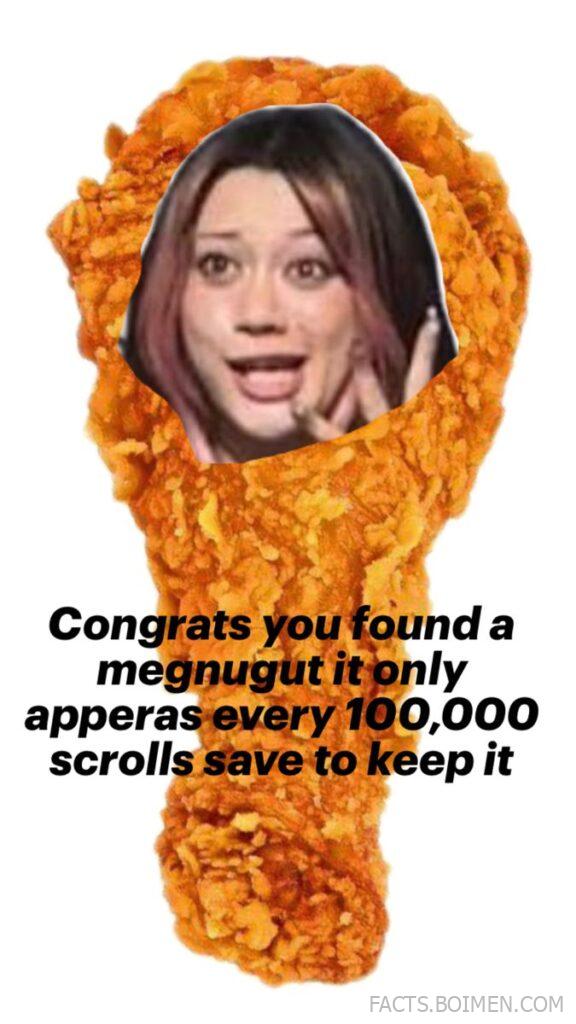
Every few weeks, the internet invents something so oddly specific you can’t help but stop scrolling. A chicken nugget shaped like a question mark. A fake “rare find” post that begs you to save it. A chaotic image mashup that feels too strange to ignore. None of it is accidental.
Behind many of these scroll-stopping posts are creators using surprisingly simple tools. Meme generators, AI image editors, caption labs, and remix platforms are quietly powering the content that racks up saves, shares, and reposts across Pinterest and beyond.
If you’ve ever wondered how people create bizarre, hyper-shareable content in minutes, these platforms are where much of that magic happens. Some are well-known. Others are still flying under the radar.
Table of Contents
- Why Scroll-Stopping Memes Spread Faster Than Almost Anything Else
- 1. Imgflip
- 2. Kapwing
- 3. Canva
- 4. Supermeme.ai
- 5. Remove.bg
- 6. Photopea
- 7. Clideo Meme Maker
- 8. ILoveIMG Meme Generator
- 9. GIPHY
- 10. Tenor GIF Maker
- 11. DeepAI Image Generator
- 12. Craiyon
- 13. EZGIF
- 14. Placeit
- 15. Reddit Meme Templates
- 16. Adobe Express
- 17. Piskel
- Bonus: Know Your Meme
- Bonus: Imgur
- Bonus: Meme Generator
- Bonus: Pixlr
- The Internet Rewards the Weird, the Fast, and the Shareable
Why Scroll-Stopping Memes Spread Faster Than Almost Anything Else
Social platforms reward behavior. When a post makes someone pause, zoom in, read twice, or tap “save,” the algorithm interprets that as value. Meme-style content—especially absurd or unexpected visuals—naturally triggers that reaction.
Low-effort visuals paired with high-curiosity captions create a powerful loop. “This only appears once every 100,000 scrolls” isn’t factual—it’s psychological. It invites participation. That blend of humor, randomness, and pseudo-rarity keeps people engaged.
The tools below make it easy to experiment with that format. Whether you’re building a niche page, running a brand account, or just making chaotic art for fun, these platforms give you creative leverage.
1. Imgflip: Classic Meme Generator With Massive Template Library
What it is:
An online meme generator and image editor packed with thousands of popular meme templates and simple customization tools.
Category:
Meme Creation
Why it stands out:
- Huge searchable meme template database.
- Browser-based editor with no steep learning curve.
- Ability to create GIF memes as well as static images.
- Community section to see what formats are trending.
Best for:
Quickly remixing popular meme formats or creating viral-style posts in minutes.
2. Kapwing: Collaborative Online Video and Meme Studio
What it is:
A browser-based creative suite for editing images, videos, subtitles, and memes collaboratively.
Category:
Content Creation
Why it stands out:
- Real-time collaboration for teams.
- Built-in subtitle and caption tools.
- Templates optimized for social media dimensions.
- AI-powered background removal and editing features.
Best for:
Creators who want to turn memes into short-form video content for TikTok or Reels.
3. Canva: Design Platform With Meme-Ready Templates
What it is:
A drag-and-drop design platform offering templates for social graphics, memes, and viral posts.
Category:
Graphic Design
Why it stands out:
- Massive template library including meme layouts.
- Easy layering, cutouts, and text styling.
- Built-in stock photos and elements.
- One-click resizing for multiple platforms.
Best for:
Polished meme-style graphics that still feel platform-native.
4. Supermeme.ai: AI-Powered Meme Generator
What it is:
An AI-driven platform that generates memes from text prompts or topics.
Category:
AI Meme Tools
Why it stands out:
- Text-to-meme generation in seconds.
- Supports multiple languages.
- Template suggestions based on your topic.
- Designed for social and marketing use cases.
Best for:
Turning ideas, tweets, or blog points into visual memes instantly.
5. Remove.bg: One-Click Background Removal
What it is:
An automatic background removal tool for isolating subjects in images.
Category:
Image Editing
Why it stands out:
- Fast AI-based cutouts.
- Clean edges for meme-style image mashups.
- API access for bulk use.
- No complex editing required.
Best for:
Creating absurd image combinations and cutout-style memes.
6. Photopea: Free Browser-Based Photoshop Alternative
What it is:
An advanced online photo editor that supports PSD files and layered editing.
Category:
Advanced Image Editing
Why it stands out:
- Photoshop-like interface in your browser.
- Supports layered compositions.
- No installation required.
- Works with multiple file formats.
Best for:
Detailed meme edits and surreal visual mashups.
7. Clideo Meme Maker: Simple Meme and Caption Tool
What it is:
An online tool for adding captions to images and videos with customizable fonts and layouts.
Category:
Meme Creation
Why it stands out:
- Supports video memes.
- Clean and beginner-friendly interface.
- Quick export for social sharing.
- No design experience needed.
Best for:
Fast caption overlays for viral-style posts.
8. ILoveIMG Meme Generator: Lightweight Browser Meme Editor
What it is:
A simple meme generator focused on adding bold top-and-bottom text to images.
Category:
Meme Creation
Why it stands out:
- Minimal interface with no distractions.
- Works entirely in the browser.
- Quick export with no complicated settings.
- Part of a larger image-tool suite.
Best for:
Classic bold-text meme formats.
9. GIPHY: GIF Meme Creation Hub
What it is:
A platform for creating animated GIFs from video clips or images.
Category:
Animated Content
Why it stands out:
- Built-in looping and trimming tools.
- Searchable GIF database for inspiration.
- Easy sharing across platforms.
- Recognized GIF ecosystem.
Best for:
Turning reactions and absurd visuals into looping meme content.
10. Tenor GIF Maker: Reaction GIF Platform
What it is:
A GIF search engine and creation tool widely integrated into messaging apps.
Category:
GIF Creation
Why it stands out:
- Strong distribution through chat platforms.
- Easy GIF uploading and tagging.
- Reaction-focused discovery model.
- Optimized for fast sharing.
Best for:
Creating shareable reaction memes.
11. DeepAI Image Generator: Text-to-Image AI for Surreal Concepts
What it is:
An AI image generator that turns written prompts into original visuals.
Category:
AI Image Generation
Why it stands out:
- Generates unusual, surreal compositions.
- Browser-based and accessible.
- Good for experimental meme ideas.
- API access available.
Best for:
Creating bizarre or hyper-specific meme visuals from scratch.
12. Craiyon: Accessible AI Image Generator
What it is:
A free AI image generator that creates multiple variations from a text prompt.
Category:
AI Image Tools
Why it stands out:
- Multiple outputs per prompt.
- Simple, no-frills interface.
- Encourages absurd experimentation.
- Fast generation cycles.
Best for:
Chaotic, humorous image concepts.
13. EZGIF: GIF Editing Toolbox
What it is:
A comprehensive set of tools for editing, resizing, cropping, and optimizing GIFs.
Category:
GIF Editing
Why it stands out:
- Frame-by-frame editing.
- GIF compression tools.
- Format conversion options.
- No login required.
Best for:
Fine-tuning looping meme animations.
14. Placeit: Mockups and Meme-Style Templates
What it is:
An online design generator offering mockups and social graphics templates.
Category:
Template Design
Why it stands out:
- Ready-made viral-style layouts.
- Drag-and-drop customization.
- Large catalog of social-ready designs.
- No advanced design skills needed.
Best for:
Branded meme content for businesses.
15. Reddit Meme Templates: Community-Sourced Meme Formats
What it is:
A subreddit dedicated to sharing blank meme templates for reuse.
Category:
Meme Resources
Why it stands out:
- Constantly updated with new formats.
- Community-driven trends.
- Free blank templates.
- Insight into emerging meme cycles.
Best for:
Staying ahead of meme trends before they peak.
16. Adobe Express: Quick Social Graphic Builder
What it is:
A streamlined design tool for creating social posts, short videos, and meme-style graphics.
Category:
Design Tools
Why it stands out:
- Professional typography options.
- Quick resizing for multiple platforms.
- Integrated stock assets.
- Cloud-based workflow.
Best for:
Clean, high-quality meme graphics with minimal effort.
17. Piskel: Pixel Art and GIF Creator
What it is:
A free online pixel art editor that supports animated sprite creation.
Category:
Niche Creative Tools
Why it stands out:
- Frame-based animation timeline.
- Retro aesthetic support.
- Browser-based editing.
- Export to GIF easily.
Best for:
Retro-style meme animations and quirky pixel reactions.
Know Your Meme: Meme Culture Archive
A detailed database documenting meme origins, formats, and cultural context—useful for understanding why certain posts explode.
Imgur: Viral Image Community
An image-sharing platform where meme formats often gain traction before spreading elsewhere.
Meme Generator: Classic Caption-Based Meme Builder
A straightforward platform for creating traditional image macros with bold top-and-bottom captions.
Pixlr: Online Photo Editor With Effects
A web-based editor offering filters, overlays, and quick tools for stylized meme visuals.
The Internet Rewards the Weird, the Fast, and the Shareable
Scroll-stopping content rarely comes from overthinking. It usually starts with a strange idea, a fast tool, and a willingness to experiment. The barrier to entry is lower than ever—and that’s exactly why creativity wins.
Whether you’re crafting surreal AI images, remixing trending templates, or building animated reaction loops, these platforms give you the building blocks. The next “rare scroll find” meme might look random—but it’s probably powered by one of these tools.