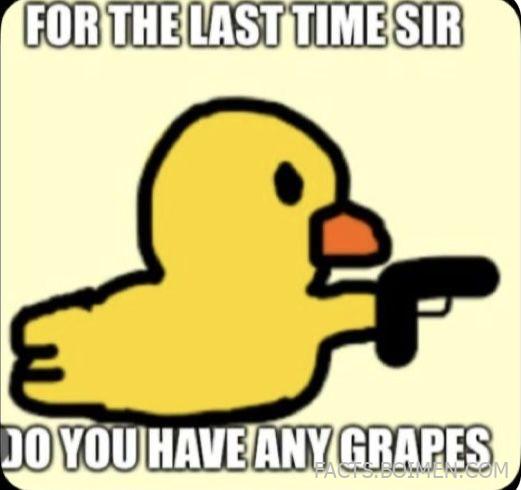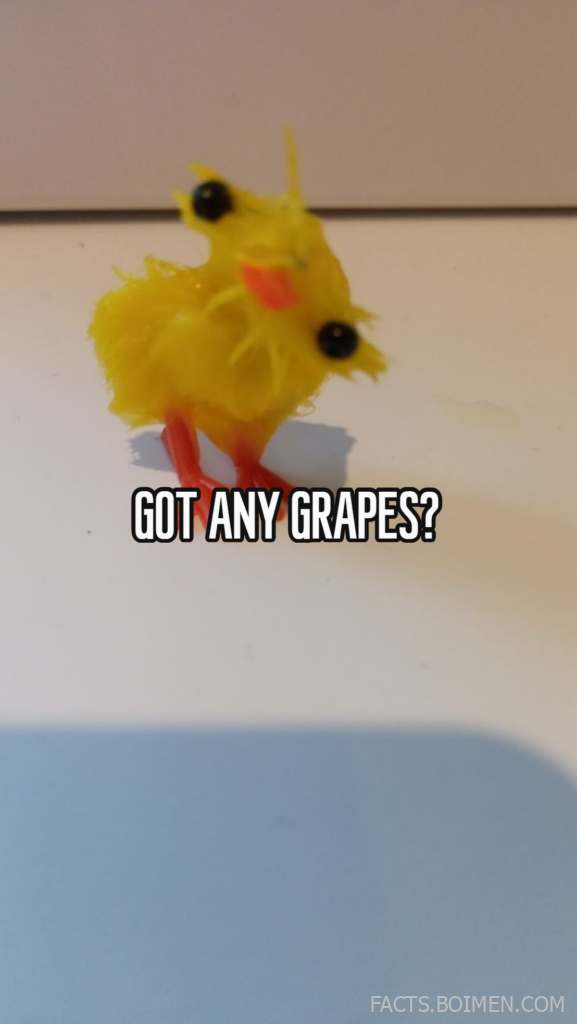
A tiny yellow duck asking "Got any grapes?" is more than a random joke—it’s a time capsule from the early days of viral internet culture. Before algorithmic feeds and short-form video dominance, simple animations and captioned images ruled the web.
Memes like these didn’t just entertain us; they shaped how we communicate online. A single frame, a short phrase, or a looping song could spark years of remixes, inside jokes, and cultural callbacks.
If you’ve ever wanted to recreate that chaotic, low-budget, oddly brilliant energy, there’s an entire ecosystem of tools that make it ridiculously easy. Here are 15 meme-making platforms and remix playgrounds that keep internet humor weird, fast, and endlessly shareable.
Table of Contents
- Why Meme Tools Still Matter in the Age of Algorithmic Feeds
- 1. Imgflip
- 2. Kapwing Meme Generator
- 3. Make a Meme
- 4. Clideo Meme Maker
- 5. Canva Meme Generator
- 6. GIPHY Create
- 7. Tenor GIF Maker
- 8. Meme Generator
- 9. Supermeme.ai
- 10. ILoveIMG Meme Generator
- 11. Kapwing Studio
- 12. VEED Meme Generator
- 13. Livememe
- 14. Piskel
- 15. EZGIF
- Bonus: Know Your Meme
- Bonus: Reddit r/MemeTemplatesOfficial
- Bonus: Remove.bg
- Bonus: Photopea
- The Internet Never Forgets a Good Joke
Why Meme Tools Still Matter in the Age of Algorithmic Feeds
Memes are the internet’s shorthand. A familiar image paired with a sharp caption can communicate sarcasm, nostalgia, frustration, or joy in seconds. Even as platforms evolve, the format remains one of the fastest ways to connect with others online.
Modern meme tools lower the barrier to participation. You don’t need design software, editing skills, or even original images—just an idea and a sense of timing. Templates, auto-captioning, and instant exports make creativity frictionless.
Most importantly, meme generators preserve internet history. They archive classic formats while making space for new ones, ensuring that yesterday’s duck asking for grapes can become tomorrow’s punchline all over again.
1. Imgflip: Classic Meme Generator With Massive Template Library
What it is:
An online meme generator offering thousands of popular image macro templates plus GIF and chart creation tools.
Category:
Meme Generator
Why it stands out:
- Huge searchable database of classic and trending meme formats
- Supports GIF captions and simple video memes
- Active community for browsing and remixing user creations
Best for:
Quickly creating classic image macros without design experience.
2. Kapwing Meme Generator: Modern Browser-Based Meme Studio
What it is:
A web-based creative suite that includes a powerful meme generator for images, GIFs, and short videos.
Category:
Online Editor
Why it stands out:
- Drag-and-drop interface with timeline editing
- Auto-subtitles for video memes
- Cloud-based editing with easy sharing links
Best for:
Polished, social-ready memes and short-form video jokes.
3. Make a Meme: Straightforward Image Macro Creator
What it is:
A simple website dedicated to fast meme creation using well-known templates.
Category:
Meme Generator
Why it stands out:
- Minimal interface with no learning curve
- Large archive of nostalgic meme formats
- Fast caption entry and download
Best for:
Recreating early-2010s style memes in seconds.
4. Clideo Meme Maker: Clean Meme Maker for Images and Video
What it is:
An online tool for adding captions to images, GIFs, and short videos directly in your browser.
Category:
Media Editor
Why it stands out:
- Supports multiple aspect ratios for different platforms
- Simple timeline for trimming clips
- No software installation required
Best for:
Adapting memes to platform-specific sizes.
5. Canva Meme Generator: Design-Driven Meme Creation
What it is:
A meme creation tool within Canva’s broader graphic design platform.
Category:
Graphic Design Tool
Why it stands out:
- Access to fonts, stickers, and layout tools
- Customizable templates beyond standard meme formats
- Easy export for social media
Best for:
Stylized memes that blend humor with visual polish.
6. GIPHY Create: GIF Meme Builder From Videos and Images
What it is:
A tool by GIPHY that lets users turn videos or image sequences into captioned GIFs.
Category:
GIF Creator
Why it stands out:
- Direct publishing to GIPHY’s searchable library
- Sticker and text animation options
- Optimized for looping humor
Best for:
Reaction GIFs and looping joke formats.
7. Tenor GIF Maker: Quick Reaction GIF Creator
What it is:
A web-based GIF creation tool connected to Tenor’s widely used GIF platform.
Category:
GIF Creator
Why it stands out:
- Easy upload and trim functionality
- Searchable distribution across messaging apps
- Simple text overlay tools
Best for:
Creating reaction memes for chats and comments.
8. Meme Generator: Community-Driven Meme Platform
What it is:
A long-running meme site featuring user-generated image macros and rankings.
Category:
Meme Community
Why it stands out:
- Archive of legacy meme characters and formats
- Voting system surfaces popular creations
- Encourages remix culture
Best for:
Exploring and reviving classic meme archetypes.
9. Supermeme.ai: AI-Powered Text-to-Meme Tool
What it is:
An AI-driven platform that turns text prompts into meme drafts using relevant templates.
Category:
AI Meme Generator
Why it stands out:
- Suggests templates based on your caption idea
- Speeds up brainstorming for joke concepts
- Supports multiple output formats
Best for:
Generating meme ideas when you’re stuck.
10. ILoveIMG Meme Generator: Lightweight Meme Creation Tool
What it is:
A browser-based image editing tool with a built-in meme caption feature.
Category:
Image Tool
Why it stands out:
- Quick upload and caption workflow
- No account required for basic use
- Part of a broader image toolkit
Best for:
Fast edits without distractions.
11. Kapwing Studio: Full Creative Suite for Viral Clips
What it is:
An online video editor that supports meme templates, subtitles, and remixing.
Category:
Video Editor
Why it stands out:
- Template library for trending meme formats
- Collaboration features for teams
- Exports optimized for short-form platforms
Best for:
Turning inside jokes into shareable video memes.
12. VEED Meme Generator: Video-First Meme Editor
What it is:
A web-based editor focused on adding captions and effects to short video clips.
Category:
Video Meme Tool
Why it stands out:
- Auto-captioning for dialogue-heavy jokes
- Custom fonts and brand kits
- Browser-based rendering
Best for:
Captioned clips inspired by viral audio trends.
13. Livememe: Fast, No-Frills Meme Builder
What it is:
A minimalist meme generator built around quick text-over-image creation.
Category:
Meme Generator
Why it stands out:
- Extremely simple interface
- Classic meme layout support
- Rapid image generation
Best for:
Spontaneous humor and rapid-fire posting.
14. Piskel: Pixel Art and Retro GIF Creator
What it is:
A free online editor for creating pixel art and animated sprites.
Category:
Animation Tool
Why it stands out:
- Frame-by-frame animation controls
- Perfect for retro-style meme loops
- Downloadable animated GIF output
Best for:
Creating nostalgic, low-fi animated memes.
15. EZGIF: Advanced GIF Editing Playground
What it is:
A comprehensive online toolkit for editing, resizing, captioning, and optimizing GIFs.
Category:
GIF Editor
Why it stands out:
- Frame-level editing tools
- Compression and optimization features
- Caption and effect overlays
Best for:
Fine-tuning reaction GIFs and looping jokes.
Know Your Meme: Meme Encyclopedia
A detailed archive documenting the origins and evolution of internet memes, perfect for understanding references before remixing them.
Reddit r/MemeTemplatesOfficial: Community Template Hub
A subreddit dedicated to sharing clean meme templates ready for captioning and remixing.
Remove.bg: Instant Background Remover
A simple tool that removes image backgrounds automatically, useful for cutting out subjects for custom meme formats.
Photopea: Browser-Based Photoshop Alternative
A powerful online image editor that supports layered meme creation without installing desktop software.
The Internet Never Forgets a Good Joke
Memes evolve, but they rarely disappear. A single line like "Got any grapes?" can resurface years later in a new format, on a new platform, with a completely different audience. The tools above make it easy to join that cycle of remix and reinvention.
Whether you’re recreating early viral humor or experimenting with AI-powered formats, the spirit is the same: fast, clever, and endlessly adaptable. The next inside joke might be just one caption away.